Simple Voice Chat Needed by Realistic Walkie-Talkie 1.1.1 (NeoForge 26.3)
requiredMatching file found Matched file: [NEOFORGE][26.3] Simple Voice Chat 2.6.24+26.3

CurseForge · Minecraft mod
Walkie-talkies for Simple Voice Chat: tune a frequency and talk to everyone on it, with radio sound, beeps, signal bars and a clean HUD.
Quick answer
Realistic Walkie-Talkie 1.1.1 (NeoForge 26.3) targets 26.3 with NeoForge. The project page does not say whether this file belongs on the client, dedicated server, or both. All 1 required mods have matching files.
Where it goes
The project page does not say whether this file belongs on the client, dedicated server, or both.
The source does not explicitly classify this release as client-only or server-only.
Realistic Walkie-Talkie 1.1.1 (NeoForge 26.3). Change the file and its required mods may change too.
Install Simple Voice Chat first. We found matching files for this game-version and loader setup. 1 comes through another mod in the chain.
1 extra mod was pulled in by another dependency. Indented rows show who needs each one. We only count dependency files that match this setup. A file for another loader does not fill the gap.
Before you install it
Built for Realistic Walkie-Talkie 1.1.1 (NeoForge 26.3). Pick another file and the loader, install side or required mods may change.
Use Realistic Walkie-Talkie 1.1.1 (NeoForge 26.3). It targets 26.3 with NeoForge; another release may have different loader, side or dependency requirements.
Install Simple Voice Chat first. We found matching files for this game-version and loader setup. 1 comes through another mod in the chain.
The project page does not say whether this file belongs on the client, dedicated server, or both.
Use the “Get this file” button beside Realistic Walkie-Talkie 1.1.1 (NeoForge 26.3). It opens that exact file at the source.
About this project
Proximity chat is great until your friend is on the other side of the mountain.
Realistic Walkie-Talkie adds real radios to Simple Voice Chat: tune to a frequency, hold the walkie-talkie and talk. Everyone carrying a walkie-talkie on that frequency hears you, near or far, with the sound of a real radio.
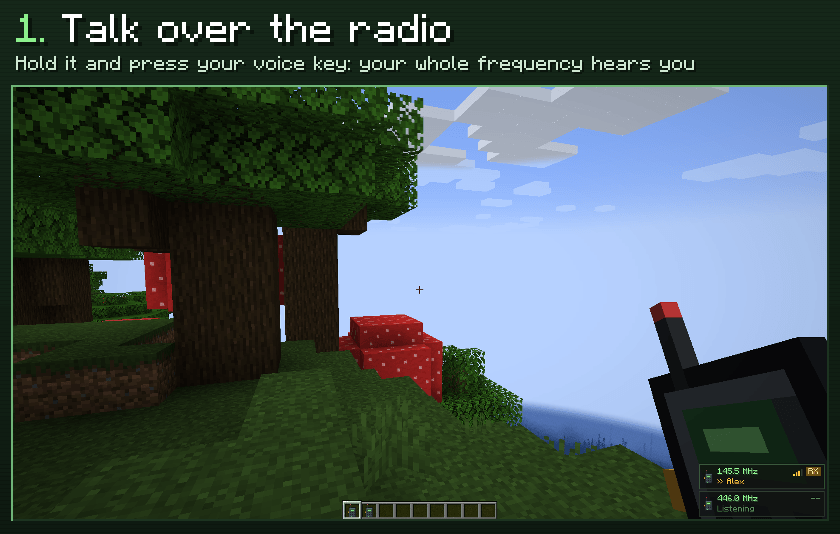
/radio <message> reaches your frequency too. A weak signal loses letters.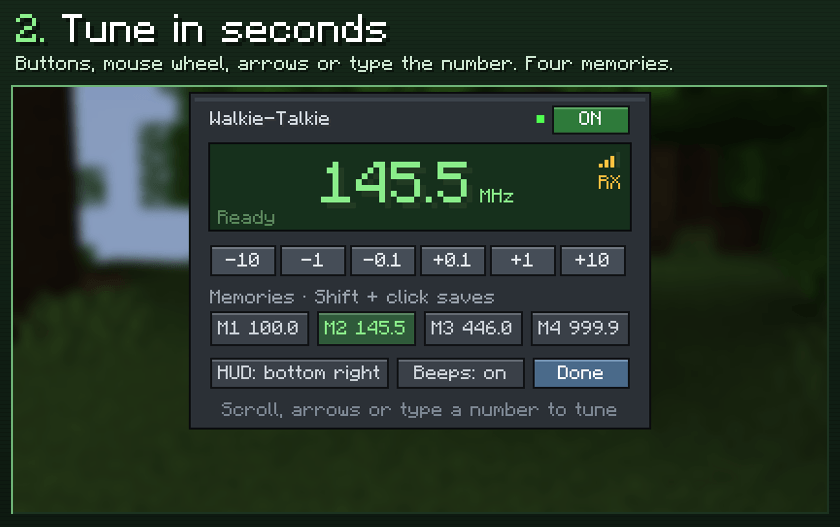
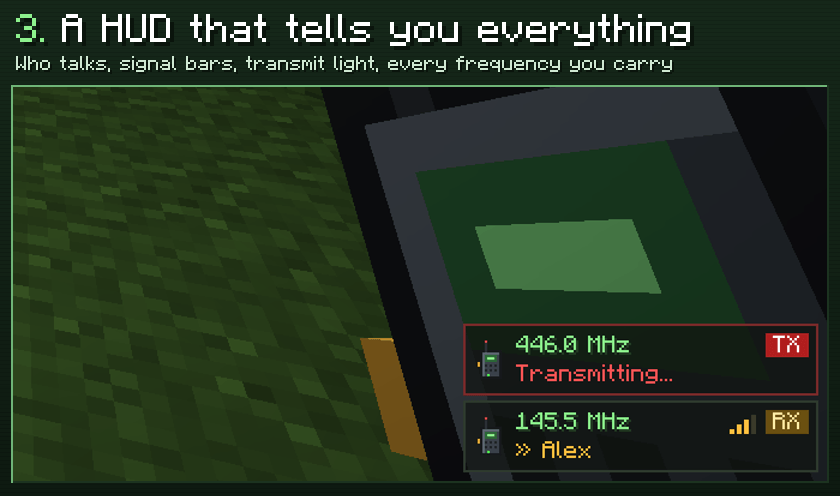
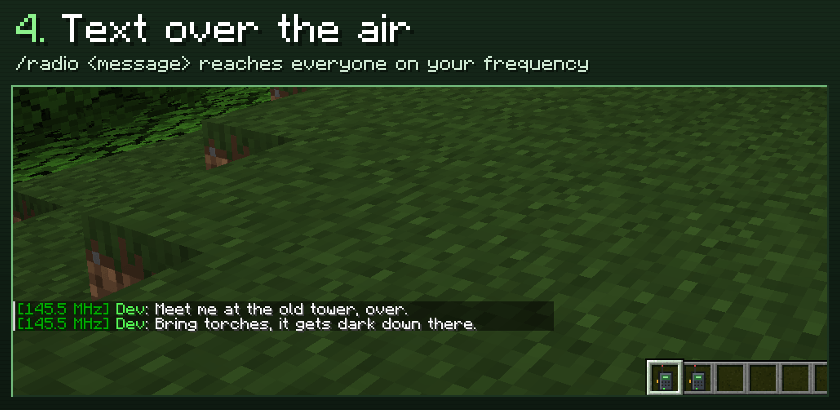
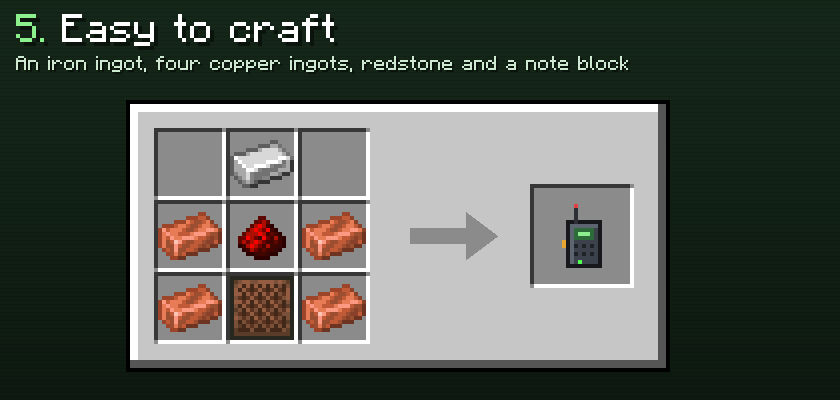
/walkie shows your frequency and how many people are listening. /walkie tune 145.5, /walkie on, /walkie off./walkie echo is a radio check: you hear your own transmissions, handy to test it alone.config/walkietalkies-server.properties: range (blocks, 0 = unlimited), cross_dimension, direct_range (players this close already hear each other and get no radio copy) and text_messages.config/walkietalkies-client.properties (also from the tuner): HUD corner, beeps and the four memories.Questions, ideas or bugs? Join the Discord.
Project description from CurseForge.
Pick your setup
Choose the version and loader you play, then open the matching release.
Showing the newest 12 of 17 game versions. Older files are in the list below.
Check the dependencies, then try the file in a copied instance before changing a world you care about.
Recent files
walkietalkies-1.1.1+neoforge-26.3.jar
24 Oct 2026
walkietalkies-1.1.1+forge-26.3.jar
24 Oct 2026
walkietalkies-1.1.1+fabric-26.3.jar
24 Oct 2026
walkietalkies-1.1.1+neoforge-26.2.jar
24 Oct 2026
walkietalkies-1.1.1+forge-26.2.jar
24 Oct 2026
walkietalkies-1.1.1+fabric-26.2.jar
24 Oct 2026
walkietalkies-1.1.1+neoforge-26.1.2.jar
24 Oct 2026
walkietalkies-1.1.1+forge-26.1.2.jar
24 Oct 2026
walkietalkies-1.1.1+fabric-26.1.2.jar
24 Oct 2026
walkietalkies-1.1.1+neoforge-26.1.1.jar
24 Oct 2026
walkietalkies-1.1.1+forge-26.1.1.jar
24 Oct 2026
walkietalkies-1.1.1+fabric-26.1.1.jar
24 Oct 2026
Looking for an older file? The official CurseForge project page is in Resources.
 mod
modCobblemon roguelike gyms based on RCT Api
 mod
modGugle's Carpet Addition
 mod
modUniversal Wood Compat: Quark, Twilight Forest, Twigs, Another Furniture, Farmers Delight, Macaw's, Valhelsia, Architects Palette, Deco Blocks, Crayfish FM