Minecraft version
Back to mods 
CurseForge · Minecraft mod
Absolute Hearts
Shows the hearts of PvP players and mobs above their heads.
Choose a version Pick your version below, then grab the matching file.
Quick answer
Which Absolute Hearts release matches 26.1.2?
Best match for your filters absolutehearts-neoforge-1.1.1+26.1.2.jar
Game version 26.1, 26.1.1, 26.1.2
Loader NeoForge
Absolute Hearts absolutehearts-neoforge-1.1.1+26.1.2.jar targets 26.1, 26.1.1, 26.1.2 with NeoForge. The project page does not say whether this file belongs on the client, dedicated server, or both. No extra mods listed for this file.
Where it goes
Is Absolute Hearts required on the client, server, or both?
The project page does not say whether this file belongs on the client, dedicated server, or both.
Client Source doesn’t say
Dedicated server Source doesn’t say
Loader for this release NeoForge
Required install it here Optional supported, not mandatory Not supported do not install here Source doesn’t say do not assume
The source does not explicitly classify this release as client-only or server-only.
What else does Absolute Hearts absolutehearts-neoforge-1.1.1+26.1.2.jar need?
absolutehearts-neoforge-1.1.1+26.1.2.jar on 26.1.2. Every mod below is checked against that same setup.
This file does not list any required mods. Do not add a library just because a different file uses it.
This file does not list any required or optional mods.
Before you install it
Add Absolute Hearts without breaking your instance.
Built for Absolute Hearts absolutehearts-neoforge-1.1.1+26.1.2.jar on 26.1.2. Pick another file and the loader, install side or required mods may change.
- 01
Stick to this file
Use absolutehearts-neoforge-1.1.1+26.1.2.jar. It targets 26.1, 26.1.1, 26.1.2 with NeoForge; another release may have different loader, side or dependency requirements.
- 02
Bring the mods it needs
This file does not list any required mods. Do not add a library just because a different file uses it.
- 03
Put it on the correct side
The project page does not say whether this file belongs on the client, dedicated server, or both.
- 04
Pick the file you checked
Use the “Get this file” button beside absolutehearts-neoforge-1.1.1+26.1.2.jar. It opens that exact file at the source.
About this project
What does Absolute Hearts add?


Version 1.1 out now
Out now: the row sits right above the head · clouds and flames stay behind it · full brightness at night · new bars and a redrawn heart set · a stage in the settings · twelve builds from 1.8.9 to 26.3 · fourteen languages
You hit them. You just don't know how close they are.
Every fight in Minecraft is guesswork. Four hits in, is the guy in front of you one swing from death or sitting on a golden apple? You find out the moment it stops mattering.
Absolute Hearts puts the health bar where you are already looking: over their head.
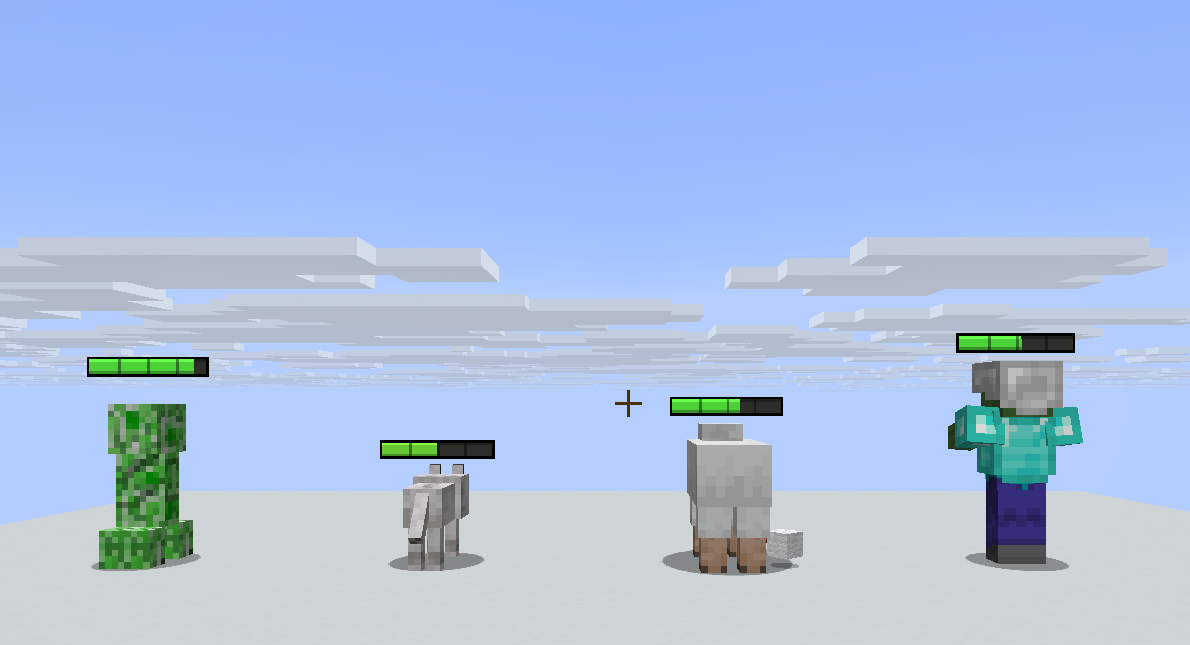
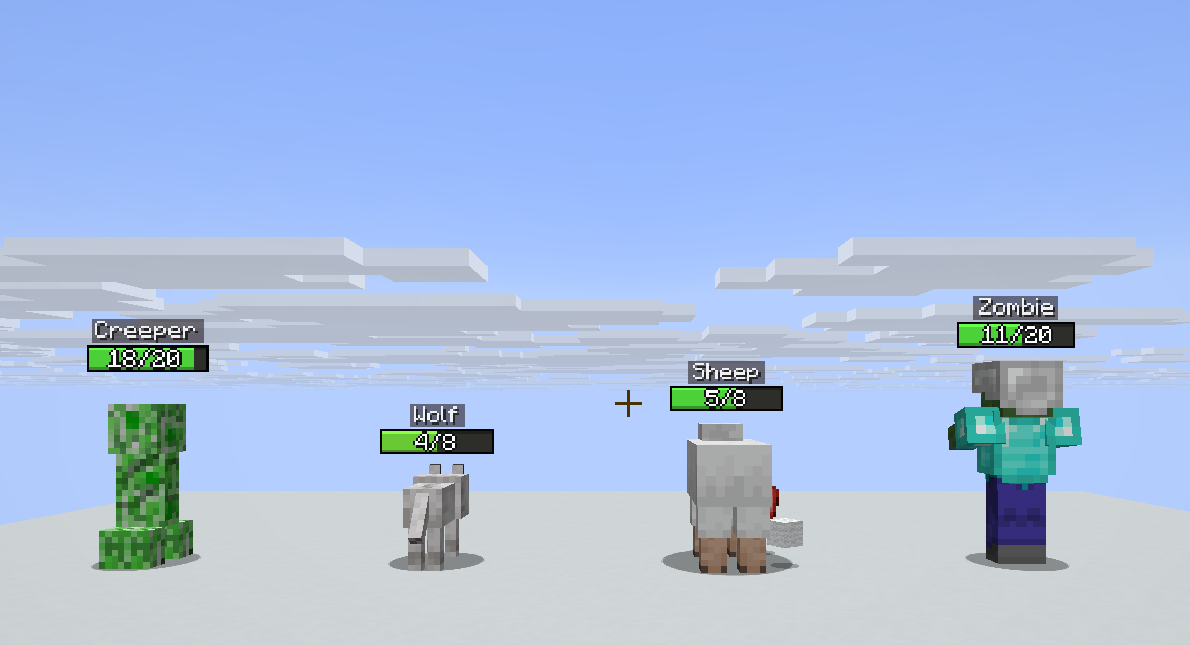
Hearts, a bar, a plain 14/20, a percentage, or the two overlays the old UHC servers used to draw, brought back on purpose. It reads the numbers the server already sends your client, so there is nothing to install on the server, nothing to configure for your friends, and nothing that can get you kicked for a mod the admin never heard of.
New in 1.1: the quality update
Everything the row does stayed. How it looks and where it sits got rebuilt.
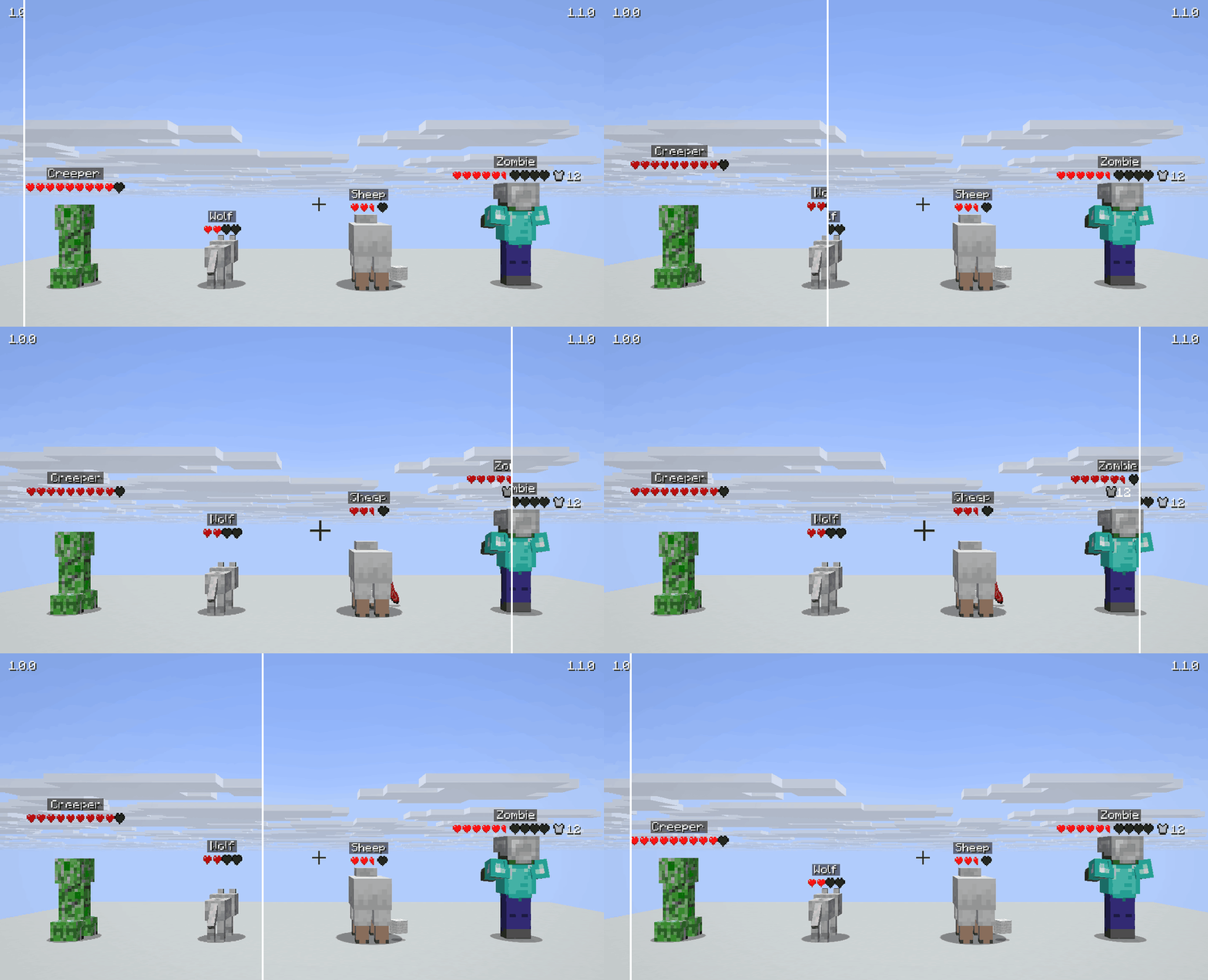
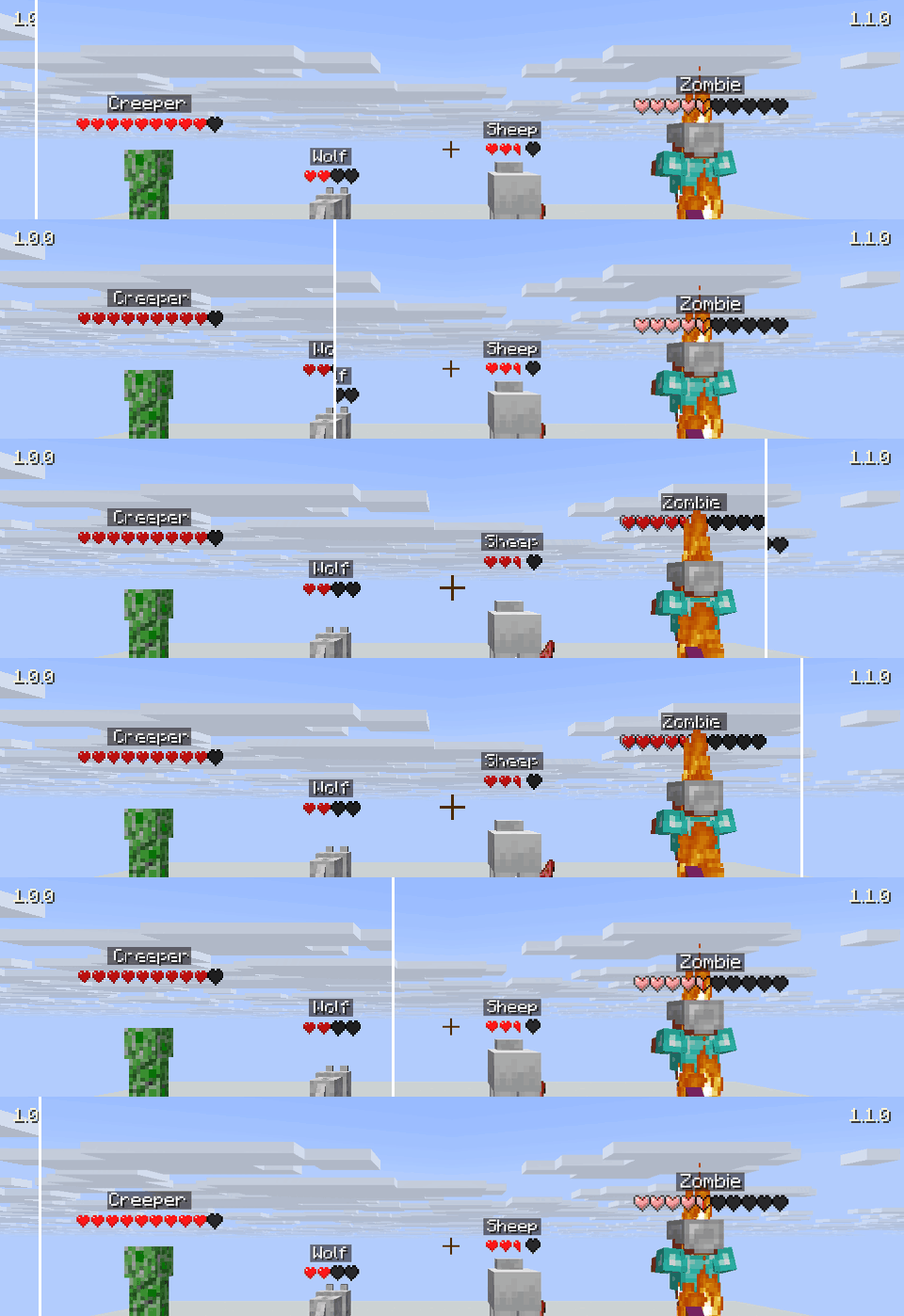
- Right above the head – no more row floating in the air. It only moves up when a name plate or a score line is really there, and it glides there instead of jumping.
- Readable further away – the row shrinks gently with distance instead of all the way.
- Armour points beside the row – out of the head and out of the flames.
- Clouds stay behind it – on 1.21.1 and 26.x they used to wash the row out.
- Flames stay behind it – a burning target keeps a row you can read.
- Full brightness – at midnight and in caves, on every version.
- Bars with depth – a lit top edge, a shaded bottom edge, quarter marks, and numbers with an outline.
- A redrawn heart set – stronger colours, and empty hearts you can actually see.
- Walls mean walls – rows and names no longer show through unless the setting says so.
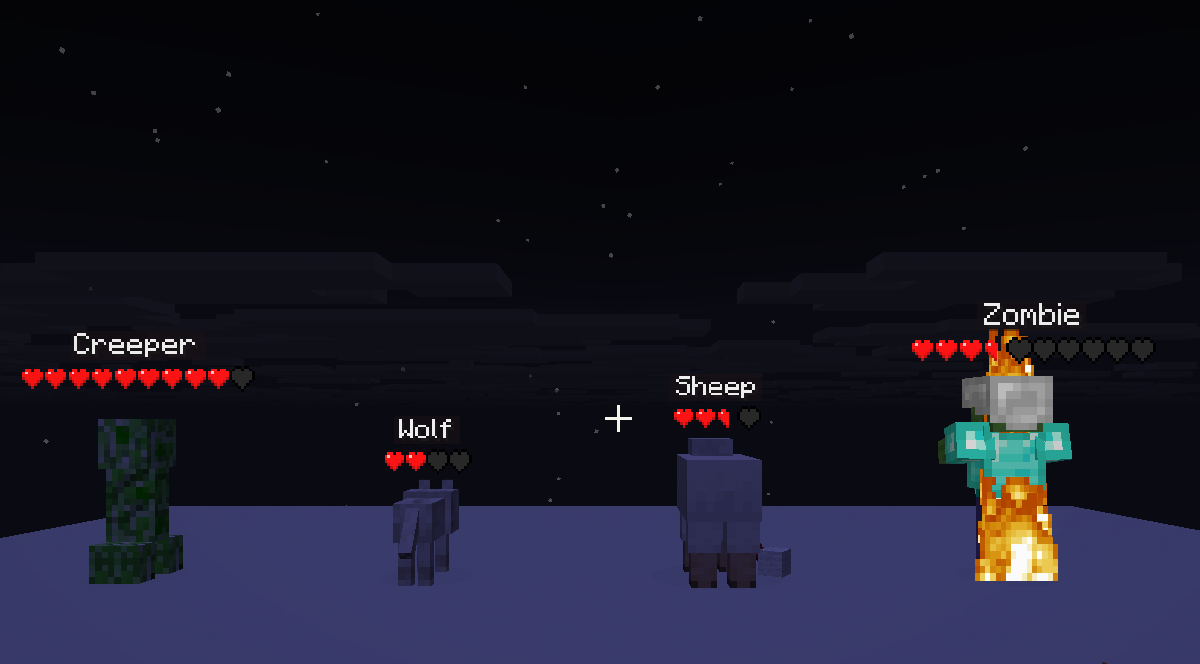
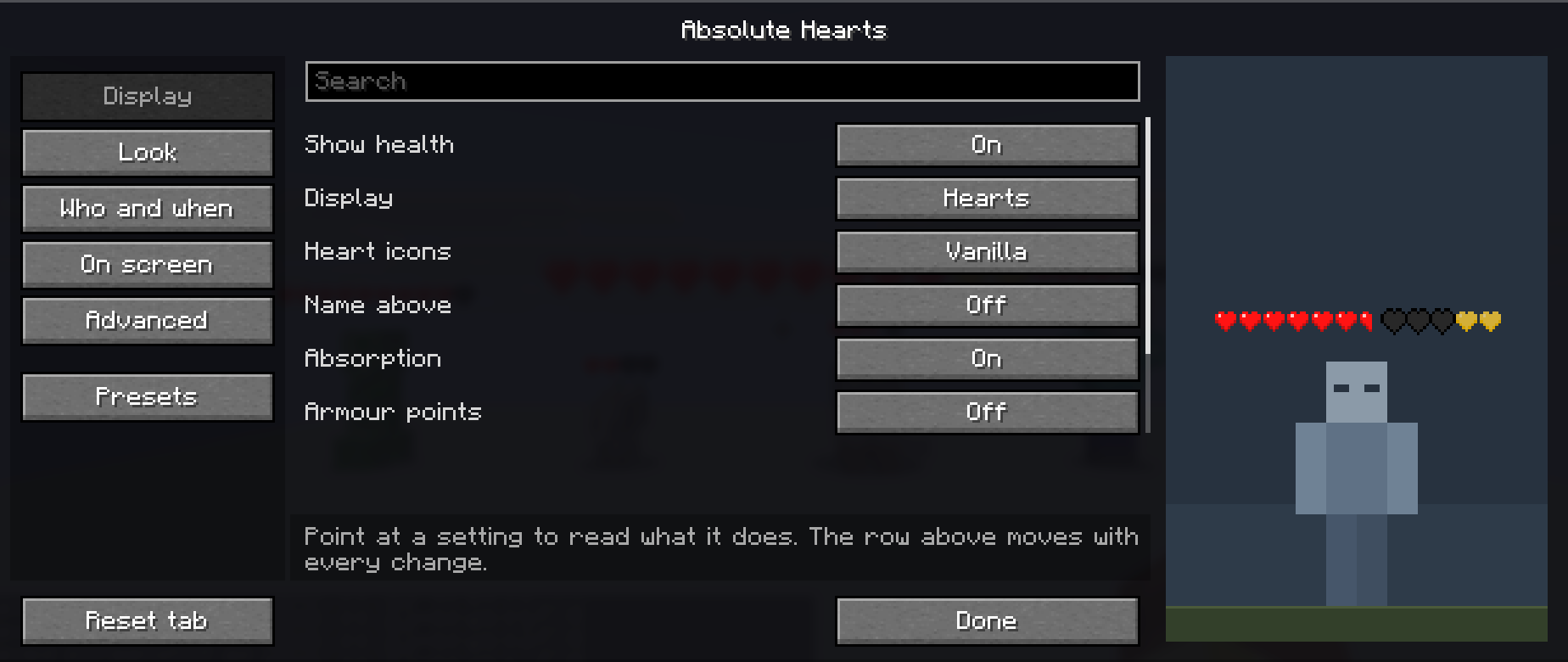
And a stage in the settings. The row stands over a figure in its real proportions, so size and height get set by eye.
Where this is going
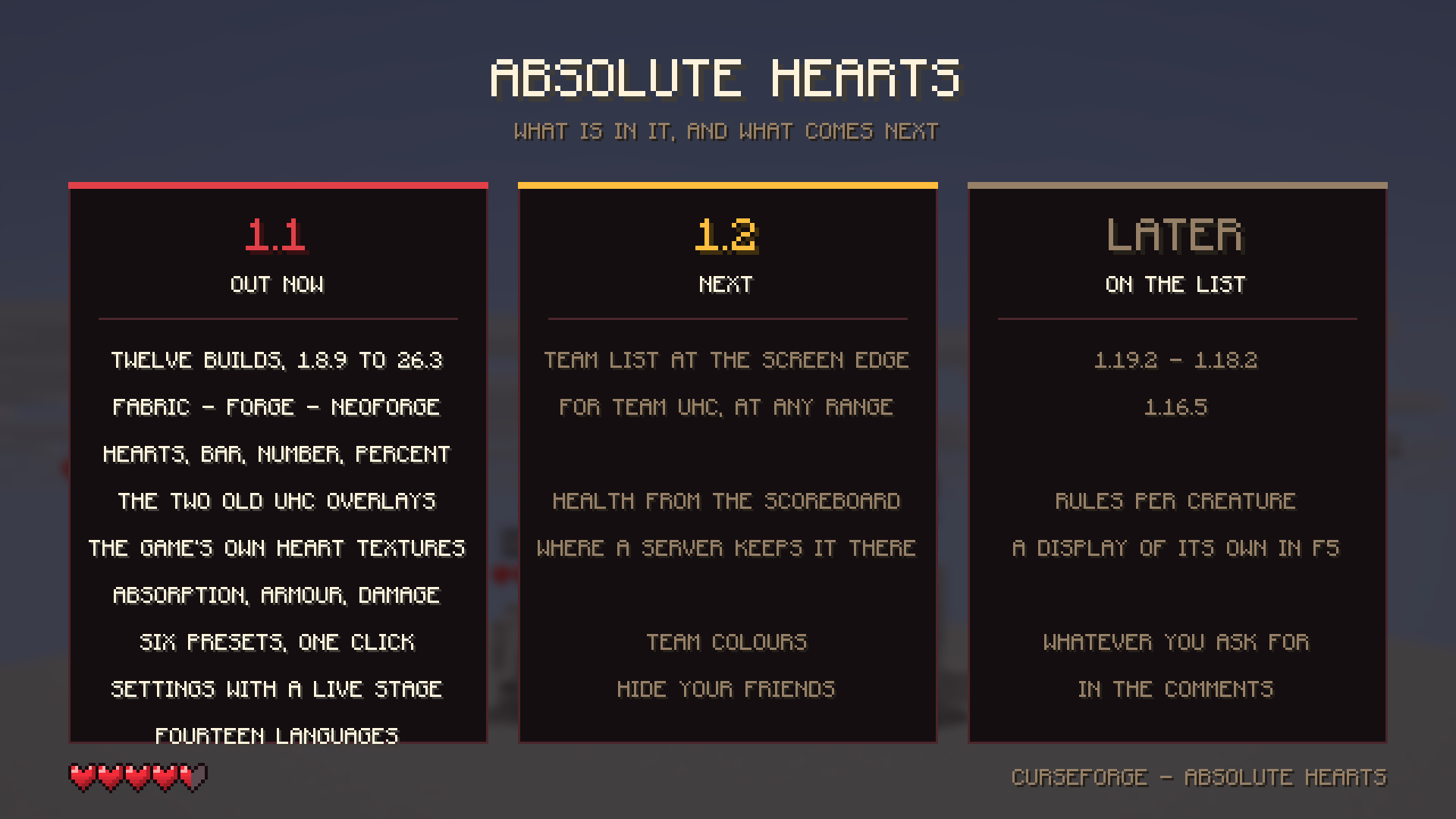
1.2 is next: a team list at the edge of the screen for team UHC, health from the scoreboard where a server keeps it there, team colours, and hiding your friends.
After that: more old versions (1.19.2, 1.18.2, 1.16.5), rules per creature, and whatever you ask for in the comments.
Built for the fights that are decided in a second
Twelve builds, 1.8.9 to 26.3. Soup PvP never left 1.8.9, and neither did this mod.
No lag between truth and picture. The number over a head is whatever the server last said, this tick. The bar that drains behind it is decoration and is never what you read.
Nothing allocated per frame. No garbage, no stutter, no map lookups in the render path, and an upper limit per frame that shrinks the range instead of dropping to 20 fps in a 40-mob pit.
Six ways to show it
- Hearts – the row you know, in the game's own heart textures, so your resource pack is what you see. Or the mod's own set, identical on every server you join.
- Bar – one clean bar, green through orange to red.
- Number and Percent –
14/20or70 %, nothing else. - Classic overlay – the bordered green bar with the numbers written inside it, the way the old health-indicator plugins drew it.
- Classic tag –
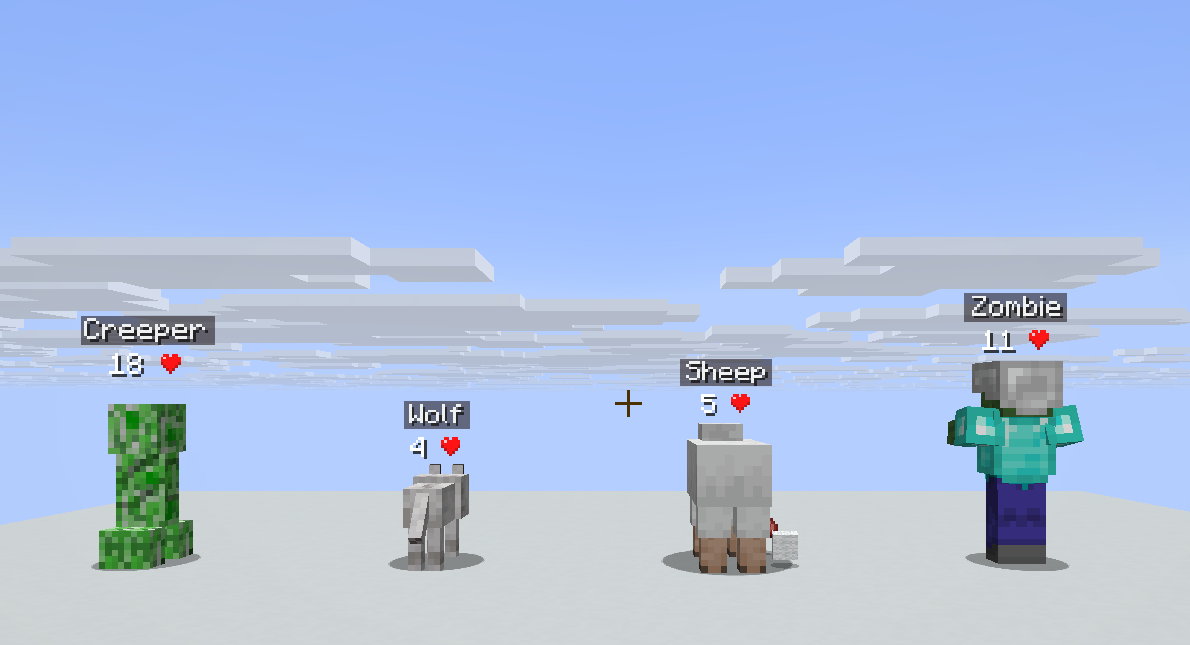
18 ♥next to the name, and nothing more.
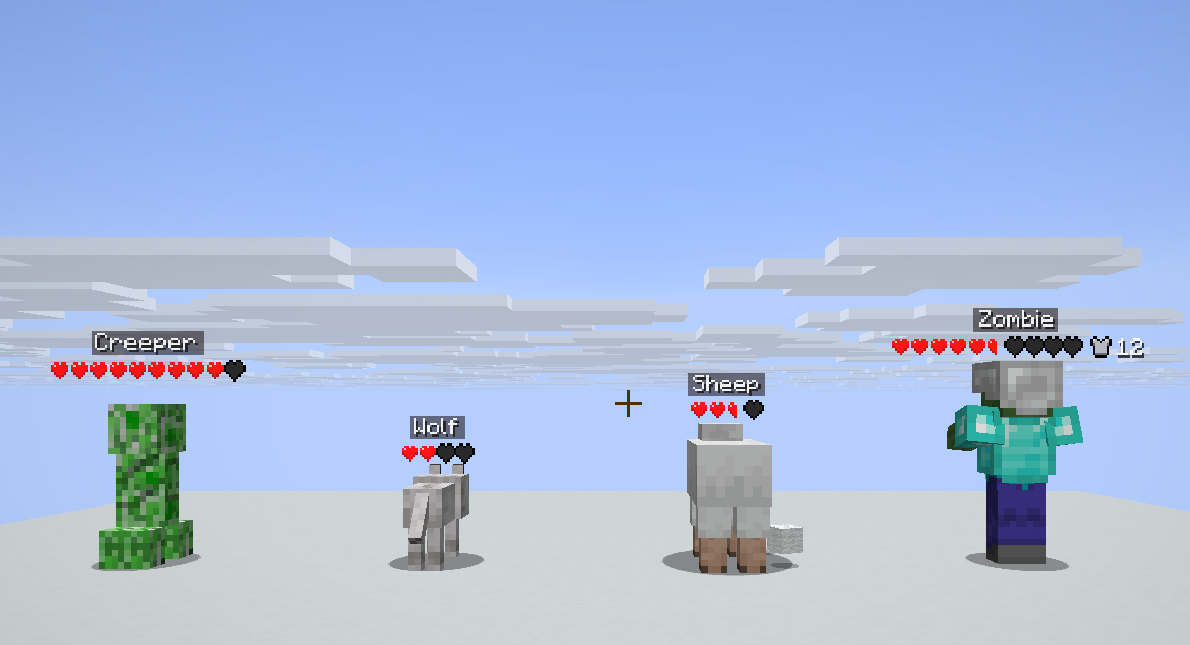
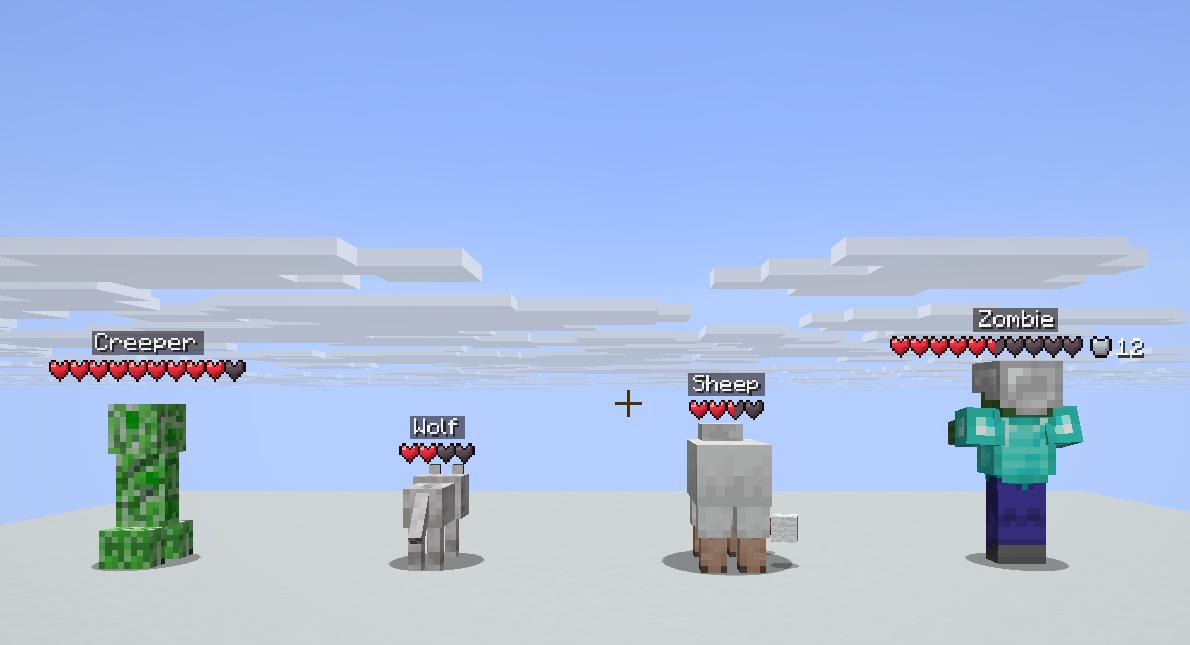
It shows what the others leave out
- Absorption as golden hearts – you can see who just ate a golden apple.
- Armour points beside the row.
- Damage numbers that float up from the hit, yours and theirs.
- The ghost bar that drains a moment behind the real one, so a big hit reads as a big hit.
- A white flash on damage, green on healing, a pulse below 20 %.
- A compact row with
x2once a boss has more hearts than fit over a head.
Exactly as much as you want
Who gets a bar: only players, players and mobs, or everything alive. When: always, only when hurt, only what you are looking at, or only in combat. Tamed animals always, mobs only when they are hurt, a range with a soft edge instead of a hard pop, and three ways to treat walls: off, on, dimmed.
On the screen itself, both switched off until you want them: the health of whatever is under your crosshair, and your own health at eye level, each with its own offset and scale.
Six presets, one click:
- Classic UHC – hearts over players only, always on.
- PvP / Soup – a number over the one you are hitting, your own health at eye level, nothing that lags behind.
- Survival – everything alive, but only when it is hurt.
- Classic overlay – the old bordered bar with the numbers in it.
- Classic tag –
18 ♥beside the name. - Quiet – only what you are looking at, half faded.
A settings screen that explains itself
Groups down the left, a search that also reads the explanations, the stage on the right, and the explanation of whatever your mouse is on written out at the bottom, not hidden in a tooltip you have to wait for. On small screens the stage makes way for a slim preview, and 1.8.9 and 1.12.2 keep that preview too.
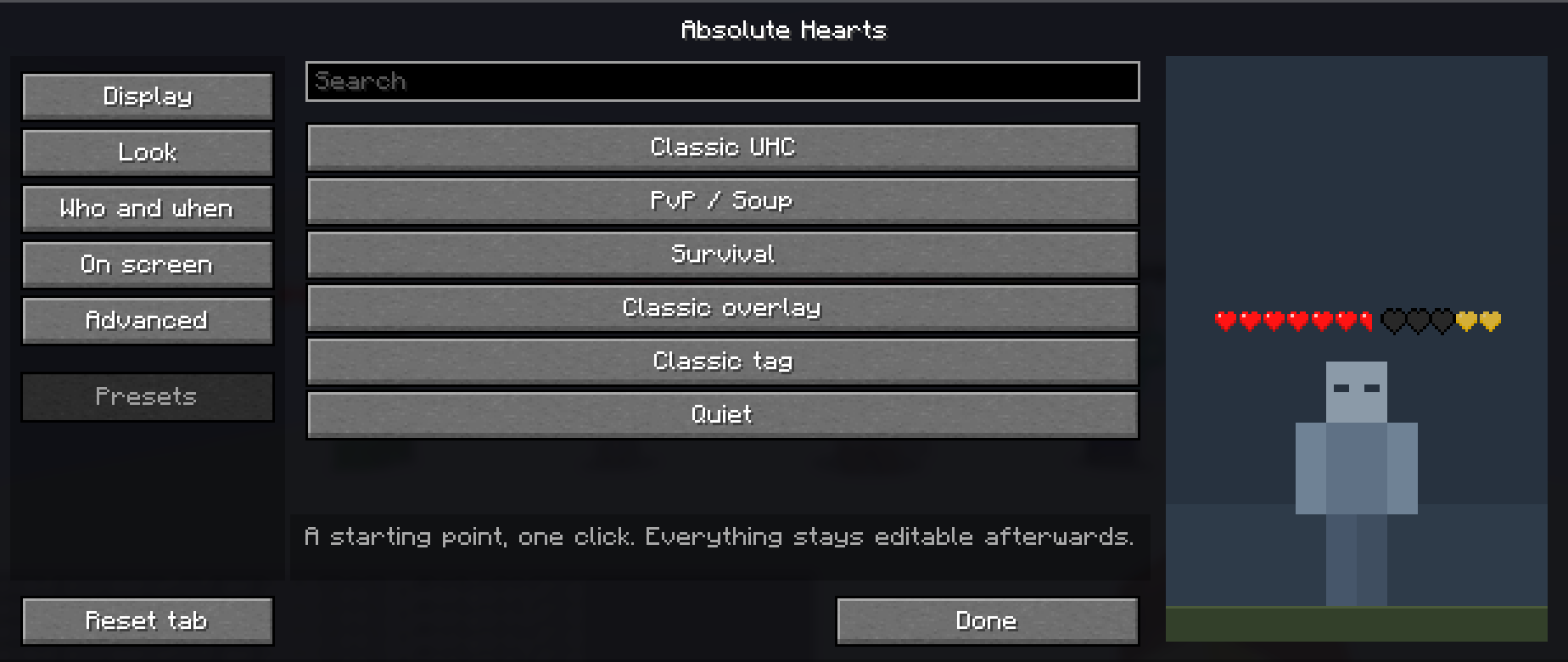
H turns it on and off, J opens the settings, one more key cycles the display.
Versions
| Minecraft | Loader |
|---|---|
| 1.8.9 | Forge |
| 1.12.2 | Forge |
| 1.20.1 | Fabric, Forge |
| 1.21.1 | Fabric, NeoForge |
| 26.1, 26.2, 26.3 | Fabric, NeoForge |
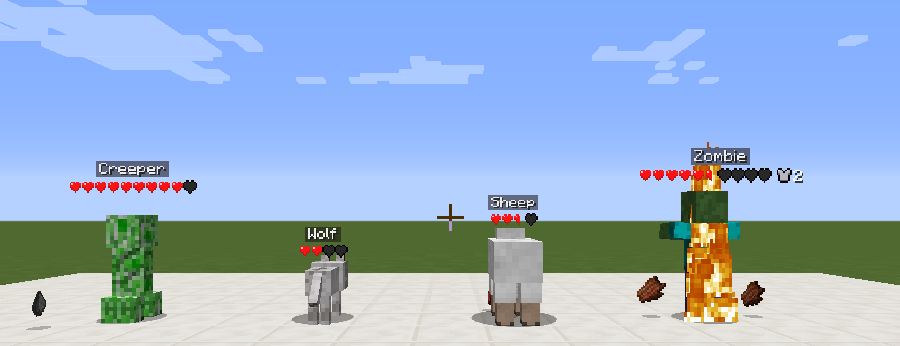
The same displays on 1.8.9, for the servers that never moved on.
Client side only. No server install, no dependencies, no network packets of its own. It works in every modpack and on every server you can already join.
In your language
English, Deutsch, Français, Español, Italiano, Português (BR), Nederlands, Polski, Русский, Українська, Türkçe, 日本語, 한국어, 简体中文.
Two honest notes
Golden hearts show up for players, not for mobs. The server sends absorption for players only; for mobs it is not on the wire at all, so no mod can draw it client-side. Measured, not guessed.
Potion effects of other creatures never reach your client either, so there is no effect colouring. If a mod promises you that without a server part, ask it where the data comes from.
Project description from CurseForge.
Pick your setup
Absolute Hearts by Minecraft version and loader
Choose the version and loader you play, then open the matching release.
Minecraft version
26.2
2 loader buildsMinecraft version
26.1.2
2 loader buildsMinecraft version
26.1.1
2 loader buildsMinecraft version
26.1
2 loader buildsMinecraft version
1.21.1
2 loader buildsMinecraft version
1.20.1
2 loader buildsMinecraft version
1.12.2
1 loader buildMinecraft version
1.8.9
1 loader buildCheck the dependencies, then try the file in a copied instance before changing a world you care about.
Recent files
Absolute Hearts versions and loaders
absolutehearts-neoforge-1.1.1+26.1.2.jar
absolutehearts-neoforge-1.1.1-26.1.2.jar
5 Nov 2026
Client Source doesn’t say Server Source doesn’t say Dependencies No extras listed Listed on Release listing
Check the 26.1.2 · NeoForge setup NeoForge26.126.1.126.1.2 release
absolutehearts-fabric-1.1.1+26.1.2.jar
absolutehearts-fabric-1.1.1-26.1.2.jar
5 Nov 2026
Client Source doesn’t say Server Source doesn’t say Dependencies No extras listed Listed on Release listing
Check the 26.1.2 · Fabric setup Fabric26.126.1.126.1.2 release
absolutehearts-neoforge-1.1.0+26.1.2.jar
absolutehearts-neoforge-1.1.0-26.1.2.jar
4 Nov 2026
Client Source doesn’t say Server Source doesn’t say Dependencies No extras listed Listed on Release listing
Check the 26.1.2 · NeoForge setup NeoForge26.126.1.126.1.2 release
absolutehearts-fabric-1.1.0+26.1.2.jar
absolutehearts-fabric-1.1.0-26.1.2.jar
4 Nov 2026
Client Source doesn’t say Server Source doesn’t say Dependencies No extras listed Listed on Release listing
Check the 26.1.2 · Fabric setup Fabric26.126.1.126.1.2 release
absolutehearts-neoforge-1.0.0+26.1.2.jar
18 Oct 2026
Client Source doesn’t say Server Source doesn’t say Dependencies No extras listed Listed on Release listing
Check the 26.1.2 · NeoForge setup NeoForge26.126.1.126.1.2 release
absolutehearts-fabric-1.0.0+26.1.2.jar
18 Oct 2026
Client Source doesn’t say Server Source doesn’t say Dependencies No extras listed Listed on Release listing
Check the 26.1.2 · Fabric setup Fabric26.126.1.126.1.2 release
Looking for an older file? The official CurseForge project page is in Resources.
 mod
CurseForge + Modrinth · Minecraft
SeasonHud (Fabric)
Display the current season on the Hud or under the minimap
 mod
CurseForge · Minecraft
JuxtUI
JuxtOpposed's Redesign of the Minecraft UI
 mod
CurseForge · Minecraft
Nether Squared
Adds new nether brick types, fixes the old ones by adding previously "missing" blocks, and more!