Minecraft version
Back to mods 
CurseForge · Minecraft mod
Texture Mixer Legacy
Mix your resource packs on 1.7.10 - 1.12.2: sword from one pack, axe from another, hotbar from a third. PvP-friendly, OptiFine aware.
Choose a version Pick your version below, then grab the matching file.
Quick answer
Which Texture Mixer Legacy release should I use?
Latest stable file Texture Mixer Legacy 1.0.0 for Forge 1.12.2
Game version 1.12.2
Loader Forge
Texture Mixer Legacy 1.0.0 for Forge 1.12.2 targets 1.12.2 with Forge. The project page does not say whether this file belongs on the client, dedicated server, or both. No extra mods listed for this file.
Where it goes
Is Texture Mixer Legacy required on the client, server, or both?
The project page does not say whether this file belongs on the client, dedicated server, or both.
Client Source doesn’t say
Dedicated server Source doesn’t say
Loader for this release Forge
Required install it here Optional supported, not mandatory Not supported do not install here Source doesn’t say do not assume
The source does not explicitly classify this release as client-only or server-only.
What else does Texture Mixer Legacy 1.0.0 for Forge 1.12.2 need?
Texture Mixer Legacy 1.0.0 for Forge 1.12.2. Change the file and its required mods may change too.
This file does not list any required mods. Do not add a library just because a different file uses it.
This file does not list any required or optional mods.
Before you install it
Add Texture Mixer Legacy without breaking your instance.
Built for Texture Mixer Legacy 1.0.0 for Forge 1.12.2. Pick another file and the loader, install side or required mods may change.
- 01
Stick to this file
Use Texture Mixer Legacy 1.0.0 for Forge 1.12.2. It targets 1.12.2 with Forge; another release may have different loader, side or dependency requirements.
- 02
Bring the mods it needs
This file does not list any required mods. Do not add a library just because a different file uses it.
- 03
Put it on the correct side
The project page does not say whether this file belongs on the client, dedicated server, or both.
- 04
Pick the file you checked
Use the “Get this file” button beside Texture Mixer Legacy 1.0.0 for Forge 1.12.2. It opens that exact file at the source.
About this project
What does Texture Mixer Legacy add?
Texture Mixer Legacy
Sword from one pack, axe from another, hotbar from a third, sky from a fourth. Texture Mixer Legacy lets you build your own mix out of the packs you already have, on 1.8.9 and the other old versions.
Works on Forge and Legacy Fabric, for Minecraft 1.7.10, 1.8.9, 1.9.4, 1.10.2, 1.11.2 and 1.12.2.
How to use it
Turn on all the packs you like in Options → Resource Packs, as usual. Then open Texture Mixer: press V in game, or click Texture Mixer in the top-left corner of the Resource Packs screen.
Everything your packs change is listed once. Pick the pack you want for each thing and press Apply. Your picks go into a small pack called TextureMixerLegacy that sits on top of the others. Your own packs are never modified.
What it does
- One row per thing. The grass block is one row, not "grass_top, grass_side, grass_side_overlay". The bow is one row with all of its pulling frames.
- PvP stuff first. Swords, axes, bows, arrows, armor, potions, golden apples, pearls, the enchantment glint, hit particles, hearts and the hotbar are right at the top.
- Previews of the chosen pack's textures with a magnifier when you hover, armor on a rotating player, a play button for sounds, and GUIs cropped to the part you actually see.
- No mixed-up results. Pick a flat sword texture and another pack's 3D sword model or animation won't sneak in.
- OptiFine aware. Named-item textures (CIT), connected glass (CTM), random mob textures, custom sky, custom colors and animations appear in the row they belong to, and picking another pack turns the old pack's OptiFine rule off.
- Search, filters (All / Conflicts / My picks), and a Minecraft option on every row to get the original back.
- Export / import your picks through the clipboard to share a mix with friends.
- 14 languages: English, Turkish, Chinese (Simplified and Traditional), Spanish, Portuguese, Russian, Ukrainian, German, French, Italian, Polish, Japanese and Korean.
Requirements
| Loader | Needs |
|---|---|
| Forge | nothing else |
| Legacy Fabric | Legacy Fabric API |
It's client-side only, so it's fine on any server, PvP servers included: it only changes the textures and sounds on your own screen, just like a resource pack.
FAQ
Does it change my pack files? No. Everything goes into the TextureMixerLegacy pack in your resourcepacks folder. Remove that pack, or press "Reset all" and then Apply, and you're back to normal.
I turned the TextureMixerLegacy pack off by accident. Open Texture Mixer and press Apply. It turns itself back on, on top of your other packs.
Is this the same as the modern Texture Mixer? Same idea, rebuilt for 1.7.10 – 1.12.2. The modern version, Texture Mixer (1.16.5 – 26.3), is a separate project.
Made by 37mg · All rights reserved. Free to use in any modpack; please don't re-upload it to other sites.
Project description from CurseForge.
Pick your setup
Texture Mixer Legacy by Minecraft version and loader
Choose the version and loader you play, then open the matching release.
Minecraft version
1.11.2
2 loader buildsMinecraft version
1.10.2
2 loader buildsMinecraft version
1.9.4
2 loader buildsMinecraft version
1.8.9
2 loader buildsMinecraft version
1.7.10
2 loader buildsCheck the dependencies, then try the file in a copied instance before changing a world you care about.
Recent files
Texture Mixer Legacy versions and loaders
Texture Mixer Legacy 1.0.0 for Forge 1.12.2
texturemixerlegacy-forge-1.12.2-1.0.0.jar
18 Oct 2026
Client Source doesn’t say Server Source doesn’t say Dependencies No extras listed Listed on Release listing
Check the 1.12.2 · Forge setup Forge1.12.2 release
Texture Mixer Legacy 1.0.0 for Legacy Fabric 1.12.2
texturemixerlegacy-fabric-1.12.2-1.0.0.jar
18 Oct 2026
Client Source doesn’t say Server Source doesn’t say Dependencies 1 required · 1 unchecked Listed on Release listing
Check the 1.12.2 · Fabric setup Fabric1.12.2 release
Texture Mixer Legacy 1.0.0 for Forge 1.11.2
texturemixerlegacy-forge-1.11.2-1.0.0.jar
18 Oct 2026
Client Source doesn’t say Server Source doesn’t say Dependencies No extras listed Listed on Release listing
Check the 1.11.2 · Forge setup Forge1.11.2 release
Texture Mixer Legacy 1.0.0 for Legacy Fabric 1.11.2
texturemixerlegacy-fabric-1.11.2-1.0.0.jar
18 Oct 2026
Client Source doesn’t say Server Source doesn’t say Dependencies 1 required · 1 unchecked Listed on Release listing
Check the 1.11.2 · Fabric setup Fabric1.11.2 release
Texture Mixer Legacy 1.0.0 for Forge 1.10.2
texturemixerlegacy-forge-1.10.2-1.0.0.jar
18 Oct 2026
Client Source doesn’t say Server Source doesn’t say Dependencies No extras listed Listed on Release listing
Check the 1.10.2 · Forge setup 1.10.2Forge release
Texture Mixer Legacy 1.0.0 for Legacy Fabric 1.10.2
texturemixerlegacy-fabric-1.10.2-1.0.0.jar
18 Oct 2026
Client Source doesn’t say Server Source doesn’t say Dependencies 1 required · 1 unchecked Listed on Release listing
Check the 1.10.2 · Fabric setup 1.10.2Fabric release
Texture Mixer Legacy 1.0.0 for Forge 1.9.4
texturemixerlegacy-forge-1.9.4-1.0.0.jar
18 Oct 2026
Client Source doesn’t say Server Source doesn’t say Dependencies No extras listed Listed on Release listing
Check the 1.9.4 · Forge setup 1.9.4Forge release
Texture Mixer Legacy 1.0.0 for Legacy Fabric 1.9.4
texturemixerlegacy-fabric-1.9.4-1.0.0.jar
18 Oct 2026
Client Source doesn’t say Server Source doesn’t say Dependencies 1 required · 1 unchecked Listed on Release listing
Check the 1.9.4 · Fabric setup Fabric1.9.4 release
Texture Mixer Legacy 1.0.0 for Forge 1.8.9
texturemixerlegacy-forge-1.8.9-1.0.0.jar
18 Oct 2026
Client Source doesn’t say Server Source doesn’t say Dependencies No extras listed Listed on Release listing
Check the 1.8.9 · Forge setup Forge1.8.9 release
Texture Mixer Legacy 1.0.0 for Legacy Fabric 1.8.9
texturemixerlegacy-fabric-1.8.9-1.0.0.jar
18 Oct 2026
Client Source doesn’t say Server Source doesn’t say Dependencies 1 required · 1 unchecked Listed on Release listing
Check the 1.8.9 · Fabric setup Fabric1.8.9 release
Texture Mixer Legacy 1.0.0 for Forge 1.7.10
texturemixerlegacy-forge-1.7.10-1.0.0.jar
18 Oct 2026
Client Source doesn’t say Server Source doesn’t say Dependencies No extras listed Listed on Release listing
Check the 1.7.10 · Forge setup Forge1.7.10 release
Texture Mixer Legacy 1.0.0 for Legacy Fabric 1.7.10
texturemixerlegacy-fabric-1.7.10-1.0.0.jar
18 Oct 2026
Client Source doesn’t say Server Source doesn’t say Dependencies 1 required · 1 unchecked Listed on Release listing
Check the 1.7.10 · Fabric setup Fabric1.7.10 release
Looking for an older file? The official CurseForge project page is in Resources.
 mod
CurseForge · Minecraft
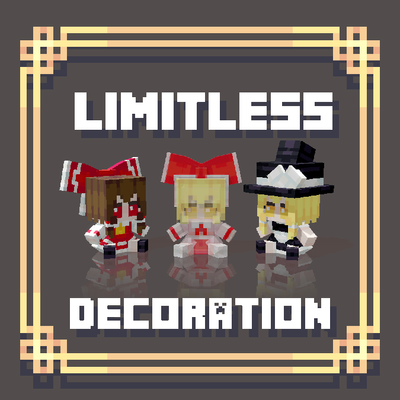
Limitless Decoration:More Fumos and Plushies
A simple, data-driven decoration mod with Bedrock model support
 mod
CurseForge · Minecraft
Polycore
Multicore optimization: faster chunk generation on every core, a lag analyzer that finds what slows your server, and a TPS Guard. Same world as vanilla.
 mod
CurseForge · Minecraft
Shob Economy
Virtual per-player marketplace for Minecraft. It adds a shop you can open from your inventory — no shop block, no physical coins to place in the world. Buy and sell curated items with dynamic prices that react to how much the server has been trading.