Minecraft version
Back to mods 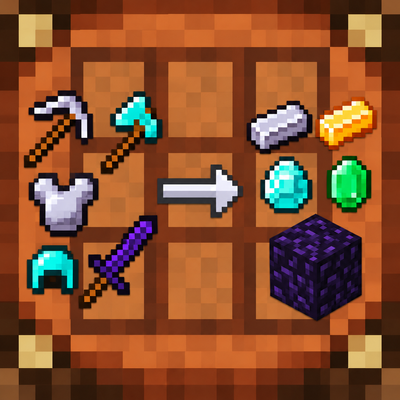
CurseForge · Minecraft mod
Tools Crafting Return
Recycle tools, weapons, and armor in any crafting grid with durability-based returns and automatic support for most modded materials.
Choose a version Pick your version below, then grab the matching file.
Quick answer
Which Tools Crafting Return release matches 1.21.8 NeoForge?
Best match for your filters tools_crafting_return-neoforge-1.21.8-1.1.0.jar
Game version 1.21.8
Loader NeoForge
Tools Crafting Return tools_crafting_return-neoforge-1.21.8-1.1.0.jar targets 1.21.8 with NeoForge. The project page does not say whether this file belongs on the client, dedicated server, or both. No extra mods listed for this file.
Where it goes
Is Tools Crafting Return required on the client, server, or both?
The project page does not say whether this file belongs on the client, dedicated server, or both.
Client Source doesn’t say
Dedicated server Source doesn’t say
Loader for this release NeoForge
Required install it here Optional supported, not mandatory Not supported do not install here Source doesn’t say do not assume
The source does not explicitly classify this release as client-only or server-only.
What else does Tools Crafting Return tools_crafting_return-neoforge-1.21.8-1.1.0.jar need?
tools_crafting_return-neoforge-1.21.8-1.1.0.jar on 1.21.8 NeoForge. Every mod below is checked against that same setup.
This file does not list any required mods. Do not add a library just because a different file uses it.
This file does not list any required or optional mods.
Before you install it
Add Tools Crafting Return without breaking your instance.
Built for Tools Crafting Return tools_crafting_return-neoforge-1.21.8-1.1.0.jar on 1.21.8 NeoForge. Pick another file and the loader, install side or required mods may change.
- 01
Stick to this file
Use tools_crafting_return-neoforge-1.21.8-1.1.0.jar. It targets 1.21.8 with NeoForge; another release may have different loader, side or dependency requirements.
- 02
Bring the mods it needs
This file does not list any required mods. Do not add a library just because a different file uses it.
- 03
Put it on the correct side
The project page does not say whether this file belongs on the client, dedicated server, or both.
- 04
Pick the file you checked
Use the “Get this file” button beside tools_crafting_return-neoforge-1.21.8-1.1.0.jar. It opens that exact file at the source.
About this project
What does Tools Crafting Return add?
Update Has Arrived! - v1.1.0
Released Friday, October 30, 2026!
The latest update expands equipment support and gives you more control over recycling:
- Bow recycling: Recover string from bows.
- Horse armor support: Recycle supported horse armor into useful materials.
- Non-damageable equipment support: Recycle supported equipment even without durability.
- Upgrade material detection: When no usable crafting recipe exists, recycling checks smithing upgrade recipes for useful return materials, including modded ones.
- Nested multitool recycling: Tools such as paxels trace their component tools back to base crafting materials to calculate returns.
- Expanded configuration: Customize recycling with clearly labeled settings and hover descriptions:
- Return percentage: Choose the percentage returned before damage, rounding, and limits. Now defaults to 100%.
- Account for damage: Adjust returns using remaining durability. Defaults to true.
- Return at least 1 item: Guarantee a minimum return when possible. Defaults to true.
- Lose at least 1 item: Keep returns below the original material cost. Defaults to true; turn it off to allow full recovery.
- In-game mod logo: The Tools Crafting Return logo now appears on the Mods page.
When both return toggles are enabled, the minimum-return setting takes priority for items costing only one material. Existing saved configuration values are preserved.
About Tools Crafting Return
Tools Crafting Return is a lightweight quality-of-life mod that lets you recover useful crafting materials from tools, weapons, and armor you no longer need.
Place exactly one supported item into any crafting grid to recover its main material. Give your old equipment a purpose instead of leaving it forgotten in a chest.
Dynamic Recipe Detection
Instead of relying on a fixed list of recycling recipes, Tools Crafting Return examines the original crafting recipe at runtime.
It counts the ingredients, filters common handles and connectors where appropriate, and identifies the main material used to craft the equipment. Bows receive dedicated support for recovering string.
Because recipes are inspected automatically, equipment made from modded resources such as obsidian, emeralds, custom gems, ingots, and planks can often work without a separate compatibility pack or manually created recycling recipe.
When no usable crafting recipe exists, the mod checks smithing upgrade recipes for recoverable materials. Supported vanilla horse armor also has material fallbacks when needed.
For nested recipes, such as multitools crafted from other tools, the mod traces those components back to their base crafting materials.
How the Return Amount Is Calculated
The calculation starts with the main material cost identified from the equipment's recipe.
- Return percentage: The material cost is multiplied by the configured percentage, which defaults to 100%.
- Remaining durability: When Account for Damage is enabled, damageable equipment's return is multiplied by its remaining durability percentage. Non-damageable equipment skips this adjustment.
- Rounding: The result is rounded up to the nearest whole item.
- Return limits: The minimum-return and material-loss settings determine the final amount.
With the default settings, recognized equipment costing at least one whole material returns something useful, while equipment costing multiple materials returns at most one fewer than its original material cost.
For example, an undamaged iron pickaxe costs three iron ingots. At 100% returns, with Lose at Least 1 Item enabled, it returns two iron ingots.
For equipment costing only one material, Return at Least 1 Item takes priority over the loss setting, allowing one material to be returned.
To permit full material recovery, disable Lose at Least 1 Item. Durability and return-percentage adjustments still apply.
If the minimum-return setting is disabled and the final calculation produces zero, no recycling recipe matches and the equipment is not consumed. Fractional material costs below one whole item do not generate a material return.
Configuration
Tools Crafting Return includes four server-controlled settings:
- Return Percentage: Defaults to 100%. Controls the percentage returned before durability, rounding, and limits. Accepts values from 1 to 100.
- Account for Damage: Enabled by default. Adjusts damageable equipment's return using its remaining durability.
- Return at Least 1 Item: Enabled by default. Guarantees one returned material when the recognized equipment costs at least one whole material.
- Lose at Least 1 Item: Enabled by default. Caps returns at one fewer than the original material cost, subject to the minimum-return setting.
The configuration file is named tools_crafting_return-server.toml. Depending on the loader and installation, it can be found in the instance's config folder or the world's serverconfig folder.
NeoForge users can also open the settings from the Mods screen by selecting Tools Crafting Return and choosing Config while playing in a local world.
Local worlds use the host world's settings. Multiplayer servers control the settings for connected players.
Updating does not overwrite your saved choices. If your existing configuration uses an older return percentage, change it manually to use the new default.
Mod Compatibility
Tools Crafting Return is designed to support equipment from other mods through its dynamic recipe system.
Most standard crafting recipes should work automatically. Supported equipment can include damageable and non-damageable tools, weapons, armor, bows, horse armor, and nested multitools.
Equipment created through highly customized crafting systems, unusual ingredient definitions, or unsupported creation methods may require additional compatibility support.
Recover useful materials from equipment that would otherwise go to waste!
Try My Other Mod: Intentional Mistakes
Recycling your old equipment is sensible. Your next survival decision might not be.
Intentional Mistakes turns familiar Minecraft tricks into questionable decisions. Discover unexpected changes to survival mechanics while your equipment, gravity, and occasionally your own bones provide sarcastic commentary.
With 117 changing messages and configurable mechanics, there's plenty to discover and plenty to complain about.
You knew what you were doing. We accounted for that.
Project description from CurseForge.
Pick your setup
Tools Crafting Return by Minecraft version and loader
Choose the version and loader you play, then open the matching release.
Minecraft version
26.2
2 loader buildsMinecraft version
26.1.2
2 loader buildsMinecraft version
26.1.1
2 loader buildsMinecraft version
26.1
2 loader buildsMinecraft version
1.21.11
2 loader buildsMinecraft version
1.21.10
2 loader buildsMinecraft version
1.21.9
2 loader buildsMinecraft version
1.21.8
2 loader buildsMinecraft version
1.21.7
2 loader buildsMinecraft version
1.21.6
2 loader buildsMinecraft version
1.21.5
2 loader buildsShowing the newest 12 of 31 game versions. Older files are in the list below.
Check the dependencies, then try the file in a copied instance before changing a world you care about.
Recent files
Tools Crafting Return versions and loaders
tools_crafting_return-neoforge-1.21.8-1.1.0.jar
30 Oct 2026
Client Source doesn’t say Server Source doesn’t say Dependencies No extras listed Listed on Release listing
Check the 1.21.8 · NeoForge setup 1.21.8NeoForge release
Looking for an older file? The official CurseForge project page is in Resources.
 mod
mod CurseForge · Minecraft
NeroTech
Power it, process it, automate it — industrial machines for the Neroland universe, where throughput runs hot and dirty.
 mod
mod CurseForge + Modrinth · Minecraft
Skin Restorer
A server-side mod for managing and restoring player skins.
 mod
mod CurseForge · Minecraft
SKY ACES
Dogfight in 30+ flyable jets, WWII warbirds and helicopters, then take warships and submarines to sea. F-22, F-35, Spitfire, Apache, a sailing Nimitz carrier, air refuelling and a campaign. (Formerly known as Fighter Jets Overhaul)