Minecraft version
Back to mods 
CurseForge · Minecraft mod
Weather Glass
Rain, snow and frost on your windows: raindrops running down the glass, snowflakes and frost. Pixel art, client side.
Choose a version Pick your version below, then grab the matching file.
Quick answer
Which Weather Glass release should I use?
Latest stable file Weather Glass 0.4.0 for 1.21.1 (NeoForge)
Game version 1.21.1
Loader NeoForge
Weather Glass 0.4.0 for 1.21.1 (NeoForge) targets 1.21.1 with NeoForge. The project page does not say whether this file belongs on the client, dedicated server, or both. No extra mods listed for this file.
Where it goes
Is Weather Glass required on the client, server, or both?
The project page does not say whether this file belongs on the client, dedicated server, or both.
Client Source doesn’t say
Dedicated server Source doesn’t say
Loader for this release NeoForge
Required install it here Optional supported, not mandatory Not supported do not install here Source doesn’t say do not assume
The source does not explicitly classify this release as client-only or server-only.
What else does Weather Glass 0.4.0 for 1.21.1 (NeoForge) need?
Weather Glass 0.4.0 for 1.21.1 (NeoForge). Change the file and its required mods may change too.
This file does not list any required mods. Do not add a library just because a different file uses it.
This file does not list any required or optional mods.
Before you install it
Add Weather Glass without breaking your instance.
Built for Weather Glass 0.4.0 for 1.21.1 (NeoForge). Pick another file and the loader, install side or required mods may change.
- 01
Stick to this file
Use Weather Glass 0.4.0 for 1.21.1 (NeoForge). It targets 1.21.1 with NeoForge; another release may have different loader, side or dependency requirements.
- 02
Bring the mods it needs
This file does not list any required mods. Do not add a library just because a different file uses it.
- 03
Put it on the correct side
The project page does not say whether this file belongs on the client, dedicated server, or both.
- 04
Pick the file you checked
Use the “Get this file” button beside Weather Glass 0.4.0 for 1.21.1 (NeoForge). It opens that exact file at the source.
About this project
What does Weather Glass add?
![Weather Glass]
🌧️ Rain · ❄️ Snow & frost · 💨 Breath on the glass · 🎨 Minecraft pixel art · 💻 Client side
Weather Glass makes the weather show on your windows. When it rains, raindrops land on the outside of the glass, merge and run down leaving a wet trail. When it snows, frost creeps in from the edges of the window and snowflakes stick to the glass. Get close to a frosted window and your breath fogs it up. All in pixel art that fits right into Minecraft.
✨ New in 0.4.0
For Minecraft 26.3 and 1.21.1, on Fabric and NeoForge.
- 💨 Breath on the glass: walk up to a cold, frosted window and a little patch of it fogs up where your face is. Step back and it fades away by itself in a few seconds.
- 🎛️ Rain and snow have separate settings: how much, and how many pixels per block, for each.
- 👀 Live previews in the settings screen: a little window shows the rain and the snow exactly as your settings make them.
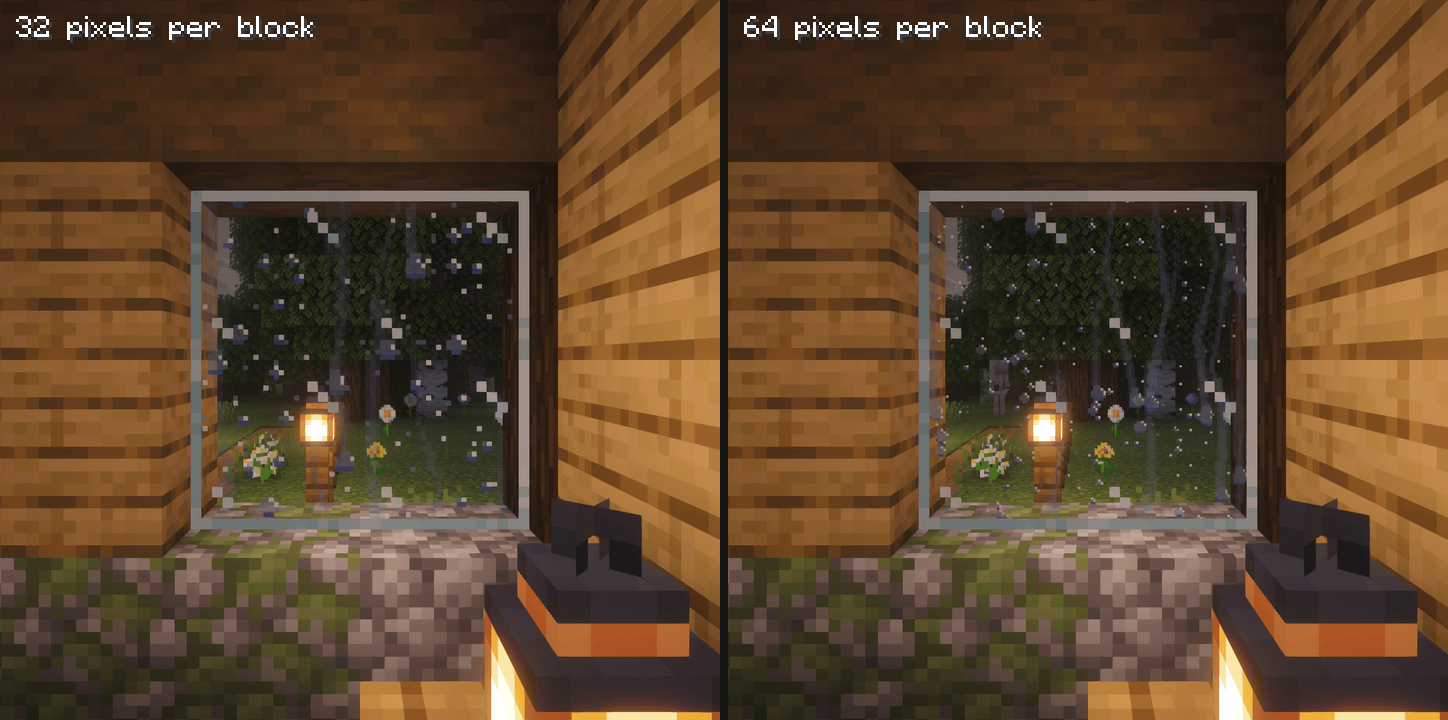
- 🔧 New defaults: rain at 64 pixels per block (fine drops), snow and frost at 32.
- 🐛 Rain at 32 pixels fixed: drops run down the glass as often as at 64.
🌧️ Rain
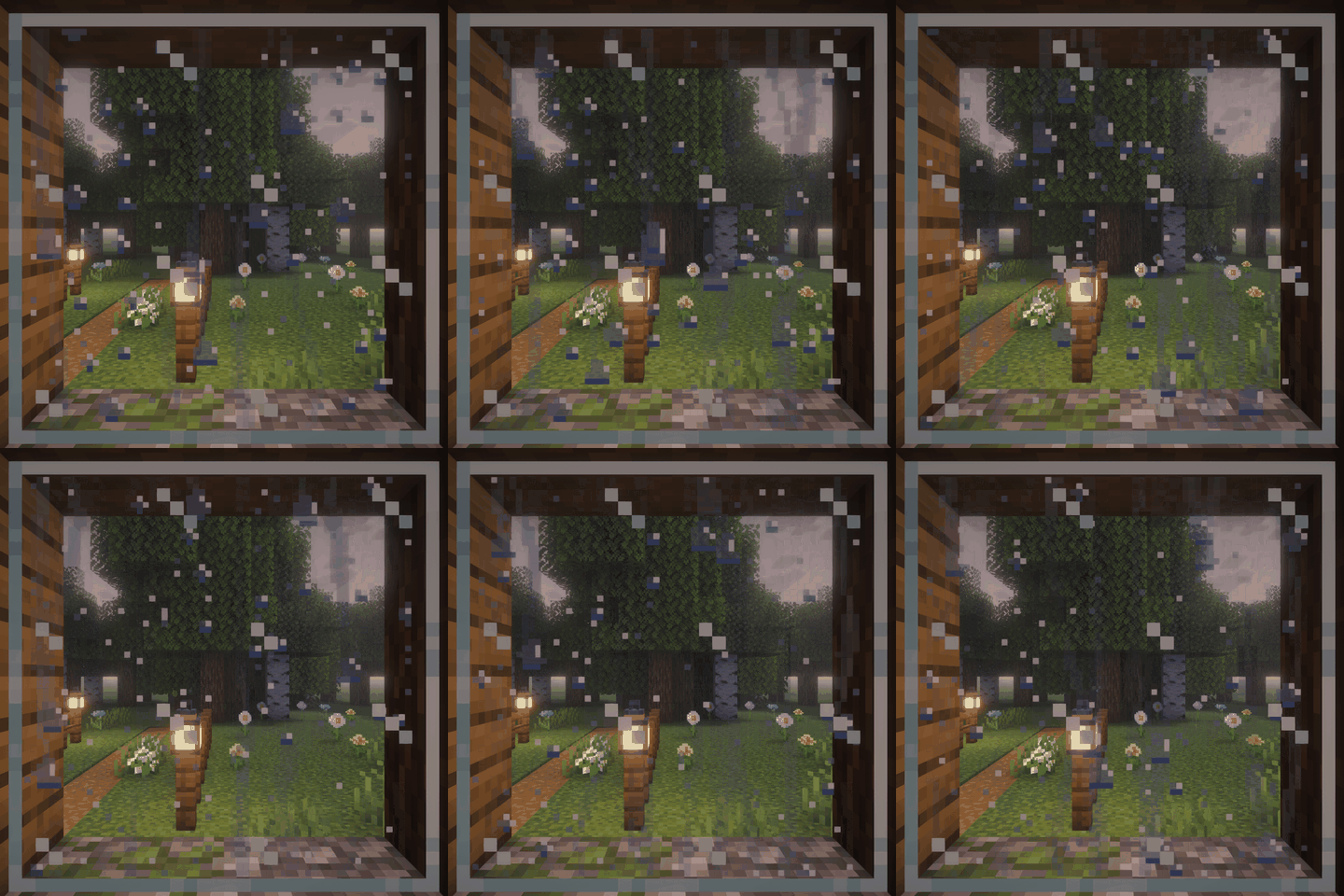
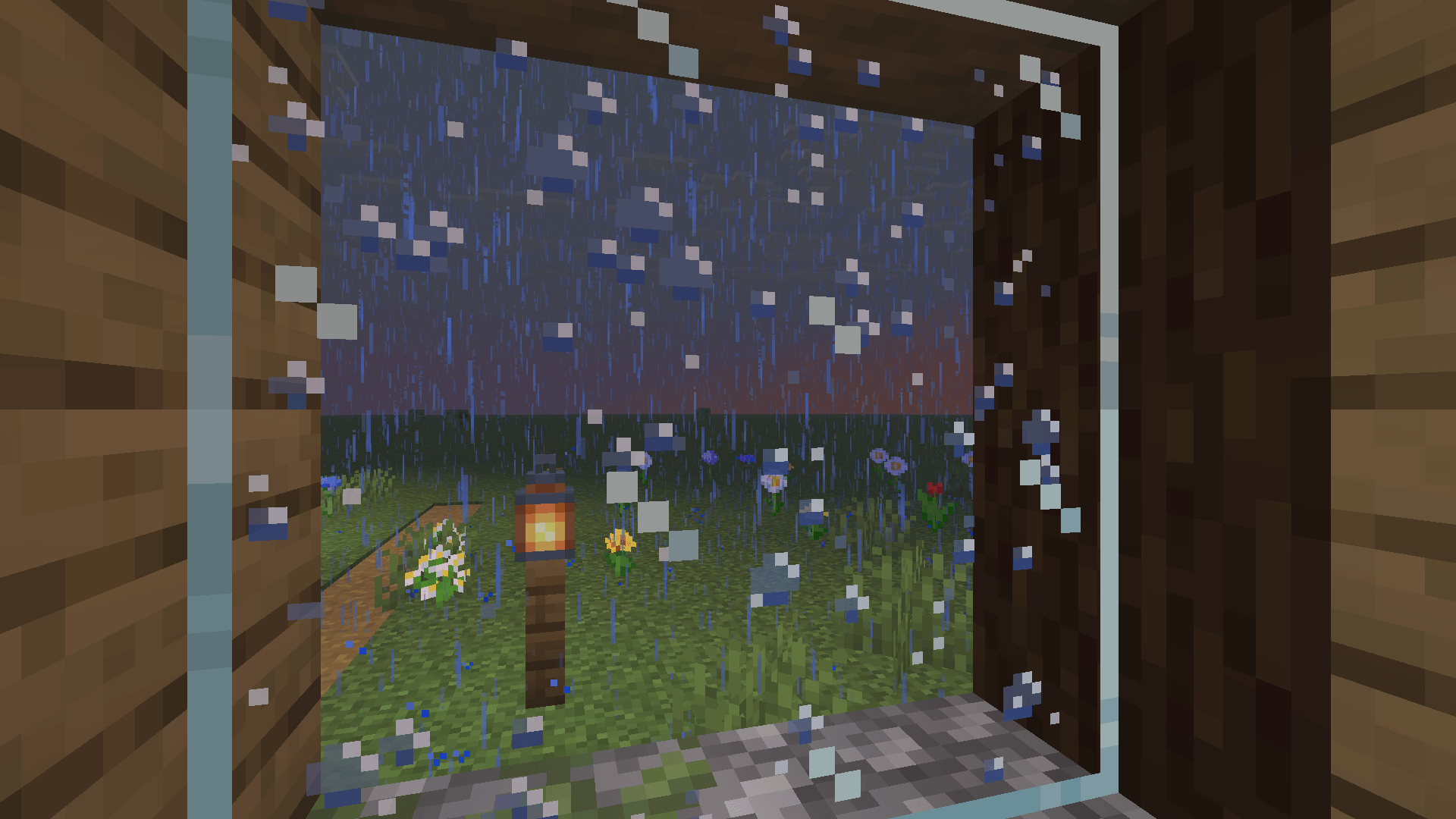
- Drops of mixed sizes land on the side of the glass the rain reaches. When they get heavy they run down in jerks, pick up the drops in their way and leave a trail as wide as they are.
- A drop running out of a block goes on into the glass below, so tall windows get long trails.
- Glass under a short canopy (1-2 blocks) still gets wet, because rain falls at a slant. Under a deep porch it stays dry.
- After the rain the glass dries in about half a minute.
- Two styles: Drops (default) or Streaks, thin trickles running down.
- From inside the house you see the drops through the glass.
❄️ Snow and frost
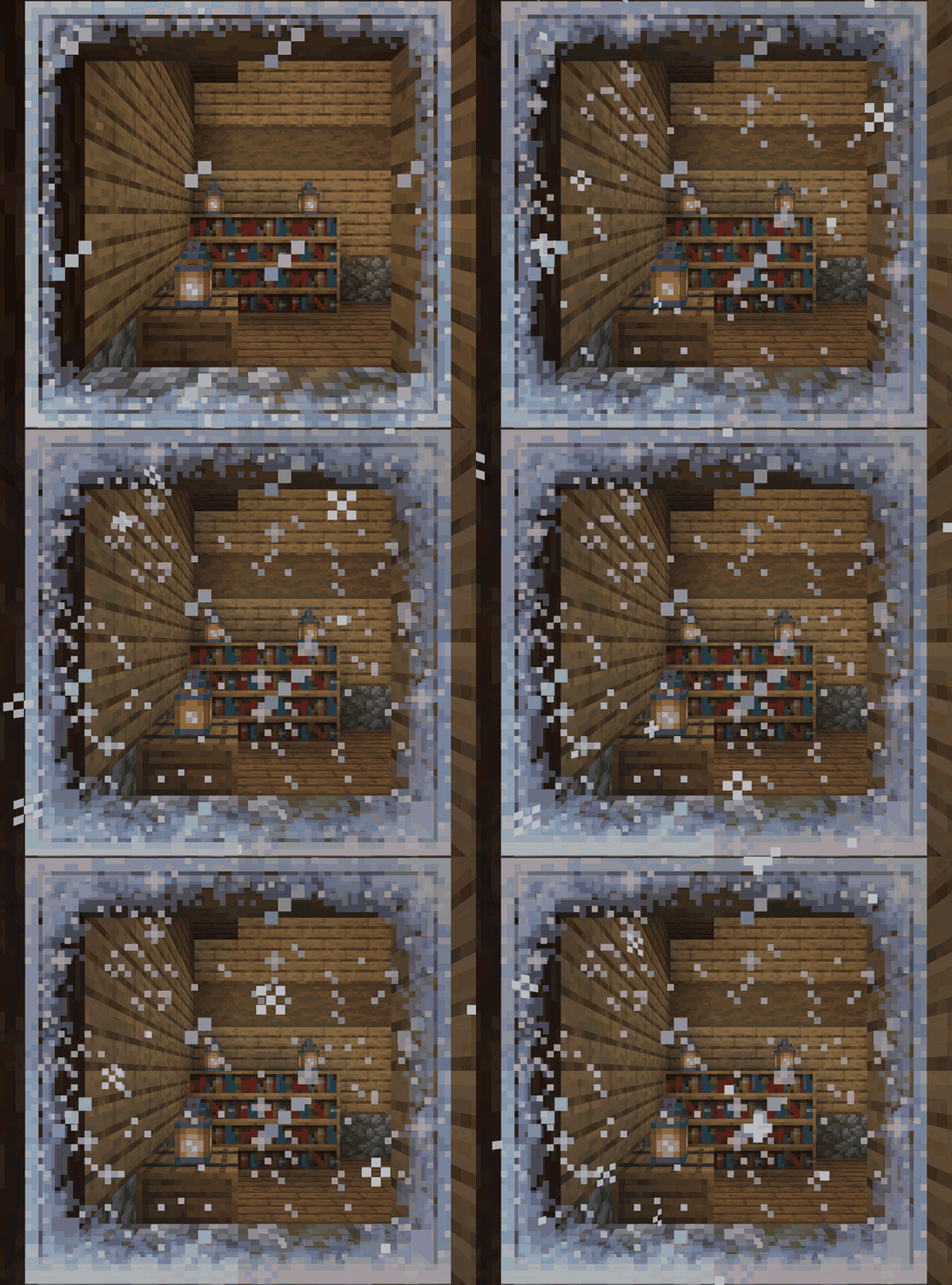
- In cold biomes (and high up in the mountains) frost grows in from the edges of the window, thicker in the corners. It grows more at night and while it snows, and slowly thaws again.
- Snowflakes stick to the glass while it snows and go one by one when it stops.
- Snow piles up at the bottom of the window, on the outside.
- Frost on the inside of the window can be switched off.
💨 Breath on the glass
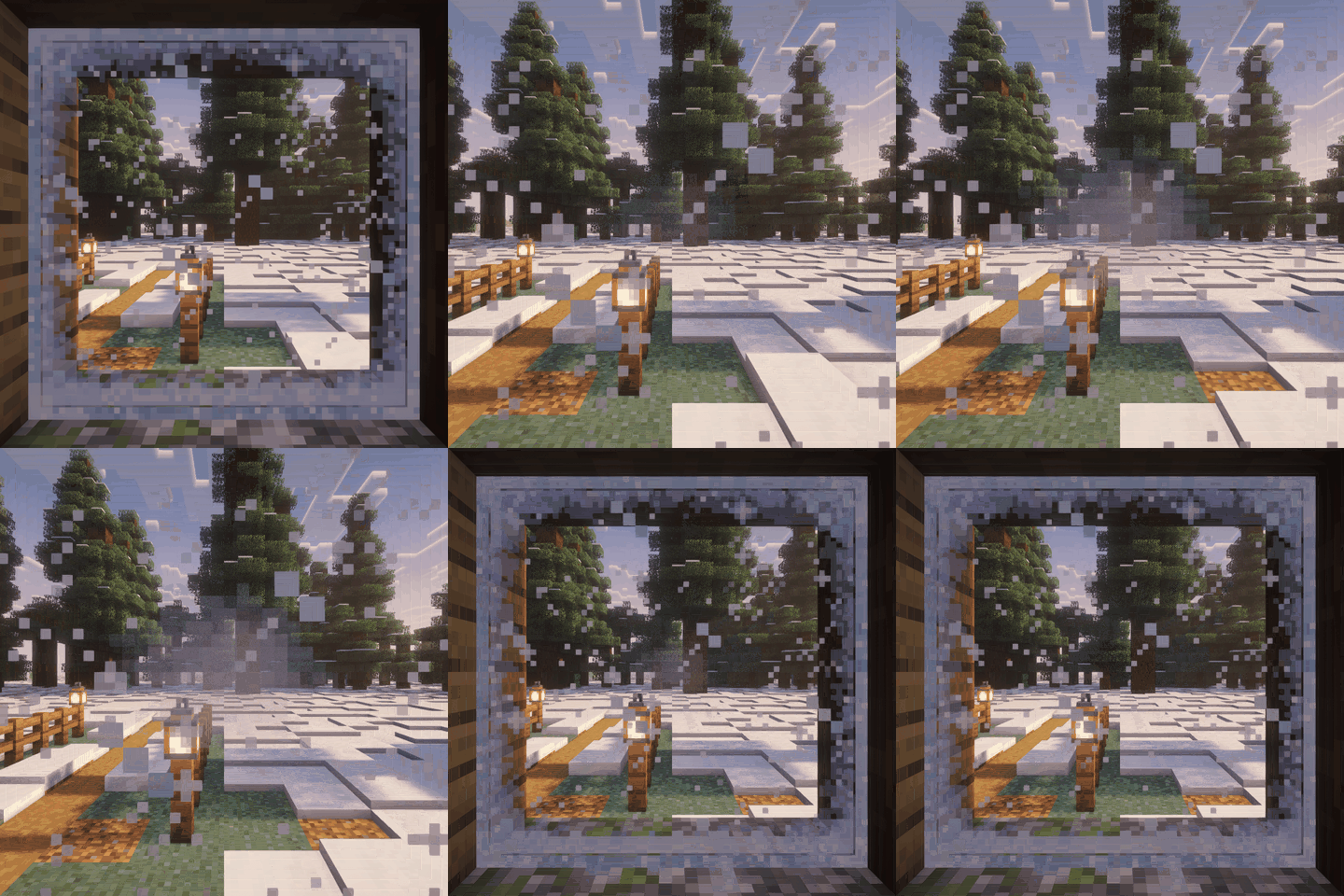
- Stand with your face close to a frosted window (inside or outside) and you breathe on it: a soft patch of fog grows there, one breath after another.
- It is only where you are looking, on the blocks right in front of you, and it goes over the edges between blocks.
- Step back and it fades away in about five seconds.
- Only on cold glass, never in spectator mode, and it can be switched off.
⚙️ Settings
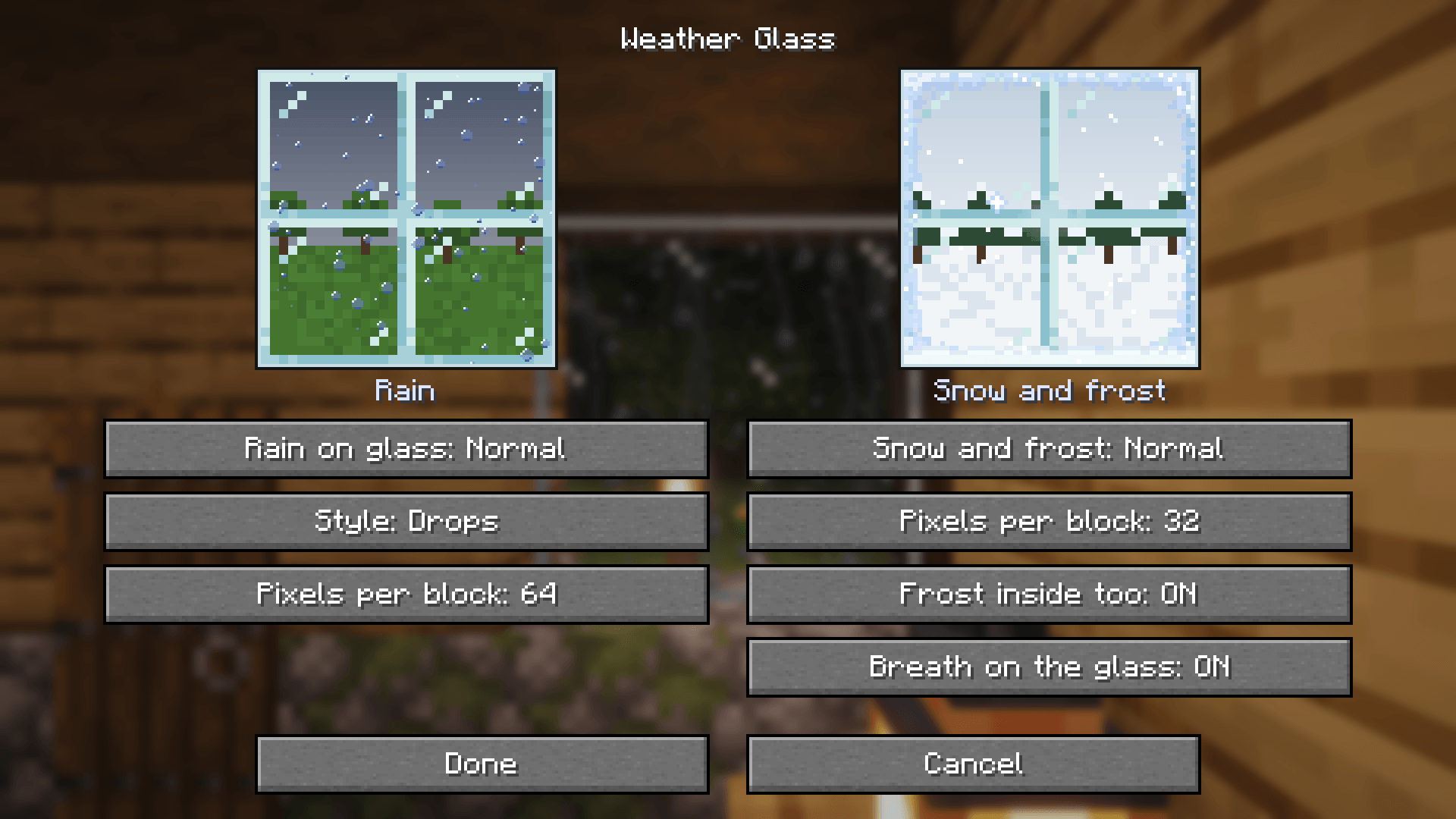
In the settings screen (Mod Menu on Fabric, the Mods list on NeoForge), or in config/weatherglass.properties. The two little windows at the top show the rain and the snow with your settings, live.
| 🌧️ Rain | Values |
|---|---|
| Rain on glass | Off / Light / Normal / Heavy |
| Style | Drops / Streaks |
| Pixels per block | 32 (very Minecraft) / 64 (finer drops) |
| ❄️ Snow | Values |
| ------------------- | ---------------------------- |
| Snow and frost | Off / Light / Normal / Heavy |
| Pixels per block | 32 / 64 |
| Frost inside too | On / Off |
| Breath on the glass | On / Off |
Settings from 0.3 carry over (rain amount and style, snow on or off).
🤝 Works with
- Every vanilla glass: glass blocks, glass panes, all stained glass and tinted glass.
- Sodium, Iris, Continuity (connected glass) and MoreCulling (tested on Fabric). With shader packs the drops take the pack's own look of glass (with Complementary, for example, they come out darker).
- Client side only: it works on any server, nothing to install there.
⚡ Performance
The drops are part of the glass's own chunk mesh and are animated like vanilla's animated textures, once a tick, straight into the block atlas: no extra render pass. The animation only runs while some glass is wet: about 0.4 ms per tick at 32 pixels and about 1.2 ms at 64, nothing when everything is dry. The breath only redraws the few blocks in front of you, while it lasts.
📦 Versions and requirements
| Minecraft | Fabric | NeoForge |
|---|---|---|
| 26.3 | ✅ | ✅ |
| 1.21.1 | ✅ | ✅ |
- Fabric: Fabric Loader and Fabric API; Mod Menu (optional, for the settings screen)
- NeoForge: nothing else
⚠️ Known limitations
- If you build a roof over a window in another chunk section, the window keeps getting rain until its chunk is rebuilt.
- Not tested with Nvidium yet.
💬 Questions, ideas or bugs? Come by on Discord.
Project description from CurseForge.
Pick your setup
Weather Glass by Minecraft version and loader
Choose the version and loader you play, then open the matching release.
Minecraft version
1.21.1
2 loader buildsCheck the dependencies, then try the file in a copied instance before changing a world you care about.
Recent files
Weather Glass versions and loaders
Weather Glass 0.4.0 for 1.21.1 (NeoForge)
weatherglass-0.4.0+1.21.1-neoforge.jar
24 Oct 2026
Client Source doesn’t say Server Source doesn’t say Dependencies No extras listed Listed on Release listing
Check the 1.21.1 · NeoForge setup 1.21.1NeoForge release
Weather Glass 0.4.0 for 1.21.1 (Fabric)
weatherglass-0.4.0+1.21.1-fabric.jar
24 Oct 2026
Client Source doesn’t say Server Source doesn’t say Dependencies 1 required · 1 unchecked Listed on Release listing
Check the 1.21.1 · Fabric setup Fabric1.21.1 release
Weather Glass 0.4.0 (NeoForge)
weatherglass-0.4.0+26.3-neoforge.jar
24 Oct 2026
Client Source doesn’t say Server Source doesn’t say Dependencies No extras listed Listed on Release listing
Check the 26.3 · NeoForge setup NeoForge26.3 release
Weather Glass 0.4.0
weatherglass-0.4.0+26.3-fabric.jar
24 Oct 2026
Client Source doesn’t say Server Source doesn’t say Dependencies 1 required · 1 unchecked Listed on Release listing
Check the 26.3 · Fabric setup Fabric26.3 release
Weather Glass 0.3.0 for 1.21.1 (NeoForge)
weatherglass-0.3.0+1.21.1-neoforge.jar
24 Oct 2026
Client Source doesn’t say Server Source doesn’t say Dependencies No extras listed Listed on Release listing
Check the 1.21.1 · NeoForge setup 1.21.1NeoForge release
Weather Glass 0.3.0 for 1.21.1 (Fabric)
weatherglass-0.3.0+1.21.1-fabric.jar
24 Oct 2026
Client Source doesn’t say Server Source doesn’t say Dependencies 1 required · 1 unchecked Listed on Release listing
Check the 1.21.1 · Fabric setup Fabric1.21.1 release
Weather Glass 0.3.0 (NeoForge)
weatherglass-0.3.0+26.3-neoforge.jar
24 Oct 2026
Client Source doesn’t say Server Source doesn’t say Dependencies No extras listed Listed on Release listing
Check the 26.3 · NeoForge setup NeoForge26.3 release
Weather Glass 0.3.0
weatherglass-0.3.0+26.3-fabric.jar
21 Oct 2026
Client Source doesn’t say Server Source doesn’t say Dependencies 1 required · 1 unchecked Listed on Release listing
Check the 26.3 · Fabric setup Fabric26.3 release
Looking for an older file? The official CurseForge project page is in Resources.
 mod
mod CurseForge · Minecraft
Trydeas: Lights
Add lights for decorate your world!
 mod
mod CurseForge · Minecraft
Kinda Enough Items
Every recipe and every use of every item, in Minecraft's own style: search, click, craft. Growth times, drops and other mods' machines included.
 mod
mod CurseForge · Minecraft
ForceBlend
Smooths the border between old and newly generated terrain, once per world, with a backup first. Works on Fabric and NeoForge, in singleplayer and on servers.