Fabric API Needed by Pasty 0.5.0 (Fabric 1.21.1)
requiredMatching file found Matched file: [1.21.1] Fabric API 0.116.18+1.21.1
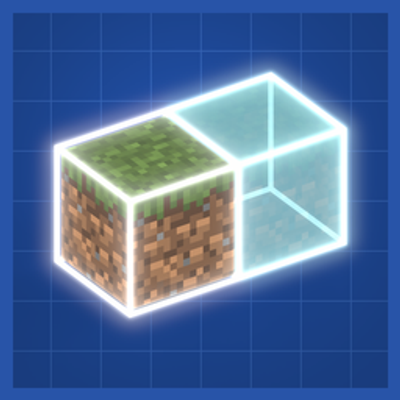
CurseForge · Minecraft mod
Copy and paste builds without commands: select, copy, then drag a ghost preview into place. Survival pays in blocks.
Quick answer
Pasty 0.5.0 (Fabric 1.21.1) targets 1.21.1 with Fabric. The project page does not say whether this file belongs on the client, dedicated server, or both. All 1 required mods have matching files.
Where it goes
The project page does not say whether this file belongs on the client, dedicated server, or both.
The source does not explicitly classify this release as client-only or server-only.
Pasty 0.5.0 (Fabric 1.21.1). Change the file and its required mods may change too.
Install Fabric API first. We found matching files for this game-version and loader setup.
We only count dependency files that match this setup. A file for another loader does not fill the gap.
Before you install it
Built for Pasty 0.5.0 (Fabric 1.21.1). Pick another file and the loader, install side or required mods may change.
Use Pasty 0.5.0 (Fabric 1.21.1). It targets 1.21.1 with Fabric; another release may have different loader, side or dependency requirements.
Install Fabric API first. We found matching files for this game-version and loader setup.
The project page does not say whether this file belongs on the client, dedicated server, or both.
Use the “Get this file” button beside Pasty 0.5.0 (Fabric 1.21.1). It opens that exact file at the source.
About this project
Select it. Copy it. Build it.
Pasty is copy-and-paste for Minecraft builds, without a single command. Click the corners of something you like, hit copy, and a translucent ghost of it follows you to wherever it should go next. Drag it into place, spin it, mirror it, and confirm - in creative it appears, in survival you pay for it in blocks. One key opens one menu, and everything lives in it.
Paste wraps the ghost in a gizmo:
Lining up something big from ground level is miserable, so there's a camera for it. The HUD disappears, the camera detaches and orbits your structure, and the controls tuck into the corners so the middle stays clear. Orbit, tilt and zoom on one side; move the structure on the other. Your character never moves - only the camera - so it's safe in survival and on servers.
In creative, pasting is instant and free. In survival, a build costs what it's made of - and there are two ways to pay.
Build from inventory - one click. It checks you have everything, takes the materials, places the structure. Short on something? It places nothing and tells you exactly what's missing.
Build it by hand - walk up to the confirmed zone and right-click holding materials. Each click lays every block that material builds, bottom-up, and it tells you what it wants next. It's the difference between a build appearing and a build being built.
No demanding a silk-touch pickaxe before you can copy a hillside.
Undo Paste puts back whatever the last paste overwrote and refunds the materials. Pick back up does the same but hands you the structure to reposition. Cancel a half-built zone and everything you fed into it comes back. Experiment freely.
Saves live in a global folder, not per world - a house saved in one world loads in any other, and in vanilla's own structure format, so they open in structure blocks too. Every save shows as a slowly rotating 3D preview with its size and block count, so two builds with similar names are never a guessing game. Share puts the file on your clipboard for Discord; drop a friend's file onto the library to import it.
For changing what's already built. Right-click to pick a material from a searchable block list, then left-click blocks to repaint them - hold and drag to paint a stroke. Sneak + left-click copies a material off the wall. In survival it charges the new block and refunds the old one, and it refuses to paint over chests, doors, beds and anything unbreakable.
X opens the menu while you're holding a tool. Rebindable, along with everything else, from the menu's Settings button.
Everything else - copy, paste, save, load, modes, undo, swap, clipboard slots - is a button in the menu.
Creative: Tools & Utilities tab. Survival: cheap and early - lapis, an emerald and a plank. The plank decides the handle: oak, birch or dark oak, and the tool is made to match.
Copy Tool            Paint Tool
  .  .  lapis          .  lapis lapis
  . emerald .          . emerald  .
plank .  .           plank  .   .
Works on LAN worlds and servers that have Pasty installed. Every player gets their own selections, clipboard and placements, and players without Pasty can still join - they just don't get the tools.
Playing on a server that doesn't run mods? That's Pasty Client Side: the same tool working entirely on your computer, with the vanilla Brush. Install one edition or the other, not both.
Resource packs can retexture both tools like any vanilla item. Other mods work: structures store blocks by registry name with full block-entity data, so modded blocks copy, save and paste normally, and modded ores count as free in survival.
Two limits, which the tool also explains the first time you hold it: a save with modded blocks needs that mod installed to paste (missing blocks are skipped, not fatal), and machines that keep state outside the block - wiring networks, multiblocks - keep their blocks and inventories but usually lose their connections. Damaged or older structure files skip the bad entries instead of failing the load.
Yes. Include Pasty in any modpack, public or private, without asking. A credit and a link back is appreciated but not required.
Project description from CurseForge.
Pick your setup
Choose the version and loader you play, then open the matching release.
Check the dependencies, then try the file in a copied instance before changing a world you care about.
Recent files
pasty-fabric-1.21.1-0.5.0.jar
12 Nov 2026
pasty-forge-1.20.1-0.5.0.jar
12 Nov 2026
pasty-0.3.0.jar
22 Oct 2026
pasty-0.2.0.jar
22 Oct 2026
Looking for an older file? The official CurseForge project page is in Resources.
 mod
A real projector that throws a live web page across whatever is in front of it, and the cinema to put around it.
 mod
Pasty for servers that don't have it: select, copy, save and lay out builds with a ghost preview, client only.
 mod
Press V and the world explains itself: a grey vision mode where mobs glow by kind and blocks show what they are.