Fabric API Needed by Restmark 1.9.0 (Forge 1.20.1)
requiredNo matching file
CurseForge · Minecraft mod
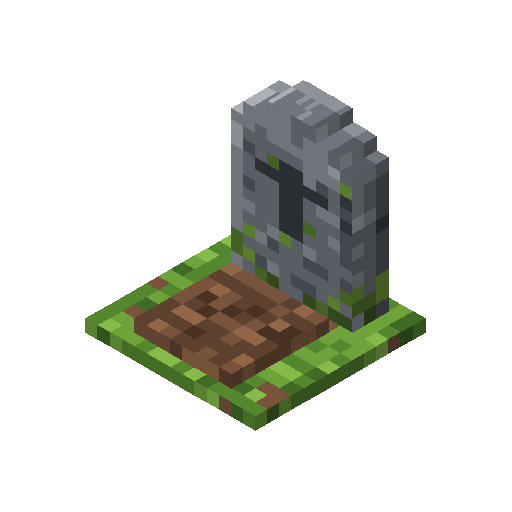
Graves: your items and experience wait in a headstone where you died, and go back into the slots they came from.
Quick answer
Restmark 1.9.0 (Forge 1.20.1) targets 1.20.1 with Forge. The project page does not say whether this file belongs on the client, dedicated server, or both. 1 required mod needs a matching file.
Where it goes
The project page does not say whether this file belongs on the client, dedicated server, or both.
The source does not explicitly classify this release as client-only or server-only.
Restmark 1.9.0 (Forge 1.20.1). Change the file and its required mods may change too.
Install Fabric API first, but 1 required mod has no matching file for this setup. Do not mix loader builds to force a match.
We only count dependency files that match this setup. A file for another loader does not fill the gap.
Before you install it
Built for Restmark 1.9.0 (Forge 1.20.1). Pick another file and the loader, install side or required mods may change.
Use Restmark 1.9.0 (Forge 1.20.1). It targets 1.20.1 with Forge; another release may have different loader, side or dependency requirements.
Install Fabric API first, but 1 required mod has no matching file for this setup. Do not mix loader builds to force a match.
The project page does not say whether this file belongs on the client, dedicated server, or both.
Use the “Get this file” button beside Restmark 1.9.0 (Forge 1.20.1). It opens that exact file at the source.
About this project
Graves for Fabric 26.3. Your items and experience wait in a headstone where you died, and go back into the slots they came from.
config/restmark.json: keepXpPercent (100), publicAfterMinutes (-1 = never; set it to let anyone open old graves). Operators in creative can open any grave.Restmark is one of the original mods written for the Emberwild Journey modpack: waystones, backpacks, runes, networked storage, villager trading, vein mining, sorting and travel, made to fit together. It also works on its own.
MIT licensed. Found a bug? Leave a comment and include logs/latest.log.
These mods are free and always will be. If one saved you time, a coffee keeps updates coming.

Bug or idea? Leave a comment below. We read every one.
Project description from CurseForge.
Pick your setup
Choose the version and loader you play, then open the matching release.
Showing the newest 12 of 18 game versions. Older files are in the list below.
Check the dependencies, then try the file in a copied instance before changing a world you care about.
Recent files
restmark-forge-1.20.1-1.9.0.jar
9 Nov 2026
restmark-fabric-1.20.1-1.9.0.jar
9 Nov 2026
restmark-neoforge-1.21.1-1.9.0.jar
9 Nov 2026
restmark-fabric-1.21.1-1.9.0.jar
9 Nov 2026
restmark-neoforge-26.3-1.9.0.jar
9 Nov 2026
restmark-fabric-26.3-1.9.0.jar
9 Nov 2026
restmark-forge-1.20.1-1.8.0.jar
8 Nov 2026
restmark-fabric-1.20.1-1.8.0.jar
8 Nov 2026
restmark-neoforge-1.21.1-1.8.0.jar
8 Nov 2026
restmark-fabric-1.21.1-1.8.0.jar
8 Nov 2026
restmark-neoforge-26.3-1.8.0.jar
8 Nov 2026
restmark-fabric-26.3-1.8.0.jar
8 Nov 2026
Looking for an older file? The official CurseForge project page is in Resources.
 mod
A mod that allows players to fix their anvils by shift + right-clicking an anvil with an iron ingot
 mod
A guidebook mod for Minecraft NeoForge
 mod
Storage network and autocrafting that uses your existing chests and the recipes already in your pack.