Minecraft version
Back to mods 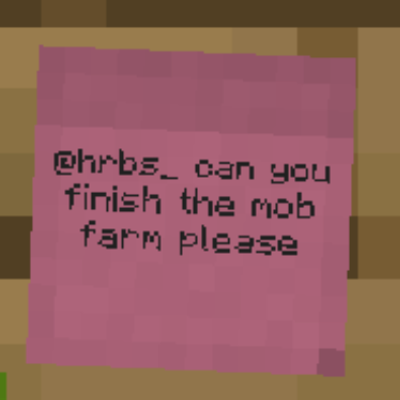
CurseForge · Minecraft mod
Note'd - Sticky Notes
Stick colorful notes on any wall, floor or ceiling to leave messages for other players, with up to 9 per block that anyone can read, edit or tear off.
Choose a version Pick your version below, then grab the matching file.
Quick answer
Which Note'd - Sticky Notes release should I use?
Latest stable file Noted 0.1.1
Game version 26.1.2
Loader NeoForge
Note'd - Sticky Notes Noted 0.1.1 targets 26.1.2 with NeoForge. The project page does not say whether this file belongs on the client, dedicated server, or both. No extra mods listed for this file.
Where it goes
Is Note'd - Sticky Notes required on the client, server, or both?
The project page does not say whether this file belongs on the client, dedicated server, or both.
Client Source doesn’t say
Dedicated server Source doesn’t say
Loader for this release NeoForge
Required install it here Optional supported, not mandatory Not supported do not install here Source doesn’t say do not assume
The source does not explicitly classify this release as client-only or server-only.
What else does Note'd - Sticky Notes Noted 0.1.1 need?
Noted 0.1.1 . Change the file and its required mods may change too.
This file does not list any required mods. Do not add a library just because a different file uses it.
This file does not list any required or optional mods.
Before you install it
Add Note'd - Sticky Notes without breaking your instance.
Built for Note'd - Sticky Notes Noted 0.1.1. Pick another file and the loader, install side or required mods may change.
- 01
Stick to this file
Use Noted 0.1.1 . It targets 26.1.2 with NeoForge; another release may have different loader, side or dependency requirements.
- 02
Bring the mods it needs
This file does not list any required mods. Do not add a library just because a different file uses it.
- 03
Put it on the correct side
The project page does not say whether this file belongs on the client, dedicated server, or both.
- 04
Pick the file you checked
Use the “Get this file” button beside Noted 0.1.1 . It opens that exact file at the source.
About this project
What does Note'd - Sticky Notes add?
Note'd
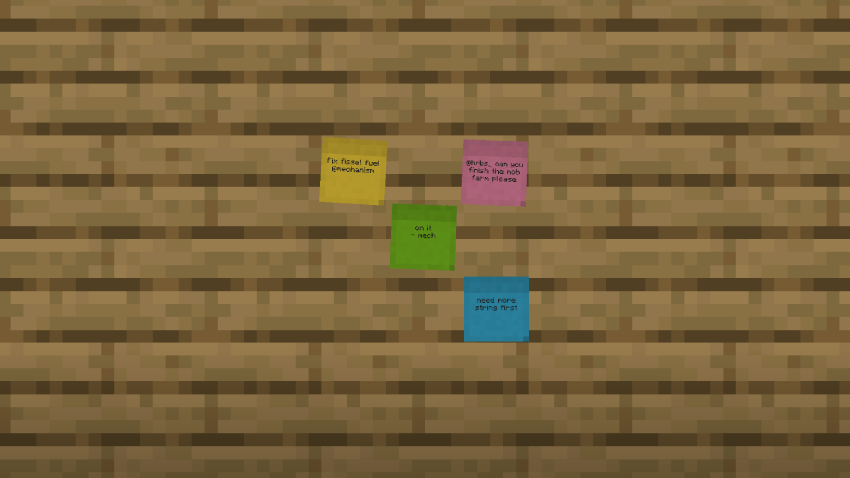
Leave sticky notes for your friends, anywhere in the world.
Note'd adds small, colorful sticky notes that you can slap onto any block face to leave messages for other players. It works like a sign, but more flexible: notes are small, you can fit several on one block, and anyone can open one to read or reply.
Features
- Stick them anywhere. Place notes on walls, floors and ceilings.
- Up to 9 notes per block face. Each note takes up about a third of a block and goes where you click, so a single block can become a little notice board.
- Read and edit in place. Right-click a note to open it full size. Each note holds 4 lines of text and shows who wrote it. Use the arrow buttons to flip through every note on that block.
- Tear Off. Take a note back off the wall as an item. Its text stays on it, so you can carry it around or hand it to someone.
- 16 colors. Craft a note with any dye, or right-click a placed note with a dye to recolor it.
- Glowing text. Use a glow ink sac to make a block's notes readable in the dark, and a regular ink sac to switch the glow off.
- Nothing gets lost. Breaking the block drops every note with its text and color.
- Multiplayer-friendly. Built for servers: leave to-do lists, shop prices, directions, or "who took my pickaxe??" messages for your friends.
Crafting
| Recipe | Result |
|---|---|
| 2 Paper + 1 Slimeball (shapeless) | 6 Sticky Notes |
| Sticky Note + any Dye (shapeless) | Sticky Note in that color |
How to use
- Right-click any block face with a sticky note. The editor opens straight away, so you can write your message.
- Right-click the same face with another note to add it beside the first one.
- Right-click a note with an empty hand to read or edit it.
- Click Tear Off in the editor to take a note back.
Requirements
- Minecraft 1.21.1
- NeoForge 21.1 or newer
- Install it on both the client and the server.
Source
Project description from CurseForge.
Pick your setup
Note'd - Sticky Notes by Minecraft version and loader
Choose the version and loader you play, then open the matching release.
Minecraft version
1.21.1
1 loader buildCheck the dependencies, then try the file in a copied instance before changing a world you care about.
Recent files
Note'd - Sticky Notes versions and loaders
Noted 0.1.1
noted-0.1.1-26.1.2.jar
12 Nov 2026
Client Source doesn’t say Server Source doesn’t say Dependencies No extras listed Listed on Release listing
Check the 26.1.2 · NeoForge setup NeoForge26.1.2 release
Noted 0.1.1
noted-0.1.1.jar
12 Nov 2026
Client Source doesn’t say Server Source doesn’t say Dependencies No extras listed Listed on Release listing
Check the 1.21.1 · NeoForge setup 1.21.1NeoForge release
Note'd 0.1.0 -26.1.2 Release
noted-0.1.0-26.1.2.jar
4 Nov 2026
Client Source doesn’t say Server Source doesn’t say Dependencies No extras listed Listed on Release listing
Check the 26.1.2 · NeoForge setup NeoForge26.1.2 release
Note'd 0.1.0 (NeoForge 1.21.1)
noted-0.1.0.jar
23 Oct 2026
Client Source doesn’t say Server Source doesn’t say Dependencies No extras listed Listed on Release listing
Check the 1.21.1 · NeoForge setup 1.21.1NeoForge release
Looking for an older file? The official CurseForge project page is in Resources.
 mod
CurseForge · Minecraft
Ledz
Stick LED strips on any block edge and paint them with animated colour gradients that flow across blocks and around corners.
 mod
CurseForge + Modrinth · Minecraft
Oathbound Relics
Oathbound Relics adds cursed curios, powerful relics, unique weapons, and progression tied to the Oathbound Relic.
 mod
CurseForge · Minecraft
Tabs Organizer
Cleans up the creative inventory: two rows of tabs, drag and drop, merge tabs into one with a side panel. Client side only.