Fabric API Needed by Quark's Reroll 1.2.0 (Fabric 26.2)
requiredMatching file found Matched file: [26.2] Fabric API 0.161.0+26.2

CurseForge · Minecraft mod
List every villager trade and reroll until a chosen offer is cheap enough.
Quick answer
Quark's Reroll 1.2.0 (Fabric 26.2) targets 26.2 with Fabric. The project page does not say whether this file belongs on the client, dedicated server, or both. All 1 required mods have matching files.
Where it goes
The project page does not say whether this file belongs on the client, dedicated server, or both.
The source does not explicitly classify this release as client-only or server-only.
Quark's Reroll 1.2.0 (Fabric 26.2). Change the file and its required mods may change too.
Install Fabric API first. We found matching files for this game-version and loader setup. 1 comes through another mod in the chain.
1 extra mod was pulled in by another dependency. Indented rows show who needs each one. We only count dependency files that match this setup. A file for another loader does not fill the gap.
Before you install it
Built for Quark's Reroll 1.2.0 (Fabric 26.2). Pick another file and the loader, install side or required mods may change.
Use Quark's Reroll 1.2.0 (Fabric 26.2). It targets 26.2 with Fabric; another release may have different loader, side or dependency requirements.
Install Fabric API first. We found matching files for this game-version and loader setup. 1 comes through another mod in the chain.
The project page does not say whether this file belongs on the client, dedicated server, or both.
Use the “Get this file” button beside Quark's Reroll 1.2.0 (Fabric 26.2). It opens that exact file at the source.
About this project
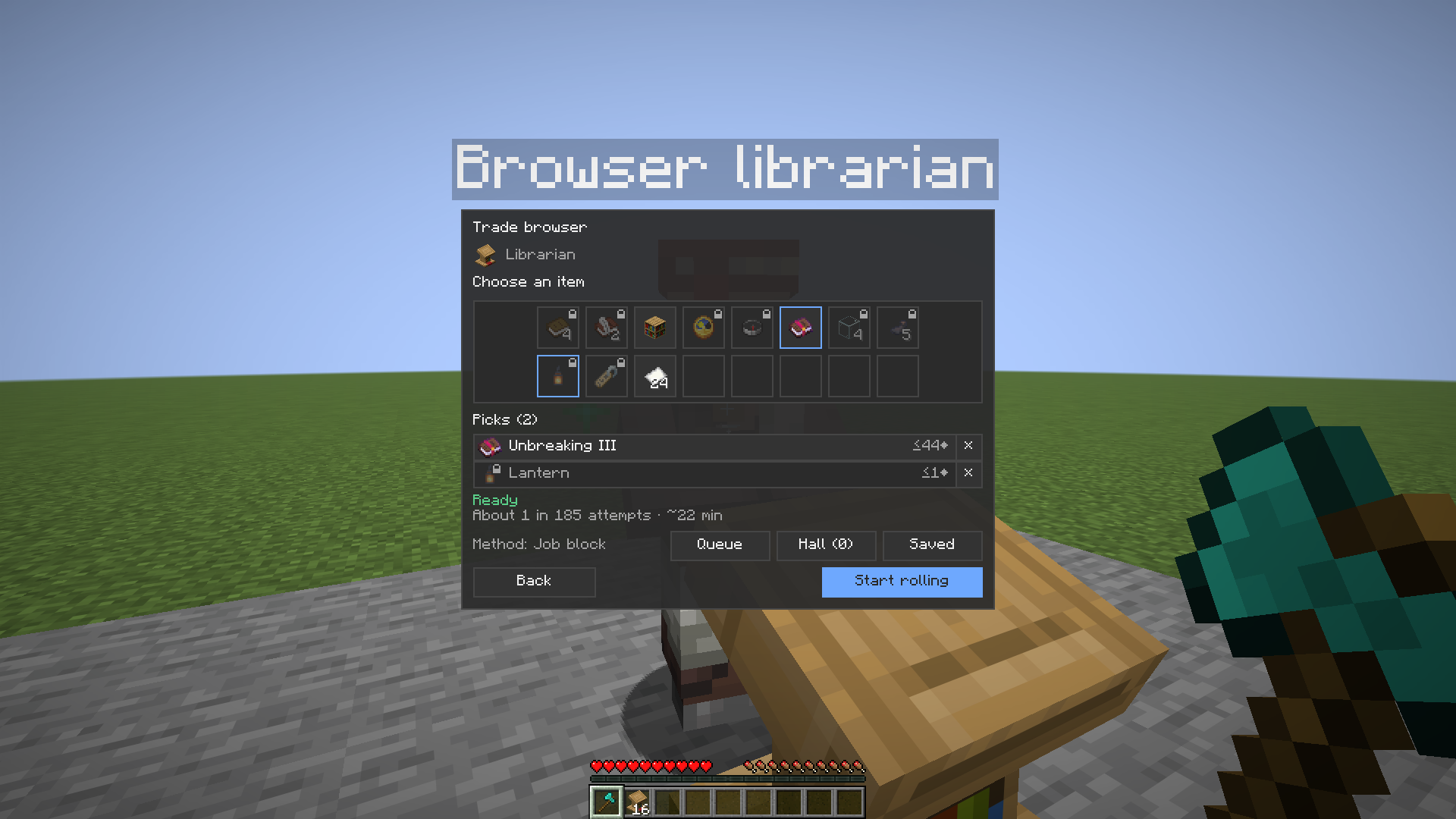
List every trade a villager can roll, with vanilla emerald prices, and reroll the job site until a chosen offer is cheap enough.
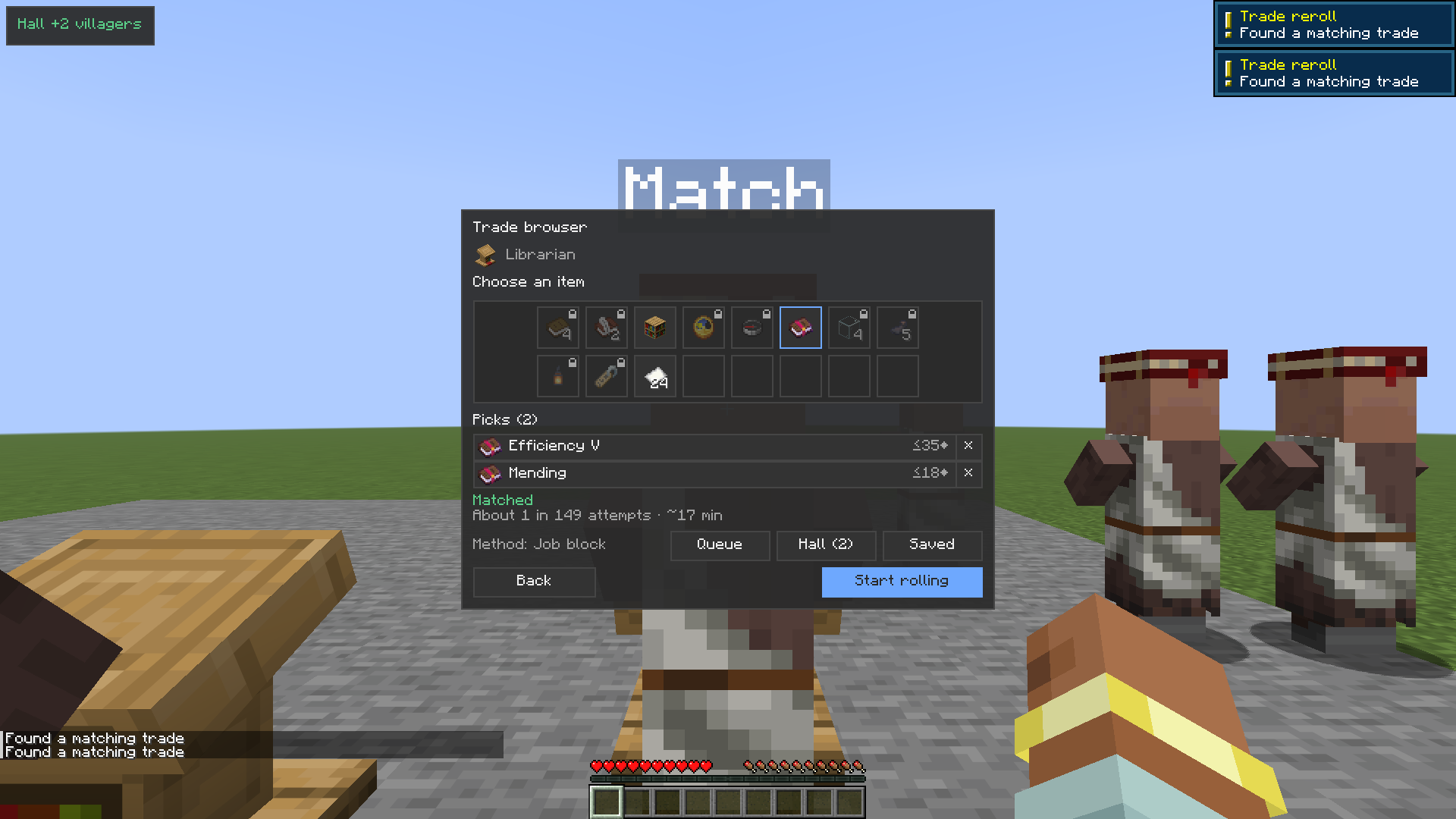
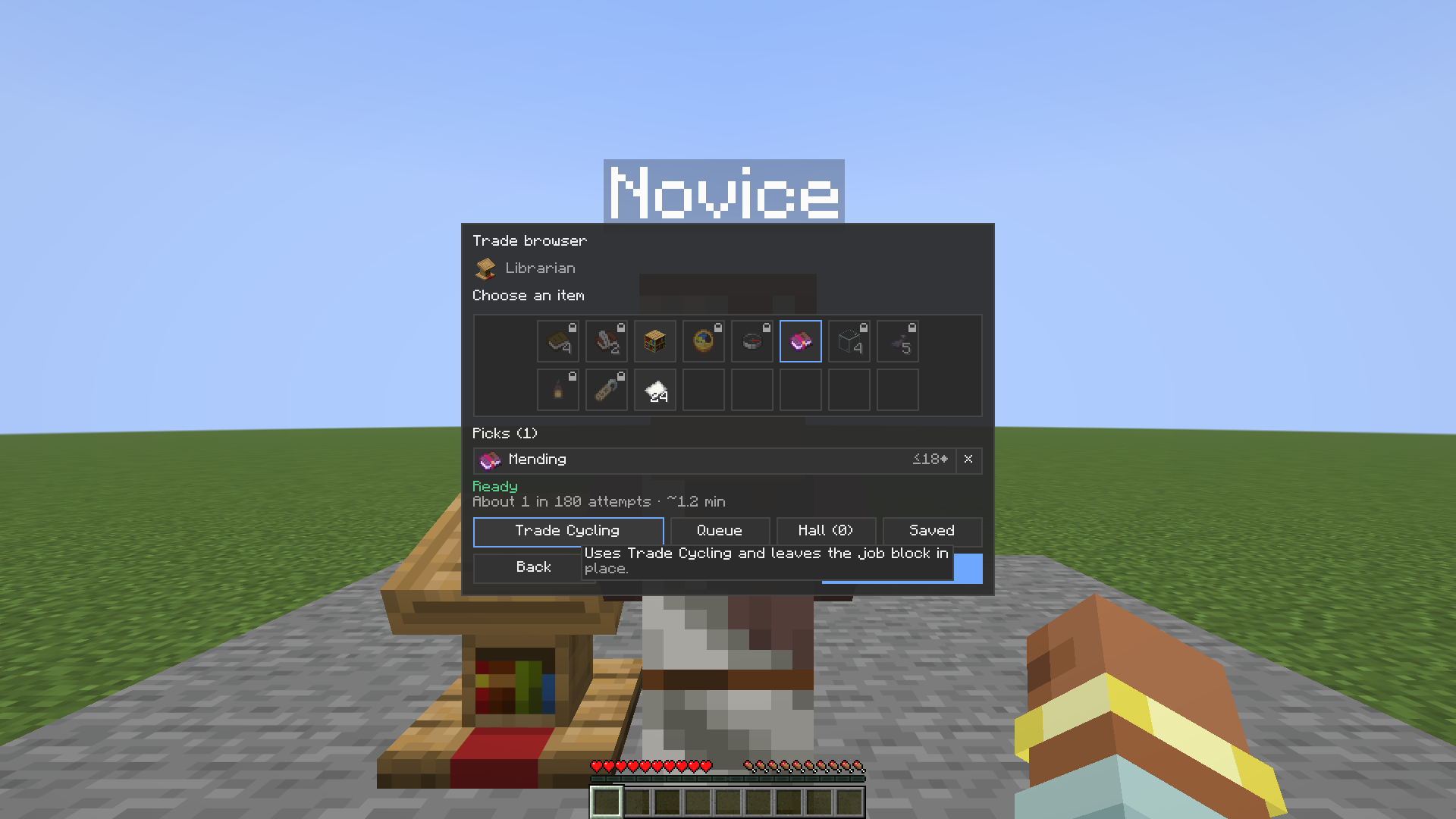
A book button on the villager trade screen, or K, opens the trade browser. Pick the item, then the level, then a maximum price, and add the pick or start rolling.
Open the browser with the book button on the villager trade screen, or press K. Pick the item, then the level, then a maximum price (−/+, Shift = ±5, or Any). Add & roll saves the pick and starts rerolling right away. Add lets you keep browsing. When picks are already on the list, Start rolling begins the reroll.
The panel lists your picks with vanilla emerald prices. Long trade names are cut off with "…". A status line shows Ready, or Matched when a chosen offer appears at or under your price, together with the odds (about 1 in X attempts) and a time estimate if you hover it.
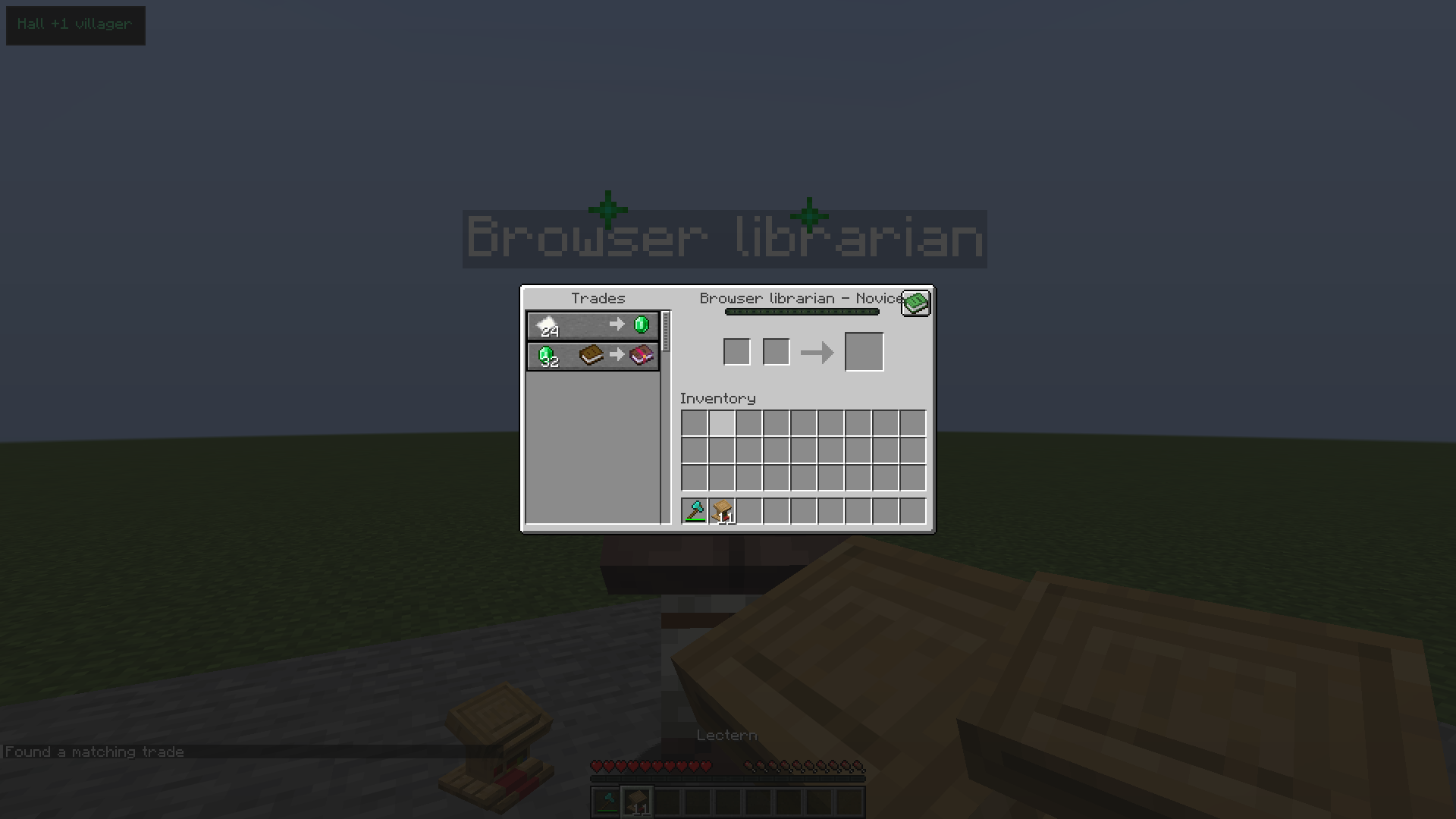
A book button on the villager trade screen opens the browser.
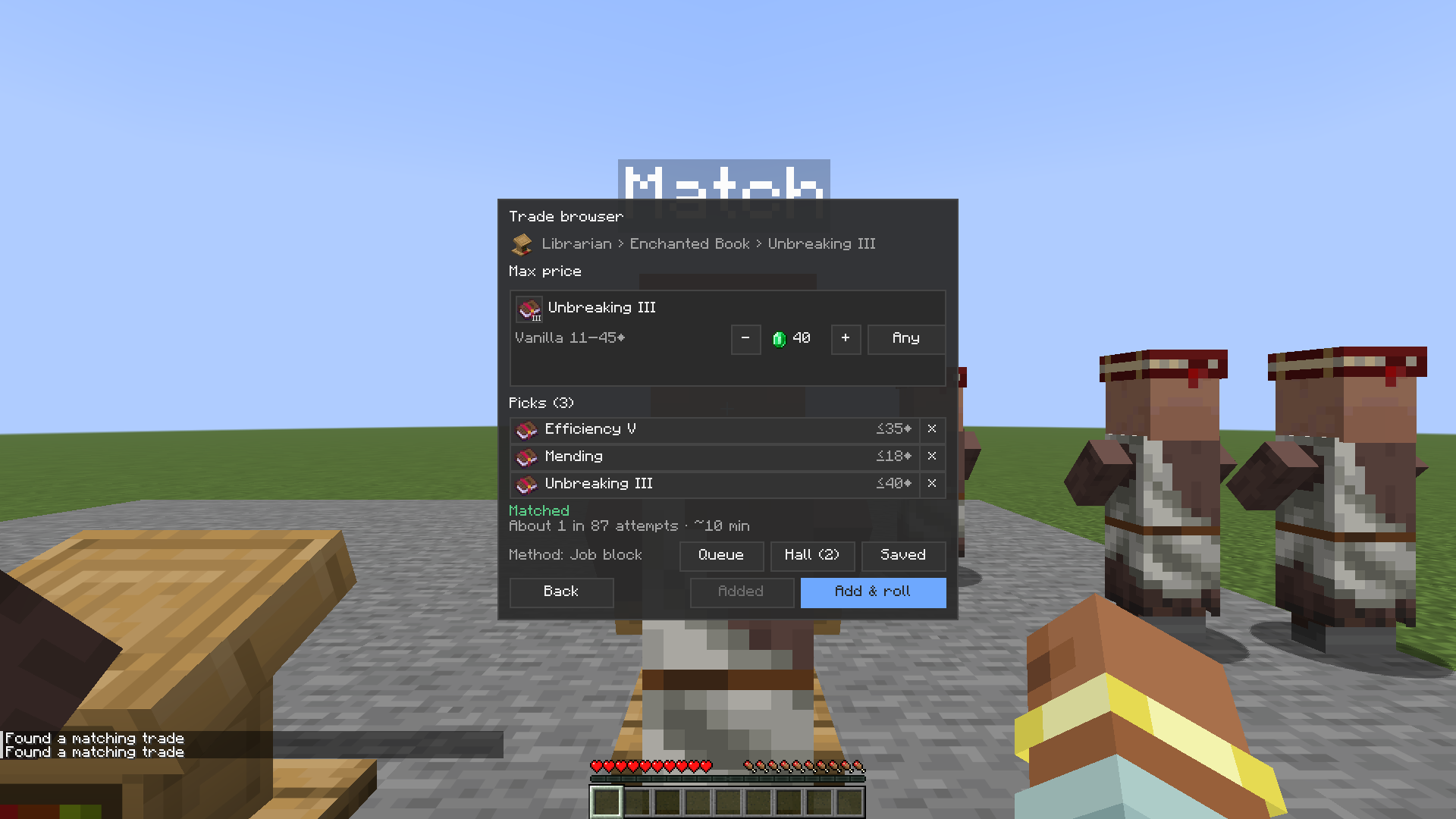
A chosen price is a maximum. Use − and + to change it (Shift = ±5), or set it to Any. The browser also shows the vanilla emerald range for that offer.
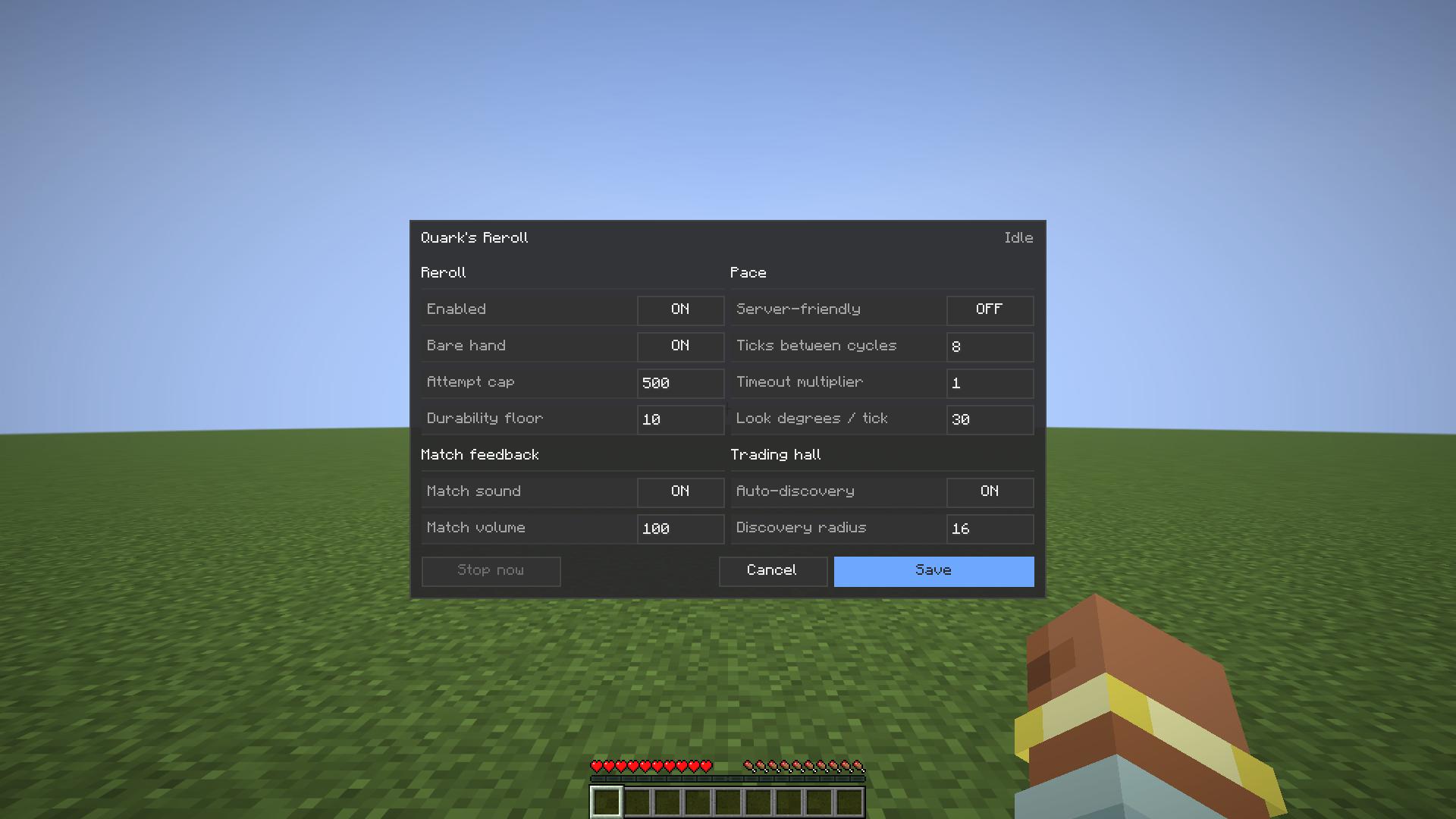
By default, the reroll breaks the job-site block and places it again until one of the chosen offers appears at or under that price. That is the same break-and-replace a player can do by hand. An attempt cap (default 500, in settings) stops it if no match turns up.
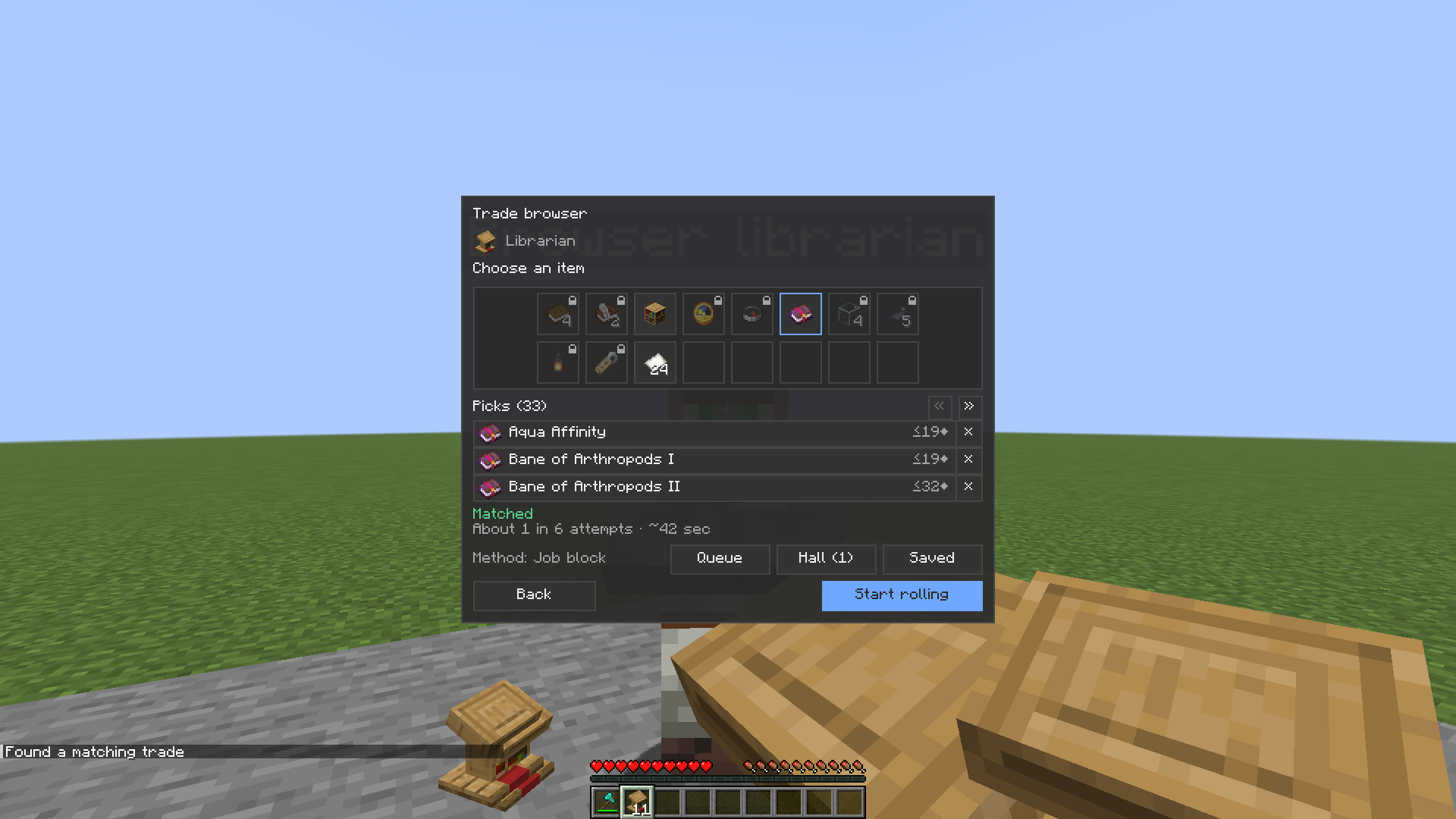
Before you start, the panel shows the chance of hitting a selected trade at that price, written as about 1 in X attempts, plus a time estimate for the method you have selected.
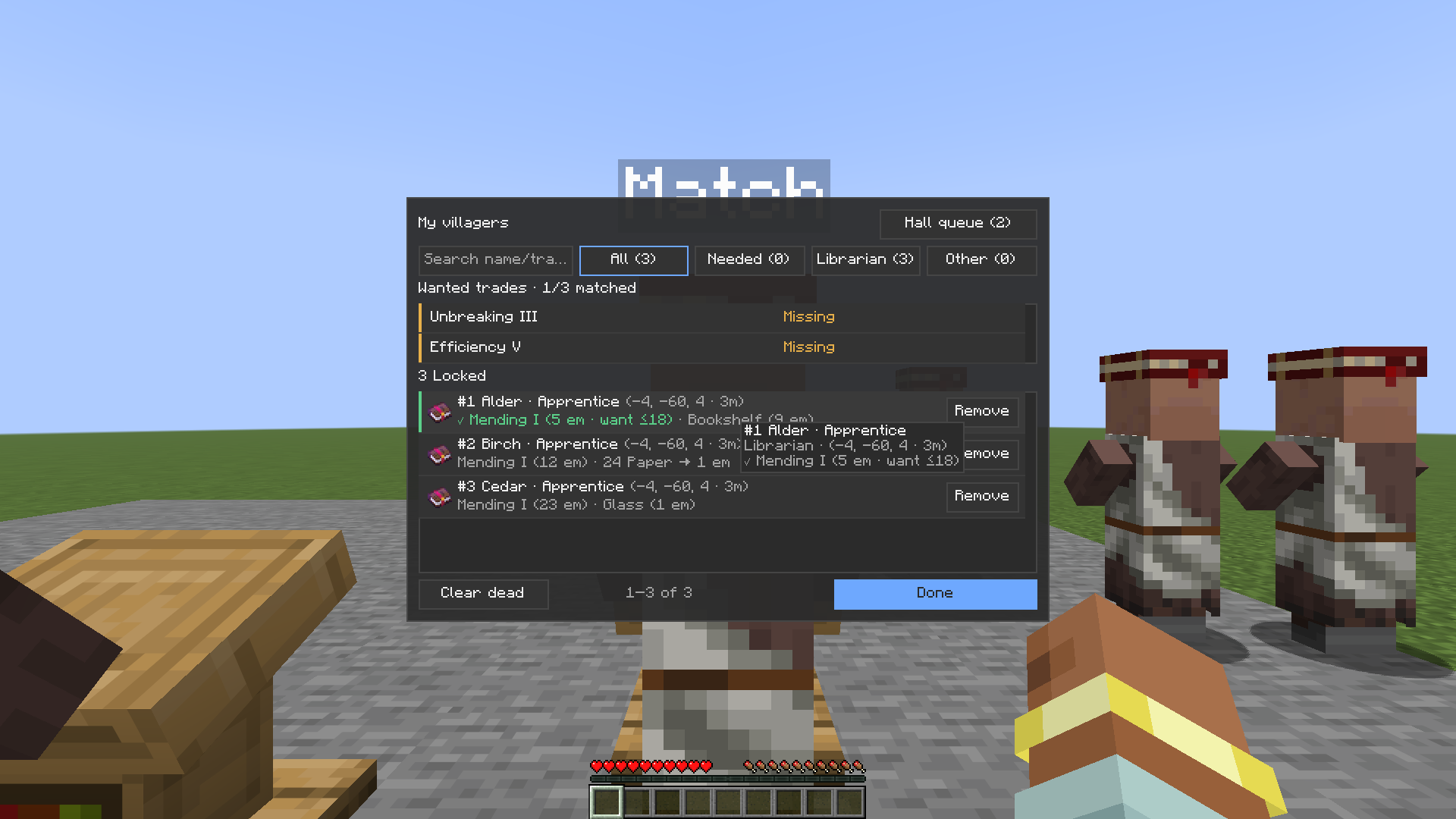
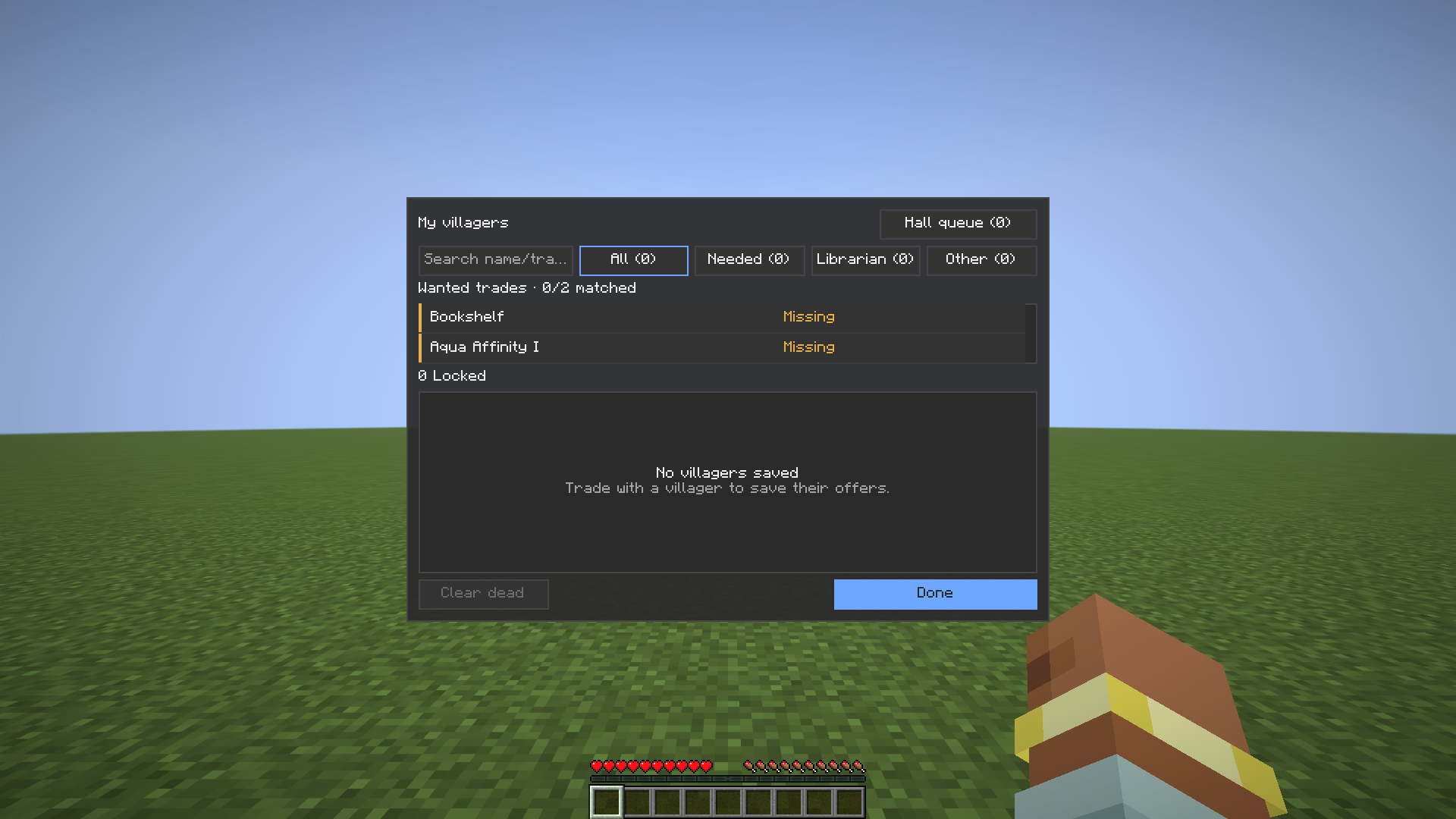
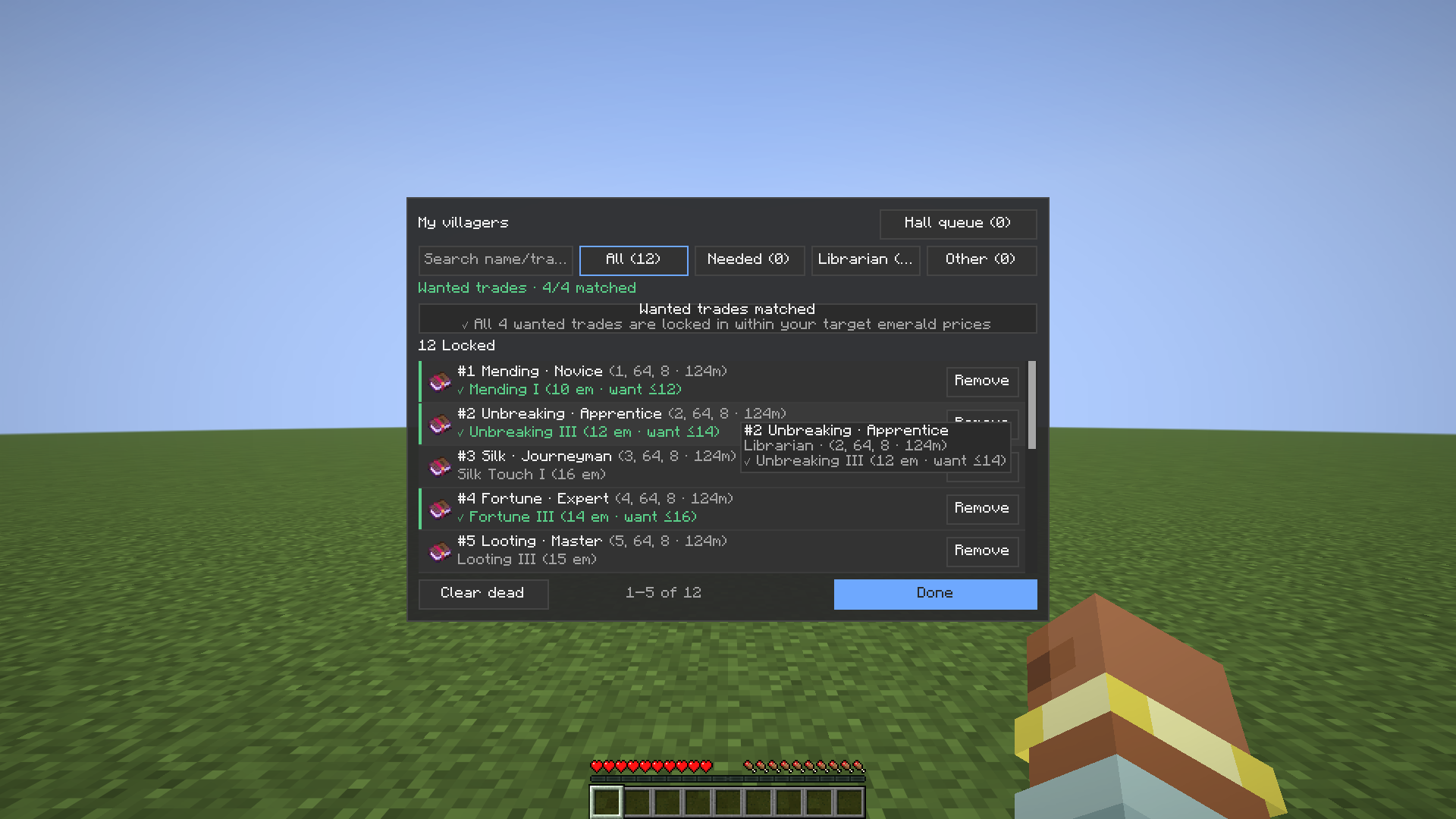
The My villagers list shows locked villagers, each offer, and which wanted trades are still missing. It has a search box, filters, and a scrollbar. An empty list says "No villagers saved" and how to start.
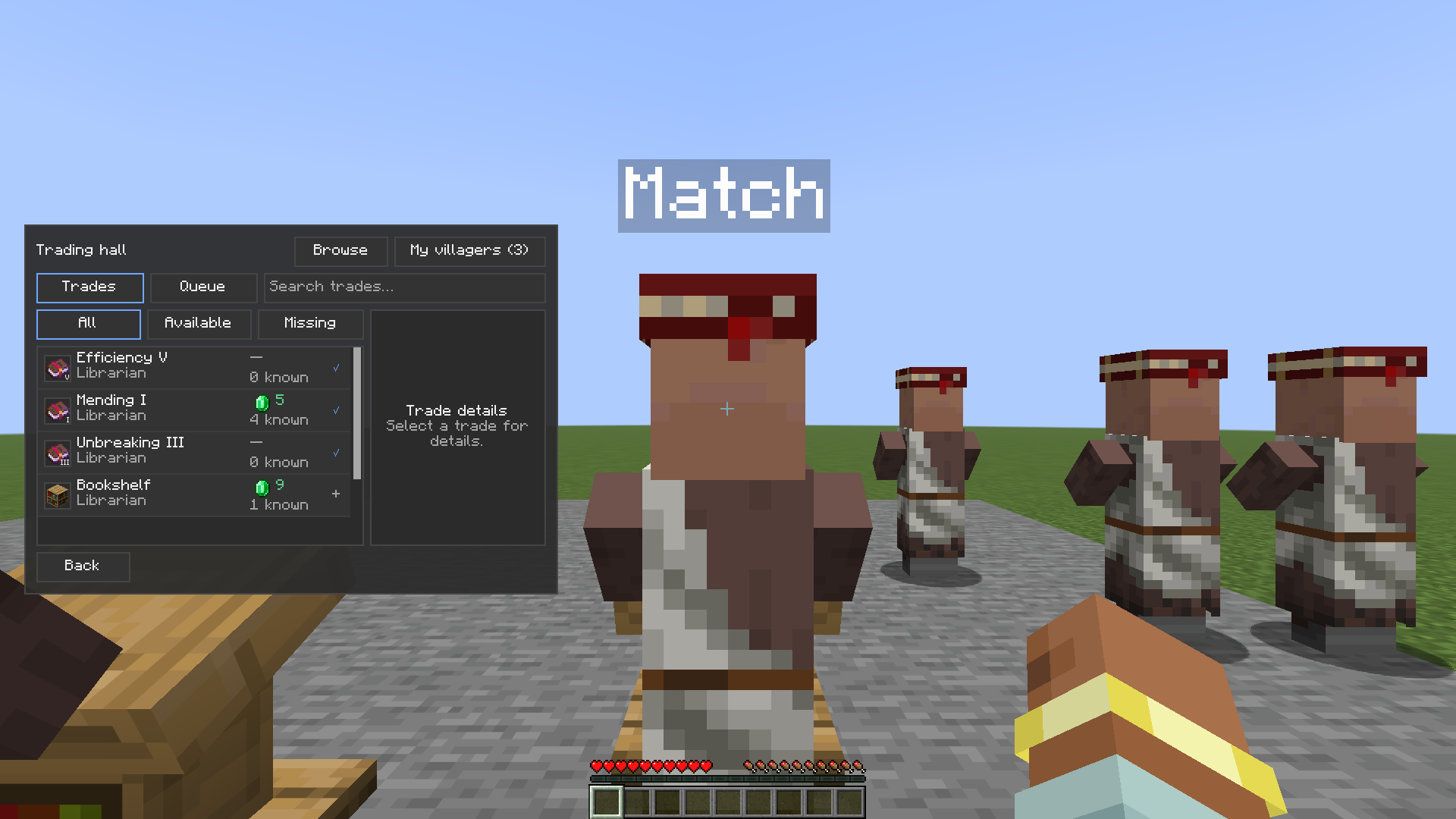
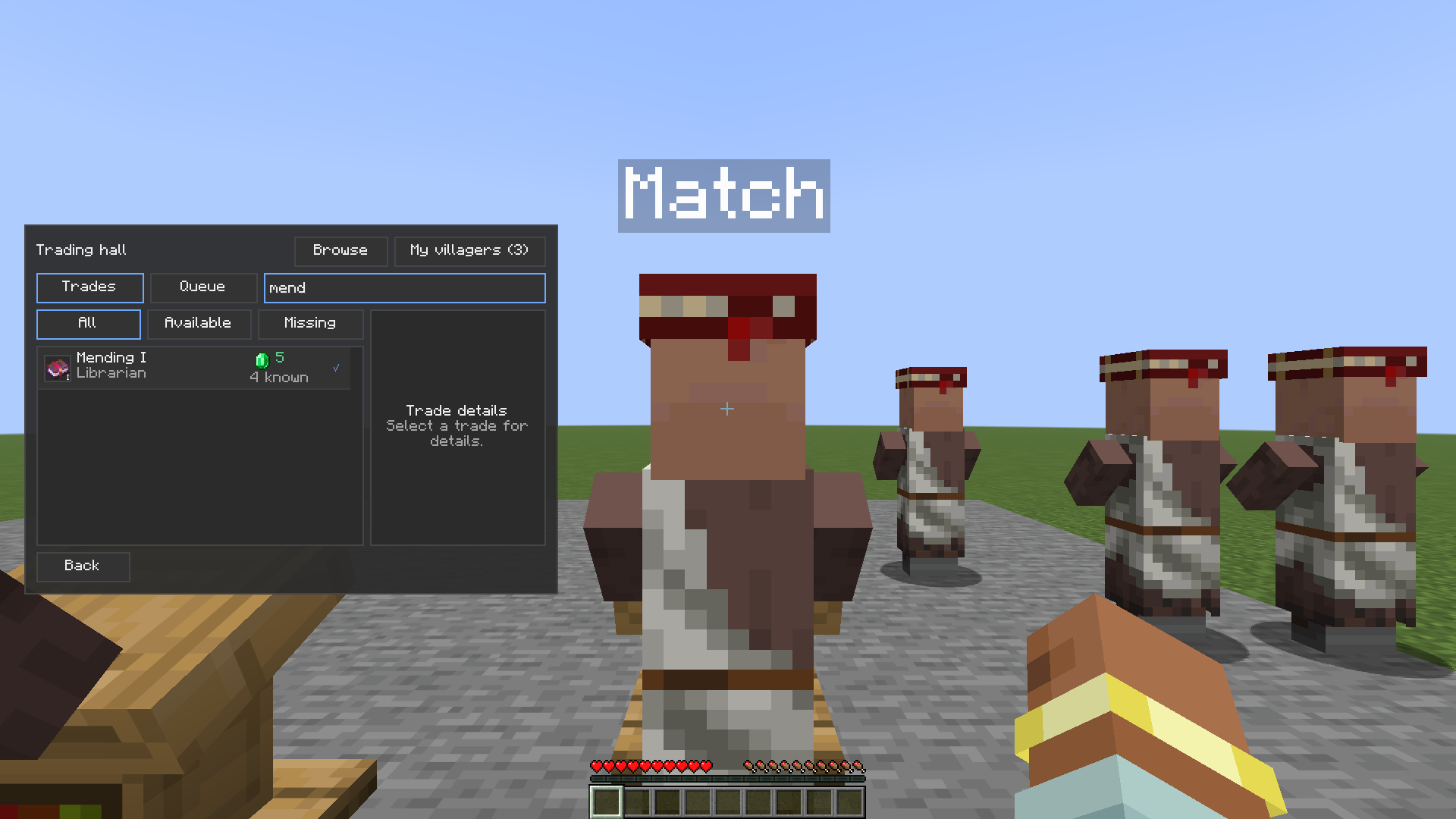
The trading hall is list-only (the grid view is gone; old configs still load). It finds itself automatically. Search the hall's trades, and queue villagers to reroll each one in place.
The default method is the job block. It needs the job-site block and a suitable tool in your inventory, and only a novice villager can be rerolled. Higher-tier trades show as locked.
Tools at or below the durability floor (default 10 uses left, in settings) are skipped. Bare hand can be allowed in settings. A server-friendly pace preset is also in settings, along with match sound and volume.
If Max Henkel's Trade Cycling mod is on the server, the browser can switch the method to Trade Cycling and leave the job block in place. The job block stays the default. Quark's Reroll does not include Trade Cycling, and it is not affiliated with or endorsed by Trade Cycling or its author.
The My villagers list has a scrollbar. The Trading Hall has a search box. A focused search box keeps every key except Escape, so typing E, and other inventory, drop, or hotbar keys, no longer closes the screen or triggers that bind. Tooltips sit on Queue, Hall, Saved and the book button, and long tooltips stay inside the window.
Does this need to be on the server? No. It is client-side. On a server, the default method automates the vanilla break-and-replace a player can do by hand. Check a server's rules before using it there.
Is there a Paper plugin? No. The Paper plugin is not shipped in 1.2.0.
Can I use it in a modpack? Yes. It is MIT licensed.
Found a bug? Open an issue at https://github.com/QuarkOS/trade-cycling-automator/issues
Made by Emilio Schwaiger. Licensed under MIT.
The source code of this mod was written with an AI coding agent and reviewed before release.
Source code and issue tracker: github.com/QuarkOS/trade-cycling-automator.
Project description from CurseForge.
Pick your setup
Choose the version and loader you play, then open the matching release.
Showing the newest 12 of 18 game versions. Older files are in the list below.
Check the dependencies, then try the file in a copied instance before changing a world you care about.
Recent files
villager_reroller-fabric-1.2.0-26.2.jar
22 Nov 2026
villager_reroller-fabric-1.2.0-26.3.jar
22 Nov 2026
villager_reroller-neoforge-1.2.0-26.3.jar
22 Nov 2026
villager_reroller-forge-1.2.0-26.3.jar
22 Nov 2026
villager_reroller-neoforge-1.2.0-26.2.jar
22 Nov 2026
villager_reroller-forge-1.2.0-26.2.jar
22 Nov 2026
villager_reroller-fabric-1.2.0-26.1.2.jar
22 Nov 2026
villager_reroller-neoforge-1.2.0-26.1.2.jar
22 Nov 2026
villager_reroller-forge-1.2.0-26.1.2.jar
22 Nov 2026
villager_reroller-fabric-1.2.0-1.21.11.jar
22 Nov 2026
villager_reroller-neoforge-1.2.0-1.21.11.jar
22 Nov 2026
villager_reroller-forge-1.2.0-1.21.11.jar
22 Nov 2026
Looking for an older file? The official CurseForge project page is in Resources.
 mod
Adds a damage indicator to Minecraft; when you take damage, it will show you the relative location to where the enemy was when they hit you.
 mod
Quick swap armors prevent it from breaking
 mod
Inspect chest loot tables in real time and boost target item drop odds with treasure-crafting tools.