Minecraft version
Back to mods 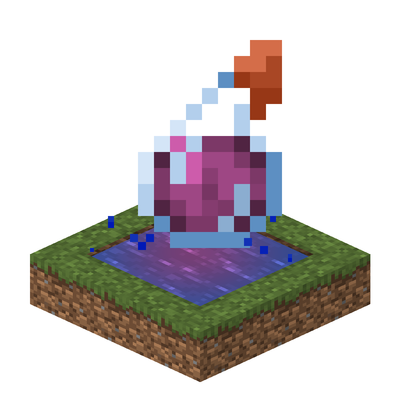
CurseForge · Minecraft mod
Potion Water
Turn small pools into colorful potion water with splash or lingering potions, then carry it anywhere in a bucket.
Choose a version Pick your version below, then grab the matching file.
Quick answer
Which Potion Water release matches 26.1.2?
Best match for your filters potionwater-1.1.0-neoforge-26.1.2.jar
Game version 26.1.2
Loader NeoForge
Potion Water potionwater-1.1.0-neoforge-26.1.2.jar targets 26.1.2 with NeoForge. The project page does not say whether this file belongs on the client, dedicated server, or both. No extra mods listed for this file.
Where it goes
Is Potion Water required on the client, server, or both?
The project page does not say whether this file belongs on the client, dedicated server, or both.
Client Source doesn’t say
Dedicated server Source doesn’t say
Loader for this release NeoForge
Required install it here Optional supported, not mandatory Not supported do not install here Source doesn’t say do not assume
The source does not explicitly classify this release as client-only or server-only.
What else does Potion Water potionwater-1.1.0-neoforge-26.1.2.jar need?
potionwater-1.1.0-neoforge-26.1.2.jar on 26.1.2. Every mod below is checked against that same setup.
This file does not list any required mods. Do not add a library just because a different file uses it.
This file does not list any required or optional mods.
Before you install it
Add Potion Water without breaking your instance.
Built for Potion Water potionwater-1.1.0-neoforge-26.1.2.jar on 26.1.2. Pick another file and the loader, install side or required mods may change.
- 01
Stick to this file
Use potionwater-1.1.0-neoforge-26.1.2.jar. It targets 26.1.2 with NeoForge; another release may have different loader, side or dependency requirements.
- 02
Bring the mods it needs
This file does not list any required mods. Do not add a library just because a different file uses it.
- 03
Put it on the correct side
The project page does not say whether this file belongs on the client, dedicated server, or both.
- 04
Pick the file you checked
Use the “Get this file” button beside potionwater-1.1.0-neoforge-26.1.2.jar. It opens that exact file at the source.
About this project
What does Potion Water add?
Turn a small pool into a potion you can step into.
Throw a splash or lingering potion into water to give the pool lasting color and effects. Players and mobs gain those effects on contact.
Build a regeneration bath, a swiftness stream, or a poison moat. Carry it in a bucket, or fill glass bottles to take the potion with you.
Features
- Potion pools: Infuse up to 128 connected water blocks by default. Timed effects dilute according to pool size; instant effects keep their strength. Add potions to introduce new effects or extend existing ones.
- Potion brewing: Combine layered potions in the Potion Brewing Cauldron, stir them over a fire, and use brewing ingredients to upgrade effects up to level IV.
- Potion crystals: Smelt potion bottles or buckets into crystals, then stir them into your mixtures to concentrate their effects without adding liquid.
- Potion crafts: Coat arrows and string with your mixtures. Craft potion wool, beds that grant effects after sleeping, and cobwebs that affect trapped creatures. Dyeing potion wool preserves its effects.
- Water interactions: Use potion water with cauldrons, dispensers, waterlogged blocks, dripstone, infinite sources, and fire extinguishing. It evaporates in the Nether. Mixed potions require the Potion Brewing Cauldron.
- Potion stone: Lava reactions produce potion-marked stone, cobblestone, and obsidian. Breaking these blocks or their supported infested variants releases a cloud with their stored effects. Potion wool and beds also release clouds when broken.
- Potion portals: Matching potion-marked obsidian frames apply their effects when you arrive in the Nether, using the lowest level and shortest duration. Corners are ignored.
- Infused catches: Food caught in potion water grants its effects when eaten, even after cooking.
- Dyed water: Drop dyes into a small pool to recolor it without removing its effects. Buckets and bottles keep the color; blue dye mimics ordinary water.
- Jade support: Inspect potion water to see its effects, or a brewing cauldron to see each layer's effects and volume.
- Modded potions & configuration: Supports compatible potions that use vanilla potion items. Dilution tiers and dyeing limits are configurable.
Support Version
NeoForge · Minecraft 1.21.1 and 26.1.2
Modpacks
You are welcome to include Potion Water in Java Edition modpacks. No additional permission is required.
If you encounter a bug, have a feature request, or want to suggest a new combat mechanic, please leave a comment on the CurseForge project page.
When reporting a problem, please include your Minecraft version, mod version, and the steps needed to reproduce it.
Project description from CurseForge.
Pick your setup
Potion Water by Minecraft version and loader
Choose the version and loader you play, then open the matching release.
Minecraft version
1.21.1
1 loader buildCheck the dependencies, then try the file in a copied instance before changing a world you care about.
Recent files
Potion Water versions and loaders
potionwater-1.1.0-neoforge-26.1.2.jar
12 Nov 2026
Client Source doesn’t say Server Source doesn’t say Dependencies No extras listed Listed on Release listing
Check the 26.1.2 · NeoForge setup NeoForge26.1.2 release
potionwater-1.0.2-neoforge-26.1.2.jar
4 Nov 2026
Client Source doesn’t say Server Source doesn’t say Dependencies No extras listed Listed on Release listing
Check the 26.1.2 · NeoForge setup NeoForge26.1.2 release
potionwater-1.0.1-neoforge-26.1.2.jar
29 Oct 2026
Client Source doesn’t say Server Source doesn’t say Dependencies No extras listed Listed on Release listing
Check the 26.1.2 · NeoForge setup NeoForge26.1.2 release
potionwater-1.0.0-neoforge-26.1.2.jar
23 Oct 2026
Client Source doesn’t say Server Source doesn’t say Dependencies No extras listed Listed on Release listing
Check the 26.1.2 · NeoForge setup NeoForge26.1.2 release
Looking for an older file? The official CurseForge project page is in Resources.
 mod
CurseForge + Modrinth · Minecraft
Quacked SMP - Server Management Panel
Browser-based web panel for full server and player management. Modular features: Land claims, RPG skills & abilities, chat filter, anti-grief, custom dimension, edit mods and do backups. Optional integrations: Votifier, Discord, BlueMap, Simple Voice Chat.
 mod
CurseForge · Minecraft
Minecraft Borderless Window
Borderless fullscreen with a 3-mode system and configurable F11, plus a growing set of video and quality-of-life options Minecraft doesn't expose. Every setting defaults to vanilla. Client-side, no dependencies, optional Sodium integration.
 mod
CurseForge · Minecraft
Armor trim studio
It is an armor trim mod that sets trims on your armor, as well as a general utility mod. Written with the help of AI for converting python to Java.