Minecraft version
Back to mods 
CurseForge · Minecraft mod
Build Blueprint
See any build as see-through ghost blocks in your world, with a materials list, layers and build copying.
Choose a version Pick your version below, then grab the matching file.
Quick answer
Which Build Blueprint release matches 26.2?
Best match for your filters Build Blueprint 1.5.0 for Forge Minecraft 26.2
Game version 26.2
Loader Forge
Build Blueprint 1.5.0 for Forge Minecraft 26.2 targets 26.2 with Forge. The project page does not say whether this file belongs on the client, dedicated server, or both. No extra mods listed for this file.
Where it goes
Is Build Blueprint required on the client, server, or both?
The project page does not say whether this file belongs on the client, dedicated server, or both.
Client Source doesn’t say
Dedicated server Source doesn’t say
Loader for this release Forge
Required install it here Optional supported, not mandatory Not supported do not install here Source doesn’t say do not assume
The source does not explicitly classify this release as client-only or server-only.
What else does Build Blueprint 1.5.0 for Forge Minecraft 26.2 need?
Build Blueprint 1.5.0 for Forge Minecraft 26.2 on 26.2. Every mod below is checked against that same setup.
This file does not list any required mods. Do not add a library just because a different file uses it.
This file does not list any required or optional mods.
Before you install it
Add Build Blueprint without breaking your instance.
Built for Build Blueprint 1.5.0 for Forge Minecraft 26.2 on 26.2. Pick another file and the loader, install side or required mods may change.
- 01
Stick to this file
Use Build Blueprint 1.5.0 for Forge Minecraft 26.2. It targets 26.2 with Forge; another release may have different loader, side or dependency requirements.
- 02
Bring the mods it needs
This file does not list any required mods. Do not add a library just because a different file uses it.
- 03
Put it on the correct side
The project page does not say whether this file belongs on the client, dedicated server, or both.
- 04
Pick the file you checked
Use the “Get this file” button beside Build Blueprint 1.5.0 for Forge Minecraft 26.2. It opens that exact file at the source.
About this project
What does Build Blueprint add?
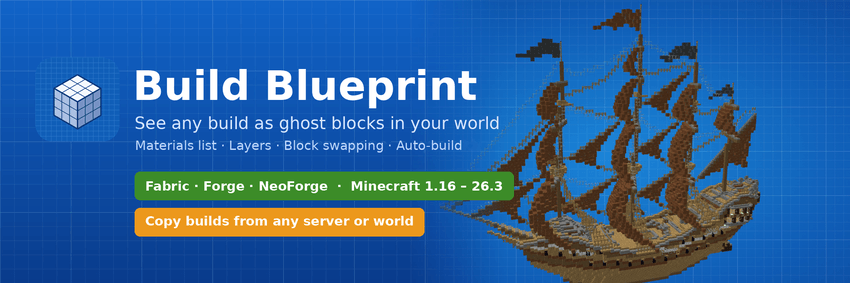 Stop guessing. Start building.
Ever tried to copy a build from a picture or a video and lost count halfway through? Build Blueprint puts the whole build into your world as see-through ghost blocks. You place the real blocks right where the ghosts are, one layer at a time, until it’s done.
📂 Works with schematic files: .litematic, .schem and .nbt
🔥 What it does
👻 See it before you build it
The full build appears as ghost blocks in your world. Move it, turn it, mirror it or drop it onto the ground until it’s exactly where you want it. Then press Delete to lock it in place.
🧱 Build layer by layer
Start at the bottom. The mod shows one layer at a time and moves you up when you finish it. If you break a block in a layer you already finished, it takes you back to fix it.
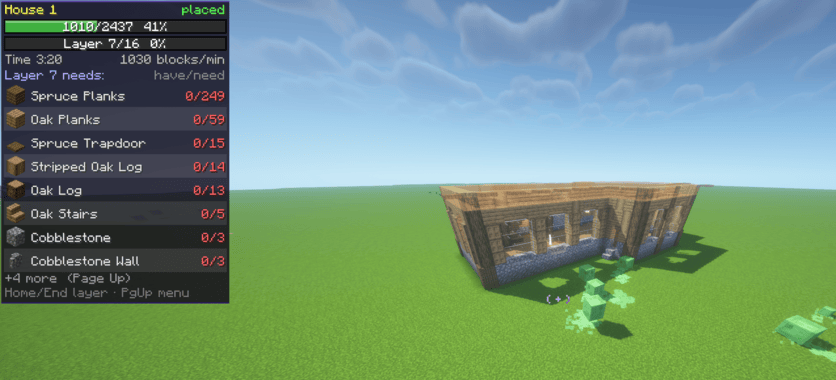
📋 Know exactly what you need
A live list shows every block the build needs, how many you have, and how many are left. Hover any block to see how many stacks you still need. Chests you’ve opened nearby that hold blocks you still need get a green glow, and when you open one, the slots with those blocks are framed in green so you know exactly what to take.
🎯 Never lose your place
A pulsing box shows the next block to place. Middle-click any ghost block to put that block in your hand. Placed a stair upside down or a log on its side? It gets a red box and a message telling you which way it should face.
🎨 Make it yours
Click any block in the list and pick another one to use instead: any block in the game, even blocks from other mods you have. Search by name, or start with similar blocks (stairs stay stairs, closest colours first). Every block of that kind in the build changes, and Undo swap puts it back. Don’t want a block at all, like snow on a roof? Remove it from the build. Click the eye next to a block to hide its ghost blocks, or Shift-click it to see only that one block.
🧩 Works with modded blocks
Got mods that add blocks? Build Blueprint works with them. Copy a build that uses modded blocks and it keeps them, schematic files with modded blocks load as they are, and the swap list shows every block from your other mods with the mod’s name. If a build has blocks from a mod you don’t have, or from a newer Minecraft version, the mod tells you and lets you swap them for blocks you do have.
📸 Copy any build in your world/Other servers
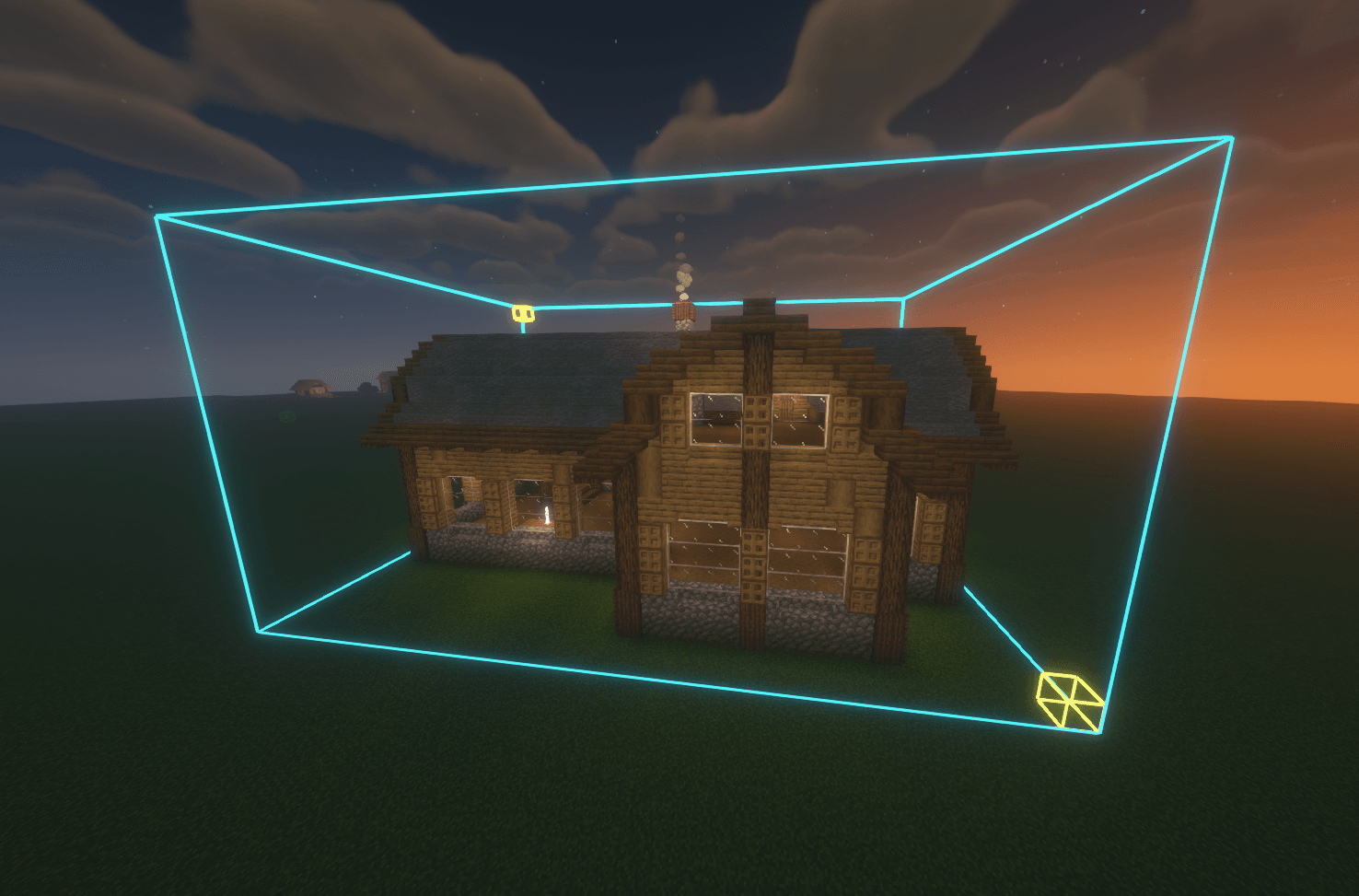
Look at a corner of a build and press Insert. A box starts on that block: make it as big as the build with the arrow keys, or look at the far corner and press Page Down to stretch it there. Save it, share it as a code, or build it again somewhere else.
⚡ Creative mode extras
In Creative mode the mod can build it for you. Auto-build places the whole build at once, Build layer places just the layer you’re on, and Undo build takes it all back if you change your mind. On servers this needs operator rights.
🌈 Pick your style
Settings → Style lets you choose the color of the ghost blocks and of the boxes the mod draws (mistakes, the next block, chests and scaffold columns), and the sounds for a finished layer and a finished build.
✋ Find where a block goes
Hold a block and every spot near you that still needs it lights up.
🎒 Counts everything you have
Blocks in shulker boxes you carry and in your ender chest count toward what you have. When your stack runs out, auto-swap puts the next block the build needs in your hand.
🧭 Never lose your build
Wander more than 32 blocks away and an arrow in the corner list points you back. The build timer also guesses how long the rest of the build will take at your speed.
💾 It remembers
Leave the world and come back, and your blueprint is still there, right where you left it.
🎮 Controls
| Key | What it does |
|---|---|
| B | Open the menu (Page Up if you installed before 1.4.10; change it in Options > Controls > Key Binds > Build Blueprint) |
| Arrow keys | Move the build (hold Shift for 5 blocks) |
| Page Down | Turn it |
| Delete | Place it and start building |
| Home / End | Go up or down a layer |
| Insert | Copy a build from your world |
| Middle-click | Hold the ghost block you’re looking at |
Change any key in Options → Controls.
📦 Requirements
- Fabric: Minecraft 1.15.2, and 1.16.1 to 26.3 (needs Fabric Loader and Fabric API)
- Forge: Minecraft 1.15.2, and 1.16.1 to 26.3
- NeoForge: Minecraft 1.20.2 to 26.3
- Pick the file for your Minecraft version and loader on the Files tab.
- Client-side only, so it works in single-player and on any server.
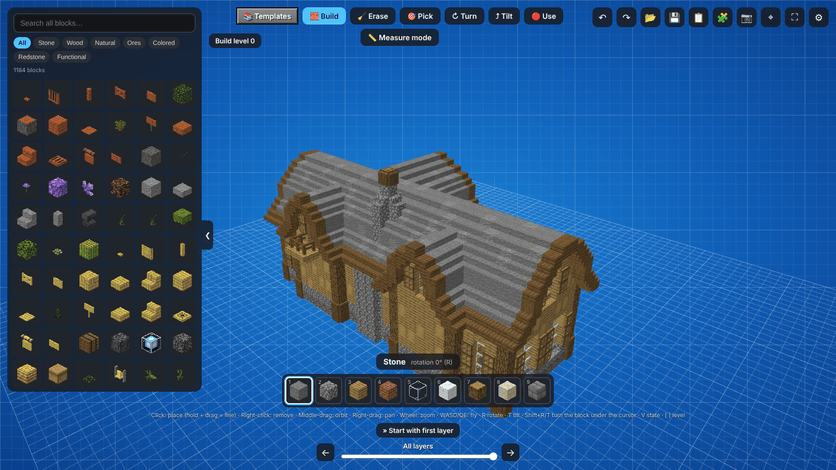
Companion app - free building templates
Get the free Block Blueprint app for Windows and start from a ready-made template: a giant sailing ship, smaller boats, a cozy house, a robot and more. Pick one, tweak it if you want, and press Send to Minecraft. It shows up in the mod's Saved builds, ready to place as a blueprint in your world.
- Building templates to use straight away, with more added over time
- Design your own builds block by block in 3D with real Minecraft textures
- Swap blocks and colours before you build, and see exactly how many blocks you need
- Builds you copy in game (even from other servers) show up in the app too
- Free, and it updates itself
Download it here: https://github.com/CosmicLogic0/block-blueprint
❤️ Support the mod
Build Blueprint and the Block Blueprint app are free. Donations keep the mod up to date with fixes, new Minecraft versions and new features. Donate with PayPal - any amount helps. Thank you!
🤝 Invite friends in game (server part)
Put Build Blueprint on the server too and players can invite each other in game - no codes to send. Open the menu > Build with friends > Invite & join on this server: invite anyone on the server who has the mod, and they join your placed build in one click. Builds other players share show up there too.
- Paper / Spigot / Purpur servers: add the Build Blueprint Server plugin (Minecraft 1.15 and newer) to the plugins folder.
- Fabric, Forge and NeoForge servers: put this same mod file in the server's mods folder.
- It never changes the world, and players without the mod notice nothing. Don't want your build shared? Settings > Extras > Share my build: OFF.
🎮 Play on the creator's server
Logic Survival (play.logicsurvival.fyi) is the survival server run by the maker of this mod. Heads up: the mod adds Logic Survival to the end of your Multiplayer server list once, the first time it starts. If you don't want it, just delete it there - it won't come back by itself (How it works → More helpers can add it again).
Project description from CurseForge.
Pick your setup
Build Blueprint by Minecraft version and loader
Choose the version and loader you play, then open the matching release.
Minecraft version
26.2
2 loader buildsMinecraft version
26.1.2
1 loader buildMinecraft version
26.1.1
2 loader buildsMinecraft version
26.1
2 loader buildsMinecraft version
1.21.11
2 loader buildsMinecraft version
1.21.10
2 loader buildsMinecraft version
1.21.9
3 loader buildsMinecraft version
1.21.8
2 loader buildsMinecraft version
1.21.7
2 loader buildsMinecraft version
1.21.6
2 loader buildsMinecraft version
1.21.5
1 loader buildShowing the newest 12 of 38 game versions. Older files are in the list below.
Check the dependencies, then try the file in a copied instance before changing a world you care about.
Recent files
Build Blueprint versions and loaders
Build Blueprint 1.5.0 for Forge Minecraft 26.2
buildblueprint-1.5.0-forge-26.2.jar
22 Nov 2026
Client Source doesn’t say Server Source doesn’t say Dependencies No extras listed Listed on Release listing
Check the 26.2 · Forge setup Forge26.2 release
Build Blueprint 1.5.0 for NeoForge Minecraft 26.2
buildblueprint-1.5.0-neoforge-26.2.jar
22 Nov 2026
Client Source doesn’t say Server Source doesn’t say Dependencies No extras listed Listed on Release listing
Check the 26.2 · NeoForge setup NeoForge26.2 release
Looking for an older file? The official CurseForge project page is in Resources.
 mod
CurseForge · Minecraft
Stash Radar
Find which nearby chest, barrel or shulker box has your item. The server checks what's inside and highlights it.
 mod
CurseForge · Minecraft
Range Sight
See invisible ranges: beacons, conduits, spawners, raids, sculk sensors and shriekers, and spawn chunks, each with its own color and toggle key.
 mod
CurseForge + Modrinth · Minecraft
Agritech (AT2)
Farming automation mod. Planters and raised beds grow your crops and trees for you.