Create Aeronautics Needed by Create: Airspace 1.5.0
requiredMatching file found Matched file: Create Aeronautics 1.3.2 for mc1.21.1

CurseForge · Minecraft mod
Aviation and airport accessories for Create: barrier posts, terminal seats, airfield signs, edge lights, a windsock and a rotating beacon.
Quick answer
Create: Airspace 1.5.0 targets 1.21.1 with NeoForge. The project page does not say whether this file belongs on the client, dedicated server, or both. All 3 required mods have matching files.
Where it goes
The project page does not say whether this file belongs on the client, dedicated server, or both.
The source does not explicitly classify this release as client-only or server-only.
Create: Airspace 1.5.0. Change the file and its required mods may change too.
Install Create Aeronautics, Sable, Create first. We found matching files for this game-version and loader setup. 1 comes through another mod in the chain.
1 extra mod was pulled in by another dependency. Indented rows show who needs each one. We only count dependency files that match this setup. A file for another loader does not fill the gap.
Before you install it
Built for Create: Airspace 1.5.0. Pick another file and the loader, install side or required mods may change.
Use Create: Airspace 1.5.0. It targets 1.21.1 with NeoForge; another release may have different loader, side or dependency requirements.
Install Create Aeronautics, Sable, Create first. We found matching files for this game-version and loader setup. 1 comes through another mod in the chain.
The project page does not say whether this file belongs on the client, dedicated server, or both.
Use the “Get this file” button beside Create: Airspace 1.5.0. It opens that exact file at the source.
About this project
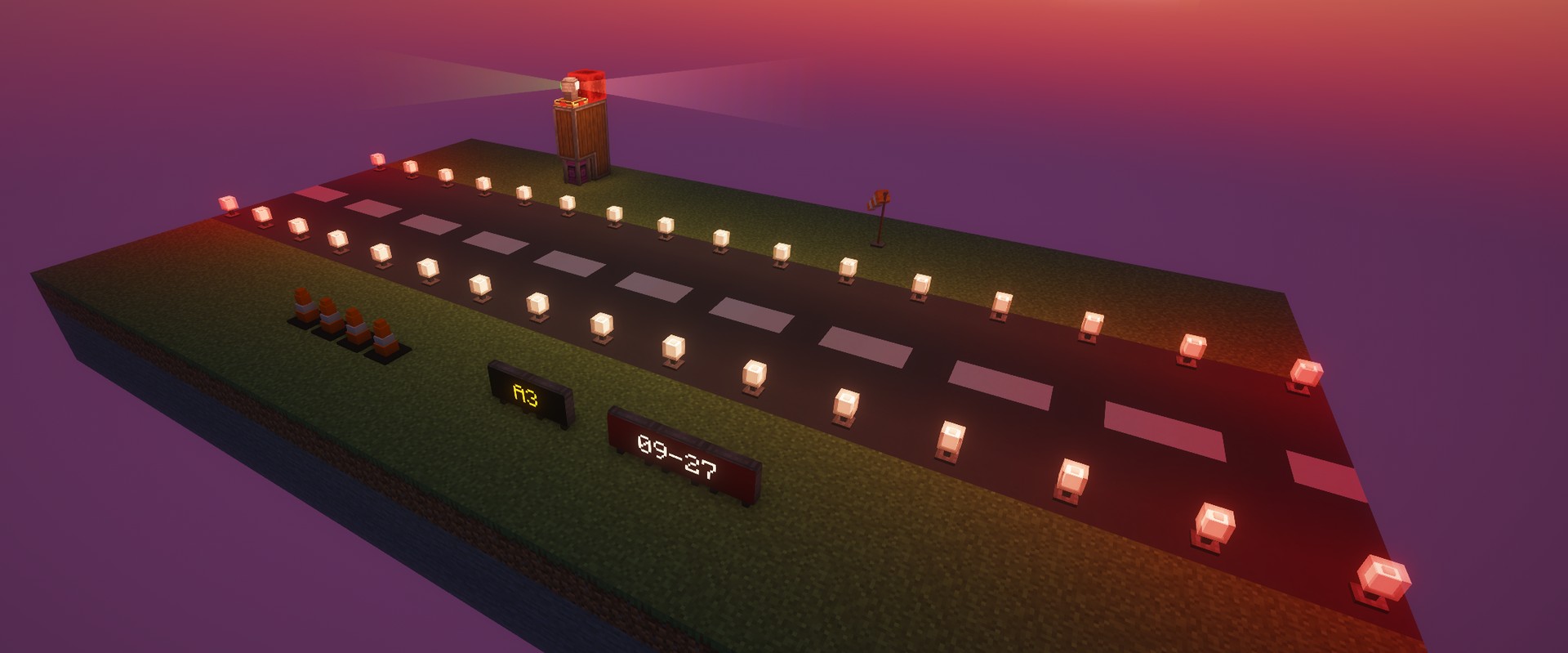
Aviation and airport accessories for Create. Build a proper airfield around your aircraft: barrier posts for queue lines, terminal seats, taxiway signs, edge lights, a windsock that follows the wind and a rotating airport beacon.
Made for aviation builds, Create: Airspace sits right next to Create and Create Aeronautics. It uses Create's own processes, Ponder scenes and wrench handling, so everything feels like part of Create.
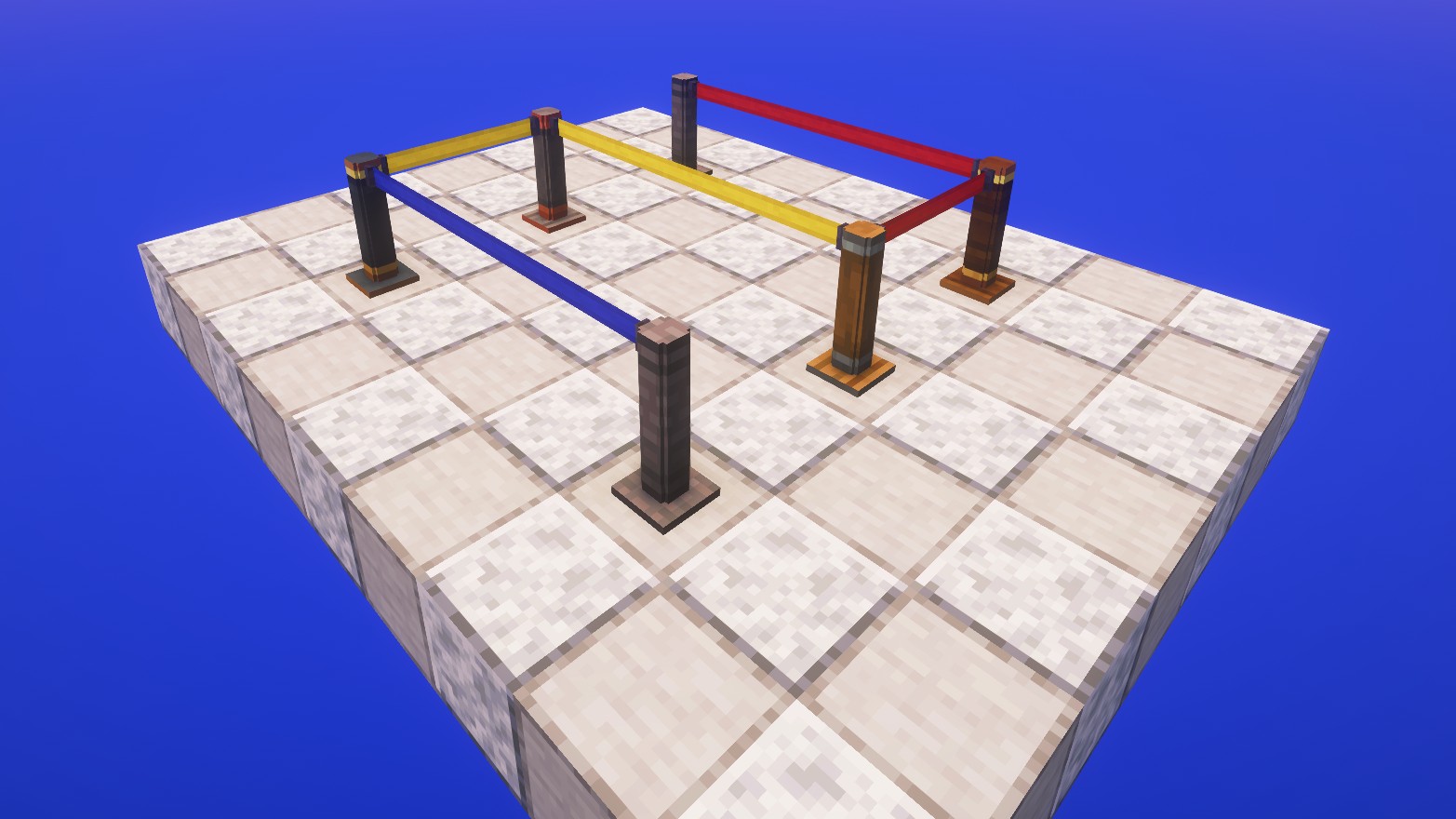
Connect two posts with a wrench and a retractable belt stretches between them. Each post holds several belts, perfect for queue lines. Recolour belts with dye. Available in industrial iron, andesite, brass, copper and train casing.
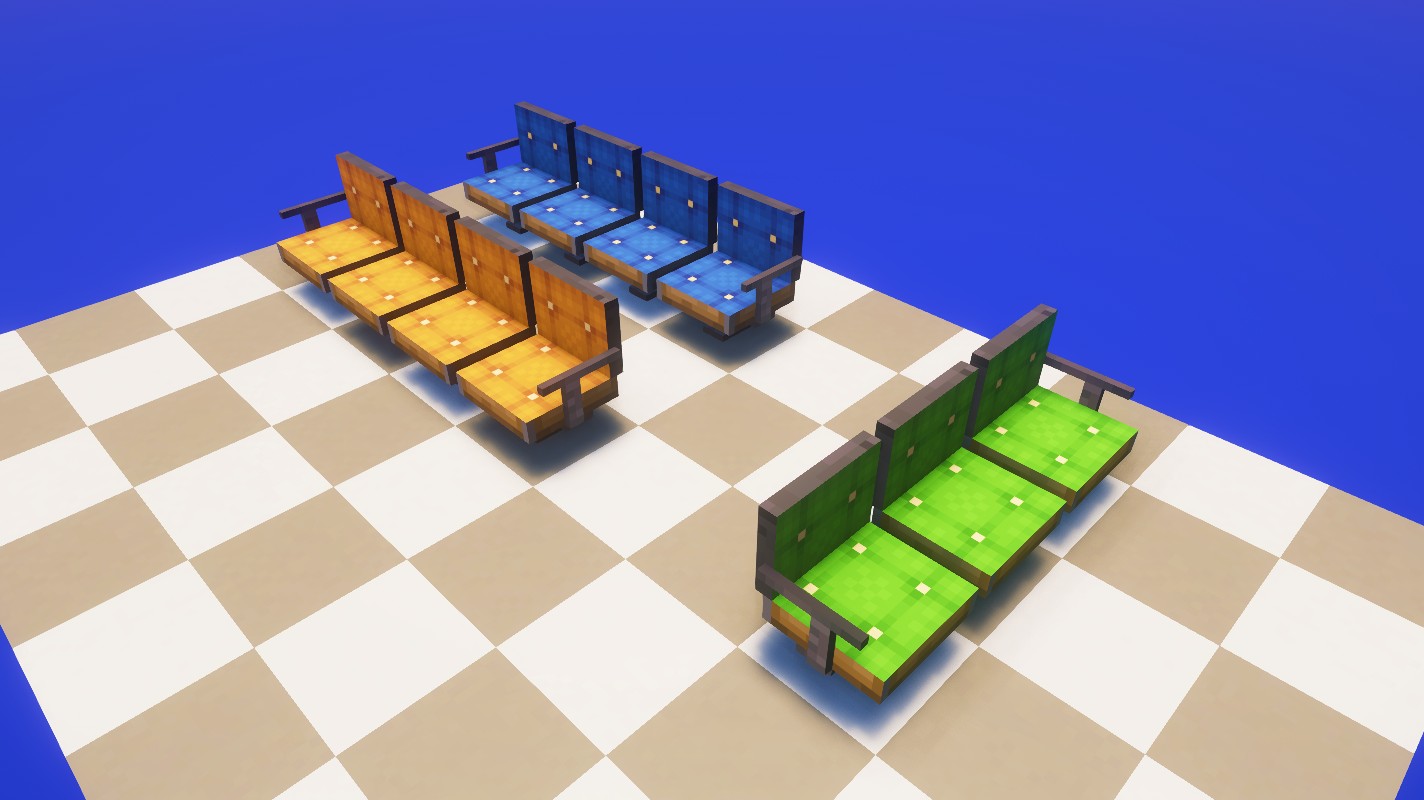
Seats facing the same way join into rows, with armrests only at the ends. Sit down like on Create's seats, leashed mobs too, and they keep working on contraptions. 16 colours, recolour with dye.
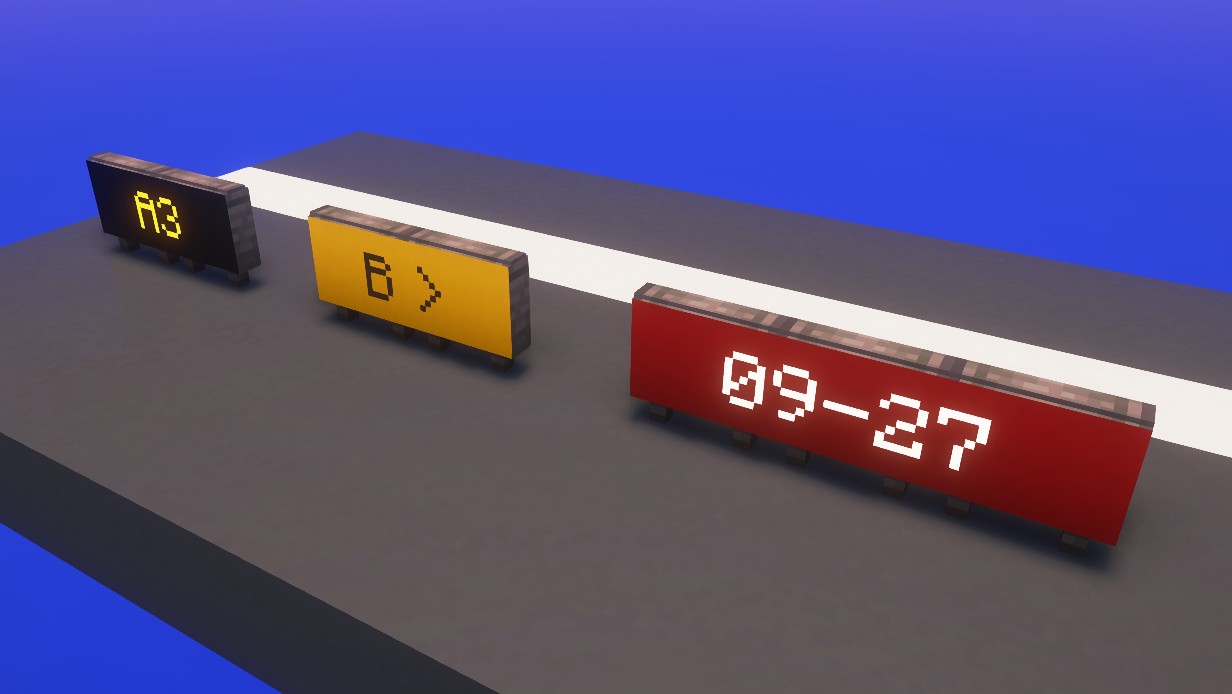
Location, direction and mandatory signs. Write on a whole row with a named name tag, a clipboard or a Display Link. The text spans the row, glows at night and is readable from both sides. Switch the sign type with a wrench.
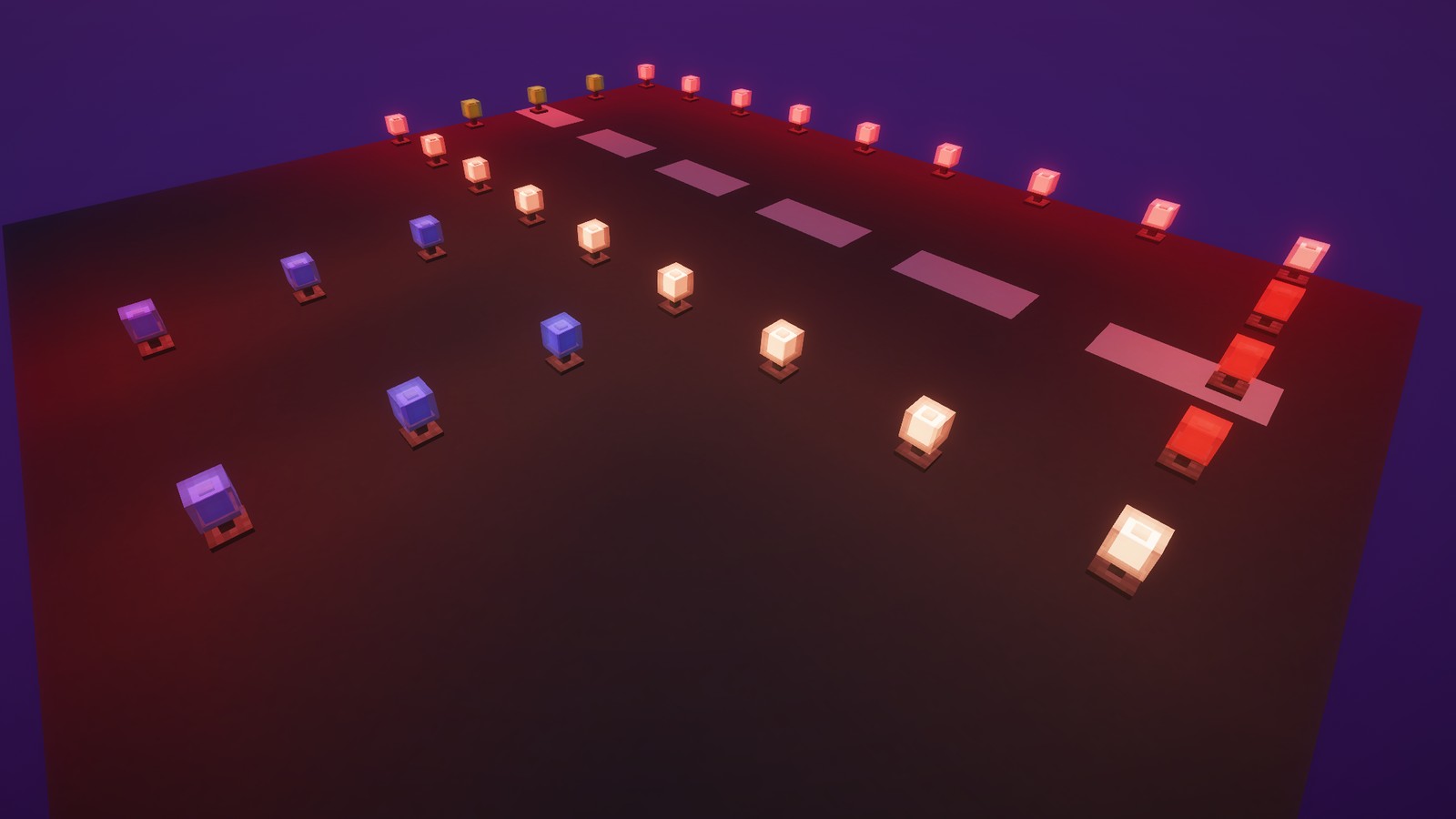
Light up with redstone. Redstone dust connects to them, so a single line beside a row of lights powers all of them. White, blue, green, red and yellow.
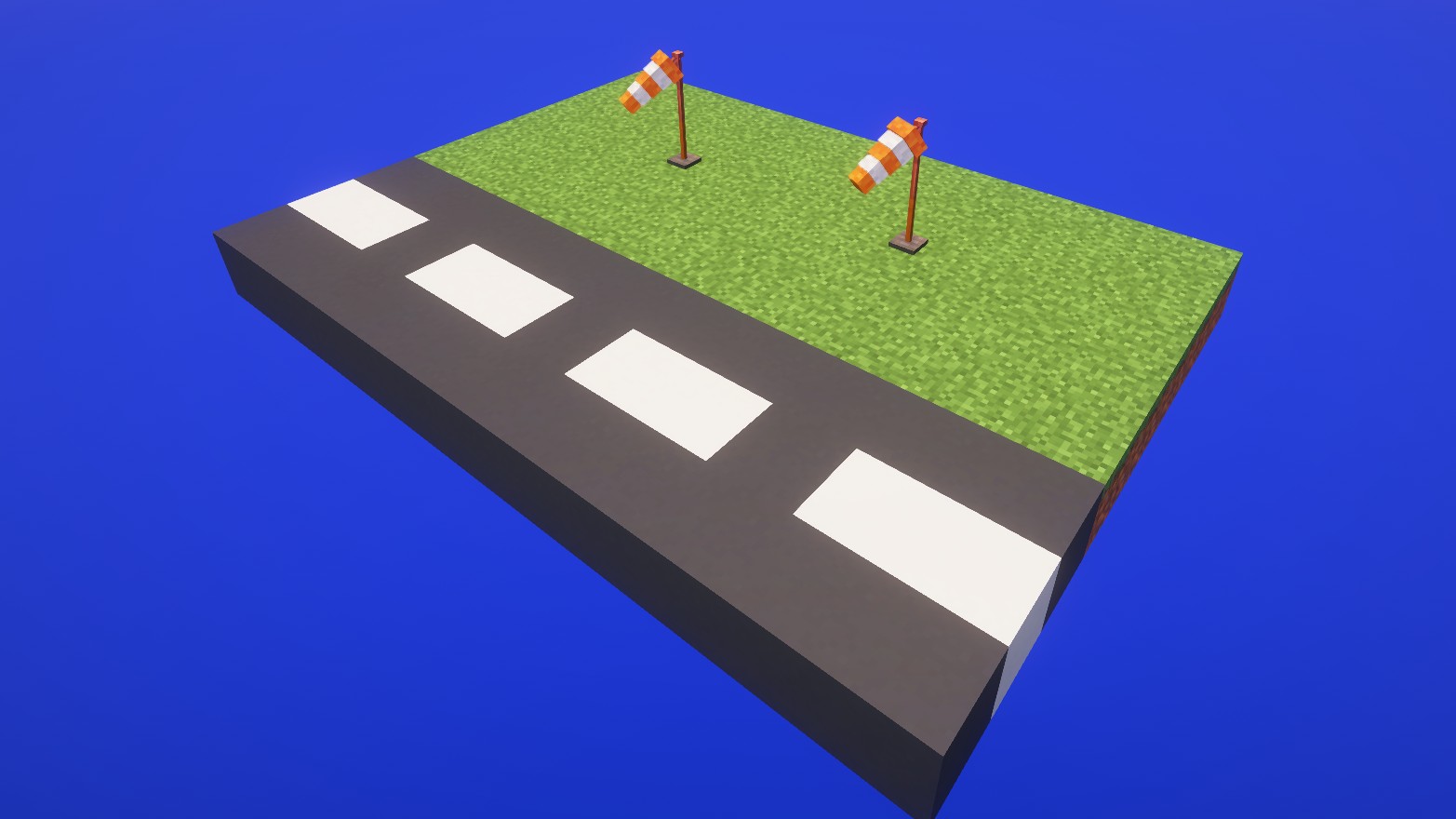
Turns into the wind and rises with its strength. The wind is the same for every player and gets stronger with rain, thunderstorms and height.
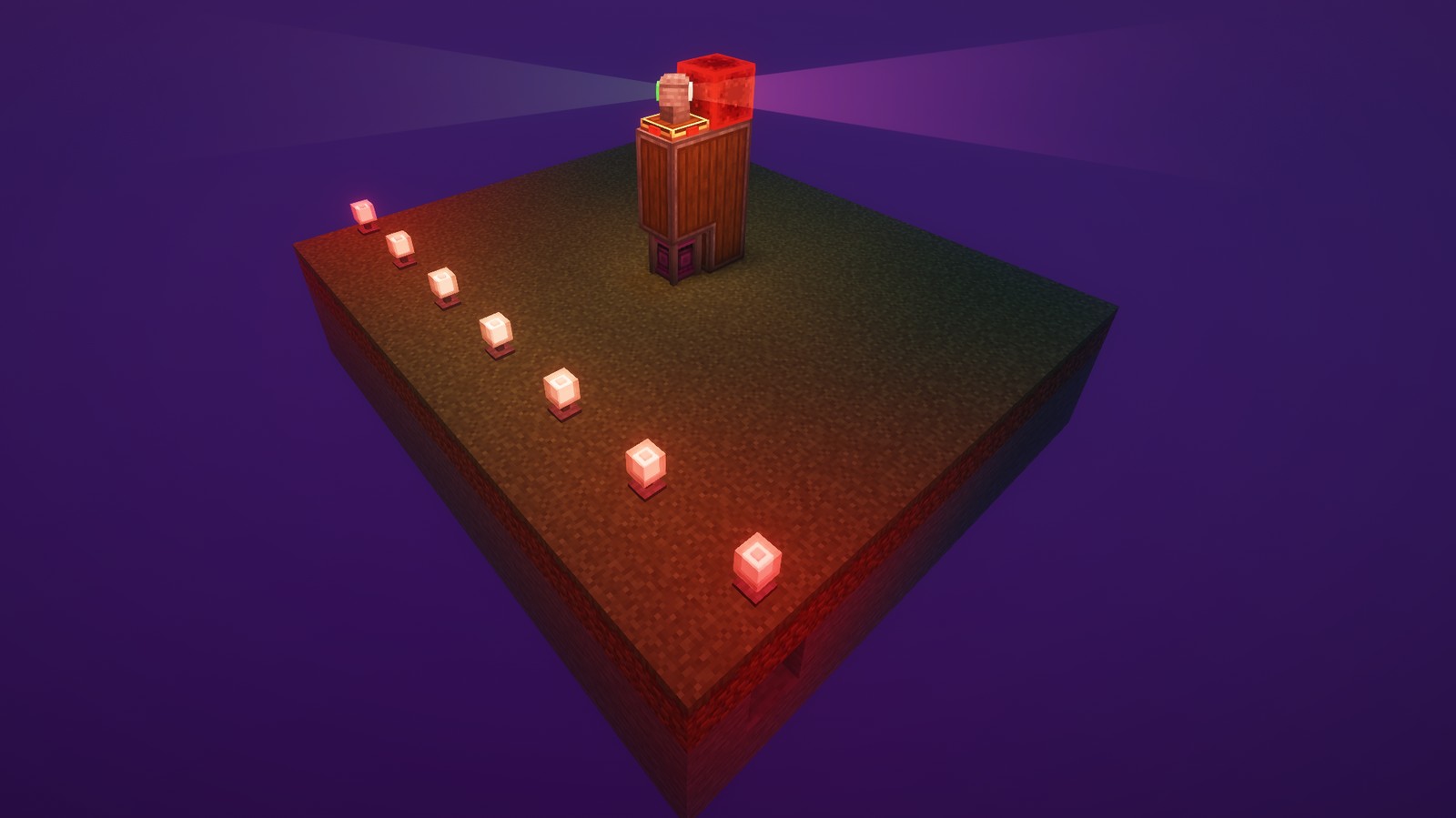
Rotational force turns the head, redstone from the sides controls brightness and range of the light. Switch between the patterns of land airports, water airports, heliports and military airports with a wrench. Looking straight into a beam dazzles you for a moment (can be turned off in the client config).
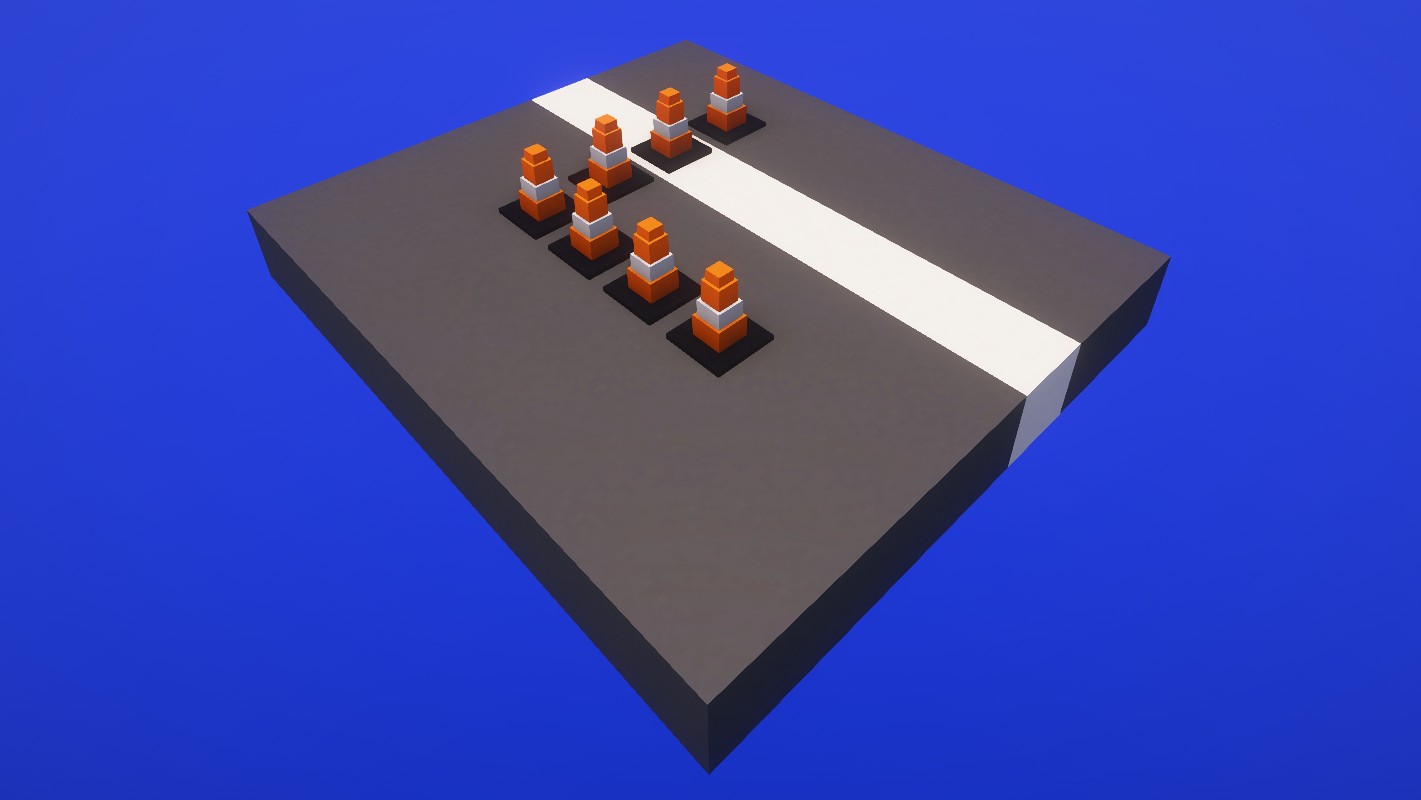
Mark closed areas. They can be placed underwater too.
Simple blocks are crafted, everything else goes through Create: deploying, item application, sequenced assembly and mechanical crafting. All recipes show up in JEI, and most blocks have a Ponder scene (hold W over the item).
Works alongside Create Aeronautics.
MIT. Source code and issue tracker on GitHub.
Project description from CurseForge.
Pick your setup
Choose the version and loader you play, then open the matching release.
Check the dependencies, then try the file in a copied instance before changing a world you care about.
Recent files
createairspace-1.5.0.jar
10 Nov 2026
createairspace-1.4.0.jar
5 Nov 2026
createairspace-1.3.0.jar
4 Nov 2026
createairspace-1.2.0.jar
3 Nov 2026
createairspace-1.1.0.jar
28 Oct 2026
createairspace-1.0.0.jar
24 Oct 2026
Looking for an older file? The official CurseForge project page is in Resources.
 mod
All-in-one mod that improves performance, reduces memory usage, and fixes many bugs. Compatible with all your favorite performance mods!
 mod
Putting more Magic in your Blood Magic.
 mod
MTR London Underground Trains expansion for the Minecraft Transit Railway mod.