Forge Config API Port Needed by Adjustability 0.8.0 (Fabric 1.21.1)
requiredMatching file found Matched file: [FABRIC] [1.21.1] ForgeConfigAPIPort-v21.1.6
CurseForge · Minecraft mod
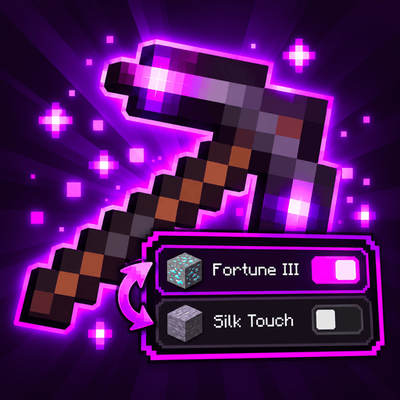
Fortune and Silk Touch on one pickaxe, all four Protections on one chestplate. Keep every conflicting enchantment on the item and switch which one is active, right from your inventory.
Quick answer
Adjustability 0.8.0 (Fabric 1.21.1) targets 1.21.1 with Fabric. The project page does not say whether this file belongs on the client, dedicated server, or both. All 2 required mods have matching files.
Where it goes
The project page does not say whether this file belongs on the client, dedicated server, or both.
The source does not explicitly classify this release as client-only or server-only.
Adjustability 0.8.0 (Fabric 1.21.1) on 1.21.1 Fabric. Every mod below is checked against that same setup.
Install Forge Config API Port, Fabric API first. We found matching files for this game-version and loader setup. 1 comes through another mod in the chain.
1 extra mod was pulled in by another dependency. Indented rows show who needs each one. We only count dependency files that match this setup. A file for another loader does not fill the gap.
Before you install it
Built for Adjustability 0.8.0 (Fabric 1.21.1) on 1.21.1 Fabric. Pick another file and the loader, install side or required mods may change.
Use Adjustability 0.8.0 (Fabric 1.21.1). It targets 1.21.1 with Fabric; another release may have different loader, side or dependency requirements.
Install Forge Config API Port, Fabric API first. We found matching files for this game-version and loader setup. 1 comes through another mod in the chain.
The project page does not say whether this file belongs on the client, dedicated server, or both.
Use the “Get this file” button beside Adjustability 0.8.0 (Fabric 1.21.1). It opens that exact file at the source.
About this project
Put Fortune and Silk Touch on the same pickaxe, and switch between them whenever you want. Adjustability lets items hold mutually exclusive enchantments without allowing conflicting effects to work at the same time.


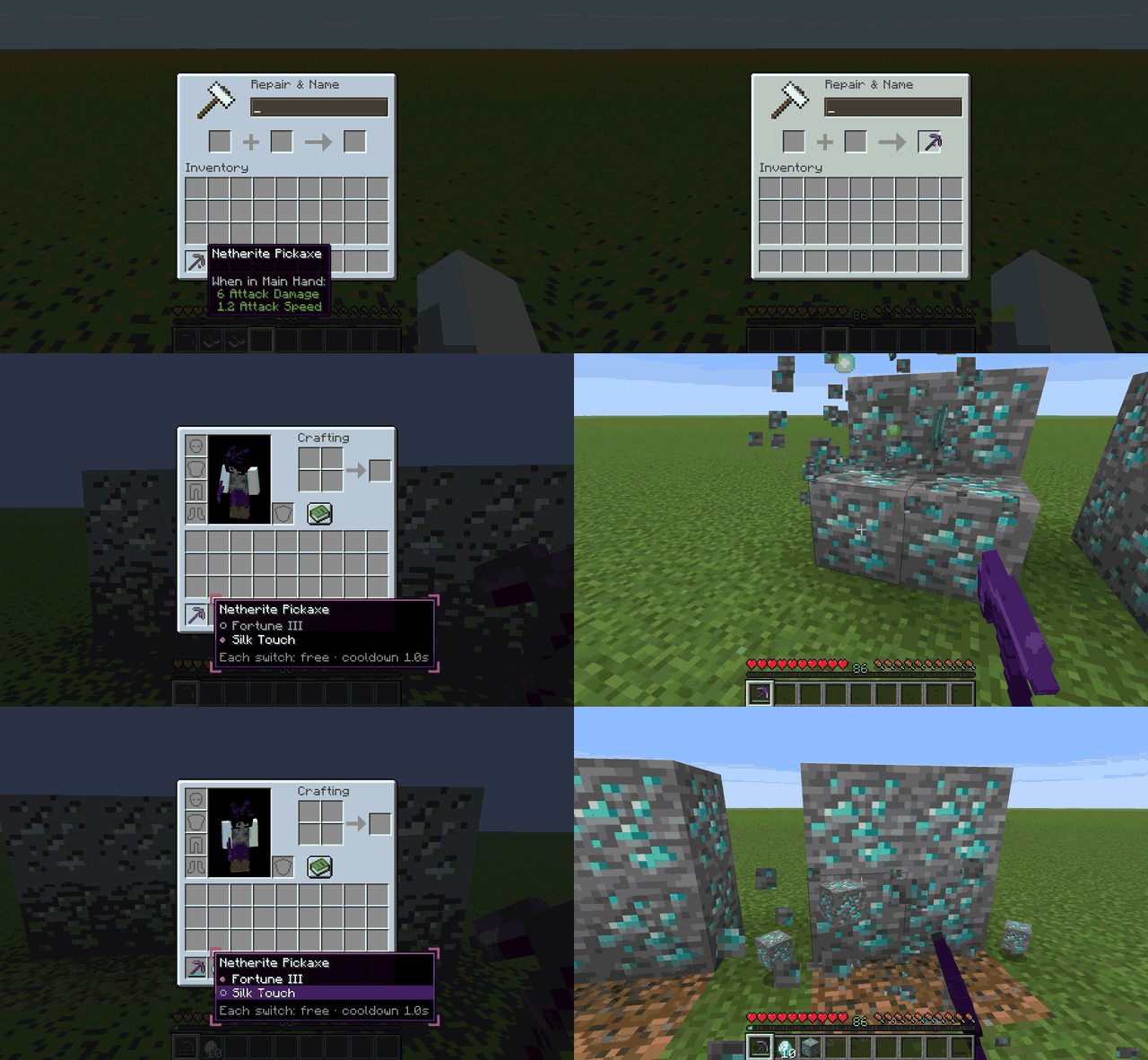
Keep Fortune and Silk Touch on one pickaxe, all four Protection enchantments on one chestplate, or Riptide and Loyalty on one trident.
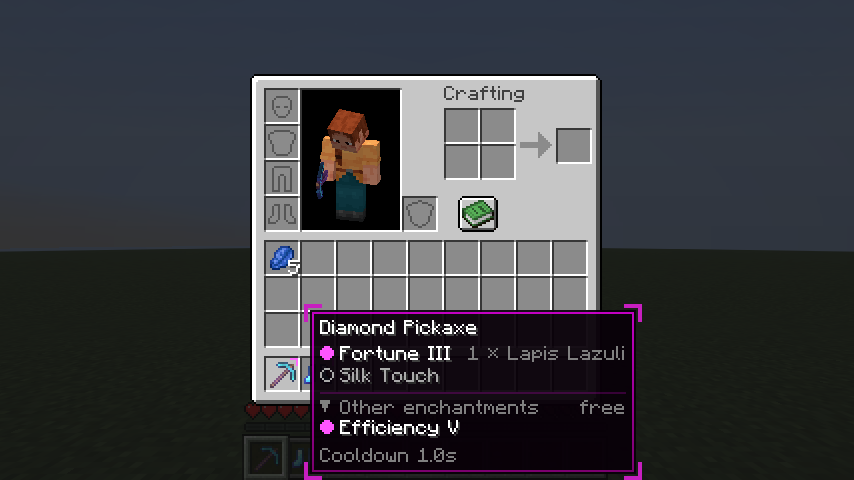
Conflicting enchantments are stored on the item, but only one side of each conflict can be active at a time. The others remain dormant, visible in the tooltip and ready to be switched on.
No simultaneous conflicting effects. No extra inventory slots. Just more flexibility.
That's it. Your enchantments stay on the item until you decide to change them.
/adjustability flatten can permanently remove dormant enchantments.Click an image to view the full screenshot.
| Switch conflicting enchantments | Switch an enchantment off |
|---|---|
 |
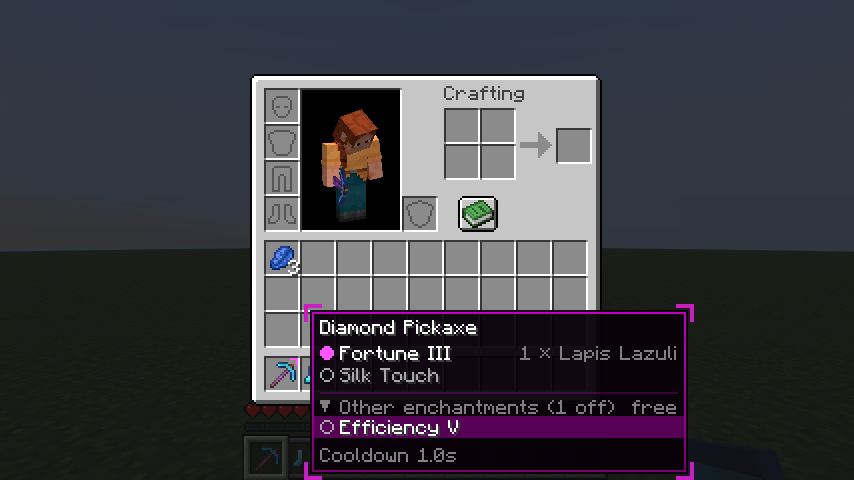 |
| Hover an item and press Left Alt, then click an enchantment to activate it. | Toggle individual enchantments on or off whenever you want. |
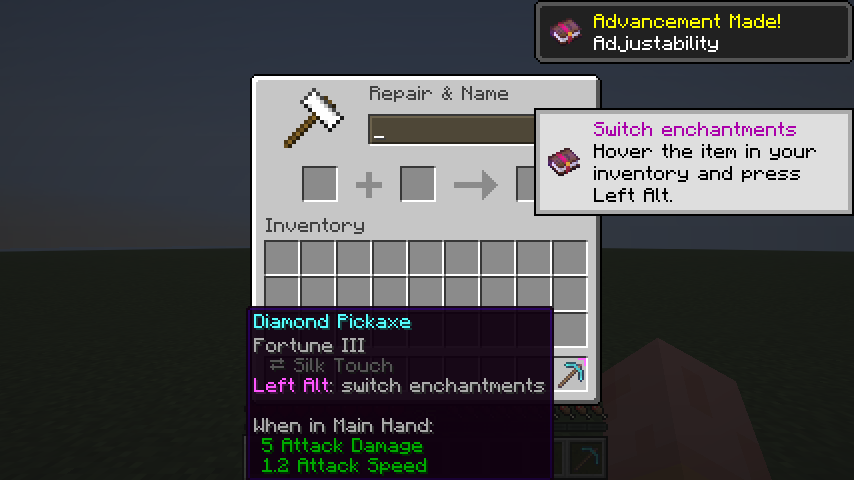
| First-time guidance | Make the panel your own |
 |
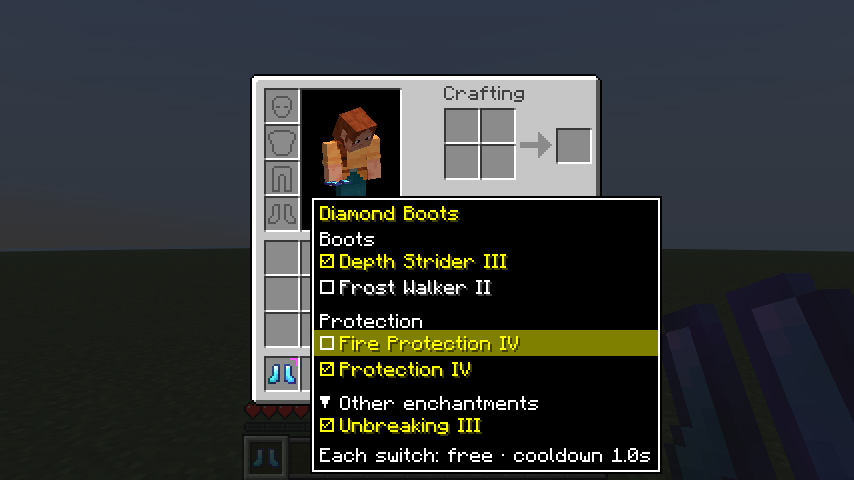 |
| In-game guidance introduces the Adjust panel and Cycle key. | Choose a panel profile, or customize its appearance yourself. |
Download the version of Adjustability matching your Minecraft version and mod loader, then install the required dependencies below.
For multiplayer, install Adjustability on both the client and server. Optional integrations are client-side only.
| Loader | Minecraft 1.21.1 | Minecraft 26.3 |
|---|---|---|
| Fabric | Fabric Loader 0.16.0+, Fabric API 0.102.0+, Forge Config API Port 21.1.0+ | Fabric Loader 0.19.5+, Fabric API, Forge Config API Port 26.3.1+ |
| NeoForge | NeoForge 21.1.1+ | NeoForge 26.3.0.95+ |
Optional integrations:
All controls can be rebound under Options → Controls → Adjustability, or accessed using /adjustability keybinds.
| Action | Default |
|---|---|
| Open the Adjust panel | Left Alt while hovering an inventory item |
| Cycle held item's enchantments | Unbound — configure under Controls |
| Select Cycle group | Sneak + Cycle |
The Adjust panel key can be configured to work as either a hold or toggle.
Adjustability is designed to be configurable, whether you want a convenient quality-of-life feature or a more carefully balanced progression system.
exclusive_set definitions./reload.See the configuration documentation for details.
Adjustability is tested against several popular mods, including:
| Mod | Compatibility |
|---|---|
| Easy Anvils | Compatible |
| Just Enough Items | Compatible; Adjust panel renders above JEI |
| Mouse Tweaks | Compatible |
| Enchantment Descriptions | Compatible |
| AppleSkin | Compatible |
| Enchantment Switch | Compatible; default keybindings do not conflict |
| YetAnotherConfigLib | Compatible |
These integrations ran the automated test suite on Minecraft 26.3. Mods that add or change enchantments, Apotheosis (with Apothic Enchanting) on NeoForge and Enchancement on Fabric, were also played through by hand, on 26.x and on 1.21.1 (which has no automated tests). Enchancement's defaults disallow Fortune and 35 other vanilla enchantments and limit items to one enchantment; Adjustability tells operators when that is the case and suggests a fix.
For tested versions, loaders, and technical details, see the compatibility guide.
Found an incompatibility? Report it on GitHub.
Adjustability separates gameplay settings from personal preferences.
config/adjustability-server.toml — Gameplay rules, costs, cooldowns, and limits. Synchronized from the server.config/adjustability-client.toml — Personal preferences, tooltip hints, and sounds. Editable in-game.For advanced configuration, see the documentation.
Adjustability provides an experimental Java API for interacting with its enchantment system.
The API supports reading and modifying active or dormant enchantments, switching enchantments programmatically, and registering listeners that can reject switches or anvil results.
An API JAR is available with every GitHub release.
For implementation details and how it works, see the documentation.
Adjustability is free and open source under the MIT License.
Bug reports, compatibility feedback, and feature suggestions are welcome.
The legacy Forge 1.20.6 prototype is preserved under the legacy-1.20.6-forge tag.
Project description from CurseForge.
Pick your setup
Choose the version and loader you play, then open the matching release.
Check the dependencies, then try the file in a copied instance before changing a world you care about.
Recent files
adjustability-fabric-1.21.1-0.8.0.jar
3 Nov 2026
adjustability-fabric-1.21.1-0.7.0.jar
30 Oct 2026
adjustability-fabric-1.21.1-0.6.3.jar
29 Oct 2026
adjustability-fabric-1.21.1-0.6.2.jar
28 Oct 2026
adjustability-fabric-1.21.1-0.6.1.jar
27 Oct 2026
adjustability-fabric-1.21.1-0.5.0.jar
26 Oct 2026
adjustability-fabric-1.21.1-0.4.2.jar
25 Oct 2026
adjustability-fabric-1.21.1-0.4.1.jar
24 Oct 2026
24 Oct 2026
24 Oct 2026
Looking for an older file? The official CurseForge project page is in Resources.
 mod
Fell trees with Sable physics! Keep fallen trunks intact or let them shatter after landing.
 mod
Closed doors, trapdoors, curtains and shutters finally block light – no shaders needed. Windows let a faint glow through, and modded doors are detected automatically from their own textures.
 mod
CobbleGacha Expanded is a Cobblemon gacha mod featuring rotating limited banners, rate-up Pokémon, pity and 50/50 guarantees, pull history, and configurable server-side banner management.
