
Minecraft version
Back to mods 
CurseForge · Minecraft mod
TruePearls
Never lose track of your ender pearl in a fight again - custom textures per thrower, live-configurable..
Choose a version Pick your version below, then grab the matching file.
Quick answer
Which TruePearls release should I use?
Latest stable file truepearls-1.0.0.jar
Game version 1.21.11
Loader Fabric
truepearls-1.0.0.jar targets 1.21.11 with Fabric. The project page does not say whether this file belongs on the client, dedicated server, or both. No extra mods listed for this file.
Where it goes
Is TruePearls required on the client, server, or both?
The project page does not say whether this file belongs on the client, dedicated server, or both.
Client Source doesn’t say
Dedicated server Source doesn’t say
Loader for this release Fabric
Required install it here Optional supported, not mandatory Not supported do not install here Source doesn’t say do not assume
The source does not explicitly classify this release as client-only or server-only.
What else does truepearls-1.0.0.jar need?
truepearls-1.0.0.jar. Change the file and its required mods may change too.
This file does not list any required mods. Do not add a library just because a different file uses it.
This file does not list any required or optional mods.
Before you install it
Add TruePearls without breaking your instance.
Built for truepearls-1.0.0.jar. Pick another file and the loader, install side or required mods may change.
- 01
Stick to this file
Use truepearls-1.0.0.jar. It targets 1.21.11 with Fabric; another release may have different loader, side or dependency requirements.
- 02
Bring the mods it needs
This file does not list any required mods. Do not add a library just because a different file uses it.
- 03
Put it on the correct side
The project page does not say whether this file belongs on the client, dedicated server, or both.
- 04
Pick the file you checked
Use the “Get this file” button beside truepearls-1.0.0.jar. It opens that exact file at the source.
About this project
What does TruePearls add?

Ever thrown an ender pearl in a PvP fight and lost track of it in the middle of all the particles and screen shake? That's basically why this mod exists.
TruePearls is a small client-side Fabric mod that changes how thrown ender pearls look based on who threw them. Your own pearls get one look, everyone else's get another - so at a glance, mid-fight, you always know which pearl is yours without squinting at the trajectory.
It started as a personal fix for my own PvP Sessions and PvP Experience, and it grew a proper config screen along the way, so now anyone can tune it to taste..




✨ Features
- Per-thrower pearl textures : your thrown pearls and other players' thrown pearls can look different. No more guessing whose pearl just flew past your head.
- Three pearl modes, switchable anytime from the config screen:
- Your Pearl = Vanilla, Opponent = Animated : your own pearl stays 100% untouched vanilla, everyone else's shows the animated custom look.
- Your Pearl = Animated, Opponent = Simple (default) : your pearl gets the animated custom texture, opponents get the simpler look.
- Your Pearl = Simple, Opponent = Animated : the reverse of the default, if that's more your style.

- Invisible Own Pearl : makes your own thrown pearl invisible to you specifically. Other players still see it fine. Useful if you find your own pearl distracting mid-clutch.
- Pearl trail particles : an optional faint particle trail behind flying pearls, purely cosmetic, off by default.
- Pearl scale slider : resize the thrown pearl icon from 0.25x up to 3x, in case you want it more (or less) in-your-face.
- Full config screen through ModMenu + Cloth Config - every option above is a toggle, dropdown, or slider, no config file editing needed.

Everything here is purely visual. No gameplay values change, no hitboxes move, nothing that would raise an eyebrow on a server that checks for that sort of thing- it's reskinning, not cheating.
It's 100% client-side. You don't need it installed on a server, and installing it doesn't affect anyone who doesn't have it.

📋 Requirements
<details> <summary>Requirements</summary>
| Dependency | Version |
|---|---|
| Minecraft | 1.21.11 |
| Fabric Loader | 0.16.10+ |
| Fabric API | Latest for 1.21.11 |
| Cloth Config API | 21.11.153+ |
| Java | 21+ |
ModMenu is optional but recommended - without it, the config still works, you'd just be editing config/truepearls.json by hand instead of clicking through a screen.
</details>

📥 Installation
<details> <summary>Installation</summary>
- Grab Fabric Loader and Fabric API for 1.21.11 if you don't already have them.
- Drop
truepearls-1.0.0.jarinto your.minecraft/mods or profileVersion/modsfolder. - Grab and add Cloth Config API (required) and ModMenu (optional, but you'll want it).
- Launch the game. That's it - no world reset, no config setup needed to get started.
</details>

🎛️ Configuring it
<details> <summary>Configure</summary>
Open ModMenu → find TruePearls → click the config icon. Every setting takes effect immediately, no restart needed. If you'd rather not use ModMenu, the same settings live in plain JSON at .minecraft/config/truepearls.json.
</details>
⚠️ A couple of honest limitations
- This mod only changes ender pearls specifically - it doesnt touch eggs, snowballs, or splash potions, even though they're rendered by a similar system under the hood.
- The trail particle option is a purely cosmetic addition on my part : vanilla ender pearls never had a flight trail to begin with, so this isn't "restoring" anything, it's new.
- Since this is client-side only, on a server where other players don't have the mod, you'll still see their default pearl. The magic only works between players who both have TruePearls installed.

📜 License
This project is licensed under the Creative Commons Attribution-NonCommercial-NoDerivatives 4.0 International
(CC BY-NC-ND 4.0)
https://creativecommons.org/licenses/by-nc-nd/4.0/
Contact
📩 iyash321@gmail.com
Support us
Made with ❤️ by Yashh-Penchi ˖ ࣪⊹ — Yashh Labs ๋࣭⭑
Project description from CurseForge.
Pick your setup
TruePearls by Minecraft version and loader
Choose the version and loader you play, then open the matching release.
Check the dependencies, then try the file in a copied instance before changing a world you care about.
Recent files
TruePearls versions and loaders
truepearls-1.0.0.jar
24 Oct 2026
Client Source doesn’t say Server Source doesn’t say Dependencies No extras listed Listed on Release listing
Check the 1.21.11 · Fabric setup Fabric1.21.11 release
Looking for an older file? The official CurseForge project page is in Resources.
 mod
CurseForge + Modrinth · Minecraft
Graal
High performance JavaScript runtime, tweaked for Minecraft usage
 mod
CurseForge · Minecraft
BUTTERFINGERS
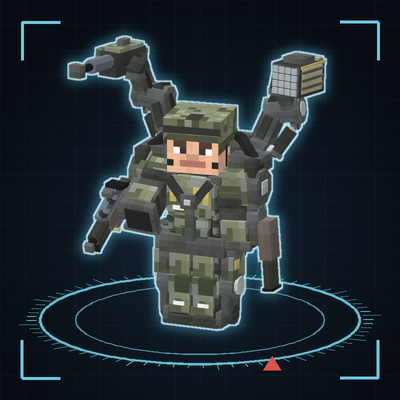
A clumsy-but-earnest servo arm that sorts your chests, plus sentry turrets and a missile battery to guard the city, and a wearable exoskeleton jacket with shoulder guns — all drawn as runtime vector machinery.
 mod
CurseForge · Minecraft
Better UX
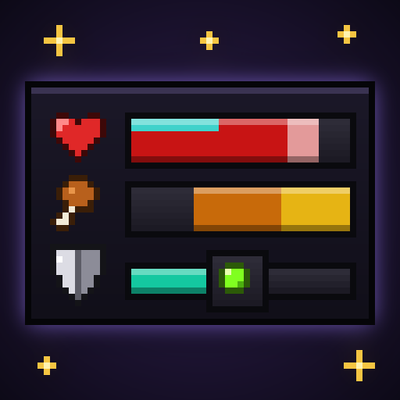
Better User Experience, health bar, hunger bar, no more fire all over the screen, customize the HUD how ever you like and more.