Actually Amazing Config Screen Needed by Teyvat Cartographia 2.0.1+mc26.3-neoforge
requiredMatching file found Matched file: 2.0.0+mc26.3-neoforge
CurseForge · Minecraft mod
A Genshin Impact inspired world map and minimap: painted explored map, cave layers, pins, waypoints in the world and a walking path.
Quick answer
Teyvat Cartographia 2.0.1+mc26.3-neoforge targets 26.3 with NeoForge. The project page does not say whether this file belongs on the client, dedicated server, or both. All 1 required mods have matching files.
Where it goes
The project page does not say whether this file belongs on the client, dedicated server, or both.
The source does not explicitly classify this release as client-only or server-only.
2.0.1+mc26.3-neoforge. Change the file and its required mods may change too.
Install Actually Amazing Config Screen first. We found matching files for this game-version and loader setup.
We only count dependency files that match this setup. A file for another loader does not fill the gap.
Before you install it
Built for Teyvat Cartographia 2.0.1+mc26.3-neoforge. Pick another file and the loader, install side or required mods may change.
Use 2.0.1+mc26.3-neoforge. It targets 26.3 with NeoForge; another release may have different loader, side or dependency requirements.
Install Actually Amazing Config Screen first. We found matching files for this game-version and loader setup.
The project page does not say whether this file belongs on the client, dedicated server, or both.
Use the “Get this file” button beside 2.0.1+mc26.3-neoforge. It opens that exact file at the source.
About this project


A world map and minimap in the spirit of Genshin Impact.
Explore, and the land you see is painted onto the map. Everything else stays under the Fog of War.



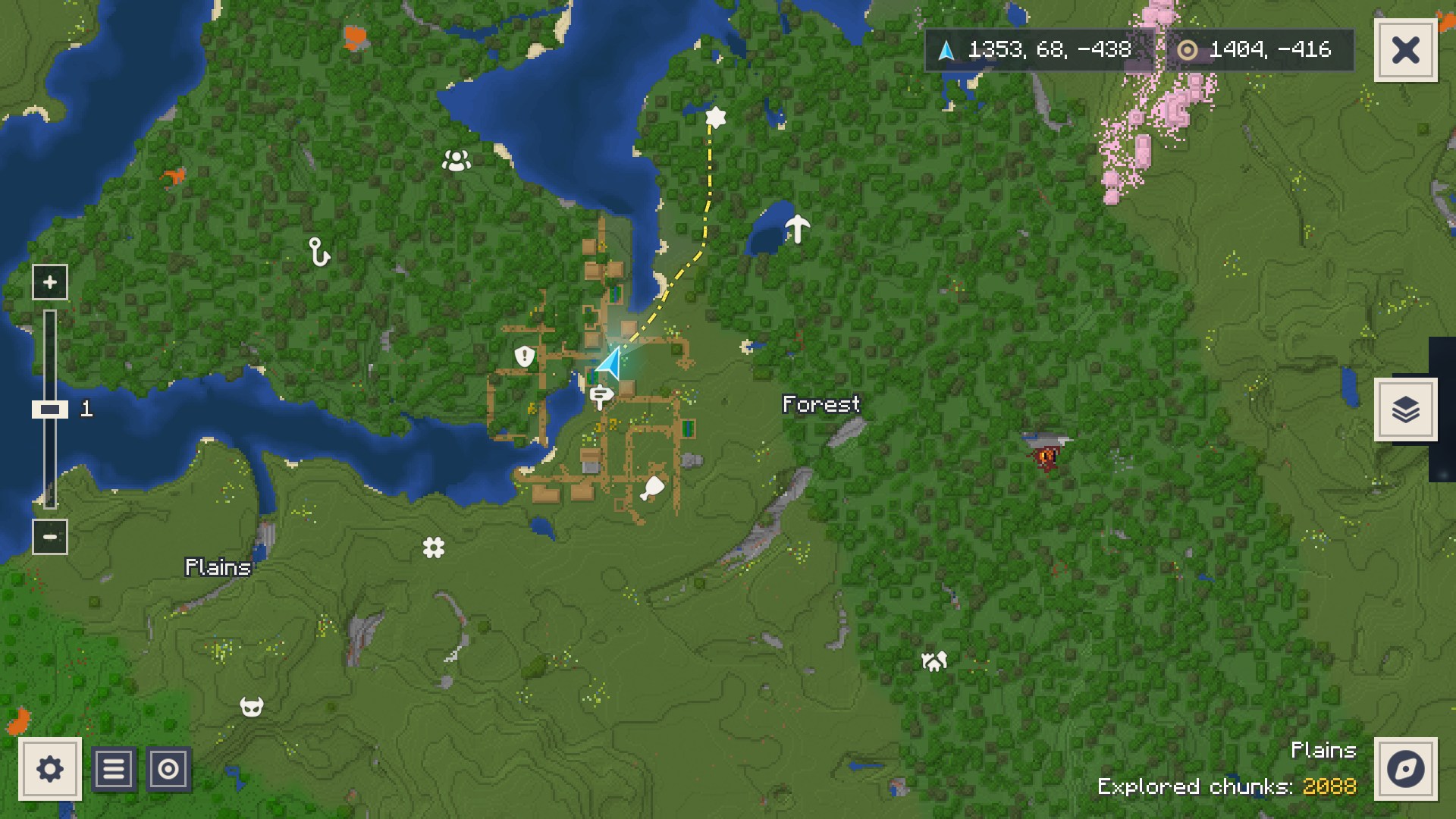
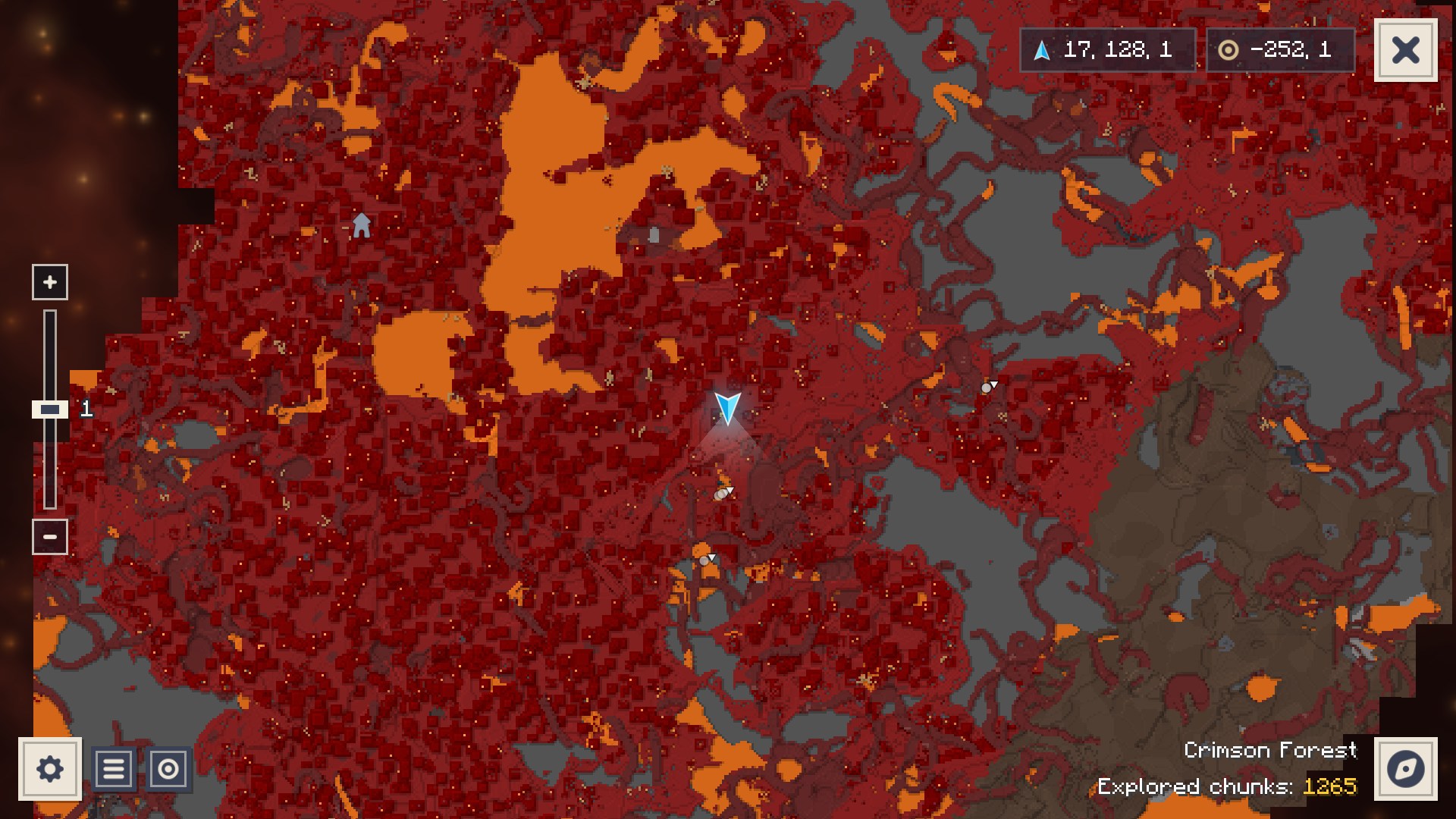
Press M for the land you explored, in the colours of its blocks, with shading and water depth. Pan, zoom from 1/32 to 32, search pins and biomes with Ctrl+F.
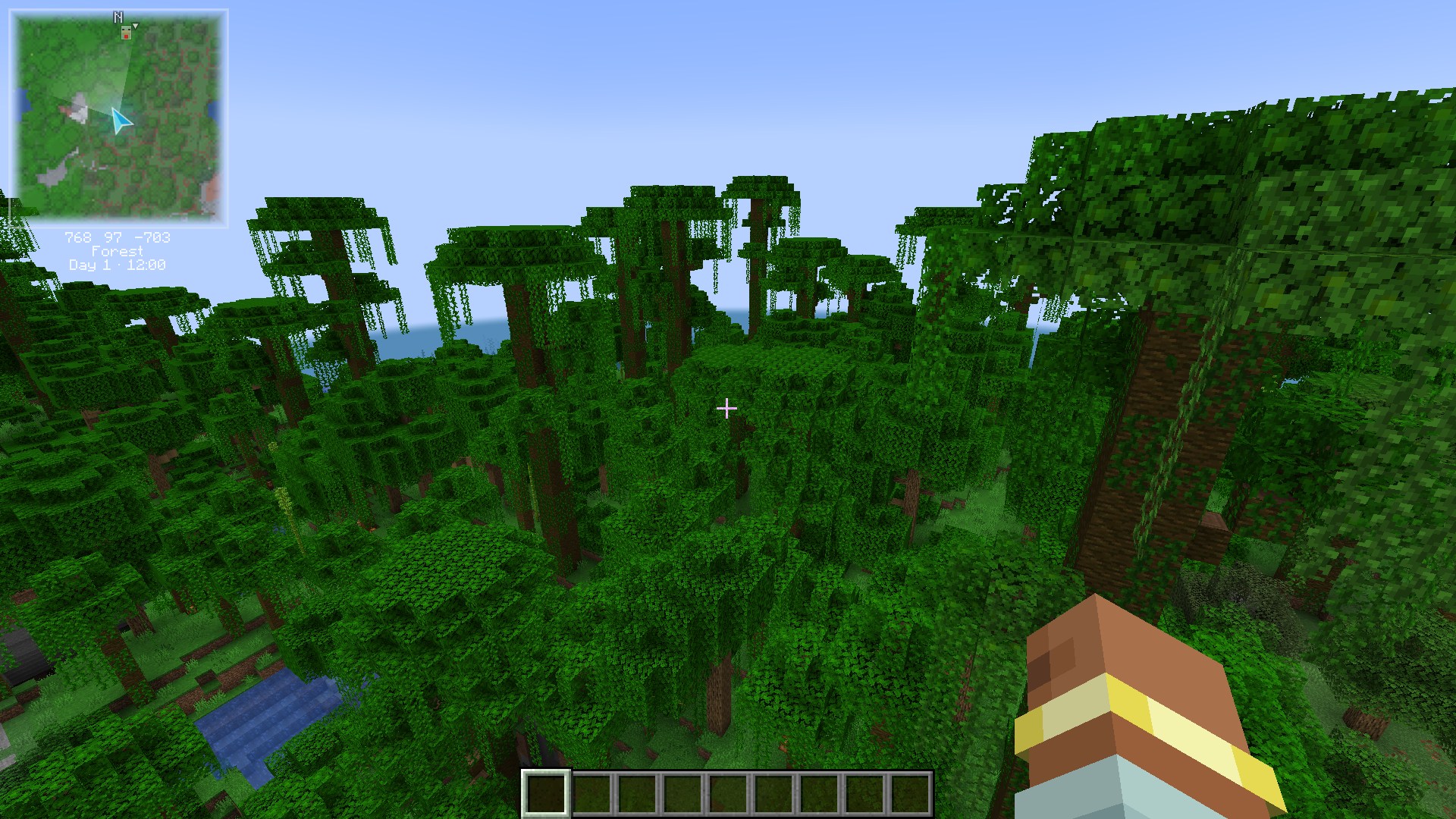
Square or round, north up or turning with you, with coordinates, biome and a clock.
Seven types, up to 300 per world. Right-click the map to place one, or press B where you stand. Find any of them by name in the pin list.
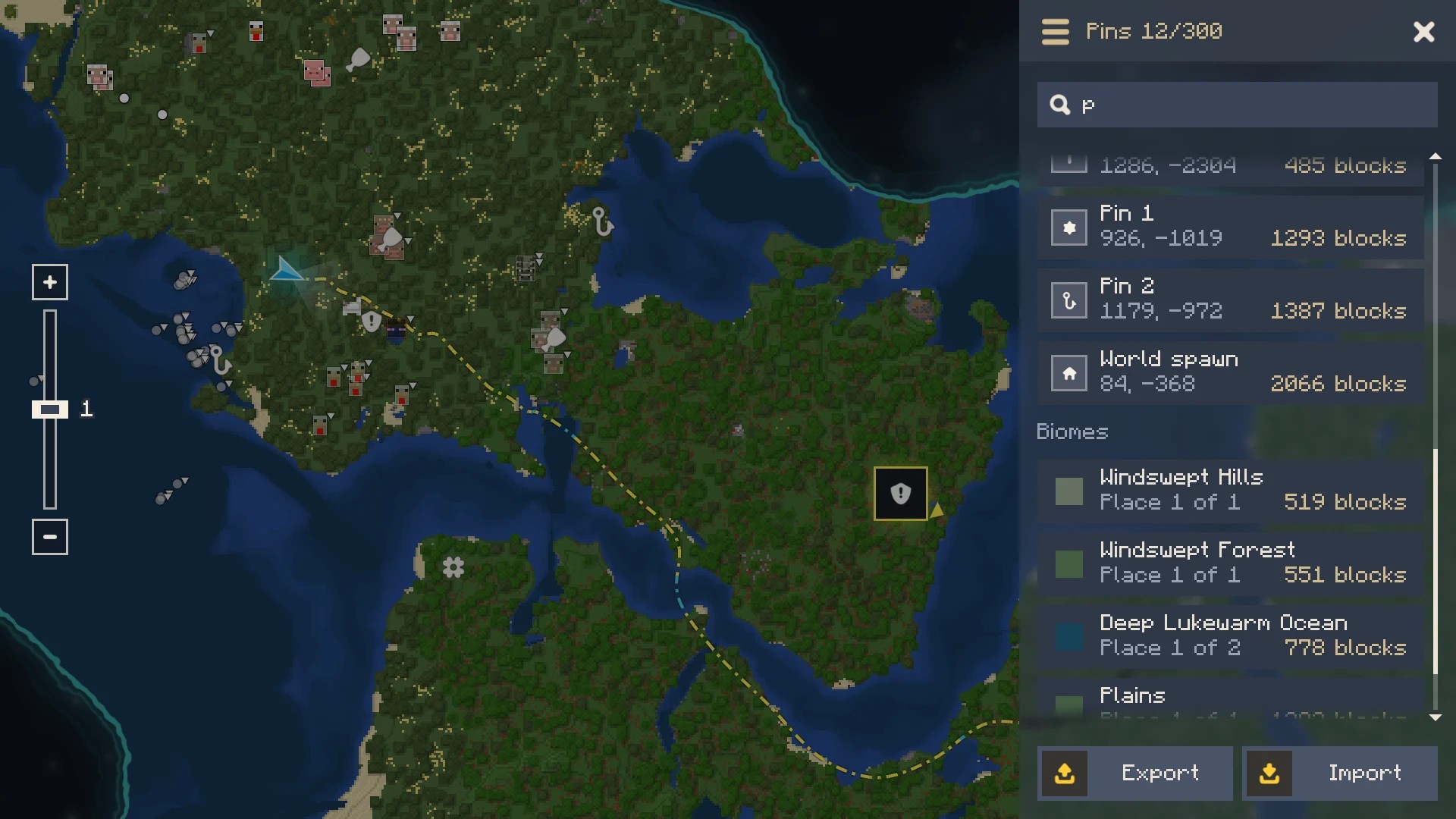
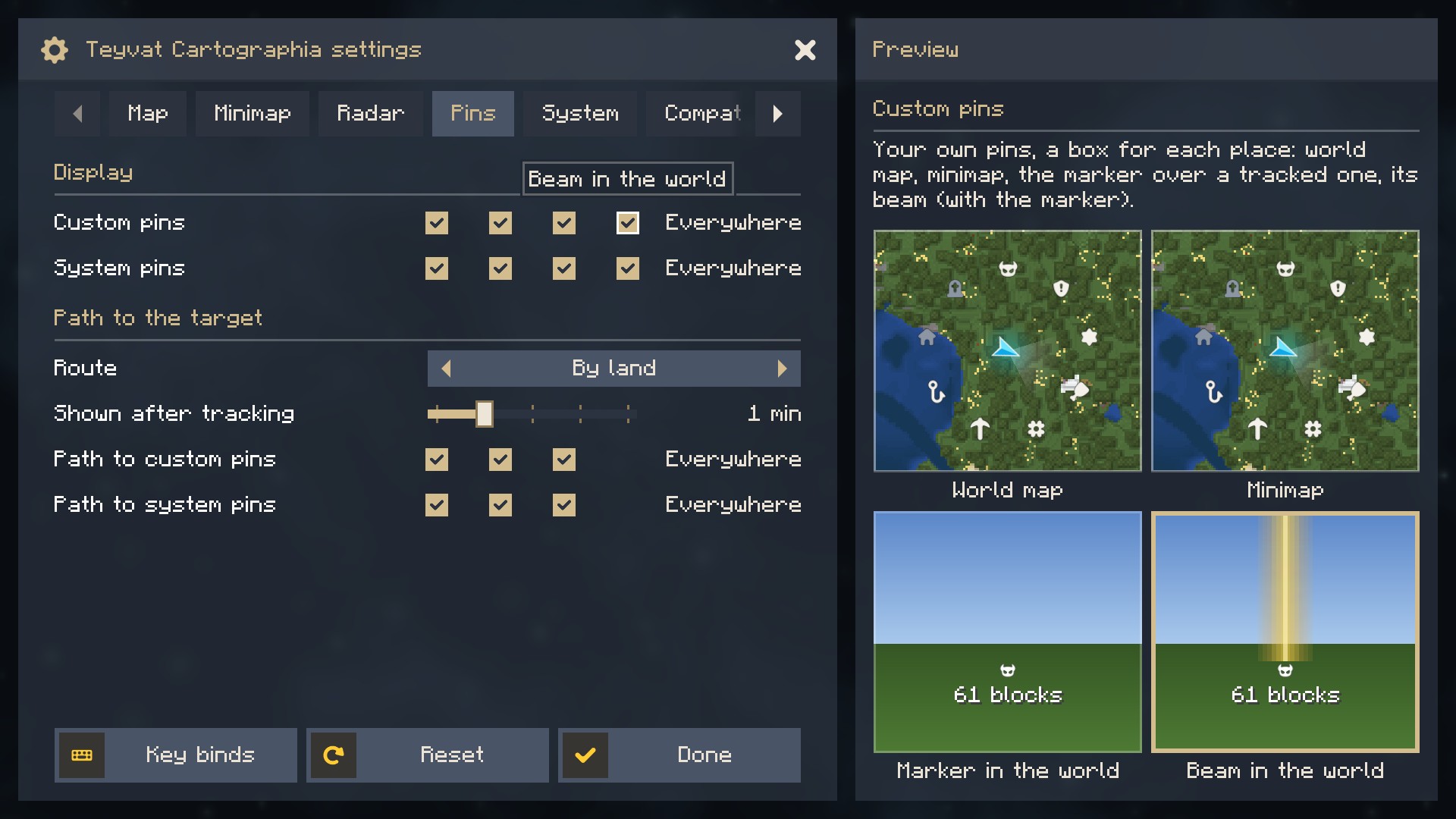
A golden beam of light over the pin, sparkles on the ground and a line on both maps that walks you there, around water and mountains. Or by boat, or straight through the air for elytra.
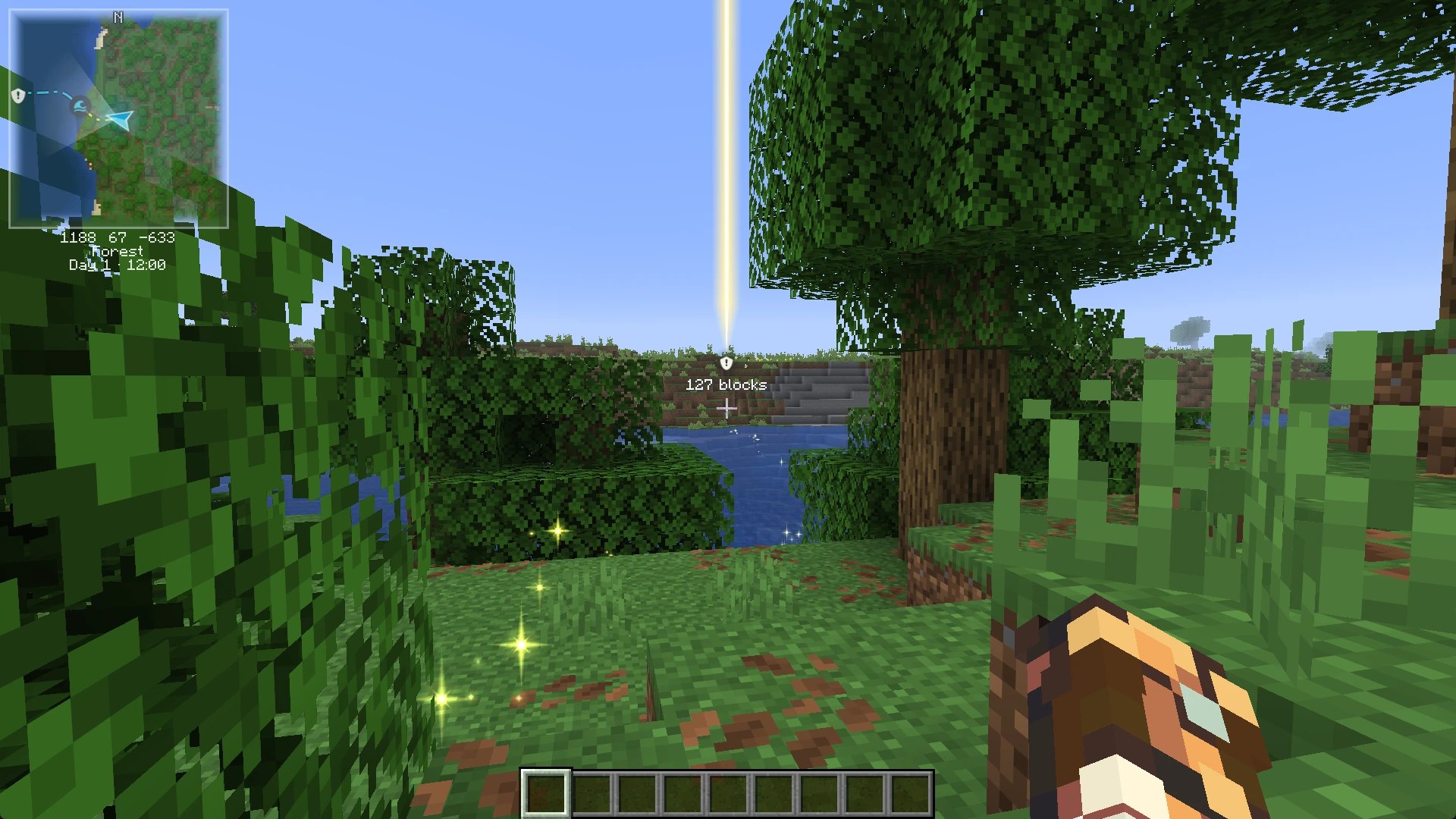
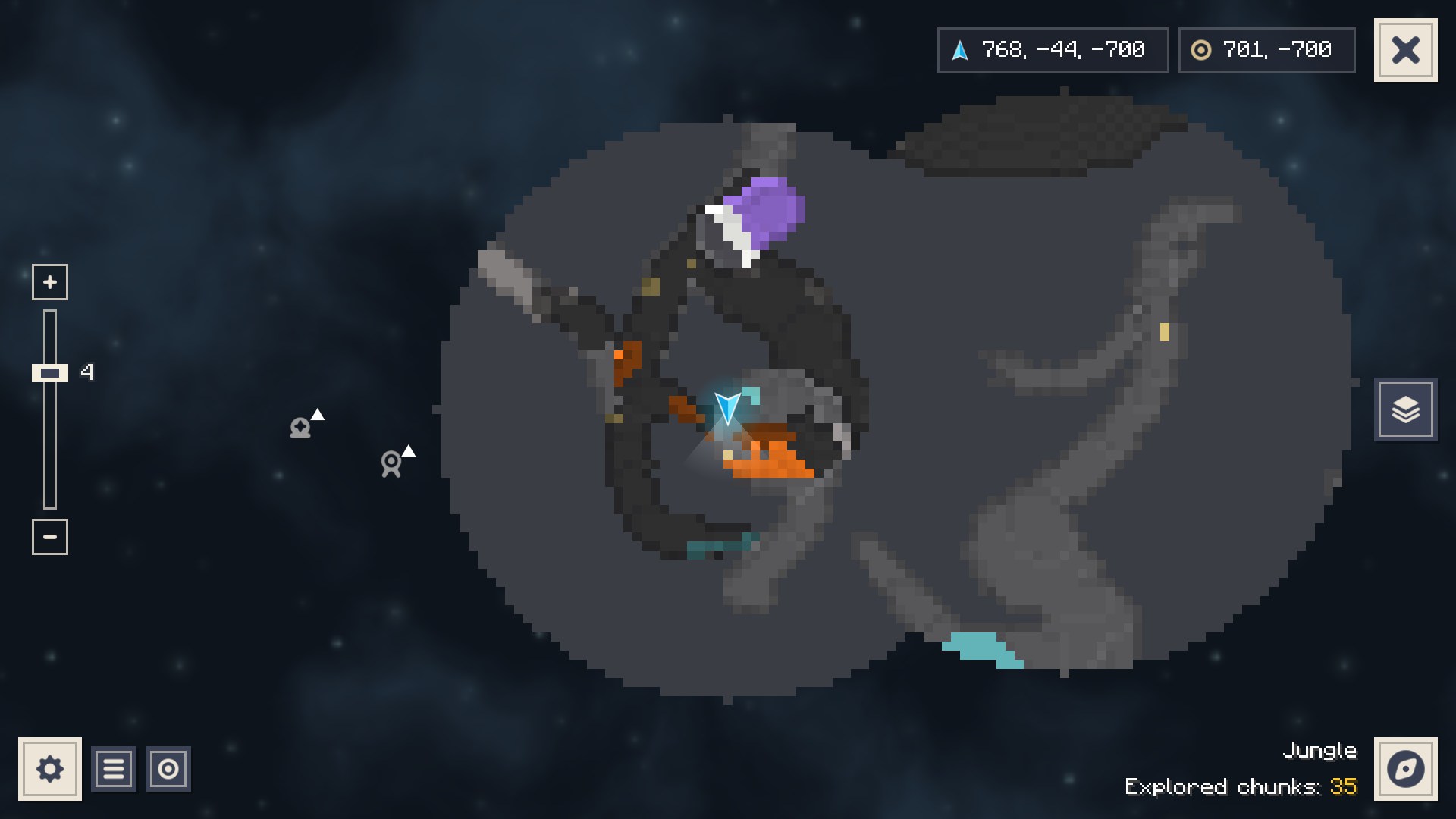
Underground, the map switches to the layer you are in and maps the cave around you. Pins on other layers stay, fainter, with an arrow up or down.
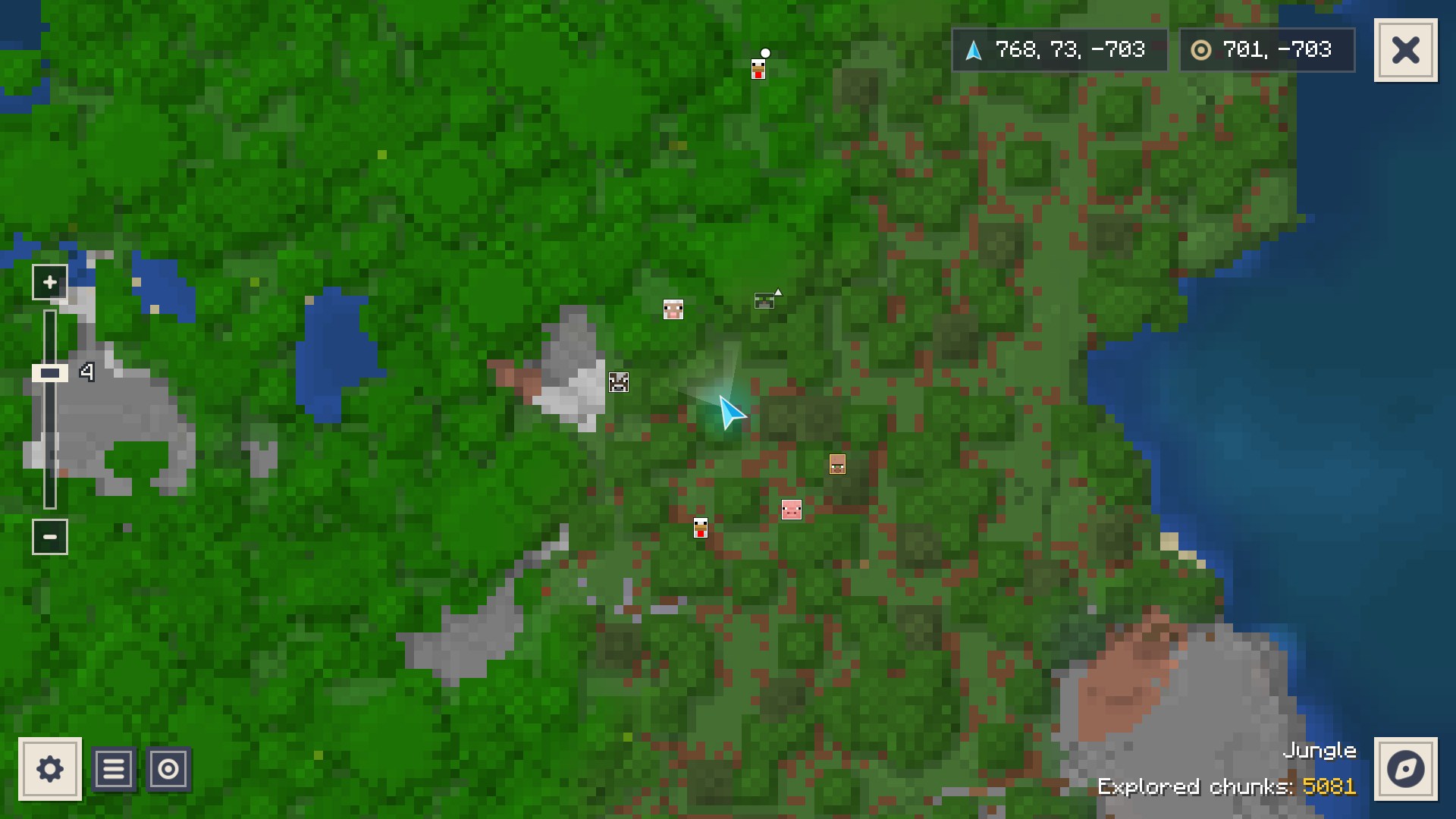
Other players as arrows or their skins' heads, mobs as dots or their faces, on the minimap and the world map, by the cave layer you look at. On servers only players, unless you allow mobs.
Each dimension gets its own map, The Nether and The End their own Fog of War.
A live preview of whatever you point at; pick where each kind of pin and path shows, box by box. English and Russian.
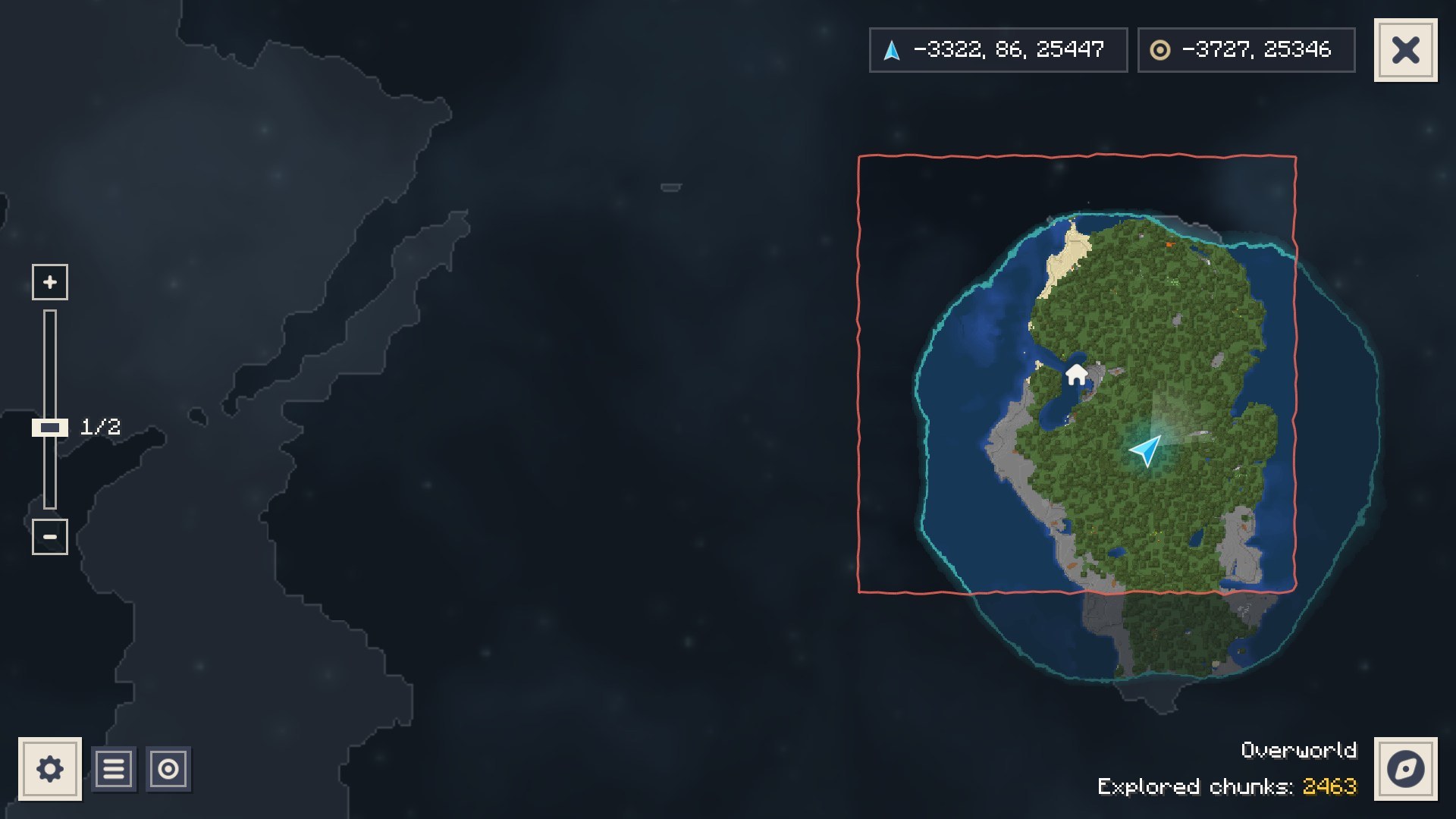
Off by default: Far land (the outline of unexplored land from the world's generator), soft animated map edges, the world border on the map.
The mod costs at most a few percent of your frame rate: the minimap is redrawn only when it changes, and the map is made on background threads.
| Minecraft | Loader | You also need |
|---|---|---|
| 1.21.1, 26.1.2, 26.2, 26.3 | Fabric | Fabric API and Actually Amazing Config Screen |
| 1.21.1, 26.1.2, 26.2, 26.3 | NeoForge | Actually Amazing Config Screen |
Download the file for your game and loader (+mc1.21.1-fabric, +mc26.3-neoforge and so on) and Actually Amazing Config Screen for the same game and loader (its settings screen; Prism Launcher, the Modrinth App and the CurseForge App offer it by themselves), put both into mods/ and press M in a world. The mod is client-side only: it works on any server, vanilla or modded, and the server does not need it.
On NeoForge, take the NeoForge file. The Fabric file runs there too, through Sinytra Connector with Forgified Fabric API and the Fabric file of Actually Amazing Config Screen (checked on 1.21.1, 26.1.2 and 26.2); Connector Extras adds its settings button to NeoForge's mod list.
| Key | What it does |
|---|---|
| M | World map (Esc or M closes it) |
| N / = / - | Minimap on or off, zoom in, zoom out |
| B | New pin where you stand |
| V | Show the tracked pin and its path again |
| Z | Stop tracking |
| On the map | Drag to pan, wheel to zoom, right-click for a new pin, Ctrl+F to search, Space to come back to you |
Every key can be changed in the game's controls.
Blocks of any mod are drawn in the colours of their textures, so most mods just work. Some get a little more:
| Mod | What you get | 1.21.1 | 26.1.2 | 26.2 | 26.3 |
|---|---|---|---|---|---|
| Waystones | Its stones on the map, trackable | ✅ | ✅ | ✅ | ✅ |
| Xaero's Minimap | Import of its waypoints | ✅ | ✅ | ✅ | ✅ |
| Xaero's World Map | Import of the explored map | ✅ | ✅ | ✅ | ✅ |
| Create | Its railways, stations and trains on the maps | ✅ | ➖ | ➖ | ➖ |
| Sable | Its ships on the radar | ✅ | ➖ | ➖ | ➖ |
| Vanilla Backport | Its mobs' faces on the radar | ✅ | ➖ | ➖ | ➖ |
| Tiny Takeover Backport | Its mobs' faces on the radar | ✅ | ➖ | ➖ | ➖ |
| The Aether | Its own Fog of War over a sea of clouds | ✅ | ➖ | ➖ | ➖ |
| Mielon's The Sift | Its own Fog of War, the shimmer of ichor | ✅ | ➖ | ➖ | ➖ |
| VulkanMod (Fabric) | Maps and markers drawn right under Vulkan | ✅ | ✅ | ✅ | ➖ |
| VulkanMod-Reforged (NeoForge) | Maps and markers drawn right under Vulkan | ✅ | ➖ | ➖ | ➖ |
| Sodium, Iris, Sodium Extra | Work together, shaders included | ✅ | ✅ | ✅ | ✅ |
| Mod Menu | The settings button in its list | ✅ | ✅ | ✅ | ✅ |
| Sinytra Connector | The Fabric file on NeoForge | ✅ | ✅ | ✅ | ➖ |
No, that is the point: you map the world by exploring it. Far land (Settings > Experimental, single player) can show the outline of unexplored land if you want it.
In teyvatcartographia/ of your game folder, one map per world or server and per dimension. Pins are in markers.json there. They can also be exported to a file from the pin list.
Yes, as a resource pack: colours, icons and the fog live in assets/teyvatcartographia/themes/<id>/. Copy the built-in default theme from the mod's file and change what you like.
logs/latest.log)./gradlew build (branch main for 1.21.1, mc26 for 26.x)MIT License. Icons from Game Icon Pack by Nieobie (CC0). The settings screen is made with Actually Amazing Config Screen. A fan-made mod, not affiliated with HoYoverse; no Genshin Impact assets.
Project description from CurseForge.
Pick your setup
Choose the version and loader you play, then open the matching release.
Check the dependencies, then try the file in a copied instance before changing a world you care about.
Recent files
teyvatcartographia-v2.0.1-mc26.3-neoforge.jar
18 Nov 2026
teyvatcartographia-v2.0.1-mc26.2-neoforge.jar
18 Nov 2026
teyvatcartographia-v2.0.1-mc26.1.2-neoforge.jar
18 Nov 2026
teyvatcartographia-v2.0.1-mc1.21.1-neoforge.jar
18 Nov 2026
teyvatcartographia-v2.0.1-mc26.3-fabric.jar
18 Nov 2026
teyvatcartographia-v2.0.1-mc26.2-fabric.jar
18 Nov 2026
teyvatcartographia-v2.0.1-mc26.1.2-fabric.jar
18 Nov 2026
teyvatcartographia-v2.0.1-mc1.21.1-fabric.jar
18 Nov 2026
teyvatcartographia-v2.0.0-mc26.3-neoforge.jar
18 Nov 2026
teyvatcartographia-v2.0.0-mc26.2-neoforge.jar
18 Nov 2026
teyvatcartographia-v2.0.0-mc26.1.2-neoforge.jar
18 Nov 2026
teyvatcartographia-v2.0.0-mc1.21.1-neoforge.jar
18 Nov 2026
Looking for an older file? The official CurseForge project page is in Resources.
 mod
A configurable visual representation of your reach and hit distances
 mod
Breed faster Happy Ghasts, boost flight speed with Speed Potions or Snowballs, and inspect mount stats with a Book and Quill.
 mod
HUD:A lightweight Jade alternative ,effect timmer ,Target Info,Saturation and Coordinates Monitor ,Waila,HWYLA,show Horse speed and jump stats,death location,Death Finder
