Minecraft version
Back to mods 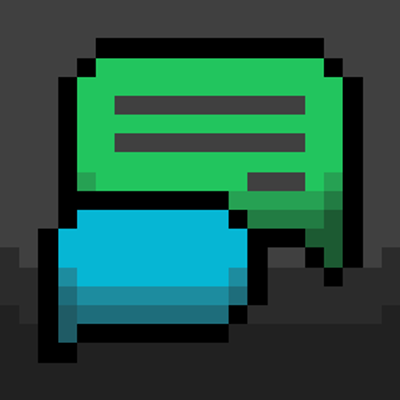
CurseForge · Minecraft mod
EasyChat
EasyChat replaces traditional Minecraft's chat box with modern, app-style chat bubbles like WhatsApp & iMessage.
Choose a version Pick your version below, then grab the matching file.
Quick answer
Which EasyChat release matches Fabric?
Best match for your filters EasyChat-1.0.1.jar
Game version 1.20.1, 1.21.11, 26.1
Loader Fabric, Forge, NeoForge
EasyChat-1.0.1.jar targets 1.20.1, 1.21.11, 26.1 with Fabric, Forge, NeoForge. The project page does not say whether this file belongs on the client, dedicated server, or both. No extra mods listed for this file.
Where it goes
Is EasyChat required on the client, server, or both?
The project page does not say whether this file belongs on the client, dedicated server, or both.
Client Source doesn’t say
Dedicated server Source doesn’t say
Loader for this release Fabric, Forge, NeoForge
Required install it here Optional supported, not mandatory Not supported do not install here Source doesn’t say do not assume
The source does not explicitly classify this release as client-only or server-only.
What else does EasyChat-1.0.1.jar need?
EasyChat-1.0.1.jar on Fabric. Every mod below is checked against that same setup.
This file does not list any required mods. Do not add a library just because a different file uses it.
This file does not list any required or optional mods.
Before you install it
Add EasyChat without breaking your instance.
Built for EasyChat-1.0.1.jar on Fabric. Pick another file and the loader, install side or required mods may change.
- 01
Stick to this file
Use EasyChat-1.0.1.jar. It targets 1.20.1, 1.21.11, 26.1 with Fabric, Forge, NeoForge; another release may have different loader, side or dependency requirements.
- 02
Bring the mods it needs
This file does not list any required mods. Do not add a library just because a different file uses it.
- 03
Put it on the correct side
The project page does not say whether this file belongs on the client, dedicated server, or both.
- 04
Pick the file you checked
Use the “Get this file” button beside EasyChat-1.0.1.jar. It opens that exact file at the source.
About this project
What does EasyChat add?
EasyChat Stable Release!
About EasyChat
EasyChat completely modernizes the Minecraft chat experience, replacing the traditional scrolling text box with a sleek, modern chat-bubble interface inspired by popular messaging apps like iMessage and WhatsApp. Enjoy a cleaner, more organized, and visually stunning way to communicate with friends and servers.
Chat style
EasyChat comes with two chat style:
- Modern Bubbles: Transforms your chat into a sleek messaging-app interface (inspired by iMessage and WhatsApp) with clean chat bubbles for a fresh, modern aesthetic.
- Compact: A refined, vanilla-enhanced look that keeps the familiar traditional feel while integrating EasyChat's look.
Fully customizable:
EasyChat is built with you in mind. You can customize however you want, from the size, chat location and more. By toggle on Detailed Settings, you can change EasyChat offset y and z, bubble gap and more.
Quick In-Game Toggle
You can access EasyChat settings directly in the chat, and you can turn EasyChat off directly by press J or via Mod Menu.
Why EasyChat?
Vanilla Minecraft chat hasn't changed much in years: everything is crammed into a left-aligned, stacked text wall where player messages, server announcements, and command outputs blend into one hard-to-read blur.
EasyChat completely modernizes in-game communication. Inspired by mobile messengers like iMessage and WhatsApp, EasyChat organizes chat to a clean 3-lane bubble layout:
- Right Lane (Green): Your own outgoing messages.
- Left Lane (Slate / Multi-Color): Other players' messages with their skin avatar and server ranks.
- Center Lane (Neutral Box): System notices, broadcast alerts, and command output.
EasyChat is 100% client-side — Works on Multiplayer, singleplayer and SMPs
Project description from CurseForge.
Pick your setup
EasyChat by Minecraft version and loader
Choose the version and loader you play, then open the matching release.
Minecraft version
26.2
3 loader buildsMinecraft version
26.1.2
3 loader buildsMinecraft version
26.1.1
3 loader buildsMinecraft version
26.1
3 loader buildsMinecraft version
1.21.11
3 loader buildsMinecraft version
1.20.1
3 loader buildsCheck the dependencies, then try the file in a copied instance before changing a world you care about.
Recent files
EasyChat versions and loaders
EasyChat-1.0.1.jar
13 Nov 2026
Client Source doesn’t say Server Source doesn’t say Dependencies No extras listed Listed on Release listing
Check the 26.3 · Fabric setup Fabric1.20.1ForgeNeoForge release
EasyChat-1.0.0.jar
10 Nov 2026
Client Source doesn’t say Server Source doesn’t say Dependencies No extras listed Listed on Release listing
Check the 26.3 · Fabric setup Fabric1.20.1ForgeNeoForge release
EasyChat-0.1.19-Beta.jar
25 Oct 2026
Client Source doesn’t say Server Source doesn’t say Dependencies No extras listed Listed on Release listing
Check the 26.3 · Fabric setup Fabric26.126.1.126.1.2 beta
Looking for an older file? The official CurseForge project page is in Resources.
 mod
CurseForge + Modrinth · Minecraft
My Totem Sounds (MTS)
Client-side mod that links custom Totem of Undying names to sounds from Resource Packs. If a matching sound exists, it plays when the totem activates.
 mod
CurseForge · Minecraft
Admin Command Tool
Easily Apply in-game commands and set custom commands with hotkeys.
 mod
CurseForge · Minecraft
WorldEdit Selection Overlay
Make your WorldEdit selections visible, readable, and predictable.