Minecraft version
Back to mods 
CurseForge · Minecraft mod
QuickLoadout
Save up to 4 hotbar layouts and recall them with one key. Items are pulled from your inventory into the right slots.
Choose a version Pick your version below, then grab the matching file.
Quick answer
Which QuickLoadout release should I use?
Latest stable file quickloadout-1.0.1+mc1.21.8-1.21.11.jar
Game version 1.21.8, 1.21.9-snapshot, 1.21.9
Loader Fabric
quickloadout-1.0.1+mc1.21.8-1.21.11.jar targets 1.21.8, 1.21.9-snapshot, 1.21.9 with Fabric. The project page does not say whether this file belongs on the client, dedicated server, or both. No extra mods listed for this file.
Where it goes
Is QuickLoadout required on the client, server, or both?
The project page does not say whether this file belongs on the client, dedicated server, or both.
Client Source doesn’t say
Dedicated server Source doesn’t say
Loader for this release Fabric
Required install it here Optional supported, not mandatory Not supported do not install here Source doesn’t say do not assume
The source does not explicitly classify this release as client-only or server-only.
What else does quickloadout-1.0.1+mc1.21.8-1.21.11.jar need?
quickloadout-1.0.1+mc1.21.8-1.21.11.jar. Change the file and its required mods may change too.
This file does not list any required mods. Do not add a library just because a different file uses it.
This file does not list any required or optional mods.
Before you install it
Add QuickLoadout without breaking your instance.
Built for quickloadout-1.0.1+mc1.21.8-1.21.11.jar. Pick another file and the loader, install side or required mods may change.
- 01
Stick to this file
Use quickloadout-1.0.1+mc1.21.8-1.21.11.jar. It targets 1.21.8, 1.21.9-snapshot, 1.21.9 with Fabric; another release may have different loader, side or dependency requirements.
- 02
Bring the mods it needs
This file does not list any required mods. Do not add a library just because a different file uses it.
- 03
Put it on the correct side
The project page does not say whether this file belongs on the client, dedicated server, or both.
- 04
Pick the file you checked
Use the “Get this file” button beside quickloadout-1.0.1+mc1.21.8-1.21.11.jar. It opens that exact file at the source.
About this project
What does QuickLoadout add?
🎒 QuickLoadout
Save up to 4 hotbar layouts and get them back with a single key.
Building, fighting, farming, exploring: each needs a different hotbar. Set it up once, save it, and from then on QuickLoadout pulls the right items out of your inventory and puts every one of them back in its slot. If something is missing, it tells you exactly what.
✨ Features
- 💾 4 loadouts: save the current hotbar with L + 1 / 2 / 3 / 4
- ⚡ One key recall: L + F1 / F2 / F3 / F4 rebuilds the saved hotbar from your inventory (main inventory, other hotbar slots and offhand)
- 📦 No fixed amounts: saved 28 bread and ate 2? The 26 you have go back in the slot, no complaints
- 🧹 Empty slots stay empty: slots that were empty when you saved are cleared into your inventory
- 📝 Clear missing list: items you don't have at all are shown above the hotbar with their real name, e.g. » ʟᴏᴀᴅᴏᴜᴛ 1 ʀᴇᴄᴀʟʟᴇᴅ, ᴍɪꜱꜱɪɴɢ: ᴅɪᴀᴍᴀɴᴛᴇ, ɢᴏʟᴅᴇɴ ᴀᴘᴘʟᴇ. Renamed items show their custom name
- 🎨 Clean messages: small caps text. Saving writes one line in chat, switching loadouts never spams the chat: it only uses the line above the hotbar
- 🔍 Smart matching: a worn sword is still your sword, and server items like guns with changing ammo or lore are still found by their name
- 🌐 Works on any server: it only uses normal inventory clicks, the same a player makes by hand. Nothing to install on the server
- ⚙️ QuickLoadout Settings button in the Options screen, with all the keys of the mod. They are also in Controls → Key Binds → Hotbar Settings
- 🇬🇧 English and 🇮🇹 Italian: messages follow your game language
🎮 How to use
| Action | Default keys |
|---|---|
| Save the hotbar to loadout 1-4 | hold L, press 1 / 2 / 3 / 4 |
| Recall loadout 1-4 | hold L, press F1 / F2 / F3 / F4 |
- Arrange your hotbar the way you like it
- Hold L and press 1: Hotbar saved to loadout 1
- Play, mess up your inventory, put things away
- Hold L and press F1: everything goes back to its place
⌨️ About the keys
Vanilla already uses some of these keys, so QuickLoadout takes care not to break them:
- F1 (hide HUD) and F3 (debug screen) keep working. The F keys only recall a loadout while you hold the modifier (L). When they do, the press never reaches vanilla, so the HUD doesn't disappear and the debug screen doesn't open
- Tapping L still opens Advancements. L is only used as a modifier: if you release it without pressing a loadout key, the game gets the L press as usual
- 1-4 still select the hotbar slots, unless L is held
- If you prefer F1-F4 alone, set Recall: Modifier key (hold) to Not bound (press Esc while changing it). F1-F4 will then always recall loadouts and no longer hide the HUD or open the debug screen
- Shift, Ctrl and Alt work fine as modifiers too and are never held back
🔍 How items are matched
The amount never matters: whatever stack you have goes in the slot. For each slot QuickLoadout looks for the closest item it can find:
- Identical item
- Same item, ignoring what changes with use: durability, anvil repair cost, shulker box / bundle contents, a loaded crossbow's arrow
- Same item with the same name, even if lore, enchantments or server data (ammo, serial numbers...) changed
- A custom-named server item with the same name, even if its base item changed
A diamond renamed "diamante" never replaces a plain Diamond. When there are several candidates, the main inventory is preferred over other hotbar slots, then the biggest stack.
📌 Good to know
- Loadouts are saved in
config/quickloadout.jsonand shared by all worlds and servers - Slots that were empty when you saved are moved into your inventory. Items are never dropped: if the inventory is full they stay where they are
- Recall only works with no screen open (not while typing in chat or with the inventory open)
- Client-side only. Works in singleplayer and on any server (vanilla, Paper, Spigot...)
📋 Requirements
- Minecraft 1.21.8 - 1.21.11 (one jar for all)
- Fabric Loader and Fabric API
Project description from CurseForge.
Pick your setup
QuickLoadout by Minecraft version and loader
Choose the version and loader you play, then open the matching release.
Minecraft version
1.21.11
1 loader buildMinecraft version
1.21.10
1 loader buildMinecraft version
1.21.9-snapshot
1 loader buildMinecraft version
1.21.9
1 loader buildMinecraft version
1.21.8
1 loader buildCheck the dependencies, then try the file in a copied instance before changing a world you care about.
Recent files
QuickLoadout versions and loaders
quickloadout-1.0.1+mc1.21.8-1.21.11.jar
26 Oct 2026
Client Source doesn’t say Server Source doesn’t say Dependencies No extras listed Listed on Release listing
Check the 1.21.11-snapshot · Fabric setup Fabric1.21.81.21.9-snapshot1.21.9 release
Looking for an older file? The official CurseForge project page is in Resources.
 mod
CurseForge · Minecraft
Client Kits
A Minecraft Mod For Saving And Loading Kits
 mod
CurseForge · Minecraft
Beacon More Space
Dynamically scales beacon effect range based on the payment material used (Iron, Gold, Emerald, Diamond, Netherite) up to 100 blocks.
 mod
CurseForge · Minecraft
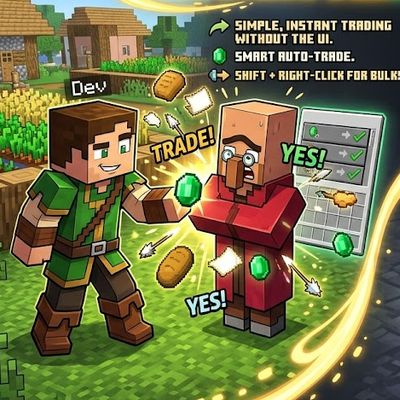
Fast Trades Villager : auto , instant and easy
Shift + Right-Click: Empty your backpack of all affordable resources and complete bulk trades automatically with one click