Roughly Enough Items Fabric/Forge/NeoForge (REI) Optional for Drone Swarm Drones 1.1.0+26.3.jar
optionalMatching file found Matched file: [Fabric 26.3] v26.3.824
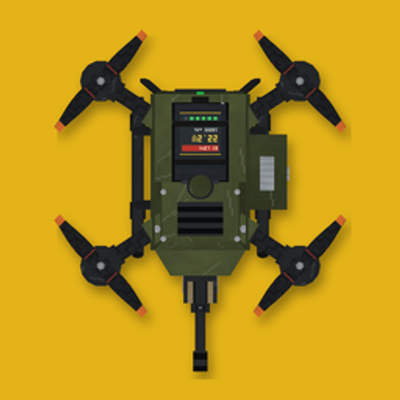
CurseForge · Minecraft mod
Build and fly quadcopters with guns.
Quick answer
Drone Swarm Drones 1.1.0+26.3.jar targets 26.3 with Fabric. The project page does not say whether this file belongs on the client, dedicated server, or both. No extra mods listed for this file.
Where it goes
The project page does not say whether this file belongs on the client, dedicated server, or both.
The source does not explicitly classify this release as client-only or server-only.
Drones 1.1.0+26.3.jar. Change the file and its required mods may change too.
This file does not list any required mods. Do not add a library just because a different file uses it.
3 extra mods were pulled in by other dependencies. Indented rows show who needs each one. We only count dependency files that match this setup. A file for another loader does not fill the gap.
Before you install it
Built for Drone Swarm Drones 1.1.0+26.3.jar. Pick another file and the loader, install side or required mods may change.
Use Drones 1.1.0+26.3.jar. It targets 26.3 with Fabric; another release may have different loader, side or dependency requirements.
This file does not list any required mods. Do not add a library just because a different file uses it.
The project page does not say whether this file belongs on the client, dedicated server, or both.
Use the “Get this file” button beside Drones 1.1.0+26.3.jar. It opens that exact file at the source.
About this project

Drones Mod In Action: https://youtu.be/V7Wuh0gBuj8
Build and fly quadcopters with guns.
Bolt together a rifle-armed drone, grab the remote, and suddenly you are looking down on your world through a live camera feed, picking off zombies from the far side of the map. When the battery runs low, it flies itself home, drops into its dock and gets recharged and rearmed by a robotic arm, while you put the kettle on.
In the Minecraft 26.3 build.
Why send one drone when you can send thirty-two? Fill a Slaughterbots Box, raise the Tablet, point at a village, a named player or a patch of the map, and press CONFIRM STRIKE. A swarm of shaped-charge micro-drones lifts off into the night, vanishes over the horizon, and your screen cuts to a live feed from the swarm as it arrives.
Slaughterbots Trailer: https://youtu.be/FCZsdaLZ-KA


Four rotors, one rifle, zero chill. You build it from real parts: a body with its flight controller and a drone-converted rifle, four motors and four rotors. Slot in a battery, feed it an ammo belt, set it down, and it is ready for take-off.

Your remote patches you straight into the drone's camera, with a live HUD for speed, altitude, battery, hull and ammo. Take the trigger yourself, or flip on Auto target and watch it find, lock onto and shred hostile mobs on its own. And it knows a creeper from your dog: you, your pets, villagers and other players are never on the menu.

One drone is cool. Five is a squadron. Pick up to four wingmen and they slide into formation around the drone you are flying. When a fight kicks off they spread out, flank and box the enemy in, picking their own tactics as they go.

Hit Return to dock and the drone flies itself home and settles neatly into its bay. Solar power tops up the battery while the dock's arm pulls out the ammo belt, refills it from the rounds in storage and slides it back in. Running low out in the field? It heads home all by itself.

Drones Mod Tutorial: https://youtu.be/pmzaUWlOu3I
Click "Show spoiler" to open it.
The Gun Drone is built from small parts, so start there. Every recipe is also in REI or JEI in game, and each part unlocks the next as you craft.


Place the Gun Drone item on the ground like a block. Use a Drone Battery on it to fit the battery.

The ammo belt is loaded by hand. Take the belt out of the drone with an empty hand, then hold it and keep using it: rounds from your inventory press into its links, 25 at a time, so a full belt takes about 10 seconds. Then use the belt on the drone to fit it back. (A dock does all of this for you, see step 6.)


Hold the remote and use it. The first player to use a remote pairs it to themselves, and only they can use it from then on. The menu lists your drones with their number, battery and status. Click one and you are looking through its camera.

Space takes off and climbs, WASD flies, the mouse aims, and right mouse fires. Scroll the remote's buttons and press one with left mouse. Esc takes you back to the drone menu, and your body stays where you left it, so keep an eye on what is around you. The full key list is in the controls table below.

Place the machines, then connect them with a cable: use it on one machine's port, then on the next (up to 24 blocks apart). Sneak and use it to unplug. A dock stores enough power for several drone charges, so a few solar panels see it through the night. Open the dock and put rounds in its storage, so it has something to reload the belt from.

Press the remote's Return to dock button. The drone flies itself home, opens the dock's lid and settles into the bay, where it charges and has its ammo belt taken out, reloaded and put back by the robotic arm. A drone that runs low on battery heads for a free dock on its own. Press Space at any time to take control back, until it is settling into the bay. Return home and Auto land work the same way, without the dock.
Craft the parts.

Fill the box. Place the Slaughterbots Box and use it to open it. Hold Slaughterbots and use them on the open box to pour them in. A box holds four swarms of 32, and a swarm launches 32 at a time.

Raise the Tablet. Hold it and use it to raise it, point with your view and tap with the attack button. It launches Slaughterbots from any of your boxes within 192 blocks. The home screen asks for a target:


Watch the strike. After CONFIRM STRIKE the swarm lifts off and flies out of sight, then the screen goes to static, "ACQUIRING UPLINK", and the live feed. The feed has its own touch controls: SKIP TARGET (the drone on screen goes for the next one), RECALL DRONE (it pulls out and flies home with the swarm), ABORT STRIKE (press twice: the whole swarm turns for home) and EXIT FEED. Closing the feed does not stop the swarm: raise the Tablet to watch again while it is still on target. If a unit is lost, its feed drops to NO SIGNAL.

Afterwards. The survivors fly back and land in the box. Anything too low on battery to make it home self-destructs. If the box is full, the extras set down beside it.
| Key | Action |
|---|---|
| W A S D | Fly forward, back and sideways |
| Space | Take off, climb, or take control back from the autopilot |
| Shift | Descend and land |
| Mouse | Aim |
| Right mouse | Fire |
| Scroll | Pick a button on the remote |
| Left mouse | Press the picked button |
| F5 | Drone camera or chase view |
| N | Night vision |
| Esc | Back to the drone menu |
Remote buttons: Previous / Next drone, Auto target, Target filter (hostile or all mobs), Swarm, Power off, Sentry mode, Return home, Return to dock, Auto land.
| Minecraft 1.20.1 | Minecraft 26.3 | NeoForge 1.21.1 | |
|---|---|---|---|
| Gun Drone, swarms, docks and power | Yes | Yes | Yes |
| Slaughterbots | No | Yes | No |

Fabric API is required. Roughly Enough Items (REI) is highly recommended: it shows every recipe in game, which is a big help with the parts and machines. The mod works without it.
Drone Swarm is made to live in modpacks, and you are welcome to put it in yours. It adds its own drones, machines and items and leaves vanilla and every other mod alone, so it slots into any pack. It may be used in modpacks as long as credit is given and the files are not modified. And if you add it to a pack, add REI too: your players will thank you when they go looking for recipes.
Project description from CurseForge.
Pick your setup
Choose the version and loader you play, then open the matching release.
Check the dependencies, then try the file in a copied instance before changing a world you care about.
Recent files
drones-1.1.0-26.3.jar
18 Nov 2026
drones-neoforge-1.0.1-1.21.1.jar
10 Nov 2026
drones-1.0.1-1.20.1.jar
10 Nov 2026
drones-1.0.0+26.3.jar
27 Oct 2026
drones-1.0.0+1.20.1.jar
27 Oct 2026
Looking for an older file? The official CurseForge project page is in Resources.
 mod
brings me life to the end with new blocks, biomes, items, and mobs, all in a vanilla-style way
 mod
Ballistic Frontiers brings tanks, aircraft, drones, artillery, missiles, and air defense to Minecraft. Features detailed 3D models, drivable vehicles, FPV cameras, 3D radar maps, electronic warfare, and multiplayer combat.
 mod
Survive a spreading Nether infection with five escalating phases, corrupted creatures, growing Hives, new weapons and armor, and a powerful Hive Mother to defeat.