FTB Library (NeoForge) Optional for Daily Calendar dailycalendar-neoforge-26.2-1.1.0.jar
optionalNo matching file

CurseForge · Minecraft mod
An advent-calendar style daily login reward: open a door a day for rewards, with streaks, milestones and seasonal calendars.
Quick answer
Daily Calendar dailycalendar-neoforge-26.2-1.1.0.jar targets 26.2 with NeoForge. The project page does not say whether this file belongs on the client, dedicated server, or both. No extra mods listed for this file.
Where it goes
The project page does not say whether this file belongs on the client, dedicated server, or both.
The source does not explicitly classify this release as client-only or server-only.
dailycalendar-neoforge-26.2-1.1.0.jar. Change the file and its required mods may change too.
This file does not list any required mods. Do not add a library just because a different file uses it.
We only count dependency files that match this setup. A file for another loader does not fill the gap.
Before you install it
Built for Daily Calendar dailycalendar-neoforge-26.2-1.1.0.jar. Pick another file and the loader, install side or required mods may change.
Use dailycalendar-neoforge-26.2-1.1.0.jar. It targets 26.2 with NeoForge; another release may have different loader, side or dependency requirements.
This file does not list any required mods. Do not add a library just because a different file uses it.
The project page does not say whether this file belongs on the client, dedicated server, or both.
Use the “Get this file” button beside dailycalendar-neoforge-26.2-1.1.0.jar. It opens that exact file at the source.
About this project
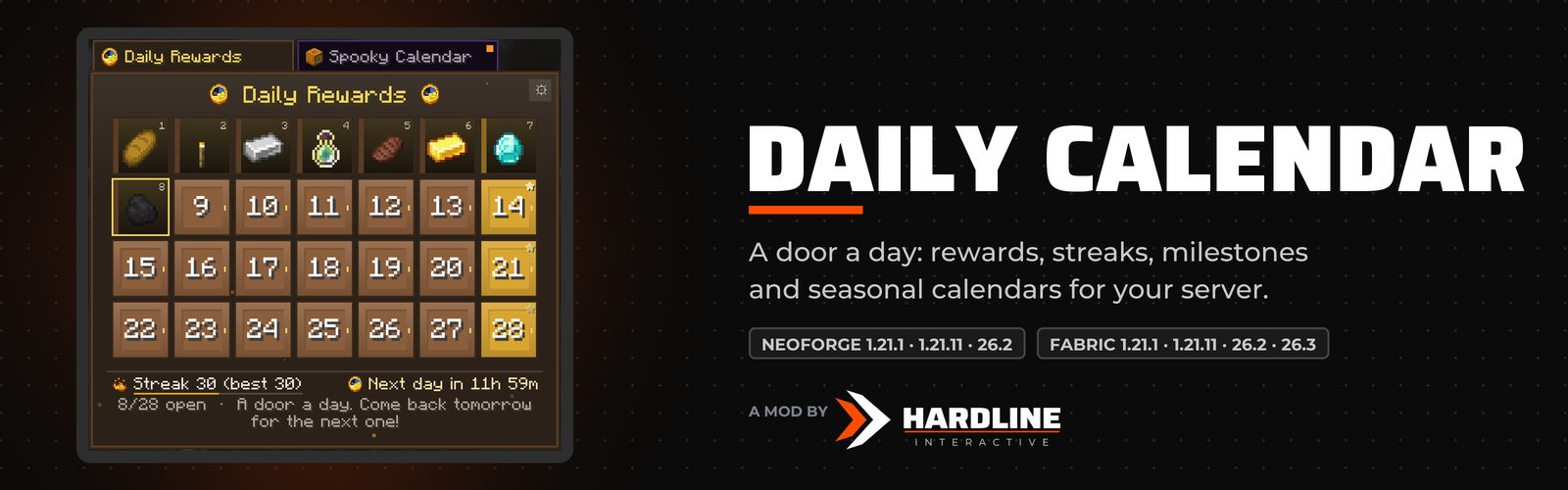
A door a day keeps them coming back. Daily Calendar is an advent-calendar style login reward for servers (and singleplayer): every day there's a new door to open, with something behind it. Keep your streak going for bigger rewards, and look out for the milestone doors.
Full guide, and the reward format for server owners: hardlineinteractive.com/mods/daily-calendar
/calendar. Today's door glows and knocks; click it and it swings open, the reward pops out with confetti, and a card shows what you got. Opened doors stay open; missed ones are crossed out.NeoForge for Minecraft 1.21.1, 1.21.11 and 26.2; Fabric (with Fabric API) for 1.21.1, 1.21.11, 26.2 and 26.3. Needed on the server; optional for players.
Hardline Interactive (Taylor Gibbs). Daily Calendar was vibe coded with Claude Code, Anthropic's AI coding assistant: Claude wrote the code from Taylor's ideas, testing and feedback.
Project description from CurseForge.
Pick your setup
Choose the version and loader you play, then open the matching release.
Check the dependencies, then try the file in a copied instance before changing a world you care about.
Recent files
24 Nov 2026
24 Nov 2026
24 Nov 2026
24 Nov 2026
24 Nov 2026
24 Nov 2026
24 Nov 2026
27 Oct 2026
27 Oct 2026
27 Oct 2026
27 Oct 2026
27 Oct 2026
Looking for an older file? The official CurseForge project page is in Resources.
 mod
Buy, sell, haul and bid — a player-driven economy that turns a Neroland server from sixteen solo grinds into one living market.
 mod
"Real-time dynamic frontline and territory control system powered by strategic flag points for tactical combat servers."
 mod
Realistic fishkeeping for Minecraft 1.21.1, 1.21.11, 26.1.2, 26.2 and 26.3, on NeoForge and Fabric. Catch wild fish and tankmates, keep them in multiblock aquariums of any shape, aquascape with swaying plants and corals, and breed with real genetics.