Applied Energistics 2 Needed by AppliedSwatches - AE2 Addon AppliedSwatches 0.2.5
requiredMatching file found Matched file: AE2 19.2.19 [NEOFORGE]
CurseForge · Minecraft mod
Pick a colour or theme and pull matching blocks straight out of your Applied Energistics 2 network.
Quick answer
AppliedSwatches - AE2 Addon AppliedSwatches 0.2.5 targets 1.21.1 with NeoForge. The project page does not say whether this file belongs on the client, dedicated server, or both. All 2 required mods have matching files.
Where it goes
The project page does not say whether this file belongs on the client, dedicated server, or both.
The source does not explicitly classify this release as client-only or server-only.
AppliedSwatches 0.2.5 . Change the file and its required mods may change too.
Install Applied Energistics 2, GuideME first. We found matching files for this game-version and loader setup. 12 come through another mod in the chain.
12 extra mods were pulled in by other dependencies. Indented rows show who needs each one. We only count dependency files that match this setup. A file for another loader does not fill the gap.
Before you install it
Built for AppliedSwatches - AE2 Addon AppliedSwatches 0.2.5. Pick another file and the loader, install side or required mods may change.
Use AppliedSwatches 0.2.5 . It targets 1.21.1 with NeoForge; another release may have different loader, side or dependency requirements.
Install Applied Energistics 2, GuideME first. We found matching files for this game-version and loader setup. 12 come through another mod in the chain.
The project page does not say whether this file belongs on the client, dedicated server, or both.
Use the “Get this file” button beside AppliedSwatches 0.2.5 . It opens that exact file at the source.
About this project
AppliedSwatches is an Applied Energistics 2 addon for builders. Choose a colour or a theme, and it finds every block in your ME network that fits, then hands them to you.
Matching uses CIELAB, a colour space built to match how human eyes see colour, and scores each block by its ΔE (colour difference) from your palette. Blocks that look alike to you match, not just ones with similar RGB numbers. Explanation
Companion Mod for colour matching existing builds, can be found here: AppliedSwatches Companion
Pick a colour with the HSV picker or a hex code, then a scheme: single, monochrome, analogous, complementary, split complementary or triadic. The terminal reads the actual textures of every block you have stored and lists the ones that match, closest first.
.json, or save one as a theme. Share it online or view other themes at https://www.ae-swatches.xyz/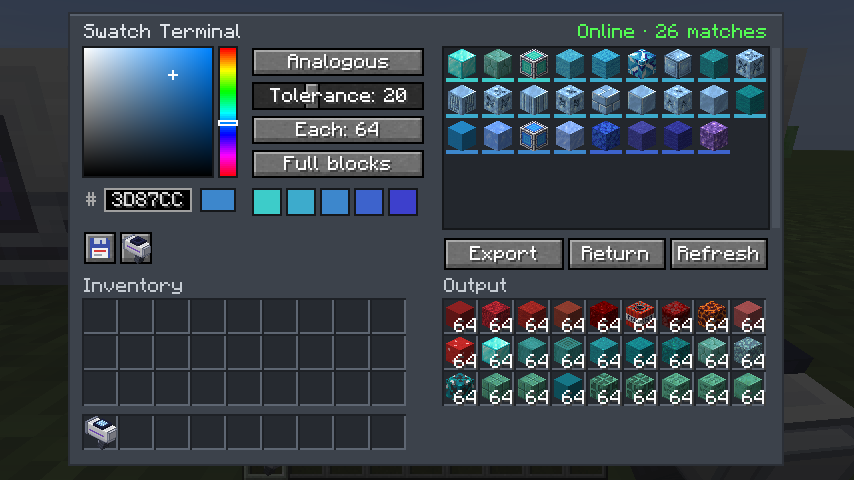
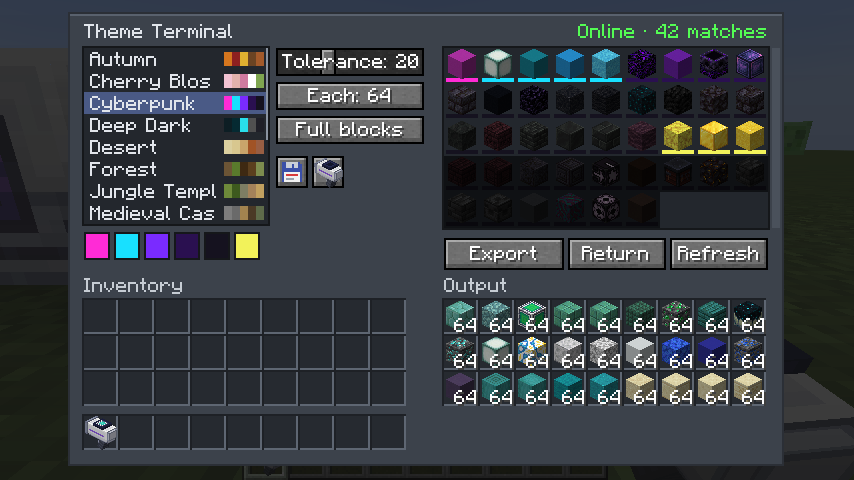
Works the same way, but with named palettes. It ships with 14: Autumn, Cherry Blossom, Cyberpunk, Deep Dark, Desert, Forest, Jungle Temple, Medieval Castle, Nether, Pastel, Snowy Tundra, Steampunk, The End and Underwater. Themes can pin signature blocks, and you can import and export your own as .json.
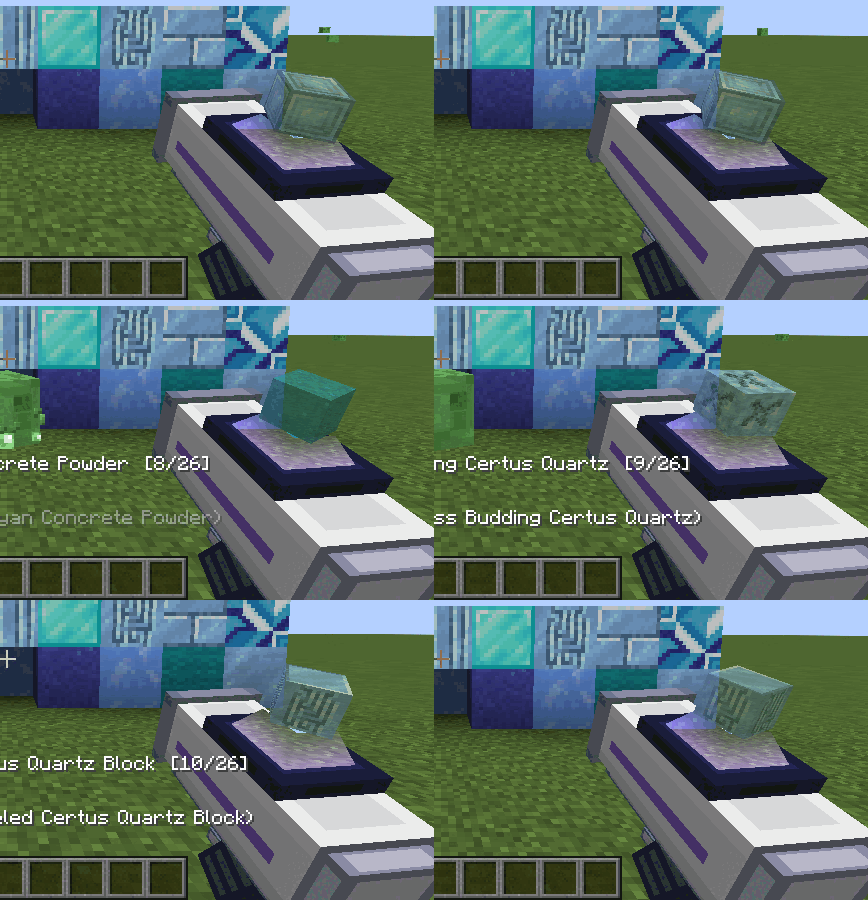
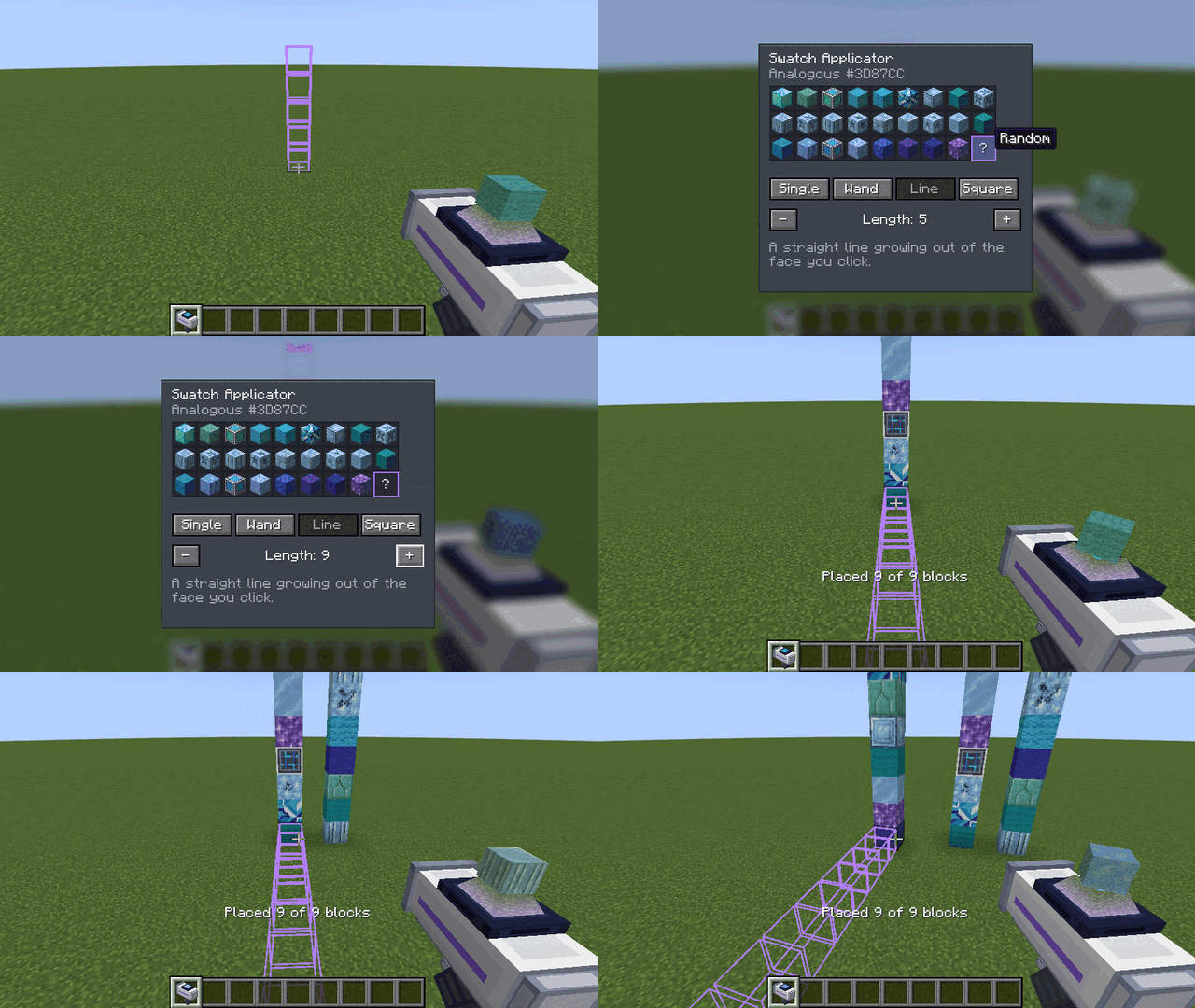
A handheld placer. Load a palette from either terminal with one click, then right-click to place blocks straight out of your ME network. Shift + scroll changes the block, and Random mode mixes the whole palette as you build. The screen shows a hologram of the selected block.
Shift + right-click opens its settings, where you pick the block and a placement mode:
config/appliedswatches-server.toml: idle power for each terminal (default 2 AE/t) and applicator range (default 64 blocks, 0 = whole dimension).
Source and issues: GitHub
FAQ & Colour Theory: GitHub
Project description from CurseForge.
Pick your setup
Choose the version and loader you play, then open the matching release.
Check the dependencies, then try the file in a copied instance before changing a world you care about.
Recent files
appliedswatches-0.2.5-26.3.jar
9 Nov 2026
appliedswatches-0.2.5-26.2.jar
9 Nov 2026
appliedswatches-0.2.5.jar
5 Nov 2026
appliedswatches-0.2.5-26.1.2.jar
5 Nov 2026
appliedswatches-0.2.4-26.1.2.jar
5 Nov 2026
appliedswatches-0.2.4.jar
5 Nov 2026
appliedswatches-0.2.3-26.1.2.jar
3 Nov 2026
appliedswatches-0.2.3.jar
3 Nov 2026
appliedswatches-0.2.1.jar
2 Nov 2026
appliedswatches-0.1.0.jar
28 Oct 2026
Looking for an older file? The official CurseForge project page is in Resources.
 mod
Cleans up the creative inventory: two rows of tabs, drag and drop, merge tabs into one with a side panel. Client side only.
 mod
A Mekanism addon that lets you enrich your ingredients by hand.
 mod
Create your own pocket-sized dimensions and travel between them with a dimensional book. Your next home is just a page away.