

Minecraft version
Back to mods 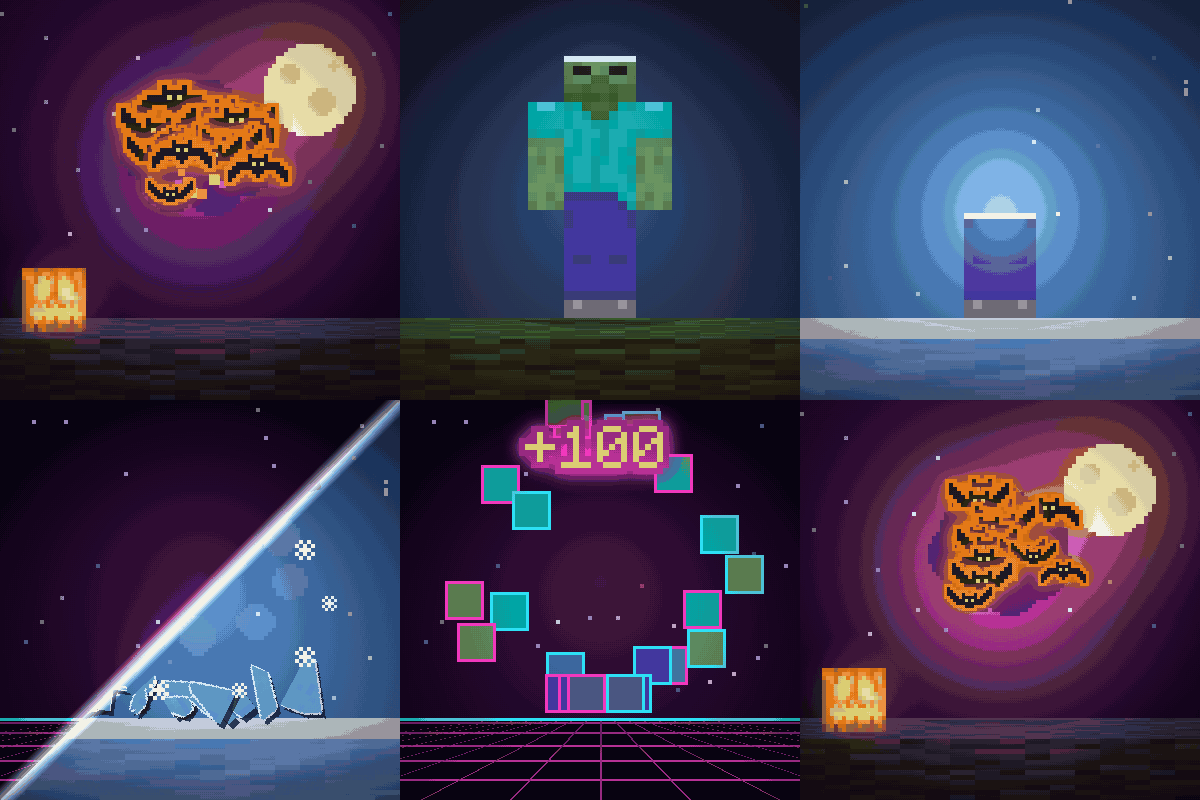
CurseForge · Minecraft mod
Kill Shatter: Mob Death Animations & Kill Effects
New mob death animations and kill effects: mobs shatter into shards of their own skin. Four styles: Shatter, Halloween bats, Winter ice and Retro Arcade. Light, configurable, client-side.
Choose a version Pick your version below, then grab the matching file.
Quick answer
Which Kill Shatter: Mob Death Animations & Kill Effects release should I use?
Latest stable file Kill Shatter 0.1.0 for Minecraft 26.2 (NeoForge)
Game version 26.2
Loader NeoForge
Kill Shatter: Mob Death Animations & Kill Effects Kill Shatter 0.1.0 for Minecraft 26.2 (NeoForge) targets 26.2 with NeoForge. The project page does not say whether this file belongs on the client, dedicated server, or both. No extra mods listed for this file.
Where it goes
Is Kill Shatter: Mob Death Animations & Kill Effects required on the client, server, or both?
The project page does not say whether this file belongs on the client, dedicated server, or both.
Client Source doesn’t say
Dedicated server Source doesn’t say
Loader for this release NeoForge
Required install it here Optional supported, not mandatory Not supported do not install here Source doesn’t say do not assume
The source does not explicitly classify this release as client-only or server-only.
What else does Kill Shatter: Mob Death Animations & Kill Effects Kill Shatter 0.1.0 for Minecraft 26.2 (NeoForge) need?
Kill Shatter 0.1.0 for Minecraft 26.2 (NeoForge). Change the file and its required mods may change too.
This file does not list any required mods. Do not add a library just because a different file uses it.
This file does not list any required or optional mods.
Before you install it
Add Kill Shatter: Mob Death Animations & Kill Effects without breaking your instance.
Built for Kill Shatter: Mob Death Animations & Kill Effects Kill Shatter 0.1.0 for Minecraft 26.2 (NeoForge). Pick another file and the loader, install side or required mods may change.
- 01
Stick to this file
Use Kill Shatter 0.1.0 for Minecraft 26.2 (NeoForge). It targets 26.2 with NeoForge; another release may have different loader, side or dependency requirements.
- 02
Bring the mods it needs
This file does not list any required mods. Do not add a library just because a different file uses it.
- 03
Put it on the correct side
The project page does not say whether this file belongs on the client, dedicated server, or both.
- 04
Pick the file you checked
Use the “Get this file” button beside Kill Shatter 0.1.0 for Minecraft 26.2 (NeoForge). It opens that exact file at the source.
About this project
What does Kill Shatter: Mob Death Animations & Kill Effects add?




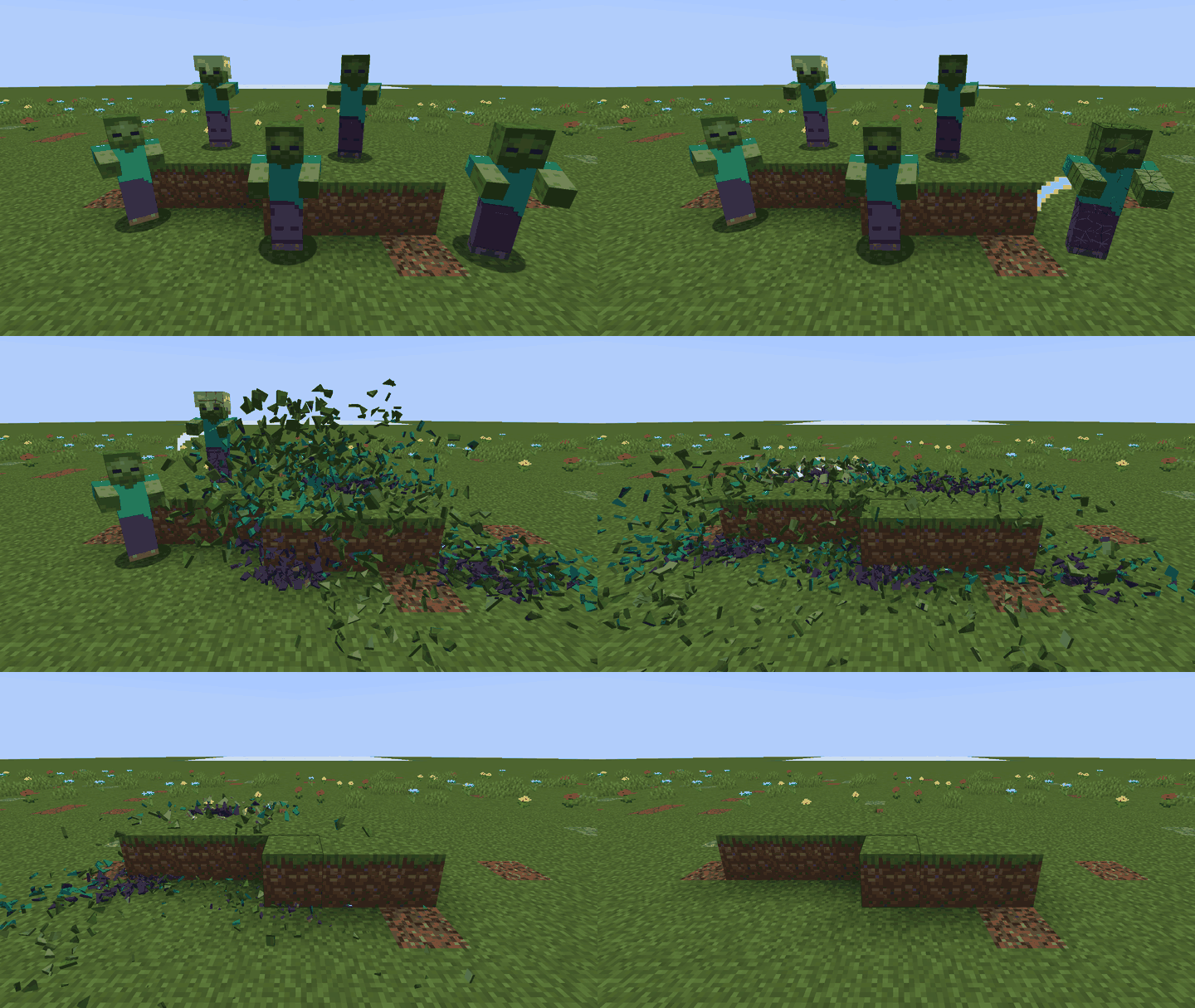
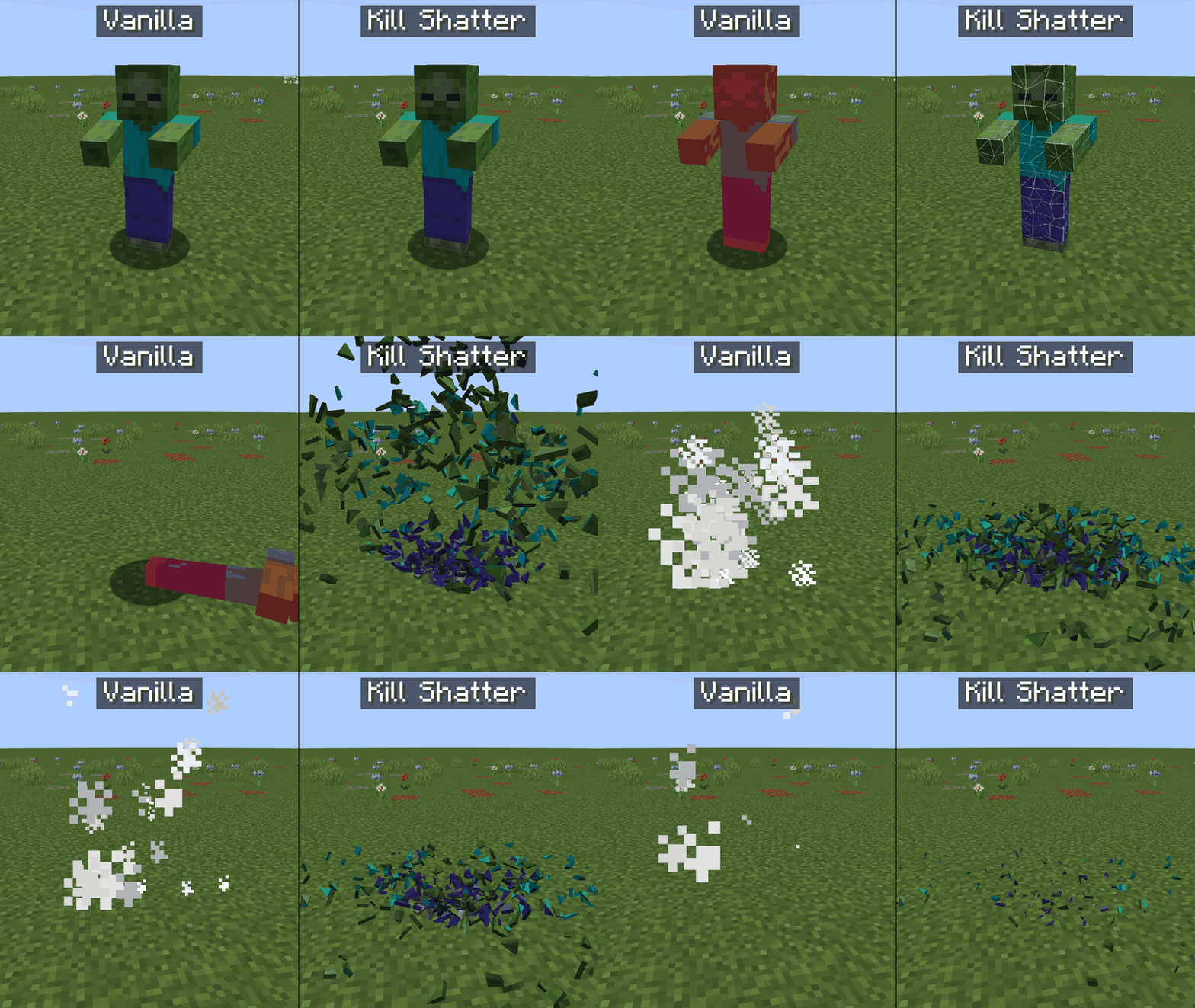
New death animations for every mob: instead of tipping over and puffing into white smoke, mobs shatter into shards of their own skin. Four styles, light on performance, client-side.

The death animation, rebuilt
The final hit cracks the mob with thin lines of light, then the body breaks into pieces that fly, tumble, bounce on the ground and fade out.
No more red tip-over and white smoke. Drops, XP and the server's logic stay exactly the same: only what you see changes.
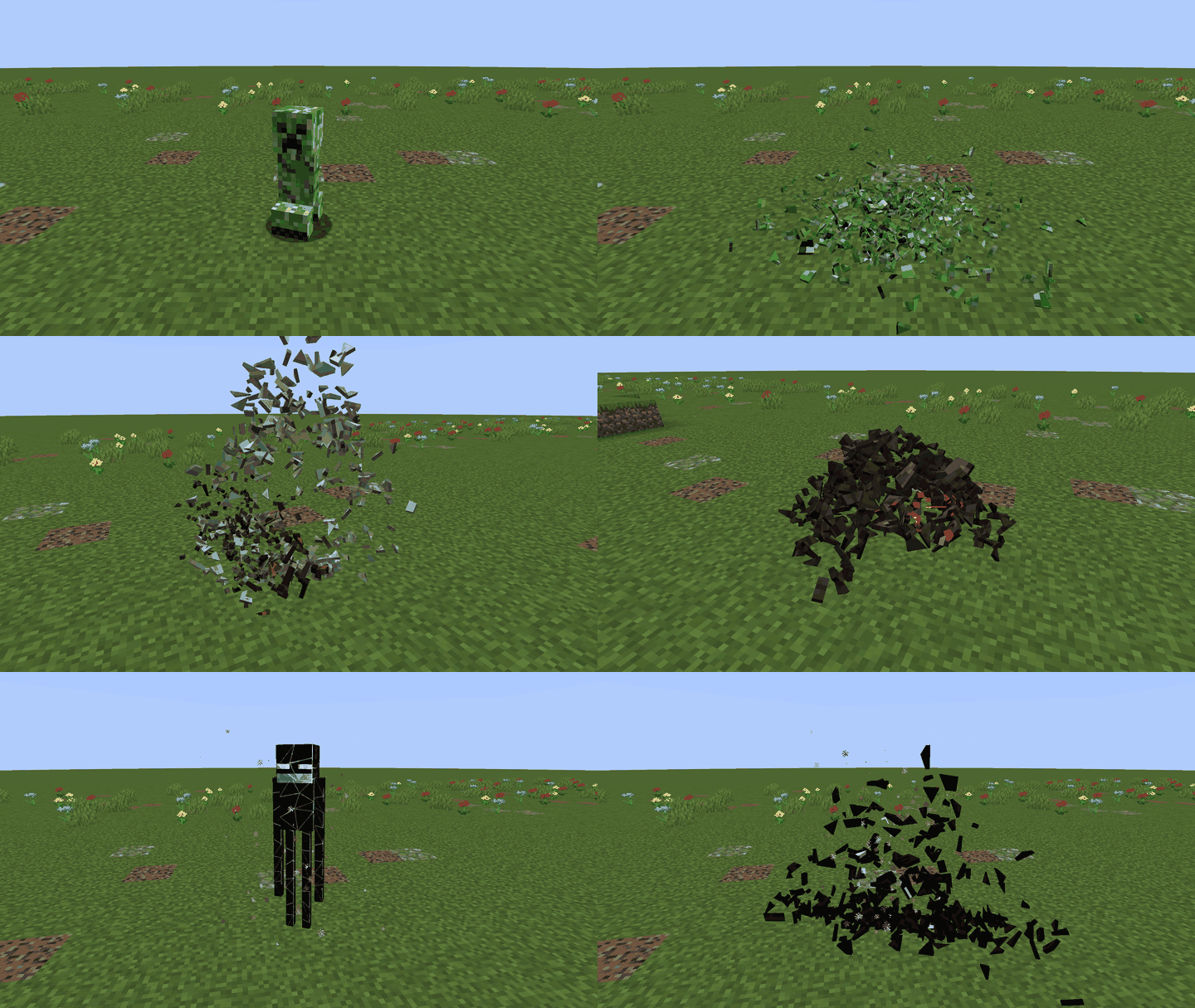
Every mob breaks into its own skin
The shards are cut from the mob as the game draws it: same model, same texture, armour and held items included. A creeper breaks into green pieces, a skeleton into bone, an enderman into black glass.
Mobs from other mods work too, with their own textures.
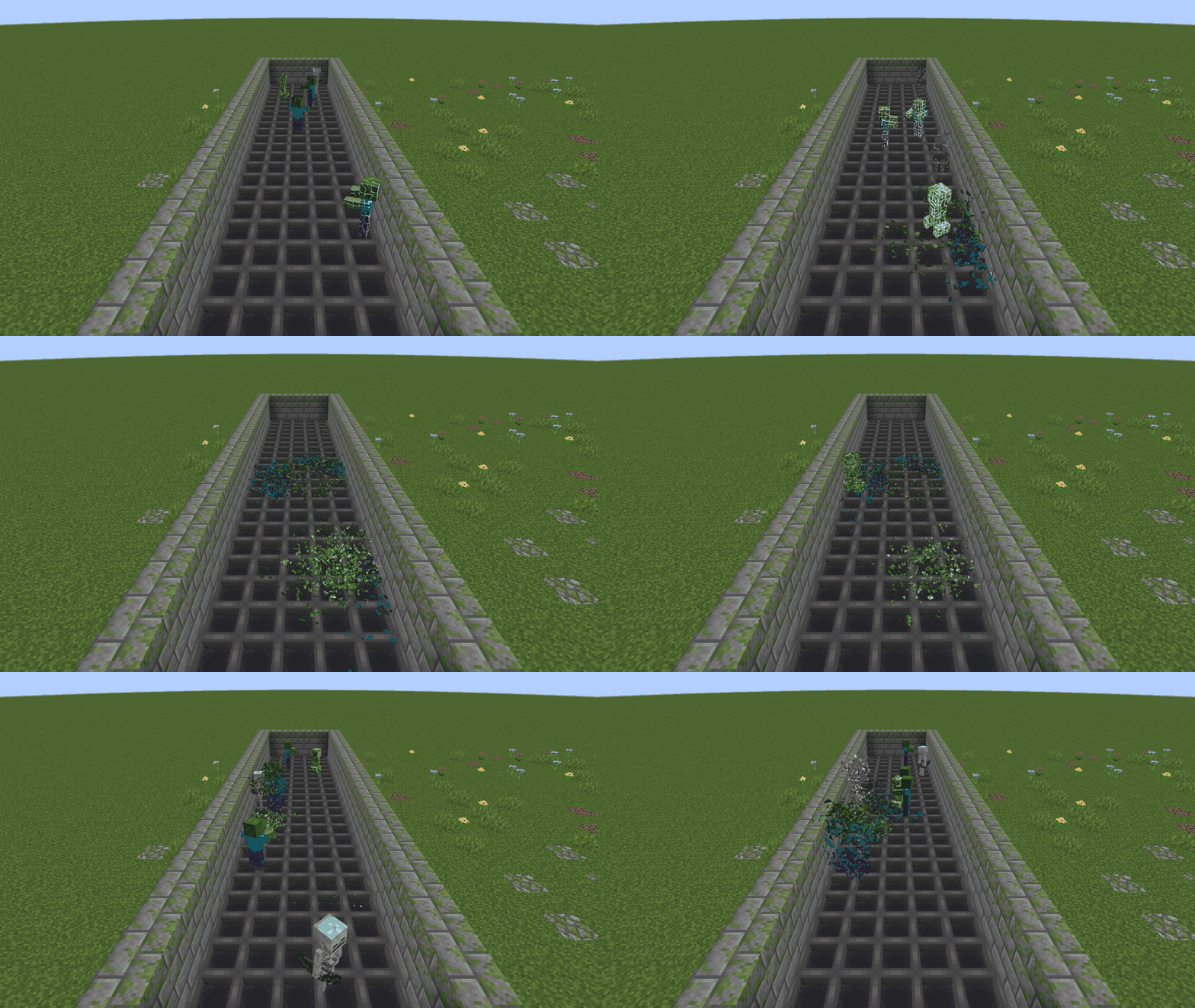
Light, even next to a mob farm
A budget caps how many deaths can shatter at once and how many pieces are in the air. Deaths far away, or past the budget, fall back to a short quiet fade.
By default only the mobs you kill shatter, so a farm grinding on its own does not fill the screen.
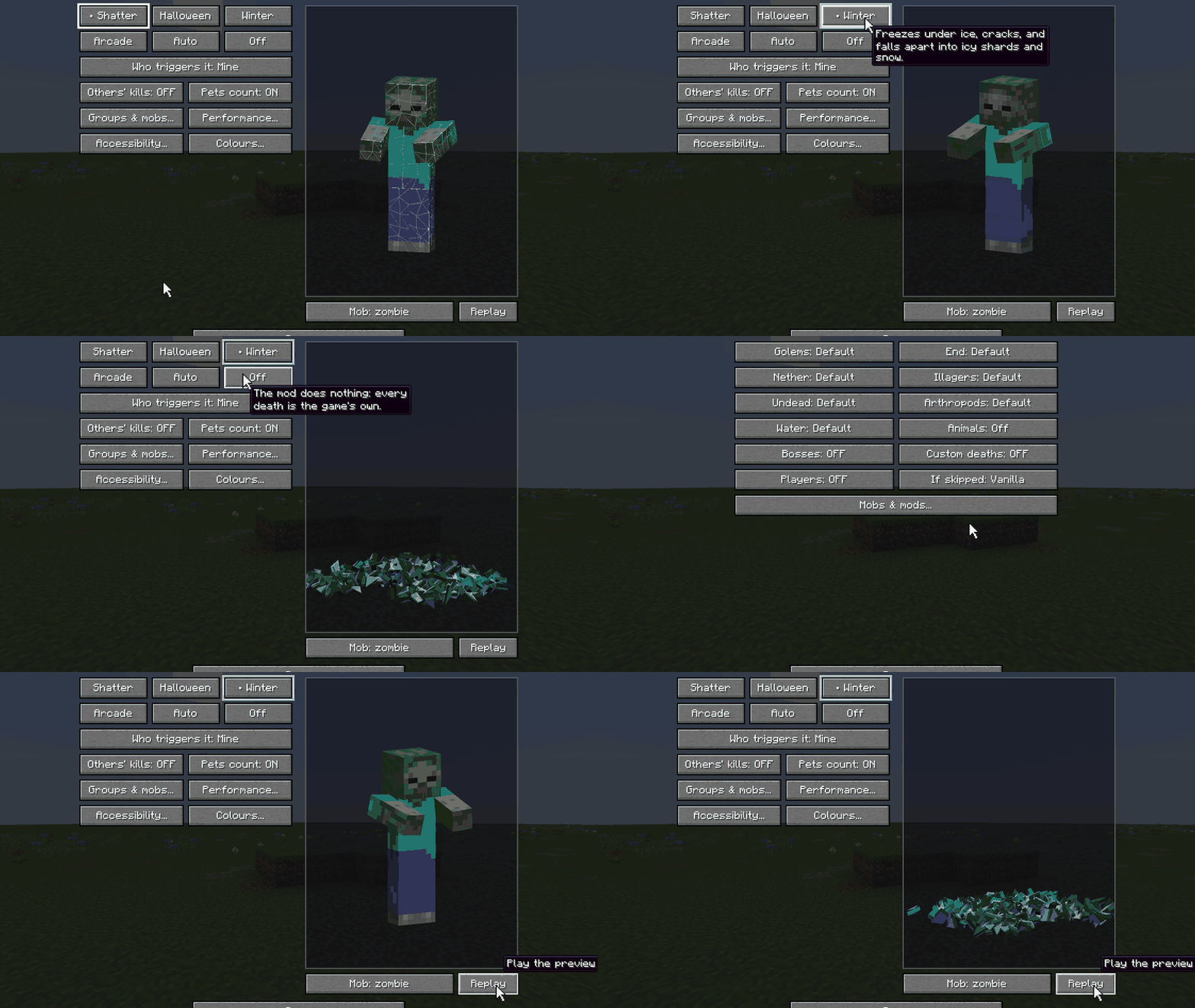
Pick what shatters
Choose a style for everything, or a different one per group: undead, arthropods, animals, water mobs, nether, end. Switch off single mobs or whole mods. Custom colours take hex values.
Bosses keep their own death by default, and so do mobs from mods that give them a custom death animation.
Reduce motion: no flying pieces, just a soft fade in the style's colour.

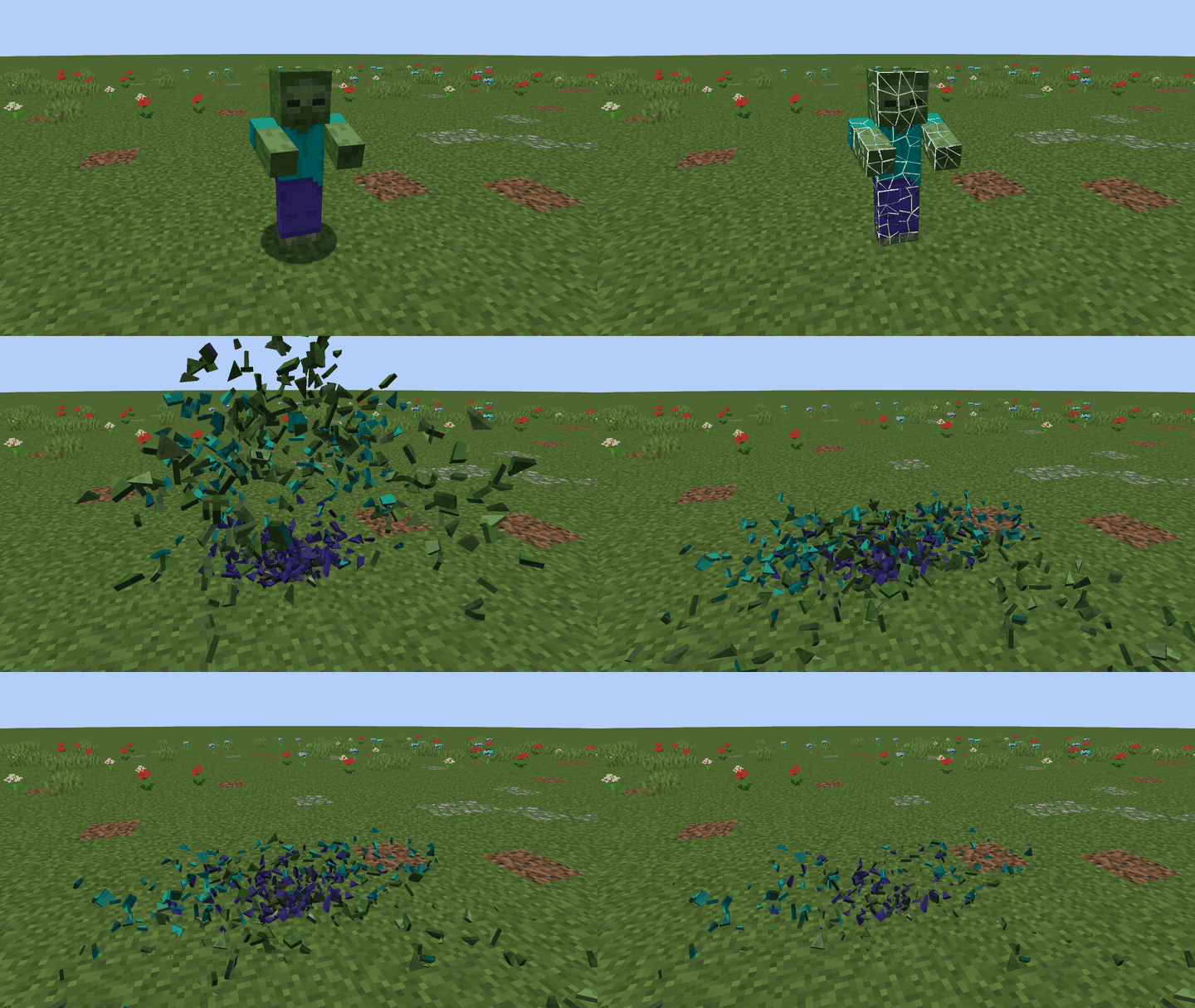
Shatter
The default. Cracks of light, then shards of the mob's own skin that tumble, bounce and fade.
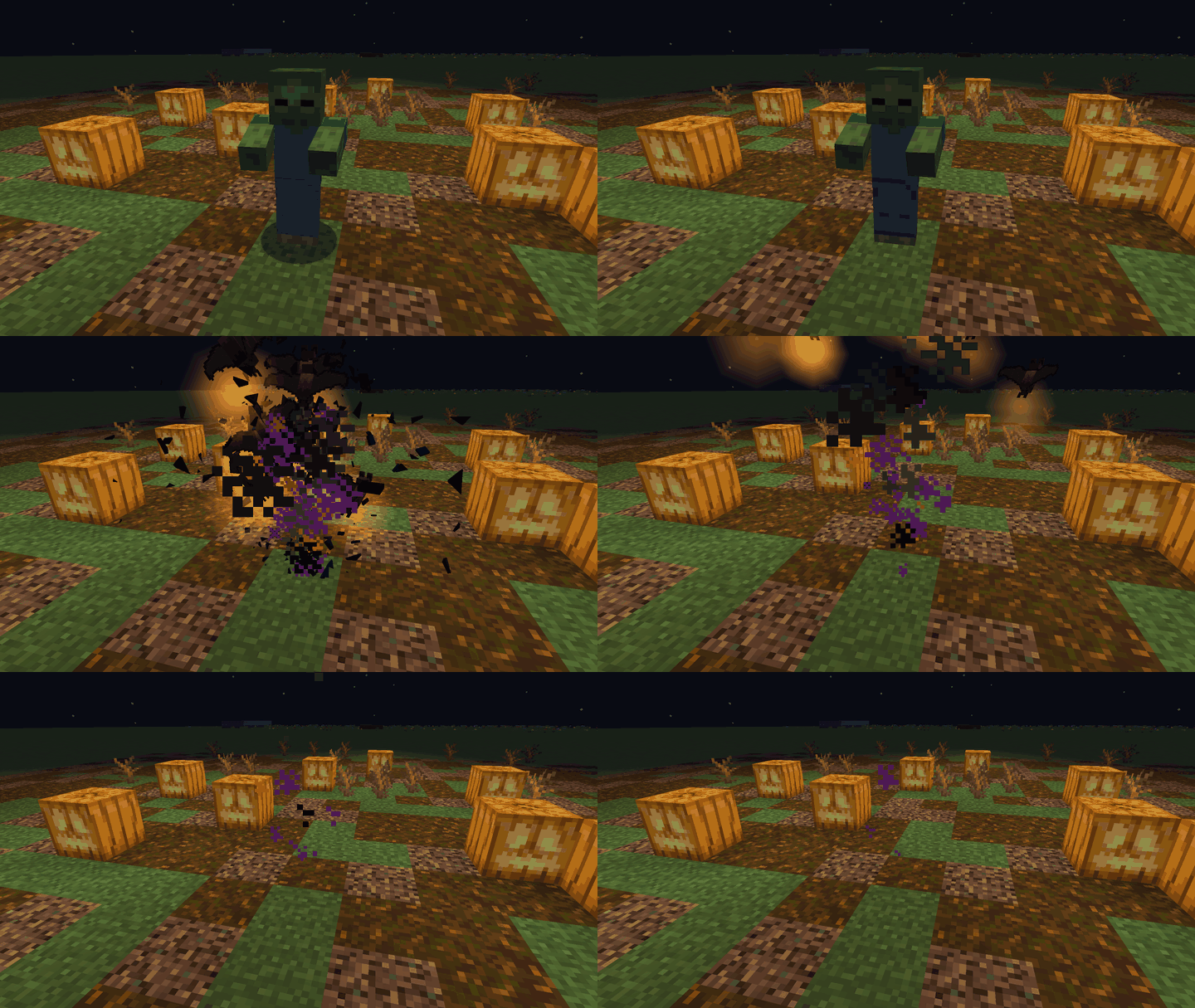
Halloween
The body darkens with a glowing orange rim, swells, and bursts into a swarm of bats that flutter away.
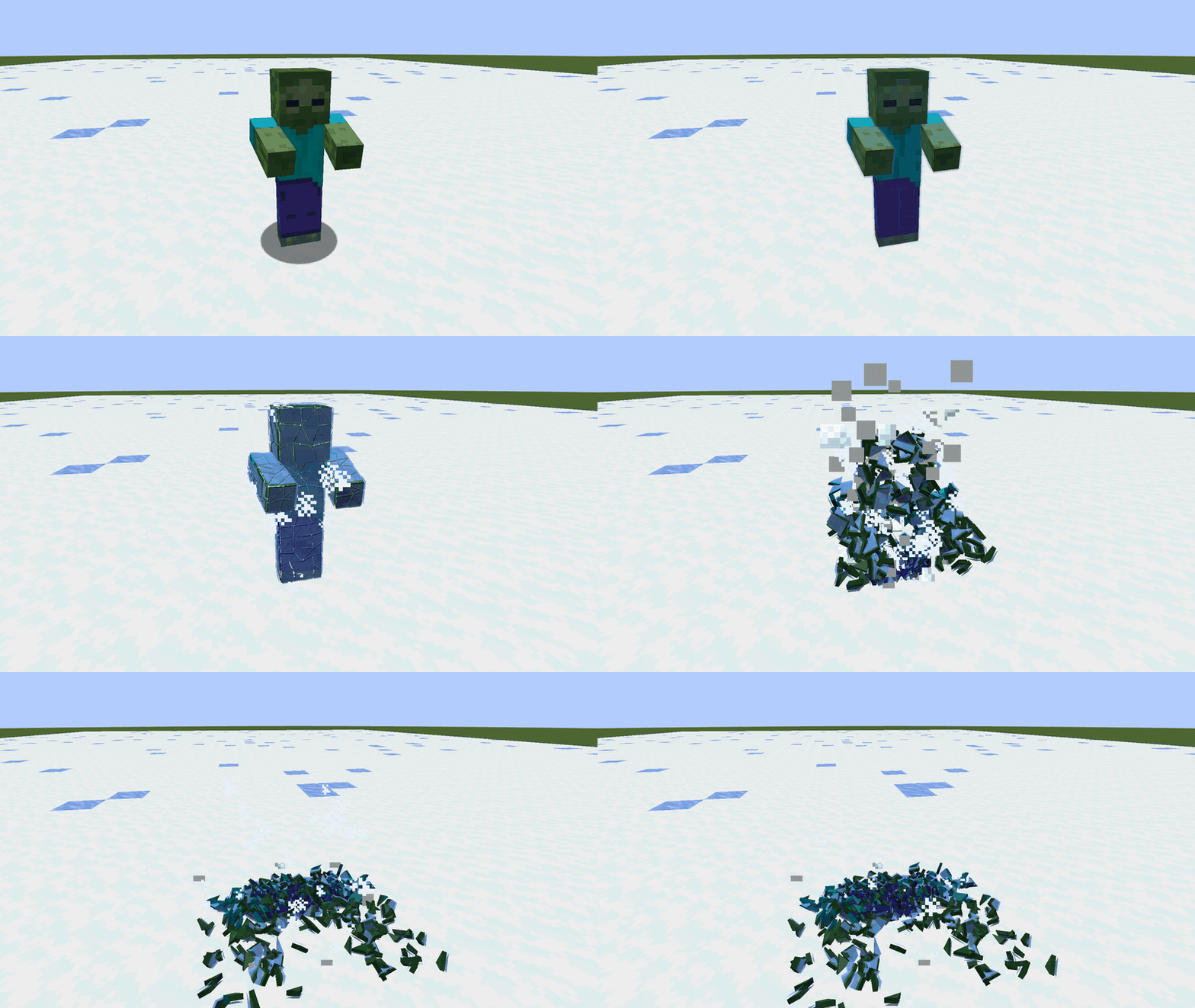
Winter
The mob freezes solid, cracks like a frozen pond and falls apart into icy pieces and a puff of snow.
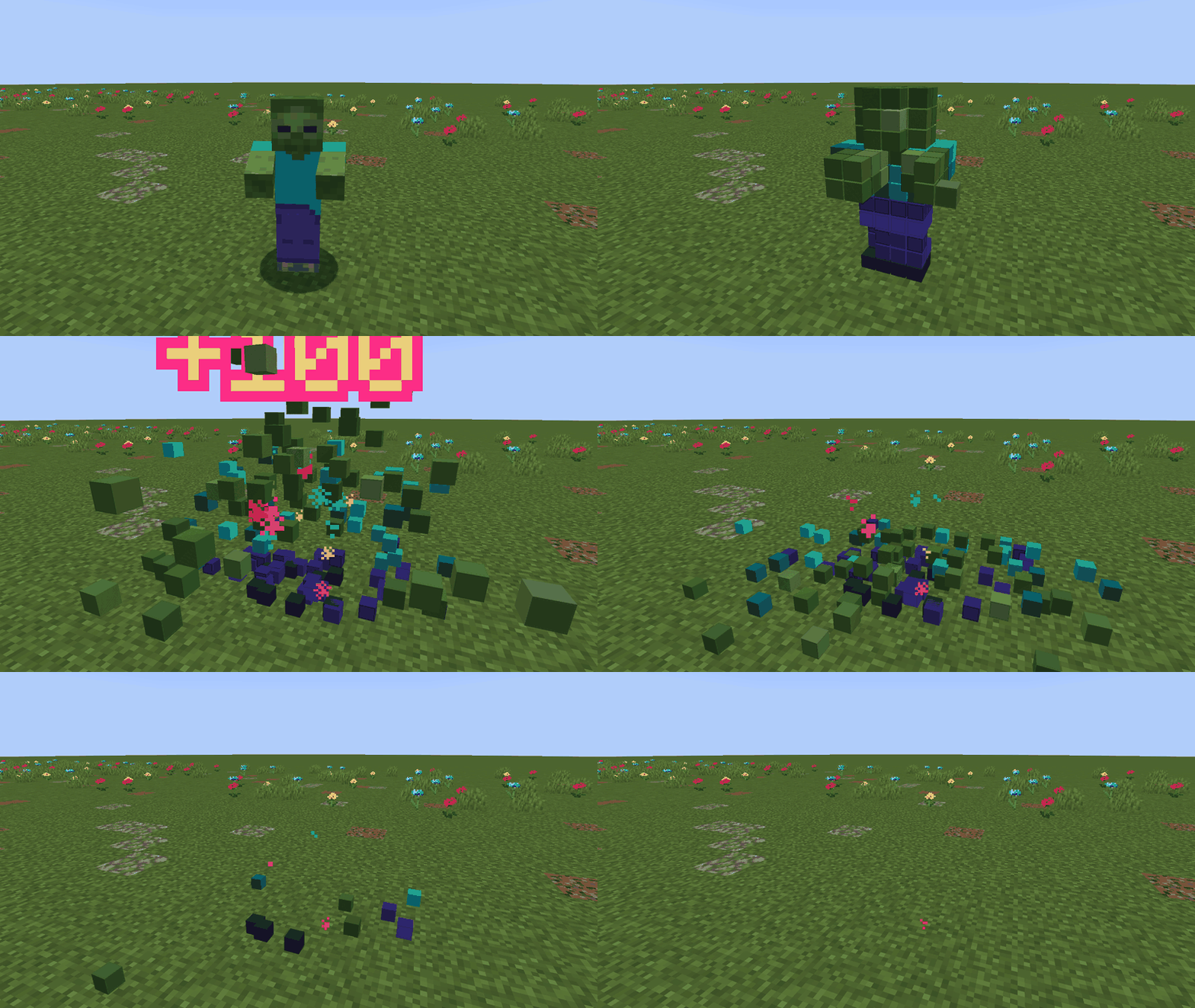
Retro Arcade
The mob explodes into big pixels of its own skin and a "+100" pops up, like an old arcade cabinet.
Have Immersive Screens? The Auto style follows its theme, so your menus and your kills match.

For modpack makers
✔ Free to include in any modpack, including monetized ones. No need to ask.
✔ Client-side only: nothing on the server. Works on any server, in single player and on Realms. Safe to leave in a server pack: it does nothing there.
✔ No required libraries (Fabric API only on Fabric).
✔ Nothing loud on by default: no sounds, no screen shake, no camera moves.
✔ Bosses, and mobs with their own death animation (GeckoLib and others), are left alone by default.
✔ Have Ragdollified or Mob Dismemberment installed? Kill Shatter steps aside and lets them handle the death.
Ship your defaults in config/killshatter.properties (every key is commented):
style=shatteronlyMyKills=truemaxEffects=12maxDistance=48group.animals=offmob.minecraft:villager=offmod.alexsmobs=wintercolors.halloween.rim=#FF8A1F
Everything is also in the in-game settings: Mods > Kill Shatter > Config, or /killshatter.
Tested in game
Forge 1.20.1 (47.4) · NeoForge 1.21.1 · Fabric 26.3 · Fabric 26.2 · NeoForge 26.2.
Every file was opened in game and passed the same 79-check test run before release.
Works with
Modded mobs shatter with their own textures; mods with their own death effects keep them.
Forge 1.20.1: Alex's Mobs · Mowzie's Mobs · Twilight Forest (bosses keep their death) · Ice and Fire · L_Ender's Cataclysm and Aquamirae (keep their own deaths) · Born in Chaos and Mutant Monsters (keep their own deaths) · Embeddium · Oculus with Complementary Reimagined and BSL · Entity Culling · Ragdollified and Mob Dismemberment (Kill Shatter steps aside) · Mob Amputation · Better Combat · Corpse · Damage Numbers · Loot Beams · Boss Bars · Boss Intros · Immersive Screens
NeoForge 1.21.1: Twilight Forest · Mowzie's Mobs · L_Ender's Cataclysm · Aquamirae · Ice and Fire Community Edition · Mutant Monsters · Born in Chaos · Sodium + Iris with Complementary · Entity Culling · Ragdollified and Mob Dismemberment (Kill Shatter steps aside)
Multiplayer
Each player sees the style they picked. By default you see your own kills shatter; turn on Other players' kills to see theirs too.

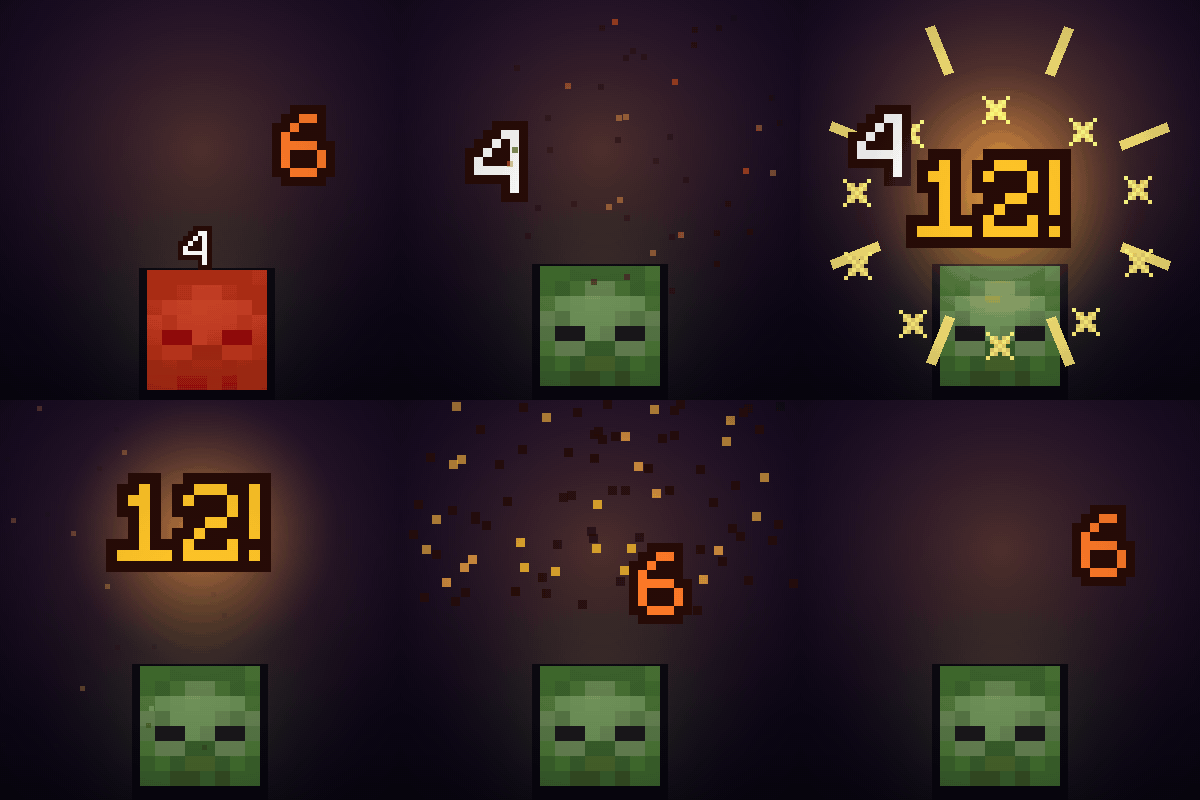
Damage Numbers
Floating damage numbers on every hit, with a punchy pop for crits.
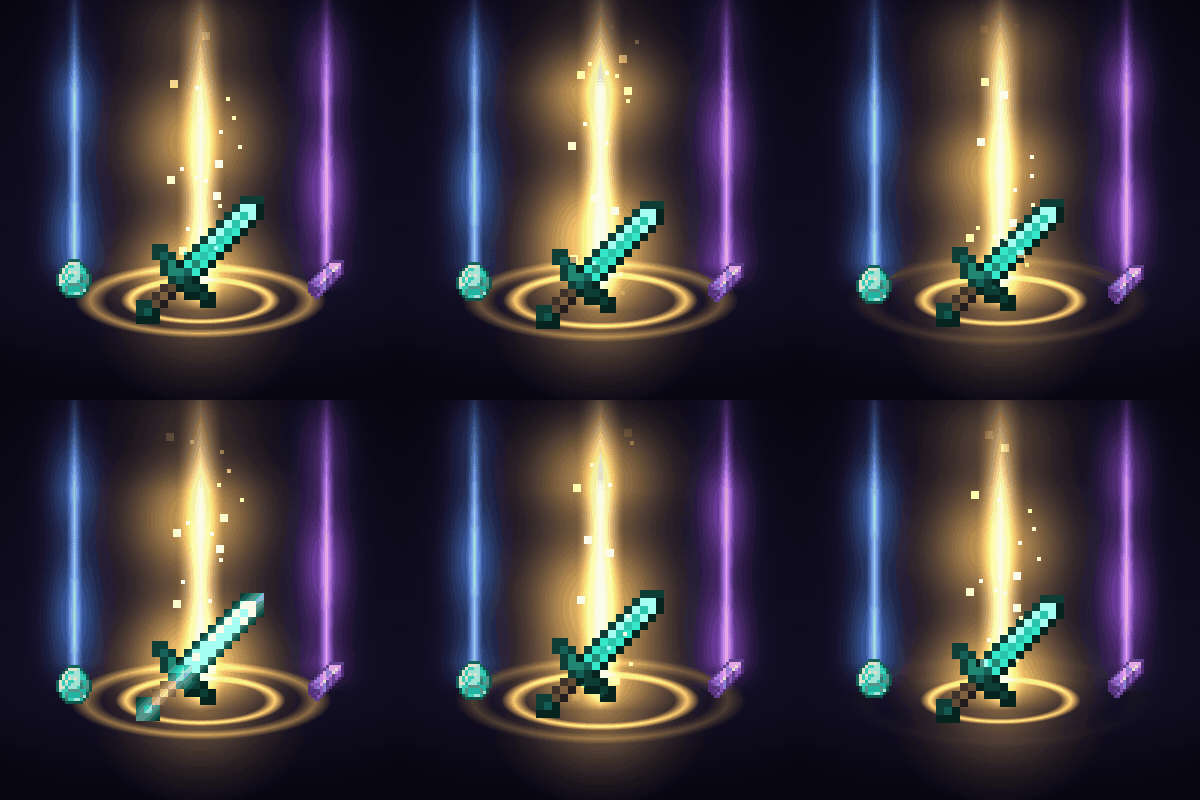
Loot Beams
Valuable drops glow with a soft beam coloured by value, so you never lose loot again.
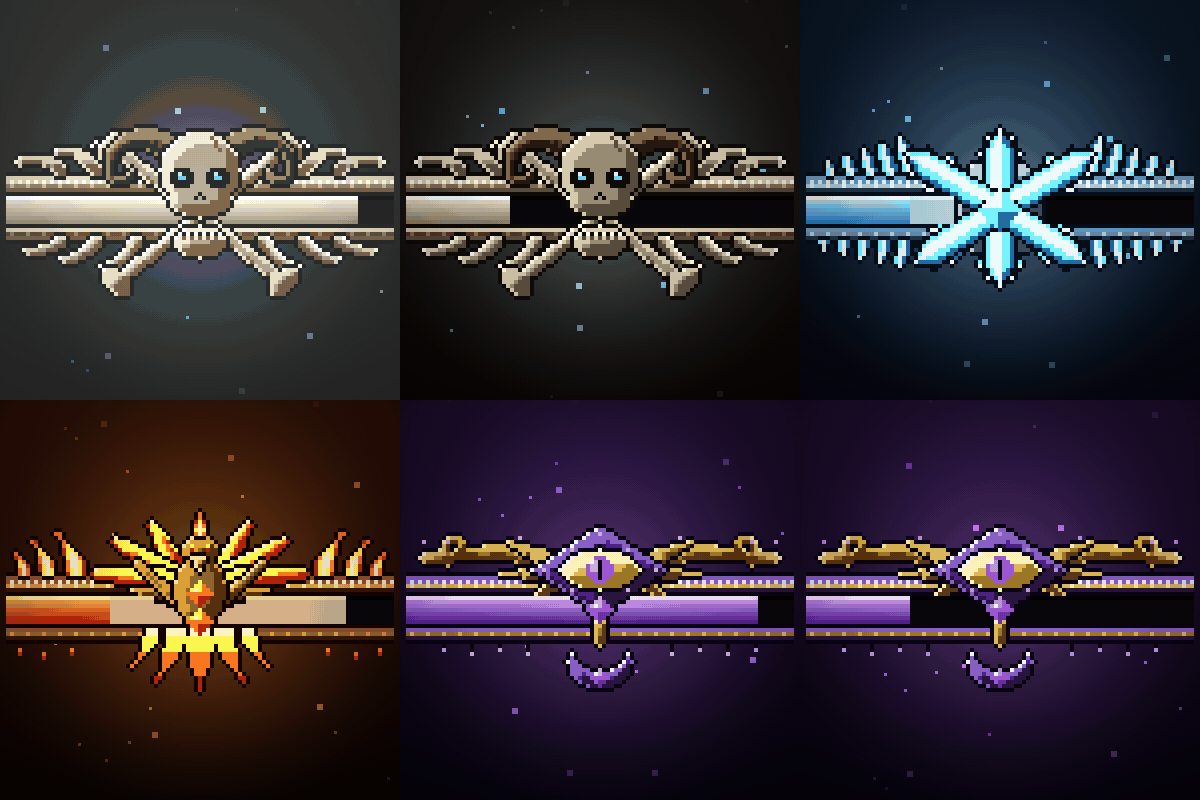
Boss Bars
Every boss bar gets its own animated frame, a damage trail, cracks and a shattering death.
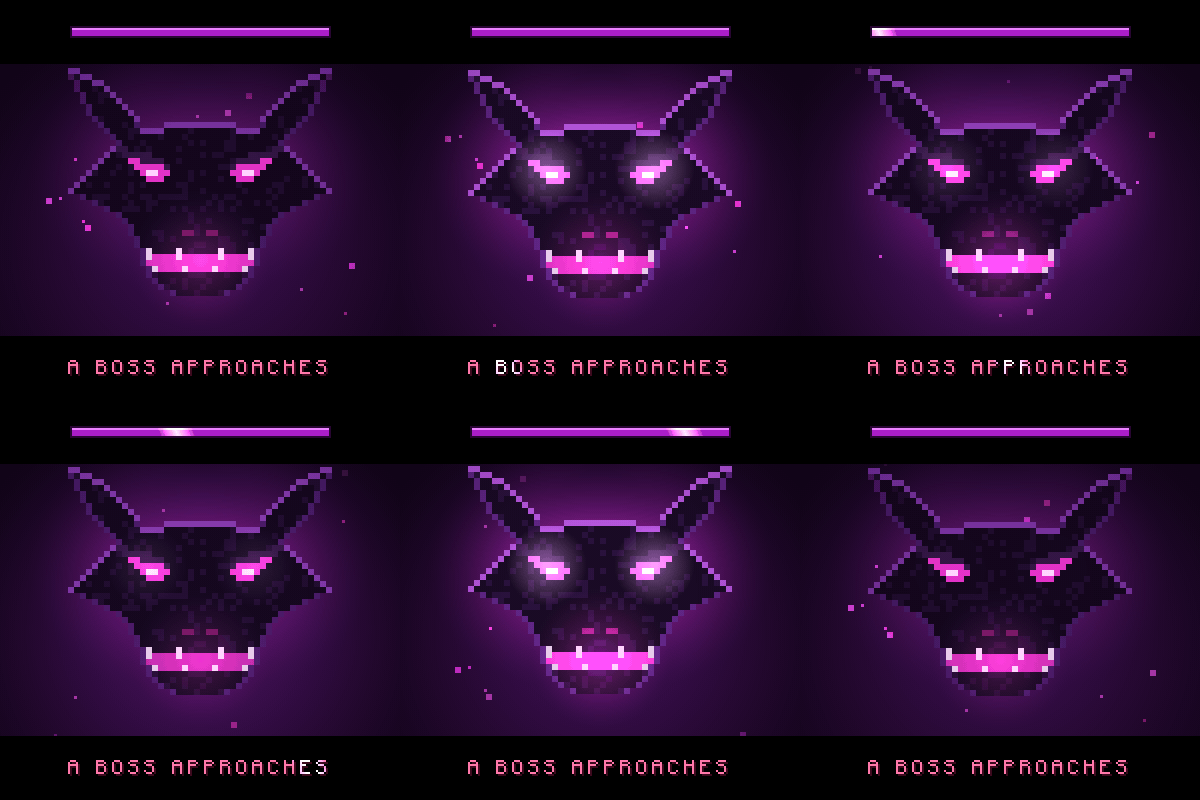
Boss Intros
Cinematic boss titles: black bars slide in and the boss name comes up in big letters, with a victory card when you win.
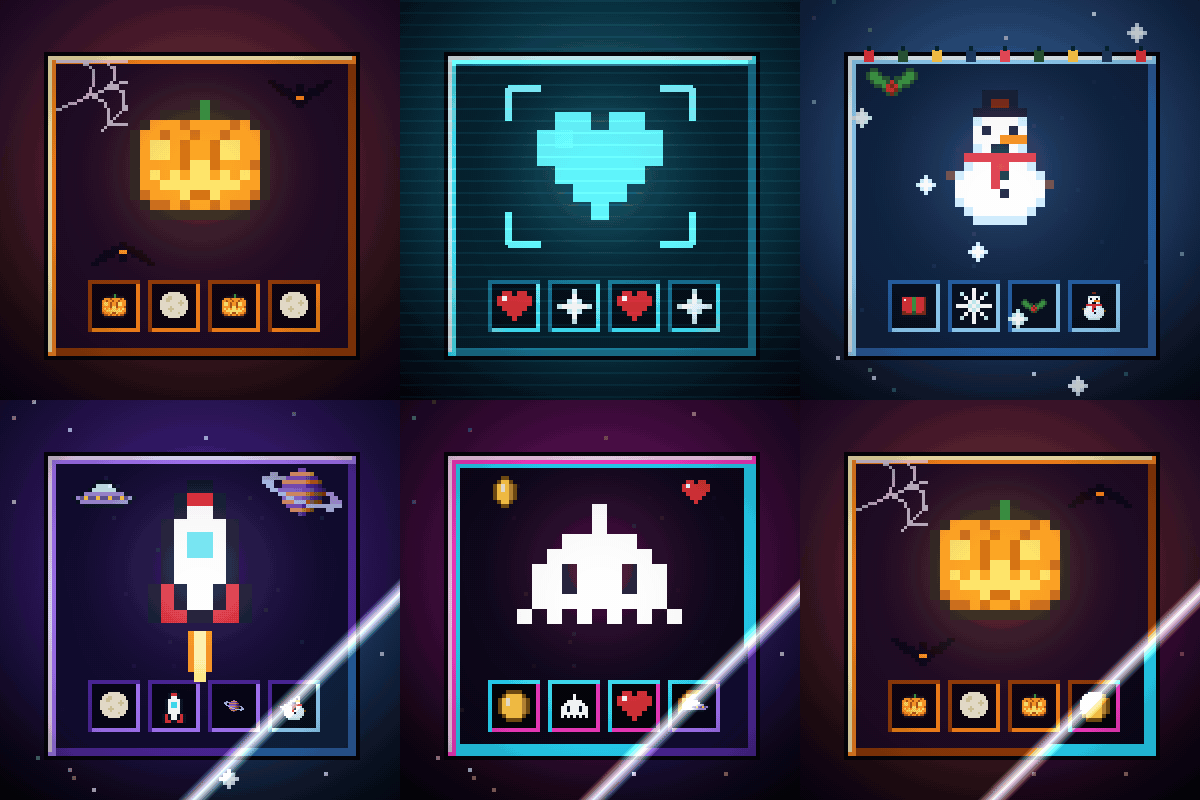
Immersive Screens
Every screen of the game in a theme, with small animations: Halloween, Hologram, Winter, Space and Retro Arcade.
Made by an indie dev with help from AI tools; every version is tested in game. Written from scratch; not a port of any older mod.

Like the mod? You can support future updates and new mods on Ko-fi. Totally optional, everything stays free.
Project description from CurseForge.
Pick your setup
Kill Shatter: Mob Death Animations & Kill Effects by Minecraft version and loader
Choose the version and loader you play, then open the matching release.
Minecraft version
26.2
2 loader buildsMinecraft version
1.21.1
1 loader buildMinecraft version
1.20.1
1 loader buildCheck the dependencies, then try the file in a copied instance before changing a world you care about.
Recent files
Kill Shatter: Mob Death Animations & Kill Effects versions and loaders
Kill Shatter 0.1.0 for Minecraft 26.2 (NeoForge)
killshatter-neoforge-26.2-0.1.0.jar
28 Oct 2026
Client Source doesn’t say Server Source doesn’t say Dependencies No extras listed Listed on Release listing
Check the 26.2 · NeoForge setup NeoForge26.2 release
Kill Shatter 0.1.0 for Minecraft 26.2 (Fabric)
killshatter-fabric-26.2-0.1.0.jar
28 Oct 2026
Client Source doesn’t say Server Source doesn’t say Dependencies 1 required · 1 unchecked Listed on Release listing
Check the 26.2 · Fabric setup Fabric26.2 release
Kill Shatter 0.1.0 for Minecraft 26.3 (Fabric)
killshatter-fabric-26.3-0.1.0.jar
28 Oct 2026
Client Source doesn’t say Server Source doesn’t say Dependencies 1 required · 1 unchecked Listed on Release listing
Check the 26.3 · Fabric setup Fabric26.3 release
Kill Shatter 0.1.0 for Minecraft 1.21.1 (NeoForge)
killshatter-neoforge-1.21.1-0.1.0.jar
28 Oct 2026
Client Source doesn’t say Server Source doesn’t say Dependencies No extras listed Listed on Release listing
Check the 1.21.1 · NeoForge setup 1.21.1NeoForge release
Kill Shatter 0.1.0 for Minecraft 1.20.1 (Forge)
killshatter-forge-1.20.1-0.1.0.jar
28 Oct 2026
Client Source doesn’t say Server Source doesn’t say Dependencies No extras listed Listed on Release listing
Check the 1.20.1 · Forge setup 1.20.1Forge release
Looking for an older file? The official CurseForge project page is in Resources.
mod CurseForge · Minecraft
Damage Numbers: Floating Damage Indicators & Crits
Floating damage numbers pop off every mob you hit and break into pixels. Gold crits with a hit marker, a colour for each kind of damage, green healing, red killing blows and combos. Client-side.
 mod
CurseForge + Modrinth · Minecraft
Redomesticate
A multiloader fork of Domestication Innovation: improving upon and complimenting tameable mobs!
 mod
CurseForge · Minecraft
LRS Emoji
62 emoji and character decoration blocks in four creative tabs, by MertcanLRS and Kaan.