Ritchie's Projectile Library Needed by Create: Big Cannons Lite Create Big Canons Lite [1.21.1] v.2
requiredMatching file found Matched file: Ritchie's Projectile Library v2.1.2 for NeoForge 1.21.1

CurseForge · Minecraft mod
Create: Big Cannons, with steel removed from it
Quick answer
Create: Big Cannons Lite Create Big Canons Lite [1.21.1] v.2 targets 1.21.1 with NeoForge. The project page does not say whether this file belongs on the client, dedicated server, or both. All 1 required mods have matching files.
Where it goes
The project page does not say whether this file belongs on the client, dedicated server, or both.
The source does not explicitly classify this release as client-only or server-only.
Create Big Canons Lite [1.21.1] v.2. Change the file and its required mods may change too.
Install Ritchie's Projectile Library first. We found matching files for this game-version and loader setup. 10 come through another mod in the chain.
10 extra mods were pulled in by other dependencies. Indented rows show who needs each one. We only count dependency files that match this setup. A file for another loader does not fill the gap.
Before you install it
Built for Create: Big Cannons Lite Create Big Canons Lite [1.21.1] v.2. Pick another file and the loader, install side or required mods may change.
Use Create Big Canons Lite [1.21.1] v.2. It targets 1.21.1 with NeoForge; another release may have different loader, side or dependency requirements.
Install Ritchie's Projectile Library first. We found matching files for this game-version and loader setup. 10 come through another mod in the chain.
The project page does not say whether this file belongs on the client, dedicated server, or both.
Use the “Get this file” button beside Create Big Canons Lite [1.21.1] v.2. It opens that exact file at the source.
About this project






Create: Big Cannons Light is a fork of the Create: Big Cannons mod, with all references to steel completely removed.
This fork is intended for modpacks that include mods like Create: TFMG Community Edition, which feature their own version of liquid steel. Crafting recipes should automatically adapt to the specific type of steel present in your modpack.
Additionally, the compact cannon mount from CBC: Compact Cannon Mount has been ported to this fork (under the MIT license).
If you do not have a steel duplicate, use the original mod Create: Big Cannons

Create: Big Cannons Light — это форк мода Create: Big Cannons, из которого была полностью удалена сталь
Этот форк предназначен для модпаков где есть моды на подобии Create: TFMG Community Edition где есть своя жидкая сталь. Крафты должны подстроиться автоматически под ваш вид стали.
Так же в этот форк было перенесено компактное крепление пушки из CBC: Compact Cannon Mount (По лицензии MIT)
Если у вас нет дубликата стали, используйте оригинальный мод Create: Big Cannons
Project description from CurseForge.
Pick your setup
Choose the version and loader you play, then open the matching release.
Check the dependencies, then try the file in a copied instance before changing a world you care about.
Recent files
createbigcannons-5.11.7-mc.1.21.1-nosteel-compactmount.jar
25 Nov 2026
createbigcannons-5.11.7-mc.1.21.1-nosteel.jar
29 Oct 2026
Looking for an older file? The official CurseForge project page is in Resources.
 mod
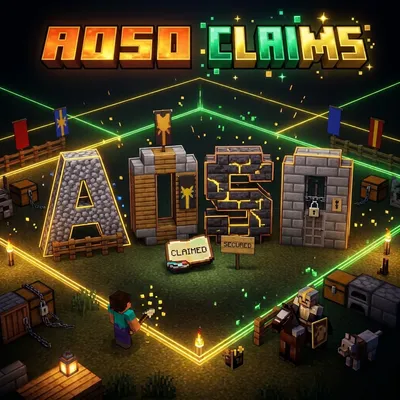
Lock your land: claim up to 50 chunks each, right on the AOSO Map or with /claim, and only you and the players you trust can break, build, open chests and doors or touch the animals there.
 mod
The Mod "OpenSignals" ported to 1.21.1 and expanded for the project "TFs in der Blockwelt" by RegioTf206 and his team. Highly performant and with loads of expanded features.
 mod
Fall from the stars, ride the endless sky and bend cosmic forces to your will