Minecraft version
Back to mods 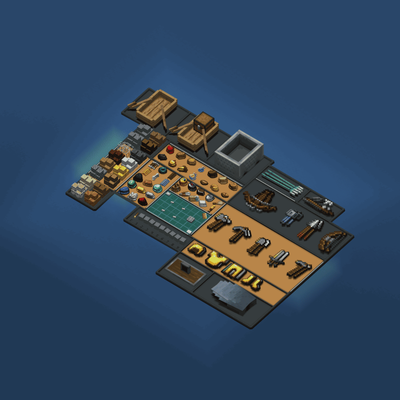
CurseForge · Minecraft mod
Inventory Expanded
Completely reimagines Minecraft's inventory with a fully interactive 3D system, featuring realistic item placement, smooth animations, intuitive crafting, and immersive equipment management.
Choose a version Pick your version below, then grab the matching file.
Quick answer
Which Inventory Expanded release matches Forge?
beta file Inventory Expanded-Forge 0.2.5 (Beta)
Game version 1.20.1
Loader Forge
Inventory Expanded-Forge 0.2.5 (Beta) targets 1.20.1 with Forge. The project page does not say whether this file belongs on the client, dedicated server, or both. No extra mods listed for this file.
Where it goes
Is Inventory Expanded required on the client, server, or both?
The project page does not say whether this file belongs on the client, dedicated server, or both.
Client Source doesn’t say
Dedicated server Source doesn’t say
Loader for this release Forge
Required install it here Optional supported, not mandatory Not supported do not install here Source doesn’t say do not assume
The source does not explicitly classify this release as client-only or server-only.
What else does Inventory Expanded-Forge 0.2.5 (Beta) need?
Inventory Expanded-Forge 0.2.5 (Beta) on Forge. Every mod below is checked against that same setup.
This file does not list any required mods. Do not add a library just because a different file uses it.
This file does not list any required or optional mods.
Before you install it
Add Inventory Expanded without breaking your instance.
Built for Inventory Expanded-Forge 0.2.5 (Beta) on Forge. Pick another file and the loader, install side or required mods may change.
- 01
Stick to this file
Use Inventory Expanded-Forge 0.2.5 (Beta). It targets 1.20.1 with Forge; another release may have different loader, side or dependency requirements.
- 02
Bring the mods it needs
This file does not list any required mods. Do not add a library just because a different file uses it.
- 03
Put it on the correct side
The project page does not say whether this file belongs on the client, dedicated server, or both.
- 04
Pick the file you checked
Use the “Get this file” button beside Inventory Expanded-Forge 0.2.5 (Beta). It opens that exact file at the source.
About this project
What does Inventory Expanded add?

Inventory Expanded is a complete inventory overhaul designed to bring a more realistic, tactical, survival-focused experience to Minecraft. Inspired by immersive survival games, the mod replaces the traditional inventory screen with a physical equipment management system, where every item feels like part of your survival gear.
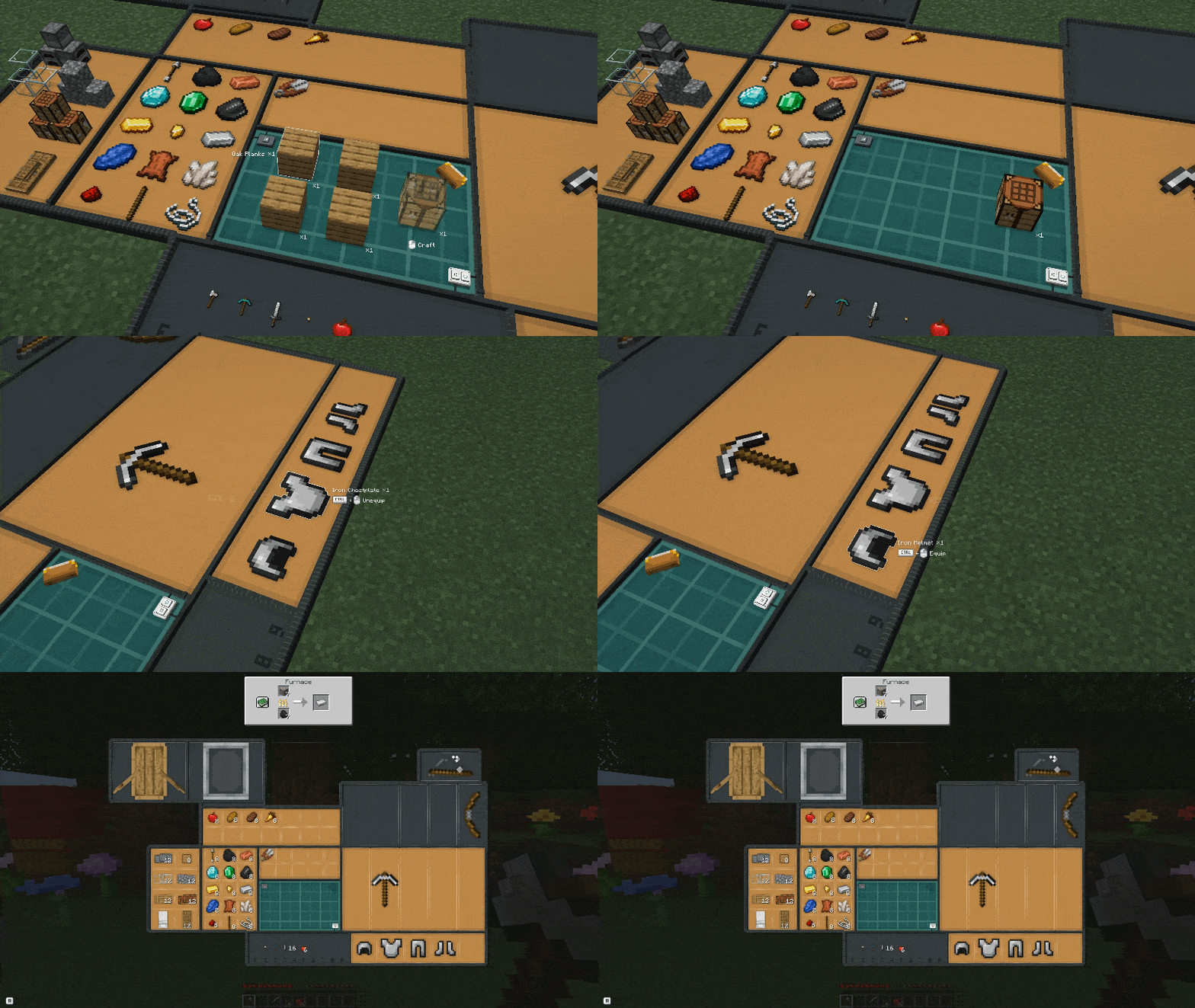
Opening your inventory unfolds a customizable mat, revealing your equipment in a grounded and organized environment. Tools, weapons, food, armor, and crafting materials are physically displayed, with detailed animations and natural interactions designed to make inventory management feel more authentic and immersive.
The mod introduces expanded storage, automatic organization, flexible item placement, and interactive equipment management. Every feature is designed around practicality and survival, encouraging a more hands-on approach to managing resources and preparing your equipment while preserving Minecraft's core gameplay.
Inventory Expanded also supports modded items, customizable equipment layouts, and individual scale adjustments for different item types, entire mods, and resource packs. Combined with customizable materials, colors, and lighting, these features create a personalized inventory experience that emphasizes realism, functionality, and immersion.
Your inventory, expanded!
Commands & Debugging
Inventory Scaling
Use /inventory scale <target> <value> to customize item sizes in your inventory.
Available targets:
- vanilla — Adjusts vanilla Minecraft items.
- item — Adjusts the item type held in your main hand.
- Mods & Resource Packs — Adjusts items from detected mods or resource packs.
Autocomplete displays all available targets.
Use /inventory settings to configure your inventory
Examples:
/inventory scale vanilla 50%— Increases vanilla item sizes by 50%./inventory scale item -50%— Reduces the size of the held item type.
Use normal to restore the default scale.
Values range from -200 to 200, with the % symbol optional. Positive values increase size (100% doubles it), while negative values gradually reduce it (-100% halves it, -200% reduces it to one-third).
Project description from CurseForge.
Pick your setup
Inventory Expanded by Minecraft version and loader
Choose the version and loader you play, then open the matching release.
Minecraft version
26.2
1 loader buildMinecraft version
1.21.11
1 loader buildMinecraft version
1.21.1
1 loader buildMinecraft version
1.20.1
1 loader buildCheck the dependencies, then try the file in a copied instance before changing a world you care about.
Recent files
Inventory Expanded versions and loaders
Inventory Expanded-Forge 0.2.5 (Beta)
inventory-expanded-forge-1.20.1-0.2.5.jar
24 Nov 2026
Client Source doesn’t say Server Source doesn’t say Dependencies No extras listed Listed on Release listing
Check the 1.20.1 · Forge setup 1.20.1Forge beta
Looking for an older file? The official CurseForge project page is in Resources.
 mod
CurseForge · Minecraft
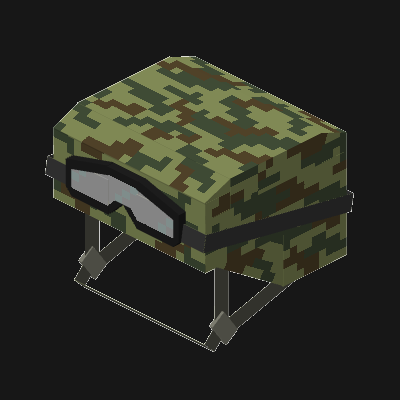
Pilot's Modern Military Armor
Adds 10 modern military armor sets and banner patching onto them.
 mod
CurseForge · Minecraft
Phoenix Chronicles (Quests)
An easy to use and lightweight questing mod focused on dev facing and user facing experience with a custom external tasks and rewards system.
 mod
CurseForge · Minecraft
Manufacture gunpowder
Provides a reliable source of gunpowder for bullet manufacturing in zombie-themed modpacks by implementing smelting recipes that convert coal into gunpowder, especially when creeper drops are limited.