Back to mods
Wrights project artwork

CurseForge · Minecraft mod

Wrights

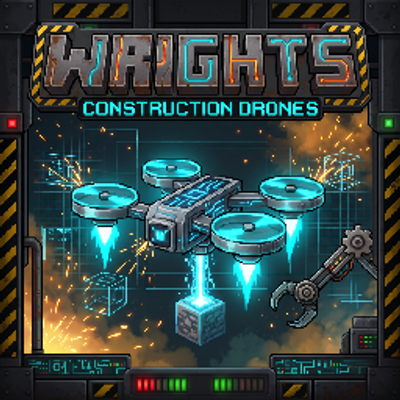
Command upgradable building drones: paste blueprints, grow shapes, swap and mirror blocks, powered by Forge Energy and supplied from your inventory, chests, or AE2/RS.

Choose a version Pick your version below, then grab the matching file.

Quick answer

Which Wrights release should I use?

Updated 2 days ago
beta file wrights-0.2.0.jar
Game version 1.21.1
Loader NeoForge

wrights-0.2.0.jar targets 1.21.1 with NeoForge. The project page does not say whether this file belongs on the client, dedicated server, or both. All 1 required mods have matching files.

Where it goes

Is Wrights required on the client, server, or both?

The project page does not say whether this file belongs on the client, dedicated server, or both.

Client Source doesn’t say
Dedicated server Source doesn’t say
Loader for this release NeoForge
Required install it here Optional supported, not mandatory Not supported do not install here Source doesn’t say do not assume

The source does not explicitly classify this release as client-only or server-only.

What else does wrights-0.2.0.jar need?

wrights-0.2.0.jar. Change the file and its required mods may change too.

All 1 required mods have matching files

Install Curios API first. We found matching files for this game-version and loader setup. 10 come through another mod in the chain.

5 listed on this file 10 pulled in by those mods
Applied Energistics 2 Optional for wrights-0.2.0.jar
optional
Matching file found Matched file: AE2 19.2.18 [NEOFORGE]
Curios API Needed by wrights-0.2.0.jar
required
Matching file found Matched file: curios-neoforge-9.5.1+1.21.1.jar
Jade 🔍 Optional for wrights-0.2.0.jar
optional
Matching file found Matched file: [NeoForge 1.21.1] 15.10.6
Just Enough Items (JEI) Optional for wrights-0.2.0.jar
optional
Matching file found Matched file: 19.70.0.469 for NeoForge 1.21.1
Refined Storage Optional for wrights-0.2.0.jar
optional
Matching file found Matched file: v2.0.9
WTHIT Needed by Applied Energistics 2
pulled in
No matching file
EMI Needed by Applied Energistics 2
pulled in
Matching file found Matched file: emi-1.1.24+1.21.1+neoforge
The One Probe Needed by Applied Energistics 2
pulled in
Matching file found Matched file: TheOneProbe - 1.21_neo-12.0.8
GuideME Needed by Applied Energistics 2
pulled in
Matching file found Matched file: GuideME 21.1.22
MezzConfigGUI Needed by Just Enough Items (JEI)
pulled in
Matching file found Matched file: MezzConfig GUI mc1.21.1-0.5.5 for NeoForge
MezzConfig Needed by Just Enough Items (JEI)
pulled in
Matching file found Matched file: MezzConfig 0.6.11 for NeoForge 1.21.1
Architectury API Needed by Roughly Enough Items Fabric/Forge/NeoForge (REI)
pulled in
Matching file found Matched file: [NeoForge 1.21] v13.0.11

10 extra mods were pulled in by other dependencies. Indented rows show who needs each one. We only count dependency files that match this setup. A file for another loader does not fill the gap.

Before you install it

Add Wrights without breaking your instance.

Built for wrights-0.2.0.jar. Pick another file and the loader, install side or required mods may change.

  1. 01

    Stick to this file

    Use wrights-0.2.0.jar. It targets 1.21.1 with NeoForge; another release may have different loader, side or dependency requirements.

  2. 02

    Bring the mods it needs

    Install Curios API first. We found matching files for this game-version and loader setup. 10 come through another mod in the chain.

  3. 03

    Put it on the correct side

    The project page does not say whether this file belongs on the client, dedicated server, or both.

  4. 04

    Pick the file you checked

    Use the “Get this file” button beside wrights-0.2.0.jar. It opens that exact file at the source.

About this project

What does Wrights add?

Wrights - Construction Drones

The One building tool to rule them all!

Wrights is a Factorio-inspired builder mod. Command a fleet of small building drones, called Wrights, to place blueprints (including block settings and other NBT data), grow Shape primitives, Exchange solids into a new material, Place forms and walking paths, and Mirror builds around an anchor. Upgrade each Wright with Rotor, Fabricator, and Power Core parts from Scout to Apex, power their wrightports with Forge Energy, and supply the work from your inventory, chests, or a linked digital network. Blueprints live in a world library or a global library shared across worlds and modpacks on the same Minecraft version, and you can move them on blueprint sheets, folder items, or the system clipboard.


How It Works

Hold the Wright Controller. Ctrl + Shift + scroll changes mode: Build, Jobs, Info, and Link. Inside Build, Shift + scroll picks the tool: New template, Use template, Place, Mirror, Shape, Exchange, or Bind inventory. Press B to open the menu on the page for your current mode. The in-game Help page covers every tool.

1. Make a Blueprint

Choose New template, then one of the capture styles.

  • Two corners: Right-click the first corner, then Shift + right-click the second.
  • Box: Drag a box out from where you start.
  • Move: Slide a box you already marked.

The blueprint screen lets you preview, rename, nudge, rotate, and flip the selection. Save chests and machines empty, keep their settings, or, in Creative, save an exact copy.

Keep plans in this world’s library, or move them to the Global library so they stay available in other worlds and modpacks on the same version. Import/Export can copy a blueprint or folder to the clipboard, paste one back in, or write it onto a blueprint sheet / folder item to carry or share.

2. Send the Wrights

Pick a blueprint and choose Build. A hologram follows where you look. Right-click to place it. Ctrl + scroll rotates the template, and Ctrl + right-click pins the build anchor.

Before the job starts, the list shows every block it needs, split by where those blocks will come from: what you are carrying, a bound chest, or a linked network. Survival spends those items and Forge Energy. Creative builds for free. If no Wright is free, the job waits in the queue.

Alt + right-click undoes the last finished build.

3. Mirror

Ctrl + right-click a block face to set the anchor, and Ctrl + right-click air to clear it. Shift + right-click opens a quick Blocks / Blueprints tweak.

  • Blocks: Place the block in your other hand, and Wrights build the reflected copies.
  • Blueprints: Send Wrights to build mirrored copies of the blueprint you are placing.
  • Copies: A slider makes 1 to 32 copies around the anchored face, or you can mirror through the middle of the anchor on X, Y, and Z.
  • Mining: Break a block and Wrights mine the copies as one job. Drops follow the tool you are holding. Void removes them with no drops.

Every copy from one click is one job, so Undo removes them together.

4. Shape

Pick a kind, materials, hollow or solid, and place with look aim or an anchor. Shift + right-click opens a quick size/aim tweak. Middle-click a block to set materials.

  • Kinds: Circle, Square, Rectangle, Box, Cube, Sphere, Cylinder, Dome, Pyramid, Ring (tall rings become a torus). Round kinds are sized by Diameter. Square and Box can lock Equal sides.
  • Materials: Weighted palette with Random, Priority, and Order fills. Drag plain blocks from JEI onto Pick blocks.
  • Aim: Look mode with optional snap lock, or On anchor / Set under me. Choose which pivot of the shape pins to the aim cell.
  • Orientation: Axis and Rotation for every kind. Ctrl + scroll turns the hologram in the world.
  • Void blocks: Clears existing blocks (and fluids) at each cell before placing.
  • Size: Sliders with − / + (Ctrl / Shift / Alt for bigger steps), hold-drag, or click the value to type. Large shapes stream while they build.

5. Exchange

Aim a form at solids in the world and swap them into your material palette. Wrights haul the old blocks back. Void only stops those returns from dropping.

  • Forms: Floor, Wall, Pillar, Beam, and Circle (with Floor / Wall mount), oriented for you.
  • Match look / Similar blocks: Limit what gets swapped, or widen the filter to related blocks.
  • Silk touch: Keep the swapped-out block as itself when you want.
  • Quick tweak: Shift + right-click for a compact form and materials menu.

6. Place

Build with the same form language as Exchange, or walk out a path.

  • Build mode: Look (aim a form), To me, or Bridge.
  • Look forms: Floor, Wall, Pillar, Beam, Circle, and Stairs. Circle has Mount Floor / Wall. Floor, Wall, Beam, and Circle get Left / Right rotate. Stairs uses height, width, and Up / Down.
  • To me: From the block you aim at, fills along that face’s axis until it matches your standing coordinate on that axis.
  • Bridge: Right-click toggles a flat walking path under you, shifted forward by path offset and width, with a clear ON/OFF banner.
  • Quick tweak: Shift + right-click for Build mode, sizes, and materials.

Your Wrights

Wrightports

  • Personal Wrightport: Worn in the Curios slot or carried. Its Wrights travel with you and build around you. A Boundary toggle shows how far they reach.
  • Wrightport: A two-block tower placed in the world. Its Wrights stay with the building and work inside its boundary. Use Bind Chest to give it its own supply chest, or link a digital network.

Both hold up to 10 Wrights, launch them through a spiral iris hatch, and show their charge on six bars that fill red, yellow, then green.

The Hangar

Right-click any wrightport to open its hangar.

  • Add Wrights: Click an empty bay to add 1–10, or All that fit, from your inventory or a linked network. Tick a box to craft the rest. New Wrights fly in from the sky and dock.
  • Fit parts: Drag a part onto its slot, Shift-click it from your inventory, or click an empty slot to fit the best tier you have.
  • Bulk upgrade: Mark several Wrights and use Upgrade marked to set tiers, upgrade everything to the best parts available (optionally crafting from digital storage), or strip all parts.
  • A coloured tip strip confirms each change, and JEI sits right beside it.

Parts & Tiers

Every Wright has three part slots, each with five tiers: Scout, Ranger, Vector, Tempest, and Apex. A Wright with no parts works at Basic rates.

  • Rotor Assembly: Flight speed, from 5 blocks/s up to 55 blocks/s.
  • Fabricator Head: Actions per tick (1 up to 19) and how far around itself a Wright can build, up to a full 3×3×3 (- the corners).
  • Power Core: Energy efficiency. Match it to the rotor for base cost, or go higher to run at down to half the cost.

Fitted parts show on the Wright itself, both flying and as an item.

Energy

Every block a Wright places, mines, swaps, or voids costs Forge Energy from the wrightport that launched it.

  • Placed Wrightport: Holds 1,000,000 FE. Connect any FE cable or generator.
  • Personal Wrightport: Draws from the batteries you carry, and charges on wireless pads such as Mekanism’s chargepad.

When a job runs out of blocks or energy, it stalls: a toast tells you why, the crew flies home, and the job resumes on its own once supply returns.

Menus

  • Jobs: Pause, resume, remove, and highlight a build. Use − / + to change how many Wrights it uses. History keeps a log of finished work. In Creative, Go teleports you to a job.
  • Manage: See every wrightport, its Wrights, their parts, and what they are doing, and Send home any Wright.
  • Info: Look at a ghost, hologram, Wright, anchor, or wrightport to see what it is and which job it belongs to. Working Wrights show the block they are carrying underneath them.

Press B with the controller in hand to open blueprints, jobs, Manage, Options, and Help. Blueprints can be put in folders, favorited, kept in Global across worlds on the same version, copied through the clipboard, or carried on sheets and folder items.


Requirements & Compatibility

  • Minecraft: 1.21.1
  • NeoForge: 21.1+
  • Curios API: Required. The personal Wrightport uses this slot.
  • Java: 21

Optional Integrations

  • Jade: Tooltips on Wrights (tier, job, stall reason) and wrightport energy.
  • JEI: Recipes, a lane beside the hangar, and drag-onto Pick blocks for Shape materials.
  • AE2: Link from a wireless access point, in Link mode. The network can supply builds and craft Wrights and parts.
  • Refined Storage: Link from Link mode, so the network can supply the build.
  • Mekanism: Chargepads charge a worn Personal Wrightport.

Beta: This is version 0.2.0. It works on a new world or an existing one. Coming from 0.1.8: old upgrade items turn into parts, and newly placed wrightports need charging. Back up any world you care about.

Project description from CurseForge.

Pick your setup

Wrights by Minecraft version and loader

Choose the version and loader you play, then open the matching release.

1 available setups

Check the dependencies, then try the file in a copied instance before changing a world you care about.

Recent files

Wrights versions and loaders

8 of 8 releases match

Looking for an older file? The official CurseForge project page is in Resources.