LDLib Needed by GregTech Maintenance Toolbox 2.0.0
requiredMatching file found Matched file: LDLib 1.20.1-1.0.52.a-forge
CurseForge · Minecraft mod
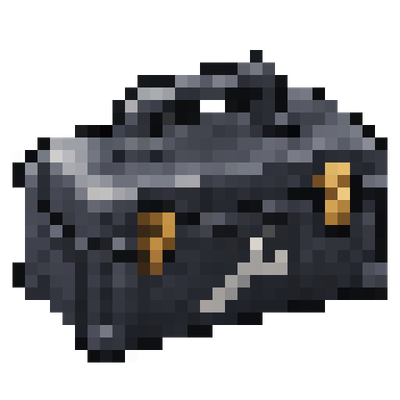
A ten-slot toolbox for GregTech CEu Modern with radial and automatic tool selection, battery charging, maintenance hatch repair, nearby access to placed toolboxes, 16 dye colors, configurable controls and sounds, and English and Russian support.
Quick answer
GregTech Maintenance Toolbox 2.0.0 targets 1.20.1 with Forge. The project page does not say whether this file belongs on the client, dedicated server, or both. All 2 required mods have matching files.
Where it goes
The project page does not say whether this file belongs on the client, dedicated server, or both.
The source does not explicitly classify this release as client-only or server-only.
GregTech Maintenance Toolbox 2.0.0 on Forge. Every mod below is checked against that same setup.
Install LDLib, GregTech CEu Modern first. We found matching files for this game-version and loader setup. 8 come through another mod in the chain.
8 extra mods were pulled in by other dependencies. Indented rows show who needs each one. We only count dependency files that match this setup. A file for another loader does not fill the gap.
Before you install it
Built for GregTech Maintenance Toolbox 2.0.0 on Forge. Pick another file and the loader, install side or required mods may change.
Use GregTech Maintenance Toolbox 2.0.0. It targets 1.20.1 with Forge; another release may have different loader, side or dependency requirements.
Install LDLib, GregTech CEu Modern first. We found matching files for this game-version and loader setup. 8 come through another mod in the chain.
The project page does not say whether this file belongs on the client, dedicated server, or both.
Use the “Get this file” button beside GregTech Maintenance Toolbox 2.0.0. It opens that exact file at the source.
About this project
Keep your GregTech tools together in a portable, placeable toolbox with 10 tool slots, a separate battery slot, and a radial selection menu.
Middle-click selects a wrench for a GregTech pipe or machine, wire cutters for a cable, or a crowbar for a cover on the targeted side. This only selects the tool.
Automatic selection activates when you start breaking a block with the toolbox in your main hand. Pipes select a wrench, cables select wire cutters, and other supported blocks follow native GregTech tool rules. Looking at a block does not switch tools. Sneaking bypasses automatic selection by default.
Markers help locate installed covers on the targeted block. Right-clicking a cover marker with an inactive toolbox can select and use a stored crowbar. Selected tools retain GregTech's native side grids and pipe/cable targeting.
Place the toolbox on the ground and access its tools within 16 blocks by default, with a configurable range. Tools borrowed from a placed toolbox reserve their original slots. Automatic return requires an accessible source reservation; otherwise the tool stays with the player.
A compatible GregTech battery charges electric tools in carried and loaded placed toolboxes, including active tools, while respecting voltage and transfer limits.
Includes 16 dye colors, animated opening, tool previews, English and Russian translations, rebindable controls, and settings for automatic selection, appearance and sounds.
Color toolboxes using a crafting dye or 144 mB of liquid dye in a chemical bath. The crafting recipe uses GregTech wrought-iron plates. TerraFirmaGreg is optional.
Minecraft 1.20.1, Forge 47.4.13+ within 47.x, and GregTech CEu Modern with its required dependencies. Tested with GregTech CEu Modern 7.5.3. Install on both client and server.
Back up your world before upgrading. Replace the old addon JAR; do not keep both versions installed.
Переносимый ящик для инструментов GregTech с возможностью установки на землю, 10 инструментальными слотами, отдельным слотом батареи и колесом выбора.
СКМ выбирает ключ для трубы или машины GregTech, кусачки для кабеля, ломик для крышки на выбранной стороне. Само нажатие только выбирает инструмент.
Автоподбор срабатывает при начале ломания блока, когда ящик находится в основной руке. Для труб выбирается ключ, для кабелей — кусачки. Остальные поддерживаемые блоки используют штатные правила инструментов GregTech. Простое наведение ничего не переключает. При приседании автоподбор по умолчанию пропускается.
Метки помогают найти установленные крышки на блоке под прицелом. ПКМ по метке с ящиком без активного инструмента позволяет выбрать и применить лежащий внутри ломик. У выбранных инструментов сохраняются штатная сетка сторон GregTech и области наведения на трубы и кабели.
Установи ящик на землю и получай доступ к инструментам в радиусе 16 блоков по умолчанию. Радиус настраивается. За взятыми инструментами сохраняются исходные ячейки. Автовозврат требует доступного исходного резерва; иначе инструмент остаётся у игрока.
Совместимая батарея GregTech заряжает электроинструменты в переносимом или установленном загруженном ящике, включая активные инструменты, с соблюдением напряжения и лимитов передачи энергии.
Доступны 16 цветов, анимация открытия, предпросмотр инструментов, русский и английский языки. Бинды, автоподбор, внешний вид и звуки настраиваются.
Ящик можно покрасить красителем в крафте или 144 mB жидкого красителя в химической ванне. Для крафта используются пластины кованого железа GregTech. TerraFirmaGreg не обязателен.
Minecraft 1.20.1, Forge 47.4.13+ в пределах 47.x, GregTech CEu Modern и его обязательные зависимости. Проверено с GregTech CEu Modern 7.5.3. Мод устанавливается на клиент и сервер.
Project description from CurseForge.
Pick your setup
Choose the version and loader you play, then open the matching release.
Check the dependencies, then try the file in a copied instance before changing a world you care about.
Recent files
maintenance-toolbox-2.0.0.jar
11 Nov 2026
maintenance-toolbox-1.0.0.jar
30 Oct 2026
Looking for an older file? The official CurseForge project page is in Resources.
 mod
Drive, sail and fly again: an unofficial 1.20.1 port of MrCrayfish’s Vehicle Mod with 29 vehicles, upgradable engines and wheels, trailers and a full fuel production chain. Works on its own, with optional Furniture Restored extras.
 mod
The all-in-one Christmas mod: gingerbread houses and decorated trees in the snow, presents you wrap for friends, an advent calendar, reindeer (watch for the red-nosed one), gingerbread men, Krampus, festive food, lights and decorations.
 mod
Unofficial fork of GregTech CEu Modern, maintained for the GregTech Odyssey modpack.