Minecraft version
Back to mods 
CurseForge · Minecraft mod
Kirri's Voice
Proximity voice chat inside the game: real 3D sound, push to talk on V, a discreet glass HUD and per-player volume. No external programs.
Choose a version Pick your version below, then grab the matching file.
Quick answer
Which Kirri's Voice release should I use?
Latest stable file Kirri's Voice 1.0.0 (Forge 1.20.1)
Game version 1.20.1
Loader Forge
Kirri's Voice 1.0.0 (Forge 1.20.1) targets 1.20.1 with Forge. The project page does not say whether this file belongs on the client, dedicated server, or both. No extra mods listed for this file.
Where it goes
Is Kirri's Voice required on the client, server, or both?
The project page does not say whether this file belongs on the client, dedicated server, or both.
Client Source doesn’t say
Dedicated server Source doesn’t say
Loader for this release Forge
Required install it here Optional supported, not mandatory Not supported do not install here Source doesn’t say do not assume
The source does not explicitly classify this release as client-only or server-only.
What else does Kirri's Voice 1.0.0 (Forge 1.20.1) need?
Kirri's Voice 1.0.0 (Forge 1.20.1). Change the file and its required mods may change too.
This file does not list any required mods. Do not add a library just because a different file uses it.
This file does not list any required or optional mods.
Before you install it
Add Kirri's Voice without breaking your instance.
Built for Kirri's Voice 1.0.0 (Forge 1.20.1). Pick another file and the loader, install side or required mods may change.
- 01
Stick to this file
Use Kirri's Voice 1.0.0 (Forge 1.20.1). It targets 1.20.1 with Forge; another release may have different loader, side or dependency requirements.
- 02
Bring the mods it needs
This file does not list any required mods. Do not add a library just because a different file uses it.
- 03
Put it on the correct side
The project page does not say whether this file belongs on the client, dedicated server, or both.
- 04
Pick the file you checked
Use the “Get this file” button beside Kirri's Voice 1.0.0 (Forge 1.20.1). It opens that exact file at the source.
About this project
What does Kirri's Voice add?
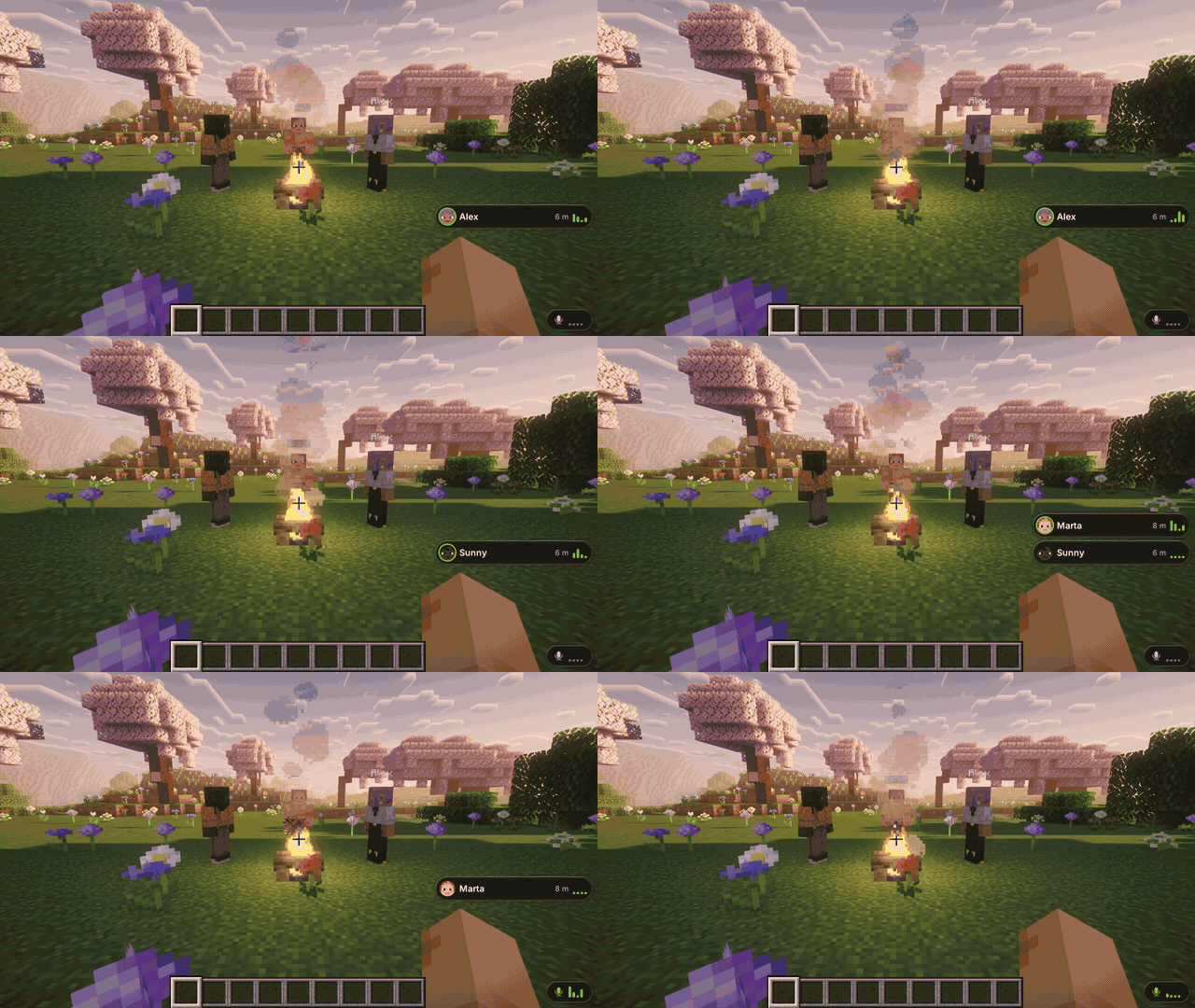
Talk to the people near you, right inside the game. Real 3D sound · push to talk on V · a discreet glass HUD · no external programs, no extra ports, no native libraries
Fabric · Forge · NeoForge | 1.20.1 · 1.21.1 · 26.3 | 18 languages | Needed on the server and on every client
Fabric also needs Fabric API.
The moving images can't carry sound, so what they show is the interface, with test players standing in: who's talking, how far away they are, your microphone and the settings.

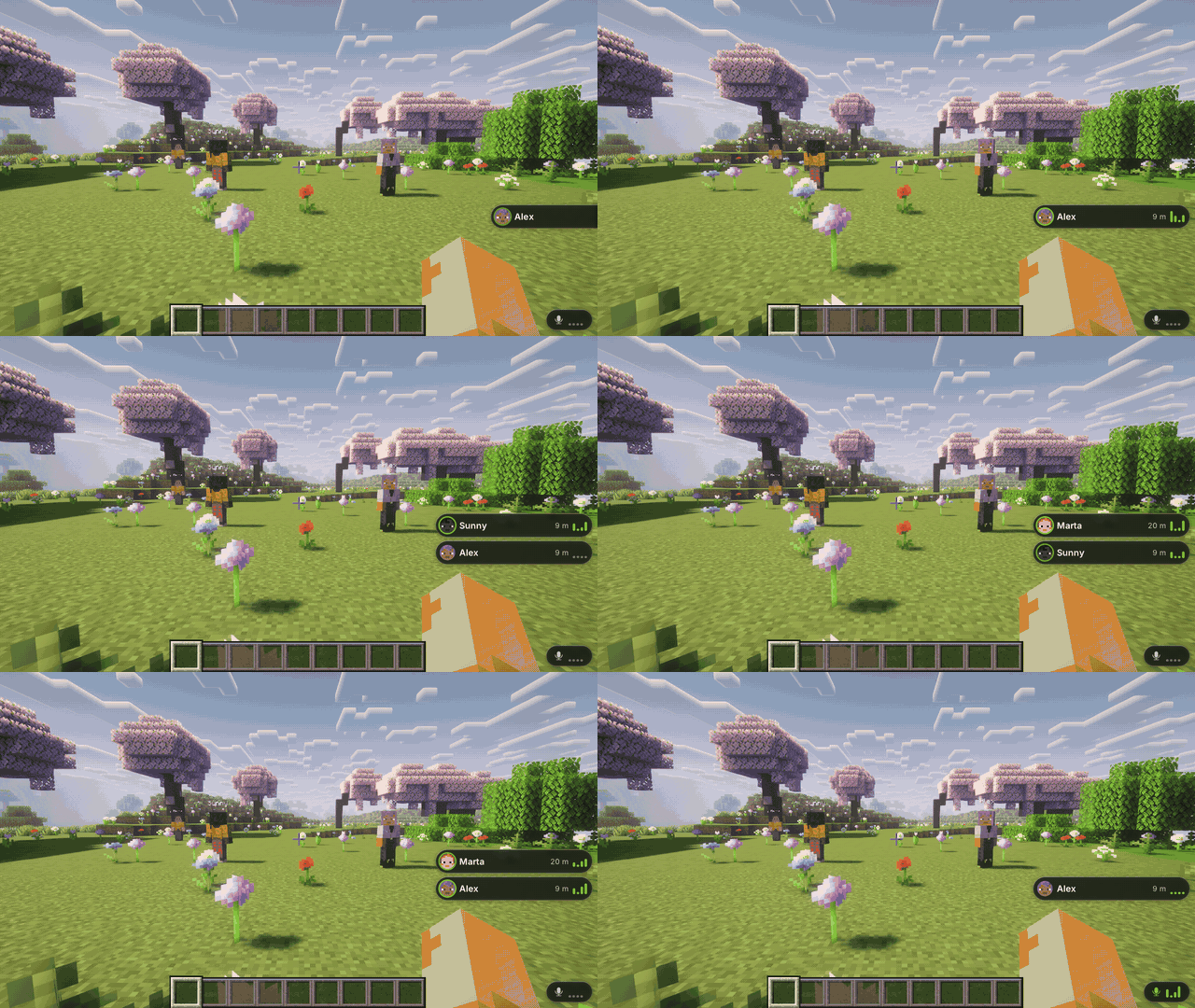
Walk up to someone and just talk. Everyone within range hears you, and the further away they are, the quieter you sound. The default range is 48 blocks, and the server can change it.
You only hear people in your own dimension. Walls don't block voices.
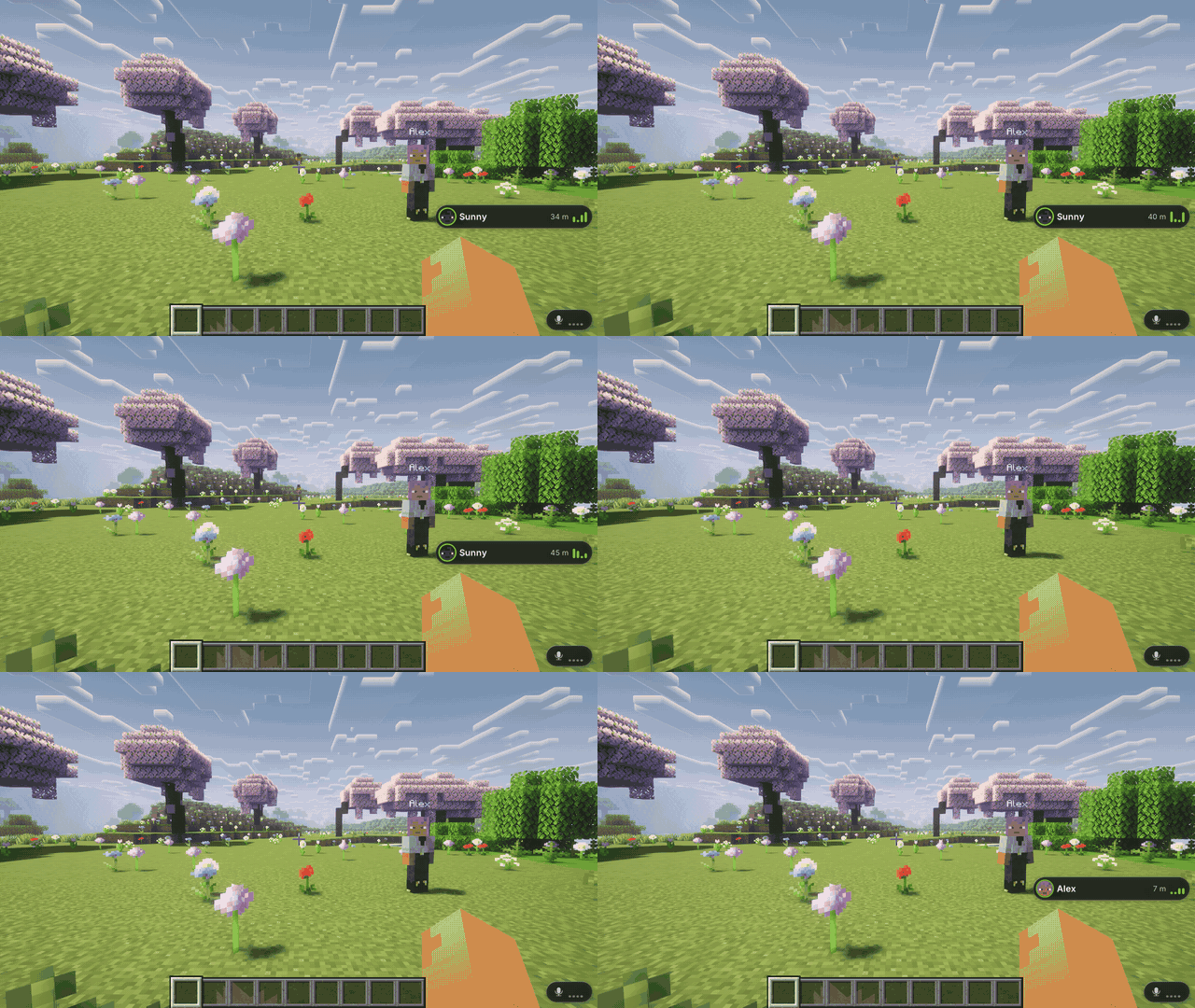

Voices come from where the person really is. Someone on your left sounds on your left, and when you turn around they move to the other ear.

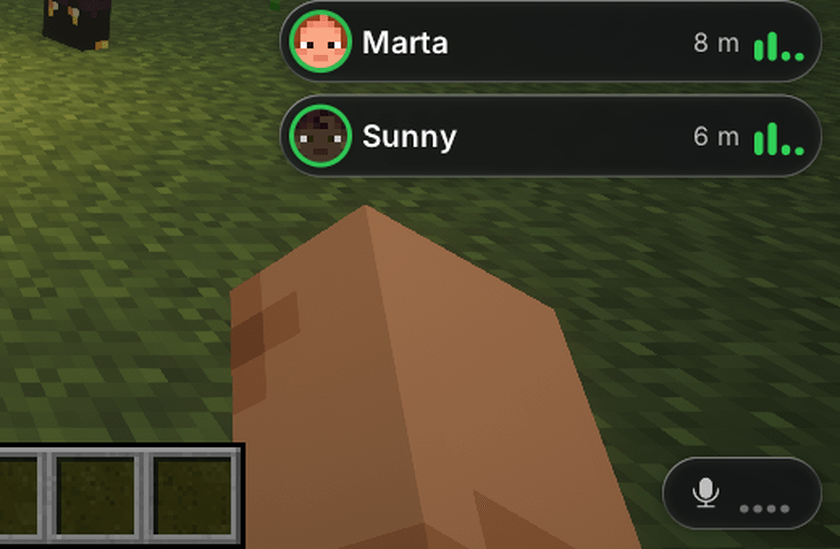
Bottom right by default, growing upwards and staying clear of your hotbar, hearts and hunger. It shows your microphone and level, and who's talking with their face and distance. You can move it to three other places or turn it off.

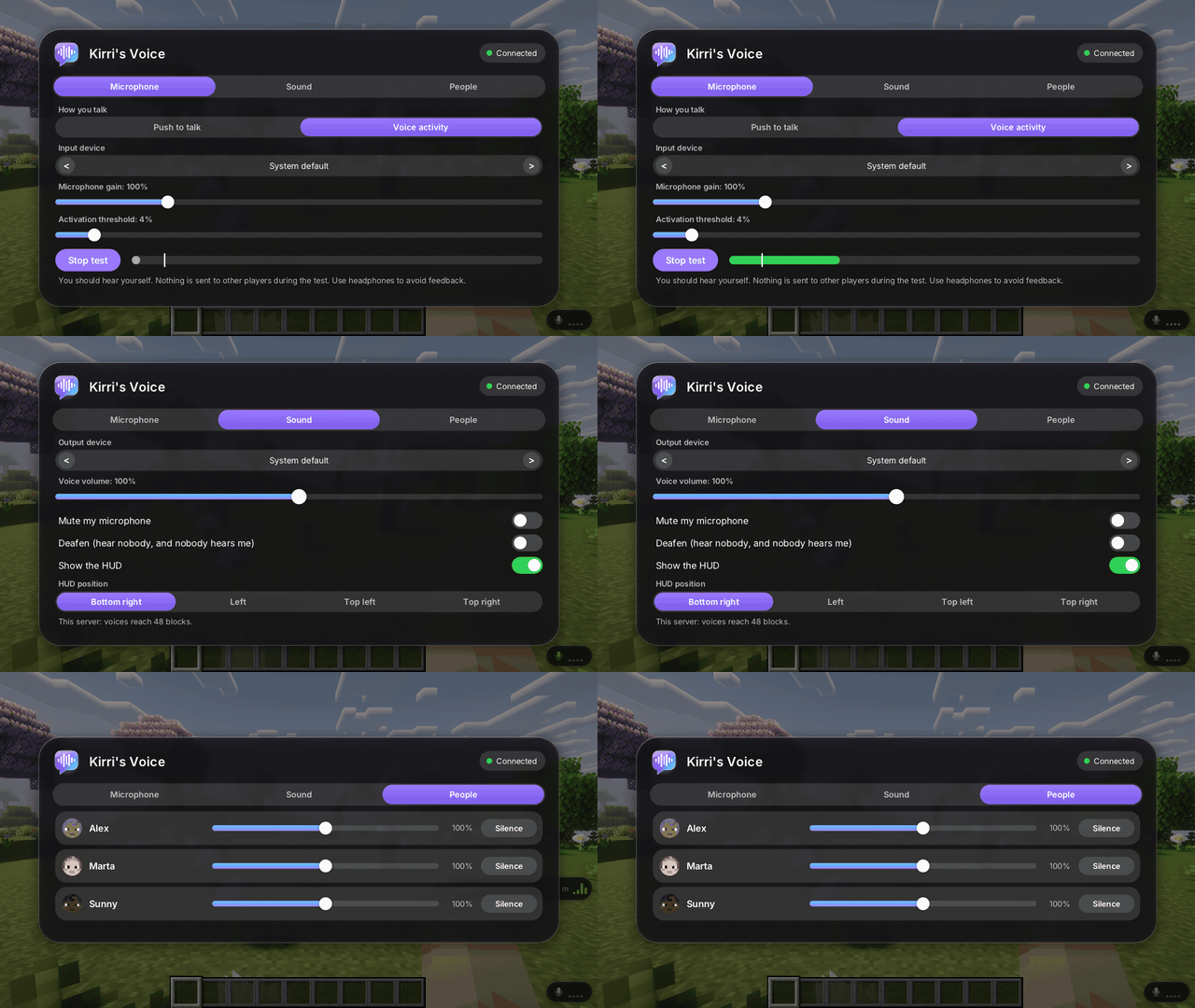
Open it with the Voice button in the pause menu, or give it a key.
- Push to talk (the default, so nobody transmits by accident) or voice activation with an adjustable threshold
- Input and output device, microphone gain and voice volume
- Microphone test where you hear yourself. Nothing is sent to anyone
- Volume per player, and silencing someone
- Mute and deafen, with keys you can assign. They really close the device
Every key can be changed in Controls.

Everything is in config/kirrisvoice.json:
| Option | Default | What it does |
|---|---|---|
enabled |
true |
Allow voice on this server |
distance |
48 |
Blocks until a voice is gone (4 to 256) |
fullVolumeDistance |
6 |
Blocks heard at full volume |
rolloff |
1.6 |
Curve between the two: 1 is linear, higher falls off sooner |
volume |
1 |
Overall volume (0 to 2) |
disabledDimensions |
[] |
For example "minecraft:the_end" |
spectatorsCanTalk |
false |
Spectators can always listen |
maxDownlinkKBps |
64 |
Voice cap towards each player. One person talking is about 9 KB/s |
It's light on the network: silence sends nothing, voice only goes to players in range, and the server limits and checks everything it passes on. Voice travels over the normal game connection and is not encrypted, so don't use it for anything private.
Players without the mod can still join a server that has it, and players with the mod can join servers that don't. On those servers the microphone stays closed.

- Other voice mods: if another voice mod is installed, Kirri's Voice stays off and tells you in its settings, until you decide to turn it on. Its talk key starts unassigned in that case, so one press never triggers both.
- Your microphone only opens on a server with the mod with someone else to talk to, or when you press the mic test button.
- If your microphone fails or another program has it, you get a clear message, you can still listen, and it keeps retrying. The game doesn't freeze.
- Kirri's Phone: proximity voice pauses during a phone call and comes back when you hang up.

| Minecraft | Fabric | Forge | NeoForge | Java |
|---|---|---|---|---|
| 26.3 | yes | yes | yes | 25 |
| 1.21.1 | yes | yes | yes | 21 |
| 1.20.1 | yes | yes | no | 17 |
On 26.3 the glass doesn't blur what's behind it and player faces are square, because of how that version draws its interface. Everything else is the same.

This is the first release, and it's fair you know what that means.
Tested:
- Two real clients and a real server on Fabric, on 1.21.1 and 26.3, with generated test signals going in where the microphone would. Nothing was lost on the way, it took about 75 ms from sender to the audio output plus what your sound card adds, and distance, panning, range, thresholds, mute, deafen, dimensions, per-player volume and flood limits all behaved as designed.
- All the versions above: the jars build, real servers start with them, and real clients join a world and show the HUD and settings.
- A short playtest by the author alongside other Kirri mods, with clean logs.
Not tested yet:
- Two players talking on Forge or NeoForge. It's the same voice code, but only Fabric has run it end to end. If you try it, please tell me how it goes.
- How it sounds to different people with different microphones. The codec is ADPCM at 16 kHz: clear speech, not studio quality.
- Linux and macOS, and unusual audio drivers.
- Big servers.
Something wrong? Tell me on Discord with your loader, version and audio device.
The images were captured with a shader pack, which isn't included.
Project description from CurseForge.
Pick your setup
Kirri's Voice by Minecraft version and loader
Choose the version and loader you play, then open the matching release.
Minecraft version
1.21.1
3 loader buildsMinecraft version
1.20.1
2 loader buildsCheck the dependencies, then try the file in a copied instance before changing a world you care about.
Recent files
Kirri's Voice versions and loaders
Kirri's Voice 1.0.0 (Forge 1.20.1)
kirrisvoice-forge-1.20.1-1.0.0.jar
31 Oct 2026
Client Source doesn’t say Server Source doesn’t say Dependencies No extras listed Listed on Release listing
Check the 1.20.1 · Forge setup 1.20.1Forge release
Kirri's Voice 1.0.0 (Fabric 1.20.1)
kirrisvoice-fabric-1.20.1-1.0.0.jar
31 Oct 2026
Client Source doesn’t say Server Source doesn’t say Dependencies 1 required · 1 unchecked Listed on Release listing
Check the 1.20.1 · Fabric setup Fabric1.20.1 release
Kirri's Voice 1.0.0 (Forge 1.21.1)
kirrisvoice-forge-1.21.1-1.0.0.jar
31 Oct 2026
Client Source doesn’t say Server Source doesn’t say Dependencies No extras listed Listed on Release listing
Check the 1.21.1 · Forge setup Forge1.21.1 release
Kirri's Voice 1.0.0 (NeoForge 1.21.1)
kirrisvoice-neoforge-1.21.1-1.0.0.jar
31 Oct 2026
Client Source doesn’t say Server Source doesn’t say Dependencies No extras listed Listed on Release listing
Check the 1.21.1 · NeoForge setup 1.21.1NeoForge release
Kirri's Voice 1.0.0 (Fabric 1.21.1)
kirrisvoice-fabric-1.21.1-1.0.0.jar
31 Oct 2026
Client Source doesn’t say Server Source doesn’t say Dependencies 1 required · 1 unchecked Listed on Release listing
Check the 1.21.1 · Fabric setup Fabric1.21.1 release
Kirri's Voice 1.0.0 (Forge 26.3)
kirrisvoice-forge-26.3-1.0.0.jar
31 Oct 2026
Client Source doesn’t say Server Source doesn’t say Dependencies No extras listed Listed on Release listing
Check the 26.3 · Forge setup Forge26.3 release
Kirri's Voice 1.0.0 (NeoForge 26.3)
kirrisvoice-neoforge-26.3-1.0.0.jar
31 Oct 2026
Client Source doesn’t say Server Source doesn’t say Dependencies No extras listed Listed on Release listing
Check the 26.3 · NeoForge setup NeoForge26.3 release
Kirri's Voice 1.0.0 (Fabric 26.3)
kirrisvoice-fabric-26.3-1.0.0.jar
31 Oct 2026
Client Source doesn’t say Server Source doesn’t say Dependencies 1 required · 1 unchecked Listed on Release listing
Check the 26.3 · Fabric setup Fabric26.3 release
Looking for an older file? The official CurseForge project page is in Resources.
 mod
CurseForge + Modrinth · Minecraft
Souls Combat HUD
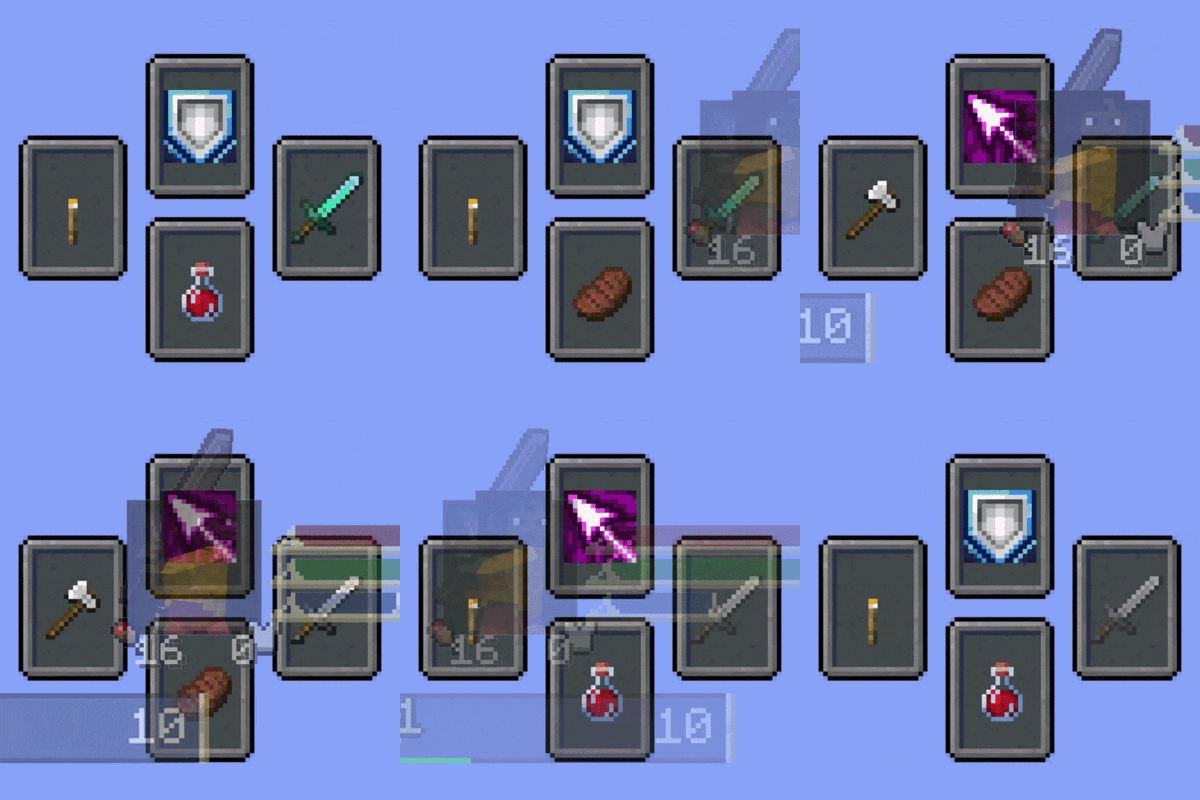
Adds a soulslike HUD featuring equipment slots, boss bar, status gauges and team display.
 mod
CurseForge · Minecraft
Sparrow's Homestead Chronicles
Standalone adventure journal featuring quests, XP progression, a customizable HUD, and an adventure library for Minecraft 1.21.1.
 mod
CurseForge · Minecraft
Unified Mana - Shared Mana for Spell Mods
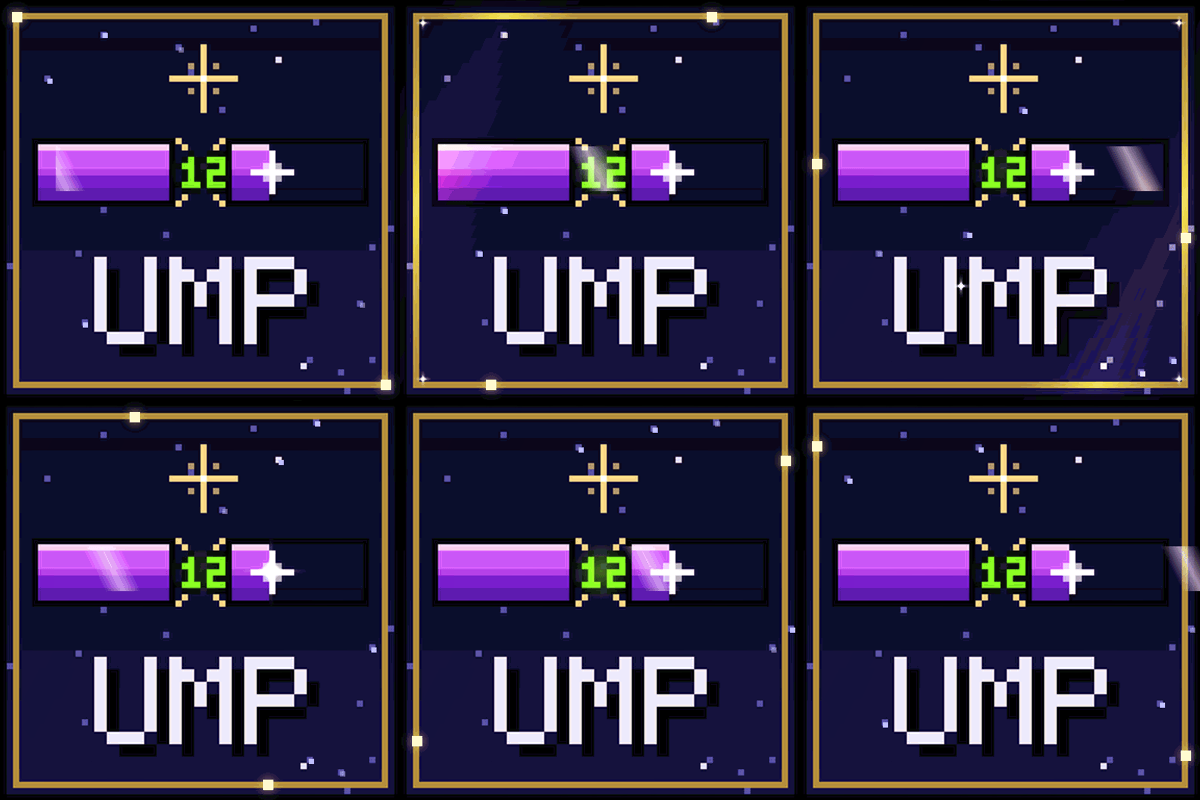
One unified mana pool for every supported magic mod, displayed on a single HUD bar!