Minecraft version
Back to mods 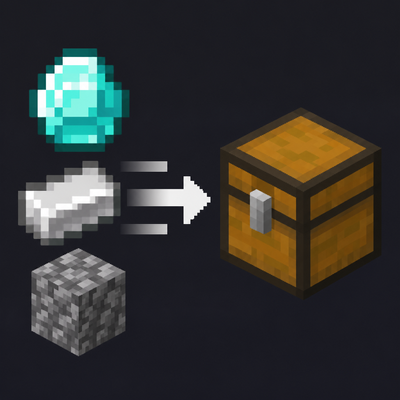
CurseForge · Minecraft mod
Actually QuickStack
Lightweight Fabric inventory tools: quick-stack matching items into nearby storage, restock, sort inventories, quick-move items, and protect slots with persistent locks.
Choose a version Pick your version below, then grab the matching file.
Quick answer
Which Actually QuickStack release should I use?
Latest stable file ActuallyQuickStack-1.1.1-Fabric-1.20.1.jar
Game version 1.20.1
Loader Fabric
Actually QuickStack ActuallyQuickStack-1.1.1-Fabric-1.20.1.jar targets 1.20.1 with Fabric. The project page does not say whether this file belongs on the client, dedicated server, or both. No extra mods listed for this file.
Where it goes
Is Actually QuickStack required on the client, server, or both?
The project page does not say whether this file belongs on the client, dedicated server, or both.
Client Source doesn’t say
Dedicated server Source doesn’t say
Loader for this release Fabric
Required install it here Optional supported, not mandatory Not supported do not install here Source doesn’t say do not assume
The source does not explicitly classify this release as client-only or server-only.
What else does Actually QuickStack ActuallyQuickStack-1.1.1-Fabric-1.20.1.jar need?
ActuallyQuickStack-1.1.1-Fabric-1.20.1.jar. Change the file and its required mods may change too.
This file does not list any required mods. Do not add a library just because a different file uses it.
This file does not list any required or optional mods.
Before you install it
Add Actually QuickStack without breaking your instance.
Built for Actually QuickStack ActuallyQuickStack-1.1.1-Fabric-1.20.1.jar. Pick another file and the loader, install side or required mods may change.
- 01
Stick to this file
Use ActuallyQuickStack-1.1.1-Fabric-1.20.1.jar. It targets 1.20.1 with Fabric; another release may have different loader, side or dependency requirements.
- 02
Bring the mods it needs
This file does not list any required mods. Do not add a library just because a different file uses it.
- 03
Put it on the correct side
The project page does not say whether this file belongs on the client, dedicated server, or both.
- 04
Pick the file you checked
Use the “Get this file” button beside ActuallyQuickStack-1.1.1-Fabric-1.20.1.jar. It opens that exact file at the source.
About this project
What does Actually QuickStack add?
Actually QuickStack
Quick Stack. Restock. Sort. Lock slots. Nothing unnecessary.
Actually QuickStack is a lightweight, fully configurable inventory utility for Minecraft 1.20.1 (Fabric).
It keeps inventory management simple. Stack matching items into nearby storage, restock what you already carry, sort inventories with a click, move items precisely, and protect important slots. No storage networks, background chest scanning or automatic transfers.
Features
Quick Stack
Press Stack in your inventory to transfer matching items into nearby chests and barrels.
- Only transfers items already represented in the destination storage.
- Preserves item and NBT matching.
- Fills compatible partial stacks before using empty slots in eligible containers.
- Optional hotbar inclusion.
Restock
Press Restock to refill existing inventory stacks from nearby storage.
- Tops up matching stacks to their permitted maximum.
- Does not introduce new item types into empty inventory slots.
- Optional hotbar inclusion.
- Middle-click Inventory Sorting
Middle-click an inventory section to sort it.
- Sorts the player's main inventory without rearranging the hotbar.
- Sorts chest, barrel and shulker box contents separately from your inventory.
- Supports Inmis backpack sorting.
- Combines compatible partial stacks while preserving distinct item data and enchanted equipment.
- Gold- and red-locked slots remain untouched.
- Choose ascending or descending sorting.
- Optional subtle slot-sweep animation and sorting sound, with adjustable duration, pitch and volume.
Precise Item Transfers
- Ctrl + Left Click: Quick-move exactly one item between an open container or backpack and your inventory.
- Ctrl + Shift + Left Click: Quick-move all stacks of the selected item type from the selected inventory section. Different NBT variants are kept distinct when inserted.
- Both actions respect protected slots and available destination space.
- New controls and modifiers can be changed in Minecraft's regular Controls menu.
Persistent Slot Locks
Left Alt + Left Click on a supported inventory slot cycles through three states:
- Normal: Quick Stack and Restock allowed.
- Gold: Quick Stack blocked; Restock allowed.
- Red: Both Quick Stack and Restock blocked.
Gold and red slots are also protected against sorting and manual quick-move shortcuts, including Shift-click, Ctrl-click and supported Mouse Tweaks transfers. You can still manage their contents manually.
Locks work on empty slots, persist across logouts and world restarts, and are stored per player. Inmis backpack slots are supported, with backpack locks saved by supported backpack layout.
Lightweight by Design
Nearby containers are searched only when Stack or Restock is pressed. There is no background world-storage scanning or automated item movement.
Inventory transfers and sorting are validated on the server. Searches have bounded radii, configurable container limits and action cooldowns. The default nearby-storage range is 8 blocks.
Performance warning: Increasing the search range above eight blocks can raise processing costs in areas with dense storage.
Storage Compatibility
Supported by default:
- Vanilla chests and trapped chests
- Double chests
- Barrels
Additional modded (or vanilla) storage blocks can be enabled via block-ID and tag allowlists, with a denylist available for exclusions.
Modded storage compatibility is experimental. Third-party storage implementations vary; test each additional block type before using it on an important world.
Inmis Backpack Integration
Optional Inmis support allows Stack, Restock and middle-click sorting in an open backpack. Ctrl-click and Ctrl+Shift-click transfers also work between backpack contents and the player's inventory.
The player's regular inventory can be included or excluded from backpack Stack/Restock actions. Inmis-specific insertion restrictions are respected. Other backpack mods are not officially supported.
Mouse Tweaks Integration
Mouse Tweaks remains fully compatible and handles its own click-and-drag inventory shortcuts. Actually QuickStack's slot protections also apply to supported quick-move actions initiated by Mouse Tweaks, avoiding the visual move-and-snap-back behaviour on locked slots.
Customisation & Configuration
Nearly every feature can be adjusted through the in-game configuration or annotated JSON files.
| Setting | Options |
|---|---|
| Search radius | 1–16 blocks; default 8 |
| Container limit | 1–256; default 128 |
| Line of sight | Required by default; configurable |
| Quick Stack / Restock hotbar | Include or exclude separately |
| Inventory sorting | Enable/disable, inventory-specific permissions, sort order |
| Precise transfers | Independent Ctrl-click and Ctrl+Shift-click toggles |
| Persistent slot locks | Enable/disable manual quick-move and sorting protections |
| Sorting animation | Toggle, 4–20 tick duration (default 9) |
| Sorting sound | Toggle, adjustable volume and pitch |
| Item-flight particles | Toggle, 0–64 active (default 16) |
| Transfer sound and container animations | Toggles and volume where applicable |
| Action bar messages | Enable/disable |
| Inventory buttons | Visibility, size and position |
| Action cooldowns | Configurable for nearby storage and inventory tools |
| Storage compatibility | Block IDs, tags, denylist and backpack handlers |
Mod Menu Integration
An optional configuration screen is available through Mod Menu.
- Client visual settings, buttons and shortcut features are configurable in-game.
- Singleplayer also permits local server-rule configuration.
- On dedicated servers, administrators control server settings separately.
- Keybinds are editable through Options → Controls → Key Binds → Actually QuickStack.
No extra configuration library is required.
Configuration Files
Both documented JSON files are generated automatically:
config/actually_quickstack/server.jsonconfig/actually_quickstack/client.json
Each setting is accompanied by a _help_* entry explaining its function. Existing user values, supported legacy paths and unknown custom properties are preserved when upgrading.
Visual Feedback
Optional feedback includes:
- Item-textured particles travelling between the player and nearby storage.
- Cosmetic vanilla chest/barrel-opening effects.
- A subtle transfer sound and optional action-bar confirmation.
- A brief sorting highlight sweep and its own adjustable sound.
All visual and audio feedback can be switched off.
Requirements
- Minecraft: 1.20.1
- Loader: Fabric
- Fabric API: Required
- Java: 17 or newer
- Environment: Client and server
Optional integrations: Inmis, Mouse Tweaks and Mod Menu.
Install the same Actually QuickStack version on both client and server for multiplayer.
Installation
Install Fabric Loader and Fabric API.
Put the new JAR into your
modsfolder.Install the matching version on your server if playing multiplayer.
Launch Minecraft. Configuration files are generated automatically.
Support and Compatibility
When reporting a bug, include your Minecraft version, mod list, relevant logs and reproducible steps. Compatibility requests for other backpack and storage mods are welcome, but third-party support cannot be guaranteed.
Developed for Path of the Ascended.
Actually QuickStack was originally created for the Path of the Ascended modpack but is fully standalone and can be used in other compatible Fabric 1.20.1 installations.
Project description from CurseForge.
Pick your setup
Actually QuickStack by Minecraft version and loader
Choose the version and loader you play, then open the matching release.
Check the dependencies, then try the file in a copied instance before changing a world you care about.
Recent files
Actually QuickStack versions and loaders
ActuallyQuickStack-1.1.1-Fabric-1.20.1.jar
3 Nov 2026
Client Source doesn’t say Server Source doesn’t say Dependencies No extras listed Listed on Release listing
Check the 1.20.1 · Fabric setup Fabric1.20.1 release
ActuallyQuickStack-1.1.0-Fabric-1.20.1.jar
3 Nov 2026
Client Source doesn’t say Server Source doesn’t say Dependencies No extras listed Listed on Release listing
Check the 1.20.1 · Fabric setup Fabric1.20.1 release
ActuallyQuickStack-1.0.0-Fabric-1.20.1.jar
1 Nov 2026
Client Source doesn’t say Server Source doesn’t say Dependencies No extras listed Listed on Release listing
Check the 1.20.1 · Fabric setup Fabric1.20.1 release
Looking for an older file? The official CurseForge project page is in Resources.
 mod
CurseForge + Modrinth · Minecraft
Scholar
Two-page book editing/viewing, easy formatting, colored books, literate mobs and other book-related improvements
 mod
CurseForge · Minecraft
lifeflow
Gain life energy by killing creatures and leveling up; collecting enough life energy will reward you with extra health.
 mod
CurseForge · Minecraft
magical mobs
Adds spellcasting monsters, magical creatures, evolving threats, and dangerous encounters to Iron's Spells 'n Spellbooks.