Minecraft version
Back to mods 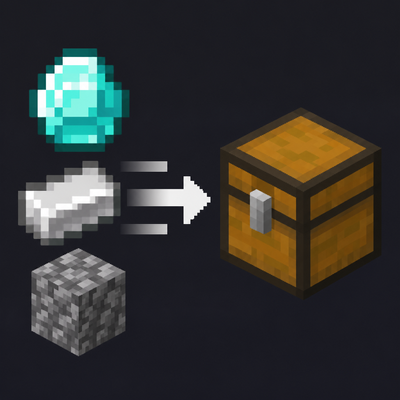
CurseForge · Minecraft mod
Actually QuickStack
Lightweight Fabric inventory tools: quick-stack matching items into nearby storage, restock, sort inventories, quick-move items, and protect slots with persistent locks.
Choose a version Pick your version below, then grab the matching file.
Quick answer
Which Actually QuickStack release matches Fabric?
Best match for your filters Actually-QuickStack-2.0.0.0.jar
Game version 1.20.1
Loader Fabric
Actually QuickStack Actually-QuickStack-2.0.0.0.jar targets 1.20.1 with Fabric. The project page does not say whether this file belongs on the client, dedicated server, or both. No extra mods listed for this file.
Where it goes
Is Actually QuickStack required on the client, server, or both?
The project page does not say whether this file belongs on the client, dedicated server, or both.
Client Source doesn’t say
Dedicated server Source doesn’t say
Loader for this release Fabric
Required install it here Optional supported, not mandatory Not supported do not install here Source doesn’t say do not assume
The source does not explicitly classify this release as client-only or server-only.
What else does Actually QuickStack Actually-QuickStack-2.0.0.0.jar need?
Actually-QuickStack-2.0.0.0.jar on Fabric. Every mod below is checked against that same setup.
This file does not list any required mods. Do not add a library just because a different file uses it.
This file does not list any required or optional mods.
Before you install it
Add Actually QuickStack without breaking your instance.
Built for Actually QuickStack Actually-QuickStack-2.0.0.0.jar on Fabric. Pick another file and the loader, install side or required mods may change.
- 01
Stick to this file
Use Actually-QuickStack-2.0.0.0.jar. It targets 1.20.1 with Fabric; another release may have different loader, side or dependency requirements.
- 02
Bring the mods it needs
This file does not list any required mods. Do not add a library just because a different file uses it.
- 03
Put it on the correct side
The project page does not say whether this file belongs on the client, dedicated server, or both.
- 04
Pick the file you checked
Use the “Get this file” button beside Actually-QuickStack-2.0.0.0.jar. It opens that exact file at the source.
About this project
What does Actually QuickStack add?
Actually QuickStack
Quick Stack. Restock. Sort. Protect your inventory.
Actually QuickStack is a lightweight inventory utility for Minecraft 1.20.1 (Fabric), developed for Path of the Ascended and available as a standalone mod.
Deposit matching items into nearby storage, restock the items you carry, sort inventories and move stacks precisely. Everything is initiated by the player. No storage networks, background chest searches or automated transfers.
Features
Quick Stack & Restock
- Stack sends items to nearby eligible containers only when a matching item is already stored there, preserving item data and enchantments.
- Restock refills stacks already in your inventory. It never introduces new items into empty slots.
- Separate hotbar settings, configurable search radius and optional line-of-sight checks.
Middle-click Sorting
Middle-click to sort your 27-slot main inventory, a chest, barrel, shulker box or supported Inmis backpack. Compatible stacks are consolidated without mixing different NBT; your hotbar and protected slots stay in place. Ascending/descending order, subtle animation and sound are optional.
Precise Transfers
- Ctrl + Left Click: Transfer one item between your inventory and an open container or supported backpack.
- Ctrl + Shift + Left Click: Transfer all eligible stacks of the selected item type, preserving distinct NBT variants.
- ↑ / ↓ arrows: In supported open storage screens, click to deposit/withdraw items matching existing destination stacks, or Shift-click to transfer all eligible items. These arrows affect only the open container, never nearby storage. The hotbar is excluded.
Persistent Slot Locks
Left Alt + Left Click cycles a slot through:
- Normal: Stack and Restock allowed.
- Gold: Blocks Stack, permits Restock.
- Red: Blocks both.
Gold and red locks also protect slots during sorting and supported automatic quick-move actions, while leaving ordinary manual inventory management available. Lock choices persist per player and across supported backpack layouts, including empty slots.
Compatibility & Performance
Vanilla chests, trapped chests, double chests and barrels work out of the box. Additional storage blocks are opt-in through server-side block ID/tag allowlists and a denylist. Storage Drawers and compatible Every Compat-generated drawer variants have optional integration. Third-party storage should be tested before use on an important world.
Inmis integration supports open-backpack Stack/Restock, sorting and transfers. Mouse Tweaks remains responsible for its own drag and Shift-hover gestures. Mod Menu is optional and provides a built-in settings screen.
Nearby storage is scanned only when Stack or Restock is pressed. Searches use loaded chunks, an 8-block default radius (configurable 1–16), container limits, server-side action validation and cooldowns. All animations, sounds and feedback are optional.
Configuration & Controls
Most options are available through Mod Menu in singleplayer or through two documented JSON files:
config/actually_quickstack/client.json— visuals, buttons, sorting effects, shortcuts and backpack screen preferences.config/actually_quickstack/server.json— storage allowlists, search limits, gameplay permissions, hotbar and protection rules.
Both files generate automatically and include _help_* setting descriptions. Existing settings and saved locks are preserved when upgrading. Keybinds are rebindable through Options → Controls.
Installation
Requires: Minecraft 1.20.1, Fabric Loader, Fabric API and Java 17+. Install on both client and server for multiplayer, using the same mod version.
Remove older Actually QuickStack JARs before installing 2.0.0.0. You can retain your existing config files and worlds. Optional mods: Inmis, Mouse Tweaks, Storage Drawers, Every Compat and Mod Menu.
Support
For issues, provide the Minecraft/mod versions, mod list, latest.log and reproduction steps. Broader dedicated-server and third-party storage behaviour may vary and has not been exhaustively certified.
Developed for Path of the Ascended. Standalone for any compatible Fabric 1.20.1 modpack.
Development note: AI-assisted tools were used during parts of development and documentation. Release decisions and in-game testing are reviewed by the modpack maintainer.
Project description from CurseForge.
Pick your setup
Actually QuickStack by Minecraft version and loader
Choose the version and loader you play, then open the matching release.
Check the dependencies, then try the file in a copied instance before changing a world you care about.
Recent files
Actually QuickStack versions and loaders
Actually-QuickStack-2.0.0.0.jar
14 Nov 2026
Client Source doesn’t say Server Source doesn’t say Dependencies No extras listed Listed on Release listing
Check the 1.20.1 · Fabric setup Fabric1.20.1 release
actually-quickstack-1.2.0.jar
4 Nov 2026
Client Source doesn’t say Server Source doesn’t say Dependencies No extras listed Listed on Release listing
Check the 1.20.1 · Fabric setup Fabric1.20.1 release
ActuallyQuickStack-1.1.1-Fabric-1.20.1.jar
3 Nov 2026
Client Source doesn’t say Server Source doesn’t say Dependencies No extras listed Listed on Release listing
Check the 1.20.1 · Fabric setup Fabric1.20.1 release
ActuallyQuickStack-1.1.0-Fabric-1.20.1.jar
3 Nov 2026
Client Source doesn’t say Server Source doesn’t say Dependencies No extras listed Listed on Release listing
Check the 1.20.1 · Fabric setup Fabric1.20.1 release
ActuallyQuickStack-1.0.0-Fabric-1.20.1.jar
1 Nov 2026
Client Source doesn’t say Server Source doesn’t say Dependencies No extras listed Listed on Release listing
Check the 1.20.1 · Fabric setup Fabric1.20.1 release
Looking for an older file? The official CurseForge project page is in Resources.
 mod
CurseForge + Modrinth · Minecraft
Random Crafts
Randomizes crafting recipes. Can you survive the chaos?
 mod
CurseForge · Minecraft
Firsthand
Combo swings for every tool, hand sway, turn inertia and landing impact: smooth first-person animations, client side only.
 mod
Modrinth · Minecraft
[LDS] Lazy Display System
This is a decorative mod used for displaying items!