Fabric API Needed by Companion Call companion_call-fabric-1.20.1 0.1.27
requiredMatching file found Matched file: [1.20.1] Fabric API 0.92.12+1.20.1

CurseForge · Minecraft mod
Call your companions and mounts to your side and choose them through a card interface.
Quick answer
Companion Call companion_call-fabric-1.20.1 0.1.27 targets 1.20.1 with Fabric. The project page does not say whether this file belongs on the client, dedicated server, or both. All 1 required mods have matching files.
Where it goes
The project page does not say whether this file belongs on the client, dedicated server, or both.
The source does not explicitly classify this release as client-only or server-only.
companion_call-fabric-1.20.1 0.1.27. Change the file and its required mods may change too.
Install Fabric API first. We found matching files for this game-version and loader setup.
We only count dependency files that match this setup. A file for another loader does not fill the gap.
Before you install it
Built for Companion Call companion_call-fabric-1.20.1 0.1.27. Pick another file and the loader, install side or required mods may change.
Use companion_call-fabric-1.20.1 0.1.27. It targets 1.20.1 with Fabric; another release may have different loader, side or dependency requirements.
Install Fabric API first. We found matching files for this game-version and loader setup.
The project page does not say whether this file belongs on the client, dedicated server, or both.
Use the “Get this file” button beside companion_call-fabric-1.20.1 0.1.27. It opens that exact file at the source.
About this project
Accidentally left a companion at home while travelling? No need to worry! Companion Call lets you choose a pet or mount and call it to your side wherever you are, so it can travel and fight alongside you! You can request a recall when your companion is nearby, in an unloaded area, or in another dimension.
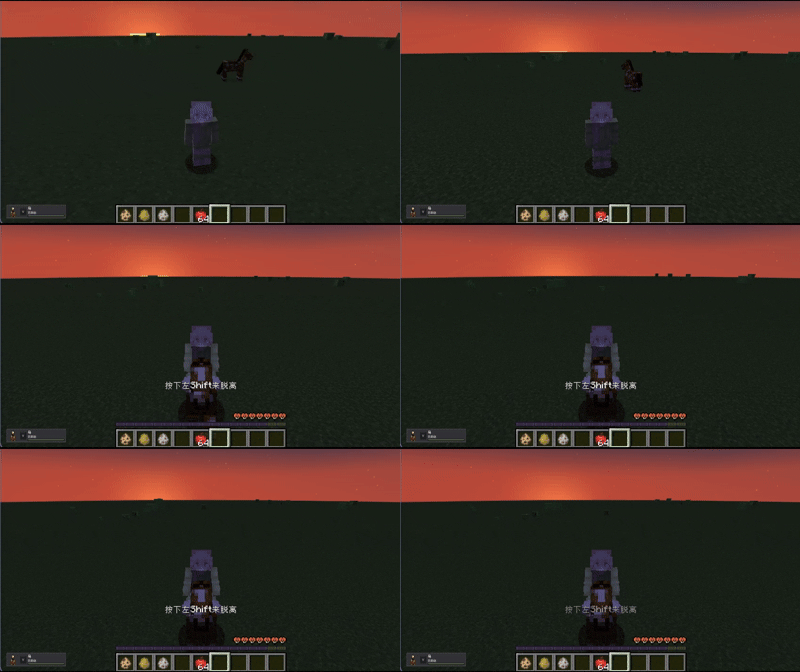
Tap V to call your current companion. Hold V to open the card selector, then scroll or use the mouse to choose a companion. Release the key to confirm the pet on the front card, or press Esc to cancel. The recall key can be changed in Minecraft's control settings.
The HUD displays your current companion and recall status. Cards show the companion's appearance and available information; if it is unloaded, the information comes from its last recorded state.
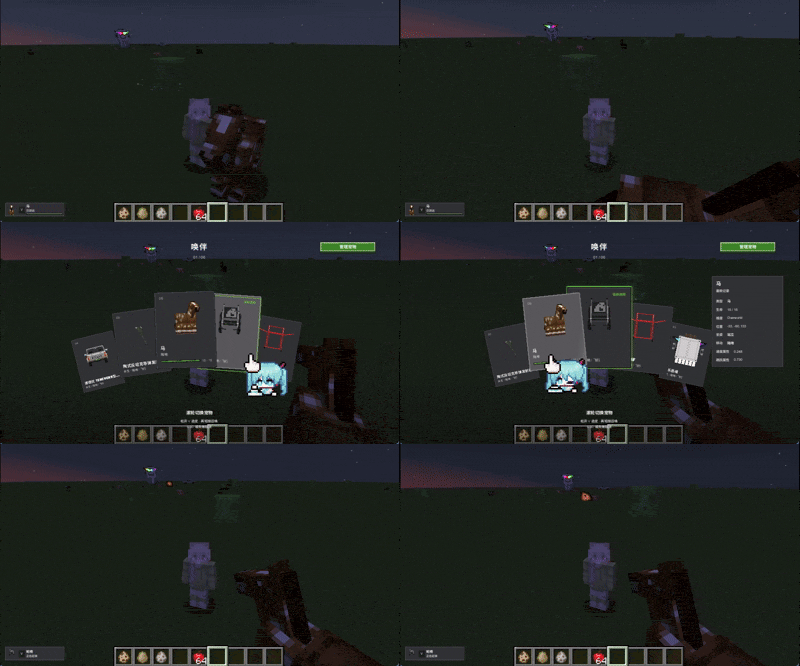
Tamed companions are registered as they are discovered. The management interface lets you hide entries and restore them later without harming the entity. You can also add any entity you are currently riding through the management interface or with the default N key, including non-living entities such as boats and minecarts. Note: adding an entity that already has an owner requires administrator permission.
Eligible companions near the player move toward the player's position. In special cases, such as recall across dimensions or from an unloaded area, the system locates and transfers the original entity. Eligible mounts can carry the player after reaching a suitable boarding position. Note: recall does not revive dead companions.
The recall and add keys can be changed in Minecraft's control settings. Client configuration includes the HUD, selector, model previews, management entry, add key and HUD position; common configuration includes the hold threshold and recall recovery wait time. Commands are documented in the README.
Similar project: Callable Horses
Project description from CurseForge.
Pick your setup
Choose the version and loader you play, then open the matching release.
Check the dependencies, then try the file in a copied instance before changing a world you care about.
Recent files
companion_call-fabric-1.20.1-0.1.27.jar
28 Nov 2026
19 Nov 2026
15 Nov 2026
14 Nov 2026
2 Nov 2026
Looking for an older file? The official CurseForge project page is in Resources.
 mod
A mod for Minecraft helping control input method
 mod
Shift-click a villager trade to repeat it until stock or payment runs out, search the trade list, and find any villager's trades again in a notebook.
 mod
In-memory server-data compatibility pack for HollowRealm on 1.20.1 Forge: fixes clam GLM conditions, annihilation bottle recipe collision, and optional Scguns affixes.