Minecraft version
Back to mods 
CurseForge · Minecraft mod
Organize
Organize your resource packs into folders and browse them in the pack screen.
Choose a version Pick your version below, then grab the matching file.
Quick answer
Which Organize release matches 26.3?
Best match for your filters Organize 1.0.0 for 26.3 Fabric
Game version 26.3
Loader Fabric, Quilt
Organize 1.0.0 for 26.3 Fabric targets 26.3 with Fabric, Quilt. The project page does not say whether this file belongs on the client, dedicated server, or both. No extra mods listed for this file.
Where it goes
Is Organize required on the client, server, or both?
The project page does not say whether this file belongs on the client, dedicated server, or both.
Client Source doesn’t say
Dedicated server Source doesn’t say
Loader for this release Fabric, Quilt
Required install it here Optional supported, not mandatory Not supported do not install here Source doesn’t say do not assume
The source does not explicitly classify this release as client-only or server-only.
What else does Organize 1.0.0 for 26.3 Fabric need?
Organize 1.0.0 for 26.3 Fabric on 26.3. Every mod below is checked against that same setup.
This file does not list any required mods. Do not add a library just because a different file uses it.
This file does not list any required or optional mods.
Before you install it
Add Organize without breaking your instance.
Built for Organize 1.0.0 for 26.3 Fabric on 26.3. Pick another file and the loader, install side or required mods may change.
- 01
Stick to this file
Use Organize 1.0.0 for 26.3 Fabric. It targets 26.3 with Fabric, Quilt; another release may have different loader, side or dependency requirements.
- 02
Bring the mods it needs
This file does not list any required mods. Do not add a library just because a different file uses it.
- 03
Put it on the correct side
The project page does not say whether this file belongs on the client, dedicated server, or both.
- 04
Pick the file you checked
Use the “Get this file” button beside Organize 1.0.0 for 26.3 Fabric. It opens that exact file at the source.
About this project
What does Organize add?


Organize lets you sort your resource packs into folders and browse them right in the pack screen. No more scrolling through one endless list.
How it works
Folders
Add folders in your resourcepacks folder and put packs inside. Folders can be nested as deep as you like.
Browsing
Folders show up above the packs in the available list, along with how many packs they hold. Click a folder to open it and use Back to go up again.
Selecting
Shift-click a folder to select all of its packs at once.
Icons
Put an icon.png in a folder to give it its own icon.
Project description from CurseForge.
Pick your setup
Organize by Minecraft version and loader
Choose the version and loader you play, then open the matching release.
Check the dependencies, then try the file in a copied instance before changing a world you care about.
Recent files
Organize versions and loaders
Organize 1.0.0 for 26.3 Fabric
organize-1.0.0-26.3-fabric.jar
3 Nov 2026
Client Source doesn’t say Server Source doesn’t say Dependencies No extras listed Listed on Release listing
Check the 26.3 · Fabric setup FabricQuilt26.3 release
Organize 1.0.0 for 26.3 NeoForge
organize-1.0.0-26.3-neoforge.jar
3 Nov 2026
Client Source doesn’t say Server Source doesn’t say Dependencies No extras listed Listed on Release listing
Check the 26.3 · NeoForge setup NeoForge26.3 release
Looking for an older file? The official CurseForge project page is in Resources.
 mod
CurseForge + Modrinth · Minecraft
Redomesticate
A multiloader fork of Domestication Innovation: improving upon and complimenting tameable mobs!
 mod
CurseForge · Minecraft
ThrowableTorches
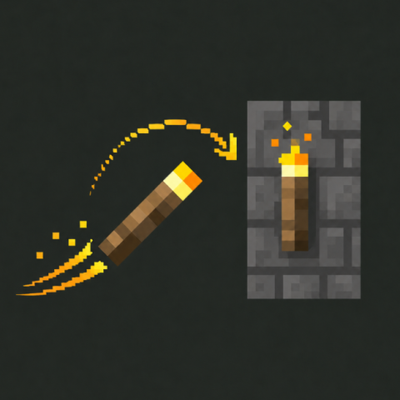
Throw your torches! Left‑click to hurl a torch that arcs through the air and sticks wherever it lands.
 mod
CurseForge · Minecraft
Cassonade
Less friction, more life. Fixes the hundred small annoyances of survival, brings the world to life and makes it worth exploring, with no new ores, magic or machines.