Fabric API Needed by FBX Player Models 2.0.0 (fabric 1.21.1 client + server)
requiredMatching file found Matched file: [1.21.1] Fabric API 0.116.17+1.21.1

CurseForge · Minecraft mod
Tired of vanilla skins? FBX Player Models lets you upload any 3D model and use it as your player skin.
Quick answer
FBX Player Models 2.0.0 (fabric 1.21.1 client + server) targets 1.21.1 with Fabric. The project page does not say whether this file belongs on the client, dedicated server, or both. All 1 required mods have matching files.
Where it goes
The project page does not say whether this file belongs on the client, dedicated server, or both.
The source does not explicitly classify this release as client-only or server-only.
FBX Player Models 2.0.0 (fabric 1.21.1 client + server). Change the file and its required mods may change too.
Install Fabric API first. We found matching files for this game-version and loader setup.
We only count dependency files that match this setup. A file for another loader does not fill the gap.
Before you install it
Built for FBX Player Models 2.0.0 (fabric 1.21.1 client + server). Pick another file and the loader, install side or required mods may change.
Use FBX Player Models 2.0.0 (fabric 1.21.1 client + server). It targets 1.21.1 with Fabric; another release may have different loader, side or dependency requirements.
Install Fabric API first. We found matching files for this game-version and loader setup.
The project page does not say whether this file belongs on the client, dedicated server, or both.
Use the “Get this file” button beside FBX Player Models 2.0.0 (fabric 1.21.1 client + server). It opens that exact file at the source.
About this project
FBX Players Models mod is now moved to CurseForge.
FBX Players Models client version for 1.21.1 is available for now.
Use a 3D model as your Minecraft player skin.
FBX Player Models lets you pick an .fbx model and show it on your player.
Other players can see it too when they also have the mod installed.
This mod is experimental. It was made for fun, so some models may not work perfectly.
Changes to the source code and some of the text
were created using artificial intelligence. However, the mod's
design and assets were created by humans.
All builds are always experimental and alpha.
The client version of the mod runs entirely within your client
and does not send models to the server.
.fbx model instead of a normal Minecraft skin./skin./skin..fbx file.Your settings are saved after you choose and edit your model.
For the best chance of working, use a simple model exported from Blender.
Good models usually have:
The rig names like Head, Chest, Right Arm, Left Arm, Right Leg, and Left Leg can help the mod guess the right body parts.
If you’re looking for a model template, you can find one here:
https://github.com/aksulightning/FBXPlayerModels/tree/new-template
Servers store uploaded models in the world save.
Operators can upload models by default.
Operators can also allow or block uploads for other players:
Allow players:
/fbxplayermodels uploadperm <playername> yes
Deny players:
/fbxplayermodels uploadperm <playername> no
Uploaded files must be under 2 MB.
The mod can also show FBX models on special entities.
Example commands:
/summon fbxplayermodels:view_entity ~ ~ ~ {Model:"this_file.fbx"}
/summon fbxplayermodels:hostile_entity ~ ~ ~ {Model:"this_file.fbx"}
/summon fbxplayermodels:tameable_entity ~ ~ ~ {Model:"this_file.fbx",TameItem:"minecraft:apple"}
The model file must already be on the server in its FBX mob model folder.
FBX Player Models is based on AllTheSkins by 1TheCrazy.
Project description from CurseForge.
Pick your setup
Choose the version and loader you play, then open the matching release.
Check the dependencies, then try the file in a copied instance before changing a world you care about.
Recent files
fbx-player-models-v2.0.0-1.21.1-mc1.21.1.jar
5 Nov 2026
fbx-player-models-client-v2.0.0-1.21.1-mc1.21.1.jar
4 Nov 2026
fbx-player-models-forge-v2.0.0+1.21.1+mc1.21.1.jar
2 Nov 2026
fbx-player-models-v2.0.0+b1.7.3+mcb1.7.3.jar
2 Nov 2026
fbx-player-models-v2.0.0+26.2+mc26.2.jar
2 Nov 2026
fbx-player-models-nightly-1.21.1-26-09-15-12-09.jar
15 Sept 2026
fbx-player-models-nightly-26.2-26-09-15-12-09.jar
15 Sept 2026
fbx-player-models-nightly-1.21.1-26-09-14-08-09.jar
14 Sept 2026
fbx-player-models-nightly-26.2-26-09-14-08-09.jar
14 Sept 2026
fbx-player-models-nightly-1.21.1-26-09-13-16-09.jar
13 Sept 2026
fbx-player-models-nightly-26.2-26-09-13-16-09.jar
13 Sept 2026
fbx-player-models-nightly-1.21.1-26-09-13-16-09.jar
13 Sept 2026
Looking for an older file? The official CurseForge project page is in Resources.
 mod
Define in-world crafting & interactions using JSON recipes. item interaction, burning, touching fluid, anvil, crushing, lightning, exploding...
 mod
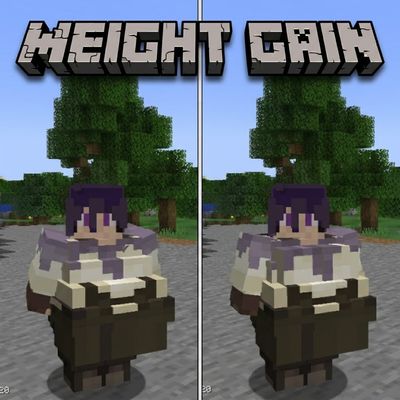
This mod allows the player to gain weight by over eating(eating when your hungerbar is nearly full), but being overweight has its perks
 mod
A mod that customizes Gregtech: New Horizons to my personal preferences. Fully customizable!