Back to mods
Endless Stacks project artwork

CurseForge · Minecraft mod

Endless Stacks

Everything that stacks now stacks up to 1,000,000,000. Tools and other unstackables stay at 1.

Choose a version Pick your version below, then grab the matching file.

Quick answer

Which Endless Stacks release should I use?

Updated 5 days ago
Latest stable file Endless Stacks 1.0.0 (Forge 26.1–26.3)
Game version 26.1, 26.1.1, 26.1.2
Loader Forge

Endless Stacks 1.0.0 (Forge 26.1–26.3) targets 26.1, 26.1.1, 26.1.2 with Forge. The project page does not say whether this file belongs on the client, dedicated server, or both. No extra mods listed for this file.

Where it goes

Is Endless Stacks required on the client, server, or both?

The project page does not say whether this file belongs on the client, dedicated server, or both.

Client Source doesn’t say
Dedicated server Source doesn’t say
Loader for this release Forge
Required install it here Optional supported, not mandatory Not supported do not install here Source doesn’t say do not assume

The source does not explicitly classify this release as client-only or server-only.

What else does Endless Stacks 1.0.0 (Forge 26.1–26.3) need?

Endless Stacks 1.0.0 (Forge 26.1–26.3). Change the file and its required mods may change too.

No extra mods listed for this file

This file does not list any required mods. Do not add a library just because a different file uses it.

This file does not list any required or optional mods.

Before you install it

Add Endless Stacks without breaking your instance.

Built for Endless Stacks 1.0.0 (Forge 26.1–26.3). Pick another file and the loader, install side or required mods may change.

  1. 01

    Stick to this file

    Use Endless Stacks 1.0.0 (Forge 26.1–26.3). It targets 26.1, 26.1.1, 26.1.2 with Forge; another release may have different loader, side or dependency requirements.

  2. 02

    Bring the mods it needs

    This file does not list any required mods. Do not add a library just because a different file uses it.

  3. 03

    Put it on the correct side

    The project page does not say whether this file belongs on the client, dedicated server, or both.

  4. 04

    Pick the file you checked

    Use the “Get this file” button beside Endless Stacks 1.0.0 (Forge 26.1–26.3). It opens that exact file at the source.

About this project

What does Endless Stacks add?

Got tired of chests full of 64-stacks of cobblestone, so now one slot holds up to a billion.

Only items that already stack are affected. Swords, armor, potions, buckets and the like still stay at 1.
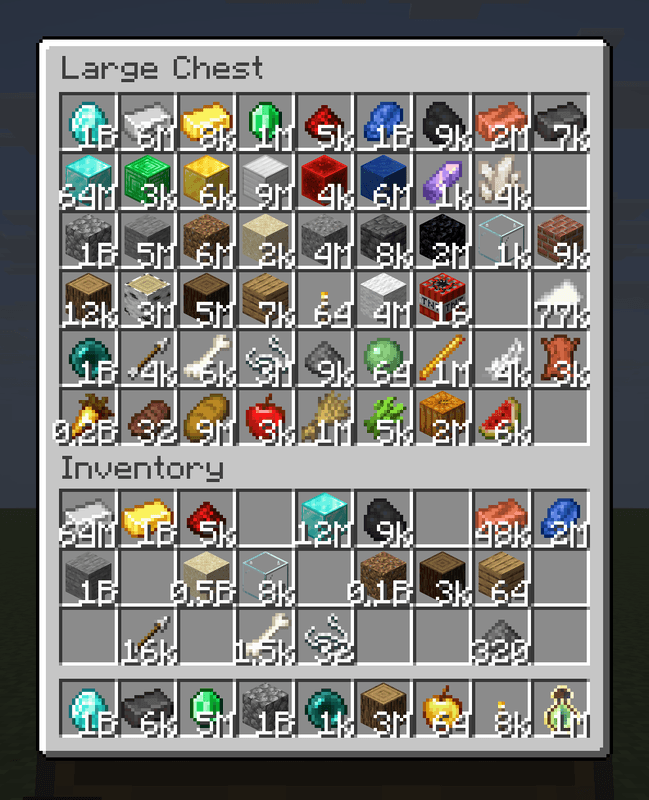
Big stacks work in chests, barrels, shulker boxes and hoppers. Shift-click and splitting work as usual. Dropped items merge into one, so breaking a chest full of stuff won't drop a million entities.

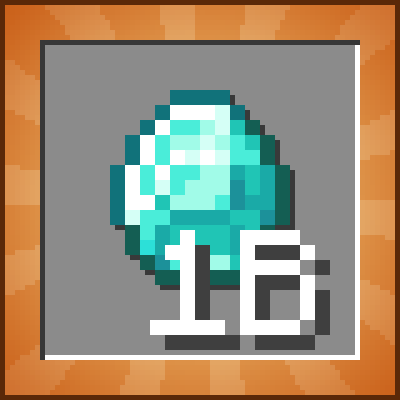
The slot shows a short number (5k, 0.1M, 1B), and the tooltip shows the exact count.

The limit can be changed in config/endlessstacks.properties (max_stack_size).

Found a bug? Report it here

Have a mod idea? Suggest it - I'll try to make it!

RU:

Надоели сундуки, забитые булыжником по 64, поэтому теперь в один слот влезает до миллиарда.

Меняется только то, что и так стакается. Мечи, броня, зелья, вёдра и прочее остаются по одному.

Большие стаки работают в сундуках, бочках, шалкерах и воронках. Shift-клик и деление стака работают как обычно. Выброшенные предметы сливаются в один, так что сломанный полный сундук не вывалит миллион предметов.

В слоте короткое число (5k, 0.1M, 1B), точное видно в подсказке.

Предел меняется в config/endlessstacks.properties (max_stack_size).

Project description from CurseForge.
Pick your setup

Endless Stacks by Minecraft version and loader

Choose the version and loader you play, then open the matching release.

88 available setups

Showing the newest 12 of 24 game versions. Older files are in the list below.

Check the dependencies, then try the file in a copied instance before changing a world you care about.

Recent files

Endless Stacks versions and loaders

12 of 12 releases match

Looking for an older file? The official CurseForge project page is in Resources.