Pocket Door Needed by Pocket Themes! pocketthemes-1.2.0 for mc1.12.2
requiredMatching file found Matched file: pocketdoor-1.12.0 for mc1.12.2
CurseForge · Minecraft mod
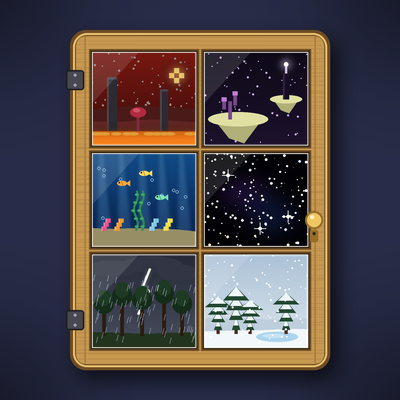
Give your Pocket Door pocket the sky, weather and landscape of the Nether, the End, the deep sea, a storm or a snowfall. Add-on for Pocket Door.
Quick answer
Pocket Themes! pocketthemes-1.2.0 for mc1.12.2 targets 1.12.2 with Forge. The project page does not say whether this file belongs on the client, dedicated server, or both. All 1 required mods have matching files.
Where it goes
The project page does not say whether this file belongs on the client, dedicated server, or both.
The source does not explicitly classify this release as client-only or server-only.
pocketthemes-1.2.0 for mc1.12.2 on Forge. Every mod below is checked against that same setup.
Install Pocket Door first. We found matching files for this game-version and loader setup.
We only count dependency files that match this setup. A file for another loader does not fill the gap.
Before you install it
Built for Pocket Themes! pocketthemes-1.2.0 for mc1.12.2 on Forge. Pick another file and the loader, install side or required mods may change.
Use pocketthemes-1.2.0 for mc1.12.2. It targets 1.12.2 with Forge; another release may have different loader, side or dependency requirements.
Install Pocket Door first. We found matching files for this game-version and loader setup.
The project page does not say whether this file belongs on the client, dedicated server, or both.
Use the “Get this file” button beside pocketthemes-1.2.0 for mc1.12.2. It opens that exact file at the source.
About this project
**An add-on for Pocket Door. Theme kits give your pocket the sky, sounds, weather and a whole landscape of the Nether, the End, the deep sea, a starry void, a rainy day, a thunderstorm or a snowfall.**
Craft a theme kit, right-click it inside your pocket, and the pocket wears that theme: the white walls and ceiling turn invisible and a landscape rises out of the void around your room, under that theme's sky, with its fog, ambient sounds and music, particles, weather and time of day. Everything you built stays exactly as it is. /pocket theme plain brings the walls back and takes the landscape away.
**Requires Pocket Door** (1.11.0 or newer on 1.21.1 and 26.2, 1.10.0 or newer on 1.20.1 and 1.12.2).
The themes
The scenery is real blocks built outside the walls, 48 blocks out, where nobody can reach it. It is lit so it shows in the pocket's night and removed when the theme changes. Themes work for visitors, for team pockets and with the Pocket Clock (a Rainy pocket held at sunset is something).
How to use
/pocket theme <name> switches between the themes installed in your pocket. /pocket theme shows what is installed, /pocket theme list lists them all, /pocket theme plain brings the normal sky back.Recipes
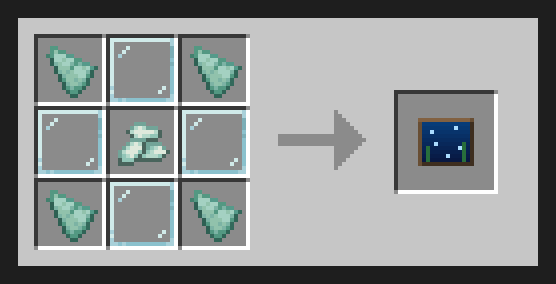
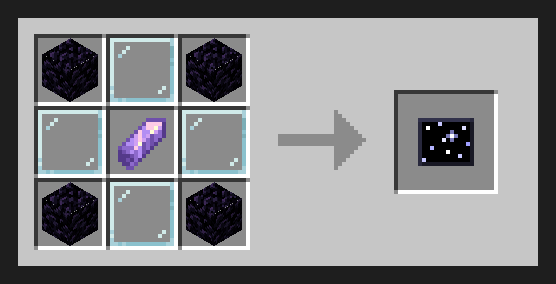
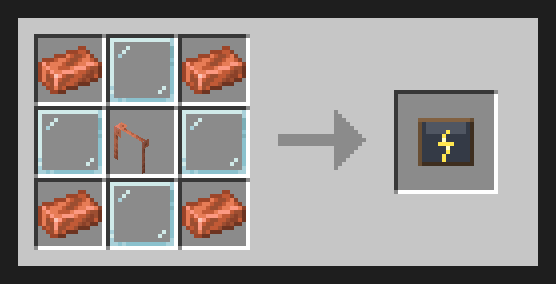
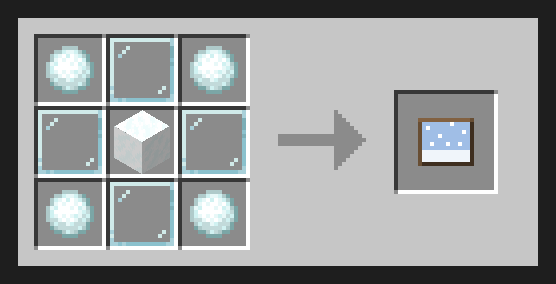
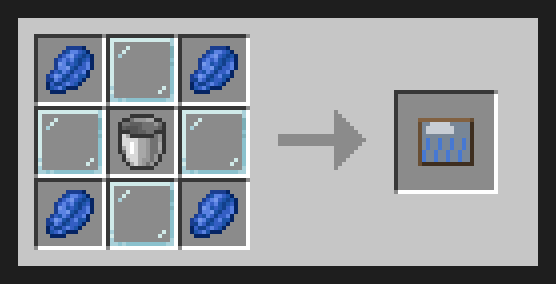
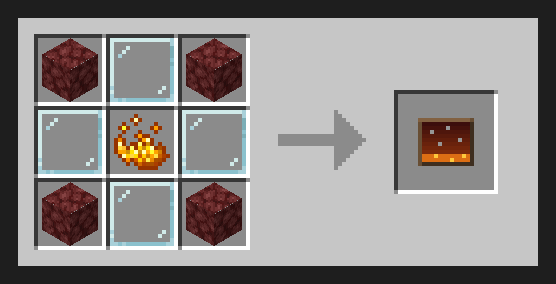
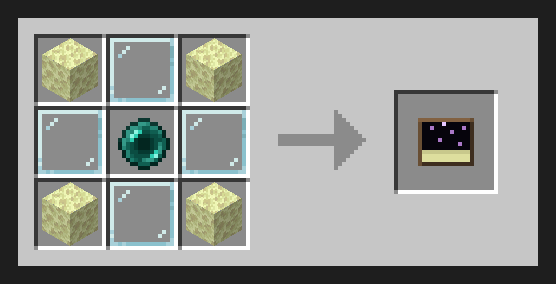
On 1.12.2: Starry Void = Obsidian + Eye of Ender, Thunderstorm = Iron Ingot + Gunpowder, Rainy = Lapis Lazuli + Bucket.
Details
/pocketsky off) the themes keep their scenery, fog, sounds and weather and leave the sky to Topography or Simple Skybox. /pocket reset clears themes, lightning on/off and how often, scenery on/off, its width and fish. data/pocketthemes/worldgen/biome/, with no spawns or features. Project description from CurseForge.
Pick your setup
Choose the version and loader you play, then open the matching release.
Check the dependencies, then try the file in a copied instance before changing a world you care about.
Recent files
pocketthemes-1.2.0-mc1.12.2.jar
11 Nov 2026
pocketthemes-1.2.0-mc1.20.1.jar
11 Nov 2026
pocketthemes-1.1.4-mc1.20.1.jar
10 Nov 2026
pocketthemes-1.1.4-mc1.12.2.jar
10 Nov 2026
pocketthemes-1.1.2-mc1.12.2.jar
5 Nov 2026
pocketthemes-1.1.2-mc1.20.1.jar
5 Nov 2026
Looking for an older file? The official CurseForge project page is in Resources.
 mod
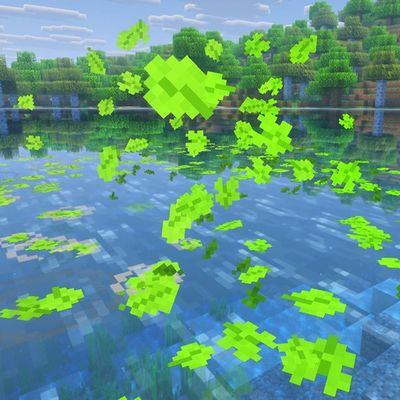
Leaves drift down from the trees, settle on the ground, float on the water and react to you
 mod
double jump while wearing these boots adds 1-2-3 height to your player. Crouch to decrease height.
 mod
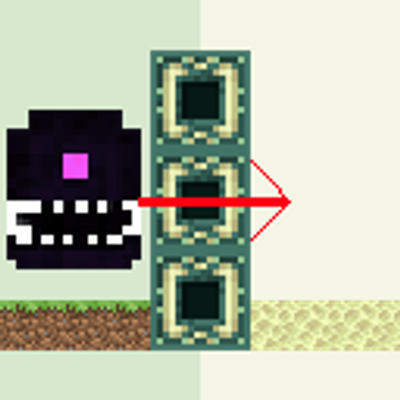
allow wither storm to teleport through dimensions