Minecraft version
Back to mods 
CurseForge · Minecraft mod
Ghost Opacity
Make players and mobs ghostly and see-through with command-controlled opacity from 0–100%. Built for Fabric.
Choose a version Pick your version below, then grab the matching file.
Quick answer
Which Ghost Opacity release should I use?
Latest stable file GhostOpacity-1.0.0-1.21.11
Game version 1.21.11
Loader Fabric
Ghost Opacity GhostOpacity-1.0.0-1.21.11 targets 1.21.11 with Fabric. The project page does not say whether this file belongs on the client, dedicated server, or both. No extra mods listed for this file.
Where it goes
Is Ghost Opacity required on the client, server, or both?
The project page does not say whether this file belongs on the client, dedicated server, or both.
Client Source doesn’t say
Dedicated server Source doesn’t say
Loader for this release Fabric
Required install it here Optional supported, not mandatory Not supported do not install here Source doesn’t say do not assume
The source does not explicitly classify this release as client-only or server-only.
What else does Ghost Opacity GhostOpacity-1.0.0-1.21.11 need?
GhostOpacity-1.0.0-1.21.11. Change the file and its required mods may change too.
This file does not list any required mods. Do not add a library just because a different file uses it.
This file does not list any required or optional mods.
Before you install it
Add Ghost Opacity without breaking your instance.
Built for Ghost Opacity GhostOpacity-1.0.0-1.21.11. Pick another file and the loader, install side or required mods may change.
- 01
Stick to this file
Use GhostOpacity-1.0.0-1.21.11. It targets 1.21.11 with Fabric; another release may have different loader, side or dependency requirements.
- 02
Bring the mods it needs
This file does not list any required mods. Do not add a library just because a different file uses it.
- 03
Put it on the correct side
The project page does not say whether this file belongs on the client, dedicated server, or both.
- 04
Pick the file you checked
Use the “Get this file” button beside GhostOpacity-1.0.0-1.21.11. It opens that exact file at the source.
About this project
What does Ghost Opacity add?
Give players and mobs a ghostly, see-through appearance with a simple command.
Ghost Opacity lets you adjust the opacity of selected players and mobs from 0% to 100%. Choose a faint ghost effect, partial transparency, or restore their normal appearance.
Commands
/opacity <targets> <0-100>— Set the opacity of selected targets./opacity <targets> reset— Restore normal opacity.
Examples
/opacity @s 50— Set yourself to 50% opacity./opacity @e[type=minecraft:zombie] 25— Set all selected zombies to 25% opacity./opacity @a reset— Restore normal opacity for all players.
At 0%, the main entity model becomes fully transparent. At 100%, normal rendering is restored. Below 100%, additional render layers are disabled rather than faded.
Opacity settings are saved with entities, synchronized to clients, and configured to carry over when players respawn. The command requires gamemaster permissions, such as operator access or cheats enabled.
For multiplayer, install the mod and Fabric API on the server and on clients that should display the transparency effect.
Created by Itsnotcraft.
Project description from CurseForge.
Pick your setup
Ghost Opacity by Minecraft version and loader
Choose the version and loader you play, then open the matching release.
Minecraft version
26.2
1 loader buildMinecraft version
1.21.11
1 loader buildCheck the dependencies, then try the file in a copied instance before changing a world you care about.
Recent files
Ghost Opacity versions and loaders
GhostOpacity-1.0.0-1.21.11
GhostOpacity-1.0.0-1.21.11.jar
10 Nov 2026
Client Source doesn’t say Server Source doesn’t say Dependencies No extras listed Listed on Release listing
Check the 1.21.11 · Fabric setup Fabric1.21.11 release
GhostOpacity-1.0.0-26.2-26.3.jar
10 Nov 2026
Client Source doesn’t say Server Source doesn’t say Dependencies No extras listed Listed on Release listing
Check the 26.3 · Fabric setup Fabric26.226.3 release
Ghost Opacity 1.0.0 — Fabric 26.3
GhostOpacity-1.0.0-26.3.jar
8 Nov 2026
Client Source doesn’t say Server Source doesn’t say Dependencies No extras listed Listed on Release listing
Check the 26.3 · Fabric setup Fabric26.3 release
Looking for an older file? The official CurseForge project page is in Resources.
 mod
CurseForge · Minecraft
ColdBreath
Adds realistic visible breath vapor in cold biomes, caves and mountains, with natural, varied puffs for every player.
 mod
CurseForge + Modrinth · Minecraft
CreativeCore
a core mod
 mod
CurseForge · Minecraft
Style Models
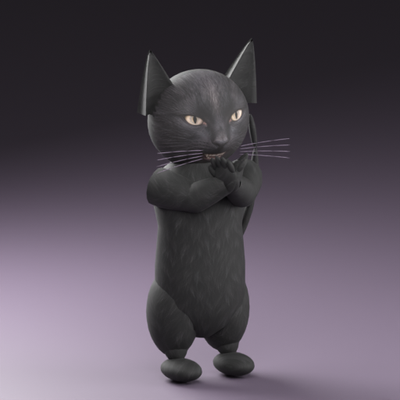
Transform into animated 3D characters, starting with a black clapping cat, with optional NPC model support.