Minecraft version
Back to mods 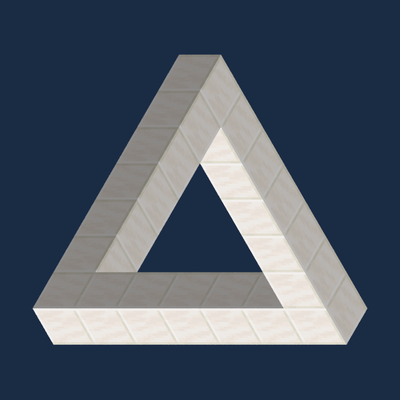
CurseForge · Minecraft mod
Isometric Projection
Inspired by Monument Valley, Isometric Projection lets you cross gaps in Minecraft by lining up block surfaces in an isometric view.
Choose a version Pick your version below, then grab the matching file.
Quick answer
Which Isometric Projection release should I use?
Latest stable file IsometricProjection-0.7.0.jar
Game version 1.21.1
Loader NeoForge
Isometric Projection IsometricProjection-0.7.0.jar targets 1.21.1 with NeoForge. The project page does not say whether this file belongs on the client, dedicated server, or both. No extra mods listed for this file.
Where it goes
Is Isometric Projection required on the client, server, or both?
The project page does not say whether this file belongs on the client, dedicated server, or both.
Client Source doesn’t say
Dedicated server Source doesn’t say
Loader for this release NeoForge
Required install it here Optional supported, not mandatory Not supported do not install here Source doesn’t say do not assume
The source does not explicitly classify this release as client-only or server-only.
What else does Isometric Projection IsometricProjection-0.7.0.jar need?
IsometricProjection-0.7.0.jar. Change the file and its required mods may change too.
This file does not list any required mods. Do not add a library just because a different file uses it.
This file does not list any required or optional mods.
Before you install it
Add Isometric Projection without breaking your instance.
Built for Isometric Projection IsometricProjection-0.7.0.jar. Pick another file and the loader, install side or required mods may change.
- 01
Stick to this file
Use IsometricProjection-0.7.0.jar. It targets 1.21.1 with NeoForge; another release may have different loader, side or dependency requirements.
- 02
Bring the mods it needs
This file does not list any required mods. Do not add a library just because a different file uses it.
- 03
Put it on the correct side
The project page does not say whether this file belongs on the client, dedicated server, or both.
- 04
Pick the file you checked
Use the “Get this file” button beside IsometricProjection-0.7.0.jar. It opens that exact file at the source.
About this project
What does Isometric Projection add?
Isometric Projection
What if a path existed only from the right angle? Inspired by Monument Valley, Isometric Projection brings perspective-based puzzles to Minecraft. Rotate the isometric camera until the tops of two separate blocks appear to share an edge, then walk across the apparent connection. Build paths where the route depends on how you look at it.
How to play
- Press I to toggle the isometric view. WASD moves your character relative to the screen.
- Hold Mouse 4 and move the mouse sideways to rotate freely. Tap Mouse 4 to align the camera to the nearest isometric angle.
- Use the bottom-right controls to adjust rotation and zoom, toggle local cutaway or illusion connections, and open more settings. You can also hold Ctrl and scroll to zoom.
- With illusion connections enabled, walk toward the edge of a full block whose top appears to meet another full-block surface. Local cutaway turns off while this mode is active.
More features
- Local cutaway hides obstructing blocks near your character so you can see inside buildings.
- Overhead auto-zoom is optional. It zooms in under nearby cover and restores your previous zoom when you leave.
- Cursor-based aiming uses an inverted dot for bows, tridents, loaded crossbows, and common throwable items. Boats can be placed with the cursor and steered relative to the screen.
- Optional Ponder tutorial demonstrates an illusion crossing with a quartz Penrose triangle. With Ponder installed, run
/isometricprojection ponder. - The in-game interface and guide support English and Simplified Chinese.
Requirements and compatibility
Minecraft 1.21.1 · NeoForge 21.1.265
The camera, controls, and local cutaway work with a client-only installation. In multiplayer, install the same mod version on both the client and server for illusion connections and loaded-crossbow aiming.
Compatibility with other mods and shader packs has only been partially tested. Ports to other Minecraft versions may follow.
Project description from CurseForge.
Pick your setup
Isometric Projection by Minecraft version and loader
Choose the version and loader you play, then open the matching release.
Check the dependencies, then try the file in a copied instance before changing a world you care about.
Recent files
Isometric Projection versions and loaders
IsometricProjection-0.7.0.jar
10 Nov 2026
Client Source doesn’t say Server Source doesn’t say Dependencies No extras listed Listed on Release listing
Check the 1.21.1 · NeoForge setup 1.21.1NeoForge release
IsometricProjection-0.6.1.jar
10 Nov 2026
Client Source doesn’t say Server Source doesn’t say Dependencies No extras listed Listed on Release listing
Check the 1.21.1 · NeoForge setup 1.21.1NeoForge release
IsometricProjection-0.6.0.jar
9 Nov 2026
Client Source doesn’t say Server Source doesn’t say Dependencies No extras listed Listed on Release listing
Check the 1.21.1 · NeoForge setup 1.21.1NeoForge release
isometricprojection-0.6.0-beta.2.jar
9 Nov 2026
Client Source doesn’t say Server Source doesn’t say Dependencies No extras listed Listed on Release listing
Check the 1.21.1 · NeoForge setup 1.21.1NeoForge beta
Looking for an older file? The official CurseForge project page is in Resources.
 mod
CurseForge · Minecraft
Lifepath
Character progression for people who play, not plan: pick a species, choose a starting focus, and level thirteen skills by actually doing the work — mastery is maintained, not bought.
 mod
CurseForge · Minecraft
LittleTiles Model Share
Browse, preview and share LittleTiles models inside Minecraft — download blueprints and upload your own builds.
 mod
CurseForge · Minecraft
Oritech Extensions
Taller Oritech hangar doors (up to 16 blocks) and paintable machine addons, including Oritech Things.”