Minecraft version
Back to mods 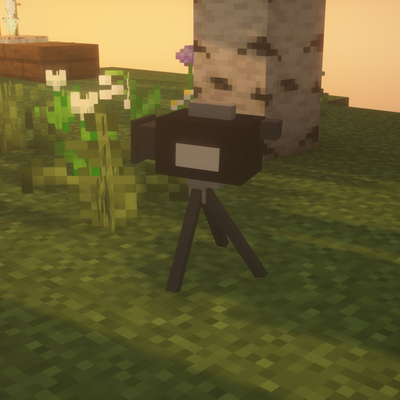
CurseForge · Minecraft mod
Lensbridge
Place cameras anywhere, fly a camera drone, record video in one keypress, and let an AI assistant shoot screenshots and video for you.
Choose a version Pick your version below, then grab the matching file.
Quick answer
Which Lensbridge release should I use?
beta file Lensbridge 0.6.0 for 26.3
Game version 26.3
Loader NeoForge
Lensbridge 0.6.0 for 26.3 targets 26.3 with NeoForge. The project page does not say whether this file belongs on the client, dedicated server, or both. No extra mods listed for this file.
Where it goes
Is Lensbridge required on the client, server, or both?
The project page does not say whether this file belongs on the client, dedicated server, or both.
Client Source doesn’t say
Dedicated server Source doesn’t say
Loader for this release NeoForge
Required install it here Optional supported, not mandatory Not supported do not install here Source doesn’t say do not assume
The source does not explicitly classify this release as client-only or server-only.
What else does Lensbridge 0.6.0 for 26.3 need?
Lensbridge 0.6.0 for 26.3. Change the file and its required mods may change too.
This file does not list any required mods. Do not add a library just because a different file uses it.
This file does not list any required or optional mods.
Before you install it
Add Lensbridge without breaking your instance.
Built for Lensbridge 0.6.0 for 26.3. Pick another file and the loader, install side or required mods may change.
- 01
Stick to this file
Use Lensbridge 0.6.0 for 26.3. It targets 26.3 with NeoForge; another release may have different loader, side or dependency requirements.
- 02
Bring the mods it needs
This file does not list any required mods. Do not add a library just because a different file uses it.
- 03
Put it on the correct side
The project page does not say whether this file belongs on the client, dedicated server, or both.
- 04
Pick the file you checked
Use the “Get this file” button beside Lensbridge 0.6.0 for 26.3. It opens that exact file at the source.
About this project
What does Lensbridge add?
A film studio for Minecraft 1.21.11 (NeoForge): place cameras anywhere, fly a camera drone, record smooth video in one keypress, and let an AI assistant such as Claude Code take screenshots and shoot video for you.
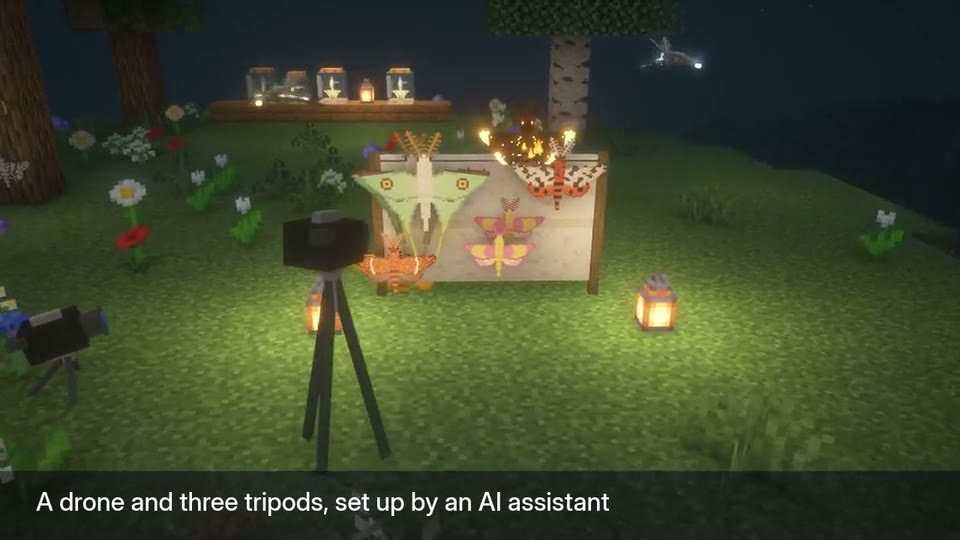
Cameras and drone
- Alt+T places a camera exactly where you're looking from; Alt+N looks through your cameras one by one.
- Alt+D flies a camera drone with smooth, cinematic controls.
- Alt+R records video of what you see (the HUD hides itself). Video needs ffmpeg, which you install yourself; screenshots work without it.
- Camera, tripod and drone props can show in the world for behind-the-scenes shots, and only the cameras you choose can see them.
Camera Manager
- Alt+C opens a page in your browser with a thumbnail of every camera, number fields to fine-tune each one, nudge buttons, and multi-angle shots.
AI assistants (optional)
- Lensbridge runs a small bridge on your own computer (127.0.0.1 only, protected by a secret key) that AI tools can connect to. Your assistant can take screenshots of the game (never your desktop), set up camera moves, and record orbits, camera paths and video.
- Nothing is sent anywhere: screenshots and videos are saved in your game folder, and nothing is downloaded while the game runs.
- For modmakers: Showcase Stages photograph every mob, block and item in your mod in one go.
Fair on servers
- In singleplayer everything works. On a server, free cameras (they can see through walls) need operator status or spectator mode, and letting an AI act for you needs operator status.
- Server owners can install the same jar to set their own rules (ops, everyone or nobody), with LuckPerms permission nodes. Players without Lensbridge can still join.
Full guide and tool reference: Lensbridge wiki
Designed, directed and tested by DreadedZombie. Code written with AI assistance (Claude), and the mod is built to work with AI assistants. All pictures are real in-game captures.
Project description from CurseForge.
Pick your setup
Lensbridge by Minecraft version and loader
Choose the version and loader you play, then open the matching release.
Minecraft version
1.21.11
1 loader buildCheck the dependencies, then try the file in a copied instance before changing a world you care about.
Recent files
Lensbridge versions and loaders
Lensbridge 0.6.0 for 26.3
lensbridge-0.6.0-mc26.3.jar
14 Nov 2026
Client Source doesn’t say Server Source doesn’t say Dependencies No extras listed Listed on Release listing
Check the 26.3 · NeoForge setup NeoForge26.3 beta
Lensbridge 0.6.0 for 1.21.11
lensbridge-0.6.0.jar
14 Nov 2026
Client Source doesn’t say Server Source doesn’t say Dependencies No extras listed Listed on Release listing
Check the 1.21.11 · NeoForge setup NeoForge1.21.11 beta
Lensbridge 0.5.1 for 26.3
lensbridge-0.5.1-mc26.3.jar
10 Nov 2026
Client Source doesn’t say Server Source doesn’t say Dependencies No extras listed Listed on Release listing
Check the 26.3 · NeoForge setup NeoForge26.3 beta
Lensbridge 0.5.1 for 1.21.11
lensbridge-0.5.1.jar
10 Nov 2026
Client Source doesn’t say Server Source doesn’t say Dependencies No extras listed Listed on Release listing
Check the 1.21.11 · NeoForge setup NeoForge1.21.11 beta
Lensbridge 0.5.0 for 26.3
lensbridge-0.5.0-mc26.3.jar
10 Nov 2026
Client Source doesn’t say Server Source doesn’t say Dependencies No extras listed Listed on Release listing
Check the 26.3 · NeoForge setup NeoForge26.3 beta
Lensbridge 0.5.0
lensbridge-0.5.0.jar
10 Nov 2026
Client Source doesn’t say Server Source doesn’t say Dependencies No extras listed Listed on Release listing
Check the 1.21.11 · NeoForge setup NeoForge1.21.11 beta
Looking for an older file? The official CurseForge project page is in Resources.
 mod
CurseForge · Minecraft
Barely Pipes
Seven pipes in one block for Forge and NeoForge: items, fluids, energy, gas, redstone, AE2 ME and BarelyStorage, in three tiers with per-face modes, filters and priorities
 mod
CurseForge · Minecraft
OrangePeel
See what every bite is worth, and which food in your pack is the best meal
 mod
CurseForge + Modrinth · Minecraft
Origins Legacy: NeoForged
Fork of Origins Legacy, what fork of Origins