Back to mods
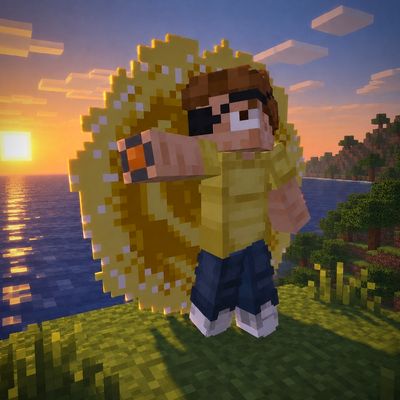
Surving´s Modular Tools (SMT) project artwork

CurseForge · Minecraft mod

Surving´s Modular Tools (SMT)

Build, customize, and repair modular tools, weapons, shields, and armor in an in-game forge, with material traits and optional upgrades.

Choose a version Pick your version below, then grab the matching file.

Quick answer

Which Surving´s Modular Tools (SMT) release should I use?

Updated today
beta file smt-0.2.0.jar
Game version 26.3
Loader Fabric

Surving´s Modular Tools (SMT) smt-0.2.0.jar targets 26.3 with Fabric. The project page does not say whether this file belongs on the client, dedicated server, or both. All 2 required mods have matching files.

Where it goes

Is Surving´s Modular Tools (SMT) required on the client, server, or both?

The project page does not say whether this file belongs on the client, dedicated server, or both.

Client Source doesn’t say
Dedicated server Source doesn’t say
Loader for this release Fabric
Required install it here Optional supported, not mandatory Not supported do not install here Source doesn’t say do not assume

The source does not explicitly classify this release as client-only or server-only.

What else does Surving´s Modular Tools (SMT) smt-0.2.0.jar need?

smt-0.2.0.jar. Change the file and its required mods may change too.

All 2 required mods have matching files

Install Fabric API, Surving's Enchantment & Equipment Fixes (SEEF) first. We found matching files for this game-version and loader setup. 15 come through another mod in the chain.

8 listed on this file 15 pulled in by those mods
LambDynamicLights Optional for Surving´s Modular Tools (SMT) smt-0.2.0.jar
optional
Matching file found Matched file: LambDynamicLights 4.13.0 (26.3)
Surving’s GUI Library (SGL) Optional for Surving´s Modular Tools (SMT) smt-0.2.0.jar
optional
Matching file found Matched file: sgl-1.1.0.jar
Tech Reborn Optional for Surving´s Modular Tools (SMT) smt-0.2.0.jar
optional
Matching file found Matched file: TechReborn 6.2.1
Fabric API Needed by Surving´s Modular Tools (SMT) smt-0.2.0.jar
required
Matching file found Matched file: [26.3] Fabric API 0.166.2+26.3
Farmer's Delight Refabricated Optional for Surving´s Modular Tools (SMT) smt-0.2.0.jar
optional
Matching file found Matched file: Farmer's Delight Refabricated 3.6.30 - 26.3
Mod Menu Needed by LambDynamicLights
pulled in
Matching file found Matched file: v21.0.1 for 26.3
Construction Wand (Fabric) Needed by Surving's Equipment Additions (SEA)
pulled in
Matching file found Matched file: constructionwand-2.1.3+26.3.jar
Field Guide Needed by Surving's Equipment Additions (SEA)
pulled in
Matching file found Matched file: Field Guide Fabric 26.3 - 1.23.2
Just Enough Items (JEI) Needed by Surving's Equipment Additions (SEA)
pulled in
Matching file found Matched file: 31.17.0.113 for Fabric 26.3
Immersive Overlays Needed by Surving's Equipment Additions (SEA)
pulled in
Matching file found Matched file: Immersive Overlays 1.8.7 for 26.3 Fabric
Inventory Essentials Needed by Surving's Equipment Additions (SEA)
pulled in
Matching file found Matched file: inventoryessentials-fabric-26.3-26.3.0.5.jar
Player Corpses Needed by Surving's Equipment Additions (SEA)
pulled in
Matching file found Matched file: Player Corpses 3.8 [1.21.9+]
Trinkets Updated Needed by Surving's Equipment Additions (SEA)
pulled in
Matching file found Matched file: trinkets-4.2.0+26.3.jar
Jade 🔍 Needed by Surving's New Enchantments (SNE)
pulled in
Matching file found Matched file: [Fabric 26.3.X] 26.3.5
YetAnotherConfigLib Needed by Field Guide
pulled in
Matching file found Matched file: 3.9.7 for fabric 26.3
Item Descriptions Needed by Field Guide
pulled in
Matching file found Matched file: Item Descriptions 2.8.5 for 26.2 Fabric
MezzConfigGUI Needed by Just Enough Items (JEI)
pulled in
Matching file found Matched file: MezzConfig GUI mc26.3-0.6.6 for Fabric
MezzConfig Needed by Just Enough Items (JEI)
pulled in
Matching file found Matched file: MezzConfig 0.7.1 for Fabric 26.3

15 extra mods were pulled in by other dependencies. Indented rows show who needs each one. We only count dependency files that match this setup. A file for another loader does not fill the gap.

Before you install it

Add Surving´s Modular Tools (SMT) without breaking your instance.

Built for Surving´s Modular Tools (SMT) smt-0.2.0.jar. Pick another file and the loader, install side or required mods may change.

  1. 01

    Stick to this file

    Use smt-0.2.0.jar. It targets 26.3 with Fabric; another release may have different loader, side or dependency requirements.

  2. 02

    Bring the mods it needs

    Install Fabric API, Surving's Enchantment & Equipment Fixes (SEEF) first. We found matching files for this game-version and loader setup. 15 come through another mod in the chain.

  3. 03

    Put it on the correct side

    The project page does not say whether this file belongs on the client, dedicated server, or both.

  4. 04

    Pick the file you checked

    Use the “Get this file” button beside smt-0.2.0.jar. It opens that exact file at the source.

About this project

What does Surving´s Modular Tools (SMT) add?

SMT - Surving's Modular Tools

Build, customize, and repair modular tools, weapons, shields, and armor in the SMT Forge. Mix materials to change how your equipment looks and plays.

Beta notice: Some icons, symbols, logos, and gameplay balance values are provisional and may change in later updates.

Features

  • Customize a tool's head and grip, then add an optional binding and up to three extras. Materials affect appearance, stats, and traits.
  • Build light or heavy shields and light, medium, or heavy armor. Choose an optional shield rim or customize armor with a lining and an extra.
  • Preview your equipment on a rotating armor stand and compare the result before spending materials. The Forge shows exact costs, stat changes, and trait details.
  • Discover traits such as Prosperous, which can roll bonus loot, and Overclocked, which you can upgrade with redstone.
  • Repair broken SMT equipment or convert supported existing tools while keeping their wear, enchantments, and custom names.

Getting started

Craft the SMT Forge in a 2×2 pattern. Put two iron ingots across the top, a crafting table below on the left, and a smithing table below on the right. You can also find the Forge under Functional Blocks in Creative.

  • Repair opens by default. Put equipment in the large workpiece slot beside your inventory. Add matching material to repair it, or choose Convert to turn a supported existing tool into an SMT tool for free.
  • Tools & Weapons lets you pick a tool type and supply its head and grip materials. Use the Binding and Extras tabs for optional parts.
  • Shields and Armor let you pick a weight class and its materials. Shift-click a worn piece to move it into the workpiece slot and shift-click it again after editing to re-equip it if its slot is free.

To change an existing piece, put it in the workpiece slot and add materials only for the parts you want to replace. Apply uses the supplied ingredients. A new tool head resets wear, while grip, binding, and extra changes preserve it.

Configuration

SMT works with its default settings. Resource packs can change equipment colors by replacing the textures of the materials used to make it.

Compatibility and integrations

  • SEEF is required. SMT builds on its durability and enchantment rules. The Parts tab in SEEF’s Inspect screen shows equipment components, traits, and stat calculations.
  • SEA adds compatible hammers, clubs, scythes, and throwing weapons. SMT retains equipment categories for compatible SNE enchantments.
  • Farmer’s Delight adds modular knives and supports straw and canvas bindings. Tech Reborn adds material choices and conversion for its bronze, peridot, ruby, and sapphire hand tools.
  • SGL adds themed controls, trait trackers, and notifications. LambDynamicLights adds dynamic light for glow lichen bindings and luminous helmet inlays.

SMT includes English and German translations. Worlds and resource packs from earlier Simple Forge builds remain compatible.

Requirements and installation

  • Minecraft Java 26.3, Java 25, and Fabric Loader 0.20.1+.
  • Fabric API 0.165.0+26.3 or a newer compatible 26.3 build.
  • SEEF 0.3.2 or newer.

Install SMT, Fabric API, and SEEF in your instance’s mods folder. For multiplayer, install the required mods on both the client and server.

Based on the official Fabric example project. Not an official Minecraft product.

Project description from CurseForge.

Pick your setup

Surving´s Modular Tools (SMT) by Minecraft version and loader

Choose the version and loader you play, then open the matching release.

1 available setups

Check the dependencies, then try the file in a copied instance before changing a world you care about.

Recent files

Surving´s Modular Tools (SMT) versions and loaders

3 of 3 releases match

Looking for an older file? The official CurseForge project page is in Resources.