Minecraft version
Back to mods 
CurseForge · Minecraft mod
Lobodk's TAB Ping
Show numeric player ping in an aligned column after the vanilla connection bars, keeping long player names readable.
Choose a version Pick your version below, then grab the matching file.
Quick answer
Which Lobodk's TAB Ping release should I use?
Latest stable file TAB Ping 1.1.0 · Fabric 26.3
Game version 26.3
Loader Fabric
Lobodk's TAB Ping TAB Ping 1.1.0 · Fabric 26.3 targets 26.3 with Fabric. The project page does not say whether this file belongs on the client, dedicated server, or both. No extra mods listed for this file.
Where it goes
Is Lobodk's TAB Ping required on the client, server, or both?
The project page does not say whether this file belongs on the client, dedicated server, or both.
Client Source doesn’t say
Dedicated server Source doesn’t say
Loader for this release Fabric
Required install it here Optional supported, not mandatory Not supported do not install here Source doesn’t say do not assume
The source does not explicitly classify this release as client-only or server-only.
What else does Lobodk's TAB Ping TAB Ping 1.1.0 · Fabric 26.3 need?
TAB Ping 1.1.0 · Fabric 26.3. Change the file and its required mods may change too.
This file does not list any required mods. Do not add a library just because a different file uses it.
This file does not list any required or optional mods.
Before you install it
Add Lobodk's TAB Ping without breaking your instance.
Built for Lobodk's TAB Ping TAB Ping 1.1.0 · Fabric 26.3. Pick another file and the loader, install side or required mods may change.
- 01
Stick to this file
Use TAB Ping 1.1.0 · Fabric 26.3. It targets 26.3 with Fabric; another release may have different loader, side or dependency requirements.
- 02
Bring the mods it needs
This file does not list any required mods. Do not add a library just because a different file uses it.
- 03
Put it on the correct side
The project page does not say whether this file belongs on the client, dedicated server, or both.
- 04
Pick the file you checked
Use the “Get this file” button beside TAB Ping 1.1.0 · Fabric 26.3. It opens that exact file at the source.
About this project
What does Lobodk's TAB Ping add?
Lobodk's TAB Ping
See player latency clearly in the TAB list without attaching numbers to player names.
A dedicated ping column
Numeric latency is displayed to the right of the vanilla connection bars, in an aligned column sized for the widest visible value. Long player names keep their own space. Vanilla names, player heads, scoreboard objectives and connection bars remain intact, and the layout follows the available screen width and vanilla multi-column behavior.
Latency colors:
- Green: below 80 ms.
- Yellow: 80–149 ms.
- Orange: 150–249 ms.
- Red: 250 ms or higher.
- Gray: unknown latency.
The mod uses player latency already supplied by Minecraft. It sends no custom network packets and requires no server companion mod. These values are Minecraft keepalive latency, not an independent network speed test.
Included backpack shortcut helper
When Sophisticated Backpacks is present, version 1.1.0 also checks the Open Backpack control on first world entry. If no other control uses Z, it assigns Open Backpack to Z and saves the controls. If Z is occupied, all bindings stay unchanged. A local marker remembers the check so later manual changes are respected. Delete config/lobodk-backpack-key-checked.txt to repeat it. Sophisticated Backpacks is not required for the ping feature.
Installation
Install on the Minecraft 26.3 client with Java 25. Choose NeoForge 26.3.0.101 or newer within 26.3, or Fabric Loader 0.19.5 or newer. No additional required mods. Put the JAR in your client's mods folder and restart the game. Do not install this mod on a dedicated server.
You do not need the private Lobodk server panel or its telemetry bridge.
Project description from CurseForge.
Pick your setup
Lobodk's TAB Ping by Minecraft version and loader
Choose the version and loader you play, then open the matching release.
Check the dependencies, then try the file in a copied instance before changing a world you care about.
Recent files
Lobodk's TAB Ping versions and loaders
TAB Ping 1.1.0 · Fabric 26.3
lobodk-tab-ping-1.1.0-fabric-26.3.jar
29 Nov 2026
Client Source doesn’t say Server Source doesn’t say Dependencies No extras listed Listed on Release listing
Check the 26.3 · Fabric setup Fabric26.3 release
Lobodk's TAB Ping 1.1.0 — NeoForge 26.3
lobodk-tab-ping-1.1.0.jar
13 Nov 2026
Client Source doesn’t say Server Source doesn’t say Dependencies No extras listed Listed on Release listing
Check the 26.3 · NeoForge setup NeoForge26.3 release
Looking for an older file? The official CurseForge project page is in Resources.
 mod
CurseForge + Modrinth · Minecraft
PolyCrosshair
An extremely customizable crosshair mod. By Polyfrost, best with OneClient.
 mod
CurseForge + Modrinth · Minecraft
OverflowParticles
Advanced particles mod. By Polyfrost, best with OneClient.
 mod
CurseForge · Minecraft
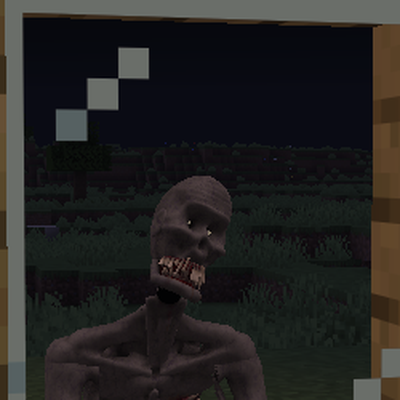
Lightless: Seven Nights
A figure watches you by day and waits for you to sleep at night. You have seven nights. A horror mod with flashing lights and loud sounds, all adjustable.