Create Propulsion: Simulated Needed by Create: Rocket Atmosphere 3.0
requiredMatching file found Matched file: 1.1.5
CurseForge · Minecraft mod
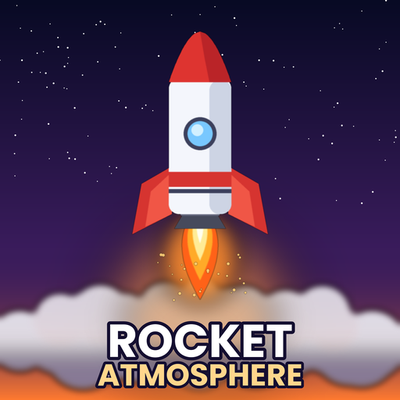
It adds visual effects to the Create Propulsion engine when it starts up, making it more rocket-like and higher quality, and it's for Android.
Quick answer
Create: Rocket Atmosphere 3.0 targets 1.21.1 with NeoForge. The project page does not say whether this file belongs on the client, dedicated server, or both. All 4 required mods have matching files.
Where it goes
The project page does not say whether this file belongs on the client, dedicated server, or both.
The source does not explicitly classify this release as client-only or server-only.
3.0. Change the file and its required mods may change too.
Install Create Propulsion: Simulated, Create Aeronautics, Create, Sable first. We found matching files for this game-version and loader setup. 4 come through another mod in the chain.
4 extra mods were pulled in by other dependencies. Indented rows show who needs each one. We only count dependency files that match this setup. A file for another loader does not fill the gap.
Before you install it
Built for Create: Rocket Atmosphere 3.0. Pick another file and the loader, install side or required mods may change.
Use 3.0. It targets 1.21.1 with NeoForge; another release may have different loader, side or dependency requirements.
Install Create Propulsion: Simulated, Create Aeronautics, Create, Sable first. We found matching files for this game-version and loader setup. 4 come through another mod in the chain.
The project page does not say whether this file belongs on the client, dedicated server, or both.
Use the “Get this file” button beside 3.0. It opens that exact file at the source.
About this project
English
Features
Ground smoke – when a thruster fires near the ground, a dense cloud spreads along the surface. It fades out gradually once you lift off.
Engine smoke and ascent trails – smoke puffs at the nozzle and a trail that stays behind the rocket as it climbs.
Engine flames – extra sparks and flames at the exhaust, scaled by how hard the engine is working (ignition ramp-up included).
Camera shake – light rumble at ignition, stronger while accelerating, fading smoothly as you move away from the rocket or when engines shut down. More and bigger engines shake more.
Works with the thruster family – Thruster (1x1, 2x2, 3x3), Solid Fuel, Liquid Vector, Vector, Ion and Creative thrusters. Vector thrusters follow their tilt, so smoke and ground clouds follow the exhaust direction. Electric engines (Vector FE, Ion, plasma/ion creative) get a lighter, bluish version of the effects.
Thin-air aware – smoke fades out in low air pressure (no smoke in vacuum).
New in 0.4.0: ignition smoke
When a rocket engine (Raptor 3 and the others) lights up, it now releases rows of small blue-white puffs from the bell, a bright white mist at the nozzle, orange sparks with a few cyan ones, and a much bigger ground cloud for the first few seconds. Toggle with ignitionSmoke in the client config.
New in 0.3.0: rocket engines
Nine engines, all built on Create Propulsion's own thruster system (thrust on the whole contraption, redstone 0–100% power, goggles info). Each needs a fuel and liquid oxygen (LOX) and shuts down automatically if either runs out:
Starship: Raptor 3 (methane/LOX) and Raptor Vacuum (methane/LOX, vacuum-optimised: weak in air, full thrust in space)
Falcon 9: Merlin 1D (RP-1/LOX) · Shuttle/SLS: RS-25 (hydrogen/LOX) · Saturn V: F-1 (RP-1/LOX)
Vulcan/New Glenn: BE-4 (methane/LOX) · Atlas V: RD-180, twin nozzle (RP-1/LOX) · Electron: Rutherford (RP-1/LOX) · Upper stage: RL10 (hydrogen/LOX, vacuum-optimised)
New fluids with buckets: liquid methane, LOX, RP-1 and liquid hydrogen. Each engine has its own 3D model; the exhaust smoke follows the propellant (sooty for RP-1, almost none for hydrogen).
New in 0.2.0
Raptor 3 engine – a two-block-tall engine modelled after the real thing, built on Create Propulsion's own thruster system: thrust applied to the whole contraption, 0–100% power by redstone, goggles info. It burns liquid methane + liquid oxygen (LOX) and shuts down automatically if either runs out. It does not need air, so it keeps firing in space. Includes the two fluids and buckets (creative tab "Create: Rocket Atmosphere").
Space detection – a simple detector (configurable altitude, default Y 3000 = fully black sky in Create: Cosmonautics) and an environmental detector (space dimension, atmosphere flags, air density) that uses Create: Cosmonautics when installed (optional) and Sable air pressure otherwise. Effects adapt: no smoke in vacuum, wider flame plume. /rocketatmosphere space shows the current state.
Install on both client and server now (the engines add blocks and fluids). Effects and the detector run on the client only.
Built for weak hardware (Android friendly)
Quality presets: Low / Medium / High – change them in game with /rocketatmosphere quality low|medium|high.
Global particle budget per tick, distance cut-off and distance-based level of detail.
No per-frame heavy work: effects are computed per game tick, ground checks are spaced out.
Every effect can be toggled or scaled in config/rocketatmosphere-client.toml (max render distance, smoke size, flames, trails, ground smoke, shake strength, electric engines).
Commands
/rocketatmosphere quality low|medium|high
/rocketatmosphere status – shows quality, whether the Create Propulsion hook is active, tracked engines and current shake.
Requirements
Minecraft 1.21.1, NeoForge 21.1.219+
Create Propulsion: Simulated 1.1.5+ (and its own requirements: Create, Sable)
Install on client and server (adds the Raptor 3 block and two fluids). Visual effects run client-side only.
Compatibility notes
Rocket Atmosphere does not modify Create Propulsion files. It reads the thruster state through a small read-only Mixin hook. If a future Create Propulsion version changes that internal method, the effects simply stop showing (no crash); /rocketatmosphere status will report the hook as inactive.
Early release: tuning values (smoke size, density, shake strength) are starting points. Please report issues with your Create Propulsion version, device and quality preset.
Project description from CurseForge.
Pick your setup
Choose the version and loader you play, then open the matching release.
Check the dependencies, then try the file in a copied instance before changing a world you care about.
Recent files
rocketatmosphere-0.4.0.jar
13 Nov 2026
13 Nov 2026
13 Nov 2026
Looking for an older file? The official CurseForge project page is in Resources.
 mod
Adds a two-sided wheel mount to the Create: Aeronautics mod.
 mod
A Minecraft mod that allows for efficient connected textures, re-built for NeoForge.
 mod
Discover, highlight, inspect, modify - your vanilla & modded mob encyclopedia