Minecraft version
Back to mods 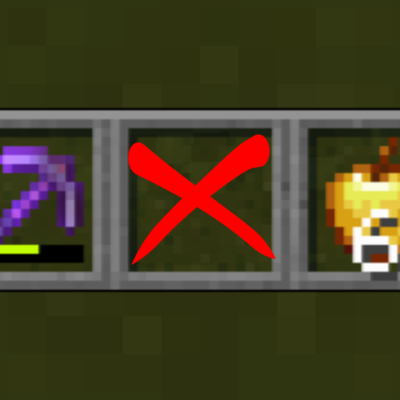
CurseForge · Minecraft mod
Skip Empty Slot
Skips empty hotbar slots when scrolling, with loop, duplicate merge and auto-follow options. Client-side only.
Choose a version Pick your version below, then grab the matching file.
Quick answer
Which Skip Empty Slot release should I use?
Latest stable file Skip Empty Slot 1.0.0 (NeoForge 26.2)
Game version 26.2
Loader NeoForge
Skip Empty Slot 1.0.0 (NeoForge 26.2) targets 26.2 with NeoForge. The project page does not say whether this file belongs on the client, dedicated server, or both. No extra mods listed for this file.
Where it goes
Is Skip Empty Slot required on the client, server, or both?
The project page does not say whether this file belongs on the client, dedicated server, or both.
Client Source doesn’t say
Dedicated server Source doesn’t say
Loader for this release NeoForge
Required install it here Optional supported, not mandatory Not supported do not install here Source doesn’t say do not assume
The source does not explicitly classify this release as client-only or server-only.
What else does Skip Empty Slot 1.0.0 (NeoForge 26.2) need?
Skip Empty Slot 1.0.0 (NeoForge 26.2). Change the file and its required mods may change too.
This file does not list any required mods. Do not add a library just because a different file uses it.
This file does not list any required or optional mods.
Before you install it
Add Skip Empty Slot without breaking your instance.
Built for Skip Empty Slot 1.0.0 (NeoForge 26.2). Pick another file and the loader, install side or required mods may change.
- 01
Stick to this file
Use Skip Empty Slot 1.0.0 (NeoForge 26.2). It targets 26.2 with NeoForge; another release may have different loader, side or dependency requirements.
- 02
Bring the mods it needs
This file does not list any required mods. Do not add a library just because a different file uses it.
- 03
Put it on the correct side
The project page does not say whether this file belongs on the client, dedicated server, or both.
- 04
Pick the file you checked
Use the “Get this file” button beside Skip Empty Slot 1.0.0 (NeoForge 26.2). It opens that exact file at the source.
About this project
What does Skip Empty Slot add?
Skip Empty Slot
When you scroll through the hotbar with the mouse wheel, empty slots are skipped and you land directly on the next item.
Settings
Options → Controls → **Skip Empty Slot**
Saved to config/skip_empty_slot.json.
Features
- **Skip empty slots** when scrolling. Number keys still select any slot as usual.
- **Scroll loop**: wrap around from one end of the hotbar to the other.
- **No-loop threshold**: stop at the ends when the hotbar has N items or fewer (1–9).
- **Merge duplicate items**: when the same item is in several slots, only the leftmost one is selected.
- **Durability**: ON = merge only if durability is identical.
- **Enchantments**: ON = merge only if enchantments (including levels) are identical.
- Different tools or materials (e.g. a sword and a pickaxe, wood and iron) are never merged.
- **Auto-follow**: when your hotbar changes, the selection follows automatically.
- Move the item you're holding to another slot → you keep holding it.
- Items are added to an empty hotbar → the leftmost item is selected.
- The whole hotbar is swapped (e.g. hotbar-swap mods) → the leftmost item is selected.
- The hotbar becomes empty → slot 1 is selected.
- Selecting a slot yourself with a number key pauses auto-follow until you scroll again.
- **Reset settings** button with a confirmation screen (OK is disabled for 2 seconds to prevent accidents).
Notes
- Client-side only. Not needed on servers.
- Fabric API is **not** required.
Supported versions
- Fabric: 1.21.1 – 1.21.11, 26.1 – 26.3
- NeoForge: 1.21.1, 1.21.3, 1.21.4, 1.21.5, 1.21.8, 1.21.10, 1.21.11, 26.1.2, 26.2, 26.3
Skip Empty Slot(日本語)
マウスホイールでホットバーをスクロールするとき、空きスロットを飛ばして次のアイテムに移動します。
設定
設定 → 操作設定 → **Skip Empty Slot**config/skip_empty_slot.json に保存されます。
機能
- スクロール時に**空きスロットをスキップ**します。数字キーでは今まで通りすべてのスロットを選択できます。
- **ループスクロール**:ホットバーの端から反対側の端へ移動します。
- **ループ無効条件**:ホットバーのアイテムが指定数(1〜9)以下のときは端で停止します。
- **重複アイテム統合**:同じアイテムが複数のスロットにある場合、最左端のスロットのみ選択します。
- **耐久値**:オンの場合、耐久値が同じときのみ統合します。
- **エンチャント**:オンの場合、エンチャント(レベル含む)が同じときのみ統合します。
- 種類や素材が違うツール(剣とツルハシ、木と鉄など)は統合しません。
- **自動移動**:ホットバーの内容が変わると、選択スロットが自動で移動します。
- 持っているアイテムを別のスロットへ移動 → 移動先のスロットを選択
- 空のホットバーにアイテムを追加 → 最左端のアイテムを選択
- ホットバー全体の入れ替え(ホットバースワップ系MODなど) → 最左端のアイテムを選択
- ホットバーが空になった → スロット1を選択
- 数字キーで自分で選択すると、次にスクロールするまで自動移動は停止します。
- **設定リセット**ボタン(確認画面付き。誤操作防止のため「OK」は2秒間押せません)
注意
- クライアント専用です。サーバーへの導入は不要です。
- Fabric API は**不要**です。
対応バージョン
- Fabric:1.21.1〜1.21.11、26.1〜26.3
- NeoForge:1.21.1、1.21.3、1.21.4、1.21.5、1.21.8、1.21.10、1.21.11、26.1.2、26.2、26.3
Project description from CurseForge.
Pick your setup
Skip Empty Slot by Minecraft version and loader
Choose the version and loader you play, then open the matching release.
Minecraft version
26.2
2 loader buildsMinecraft version
26.1.2
2 loader buildsMinecraft version
26.1.1
1 loader buildMinecraft version
26.1
1 loader buildMinecraft version
1.21.11
1 loader buildMinecraft version
1.21.10
1 loader buildMinecraft version
1.21.9
1 loader buildMinecraft version
1.21.8
1 loader buildMinecraft version
1.21.7
1 loader buildMinecraft version
1.21.6
1 loader buildMinecraft version
1.21.5
2 loader buildsShowing the newest 12 of 16 game versions. Older files are in the list below.
Check the dependencies, then try the file in a copied instance before changing a world you care about.
Recent files
Skip Empty Slot versions and loaders
Skip Empty Slot 1.0.0 (NeoForge 26.2)
skip_empty_slot-neoforge-26.2-1.0.0.jar
13 Nov 2026
Client Source doesn’t say Server Source doesn’t say Dependencies No extras listed Listed on Release listing
Check the 26.2 · NeoForge setup NeoForge26.2 release
Skip Empty Slot 1.0.0 (NeoForge 26.1.2)
skip_empty_slot-neoforge-26.1.2-1.0.0.jar
13 Nov 2026
Client Source doesn’t say Server Source doesn’t say Dependencies No extras listed Listed on Release listing
Check the 26.1.2 · NeoForge setup NeoForge26.1.2 release
Skip Empty Slot 1.0.0 (NeoForge 1.21.5)
skip_empty_slot-neoforge-1.21.5-1.0.0.jar
13 Nov 2026
Client Source doesn’t say Server Source doesn’t say Dependencies No extras listed Listed on Release listing
Check the 1.21.5 · NeoForge setup 1.21.5NeoForge release
Skip Empty Slot 1.0.0 (NeoForge 1.21.4)
skip_empty_slot-neoforge-1.21.4-1.0.0.jar
13 Nov 2026
Client Source doesn’t say Server Source doesn’t say Dependencies No extras listed Listed on Release listing
Check the 1.21.4 · NeoForge setup 1.21.4NeoForge release
Skip Empty Slot 1.0.0 (NeoForge 1.21.1)
skip_empty_slot-neoforge-1.21.1-1.0.0.jar
13 Nov 2026
Client Source doesn’t say Server Source doesn’t say Dependencies No extras listed Listed on Release listing
Check the 1.21.1 · NeoForge setup 1.21.1NeoForge release
Skip Empty Slot 1.0.0 (Fabric 26.3)
skip_empty_slot-fabric-26.3-1.0.0.jar
13 Nov 2026
Client Source doesn’t say Server Source doesn’t say Dependencies No extras listed Listed on Release listing
Check the 26.3 · Fabric setup Fabric26.3 release
Skip Empty Slot 1.0.0 (Fabric 26.2)
skip_empty_slot-fabric-26.2-1.0.0.jar
13 Nov 2026
Client Source doesn’t say Server Source doesn’t say Dependencies No extras listed Listed on Release listing
Check the 26.2 · Fabric setup Fabric26.2 release
Skip Empty Slot 1.0.0 (Fabric 26.1.2)
skip_empty_slot-fabric-26.1.2-1.0.0.jar
13 Nov 2026
Client Source doesn’t say Server Source doesn’t say Dependencies No extras listed Listed on Release listing
Check the 26.1.2 · Fabric setup Fabric26.1.2 release
Skip Empty Slot 1.0.0 (Fabric 26.1.1)
skip_empty_slot-fabric-26.1.1-1.0.0.jar
13 Nov 2026
Client Source doesn’t say Server Source doesn’t say Dependencies No extras listed Listed on Release listing
Check the 26.1.1 · Fabric setup Fabric26.1.1 release
Skip Empty Slot 1.0.0 (Fabric 26.1)
skip_empty_slot-fabric-26.1-1.0.0.jar
13 Nov 2026
Client Source doesn’t say Server Source doesn’t say Dependencies No extras listed Listed on Release listing
Check the 26.1 · Fabric setup Fabric26.1 release
Skip Empty Slot 1.0.0 (Fabric 1.21.9)
skip_empty_slot-fabric-1.21.9-1.0.0.jar
13 Nov 2026
Client Source doesn’t say Server Source doesn’t say Dependencies No extras listed Listed on Release listing
Check the 1.21.9 · Fabric setup Fabric1.21.9 release
Skip Empty Slot 1.0.0 (Fabric 1.21.8)
skip_empty_slot-fabric-1.21.8-1.0.0.jar
13 Nov 2026
Client Source doesn’t say Server Source doesn’t say Dependencies No extras listed Listed on Release listing
Check the 1.21.8 · Fabric setup Fabric1.21.8 release
Looking for an older file? The official CurseForge project page is in Resources.
 mod
CurseForge · Minecraft
Classic Anti-aliasing
Implementation of some conventional antialiasing techniques into Minecraft!
 mod
CurseForge · Minecraft
Mahoraga Shenanigans
JJS Mahoraga in Minecraft. Made fully with Claude, so full credit goes to JJS development team for their files.
 mod
CurseForge · Minecraft
Colossi - Sable Giant Mount
Giants that carry a real island on their backs. Climb aboard, build, ride a lift, steer one. Starts with the Zaratan, a giant turtle. Needs Sable and GeckoLib.