Minecraft version
Back to mods 
CurseForge · Minecraft mod
MC Hub KKP
The shared home of every KKP mod. Press F6 to find, switch on or off and set up each one, with search, favourites and sorting for when you have many. Every KKP mod needs it.
Choose a version Pick your version below, then grab the matching file.
Quick answer
Which MC Hub KKP release should I use?
beta file MC Hub KKP 0.19.0 NeoForge 1.21.11
Game version 1.21.11
Loader NeoForge
MC Hub KKP 0.19.0 NeoForge 1.21.11 targets 1.21.11 with NeoForge. The project page does not say whether this file belongs on the client, dedicated server, or both. No extra mods listed for this file.
Where it goes
Is MC Hub KKP required on the client, server, or both?
The project page does not say whether this file belongs on the client, dedicated server, or both.
Client Source doesn’t say
Dedicated server Source doesn’t say
Loader for this release NeoForge
Required install it here Optional supported, not mandatory Not supported do not install here Source doesn’t say do not assume
The source does not explicitly classify this release as client-only or server-only.
What else does MC Hub KKP 0.19.0 NeoForge 1.21.11 need?
MC Hub KKP 0.19.0 NeoForge 1.21.11. Change the file and its required mods may change too.
This file does not list any required mods. Do not add a library just because a different file uses it.
This file does not list any required or optional mods.
Before you install it
Add MC Hub KKP without breaking your instance.
Built for MC Hub KKP 0.19.0 NeoForge 1.21.11. Pick another file and the loader, install side or required mods may change.
- 01
Stick to this file
Use MC Hub KKP 0.19.0 NeoForge 1.21.11. It targets 1.21.11 with NeoForge; another release may have different loader, side or dependency requirements.
- 02
Bring the mods it needs
This file does not list any required mods. Do not add a library just because a different file uses it.
- 03
Put it on the correct side
The project page does not say whether this file belongs on the client, dedicated server, or both.
- 04
Pick the file you checked
Use the “Get this file” button beside MC Hub KKP 0.19.0 NeoForge 1.21.11. It opens that exact file at the source.
About this project
What does MC Hub KKP add?
MC Hub KKP
One screen in the game for every KKP mod. Press F6 to see all your KKP mods in one list, switch each one on or off, and change every setting without leaving the game. It also holds the code the KKP mods share, so each of them stays small. Every KKP mod needs it.
The F6 screen
- One list for all your mods: each with its picture and whether it is on, from A to Z.
- Find a mod fast: just start typing to search by name or category. Star the ones you use most and switch between the All, Favourites, On and Off tabs.
- Every setting in the game: switches, sliders, dropdowns, colours and keys, with a reset on each section. A mod's web page is optional and asks before it opens your browser.
- Fits your screen: follows your GUI Scale and window size. On a small window the list fills the screen, and a mod opens in its place with a way back.
- Main menu button: open it before you join a world, from the top right corner of the main menu. You can hide it.
- F6 opens and closes it. Change the key in Controls.
For all KKP mods at once
- Thai and English. With "Whole game" on, it also sets Minecraft's own language and font, and places Thai tone marks correctly.
- One switch for everything: turn every KKP mod on or off together.
- One error stops one mod: if a KKP mod runs into an error, only that mod stops. The game and your other mods go on, and F6 shows it as Stopped.
- Clashes are shown: a KKP mod that clashes with another mod you have is shown in red, with what it does about it.
Good to know
- Client only. Install it in your own game. A server does not need it.
- Forge, NeoForge and Fabric. Each file says which Minecraft version and loader it is for, so pick the one that matches your game. Fabric also needs Fabric API.
- On its own it only shows the list. Add KKP mods to fill it.
- It does not change the world or play for you.
Project description from CurseForge.
Pick your setup
MC Hub KKP by Minecraft version and loader
Choose the version and loader you play, then open the matching release.
Minecraft version
1.21.1
3 loader buildsMinecraft version
1.20.1
2 loader buildsMinecraft version
1.19.2
2 loader buildsCheck the dependencies, then try the file in a copied instance before changing a world you care about.
Recent files
MC Hub KKP versions and loaders
MC Hub KKP 0.19.0 NeoForge 1.21.11
mc-hub-kkp-v0.19.0-neoforge-1.21.11.jar
18 Nov 2026
Client Source doesn’t say Server Source doesn’t say Dependencies No extras listed Listed on Release listing
Check the 1.21.11 · NeoForge setup NeoForge1.21.11 beta
MC Hub KKP 0.19.0 Fabric 1.21.11
mc-hub-kkp-v0.19.0-fabric-1.21.11.jar
18 Nov 2026
Client Source doesn’t say Server Source doesn’t say Dependencies 1 required · 1 unchecked Listed on Release listing
Check the 1.21.11 · Fabric setup Fabric1.21.11 beta
MC Hub KKP 0.19.0 NeoForge 1.21.1
mc-hub-kkp-v0.19.0-neoforge-1.21.1.jar
17 Nov 2026
Client Source doesn’t say Server Source doesn’t say Dependencies No extras listed Listed on Release listing
Check the 1.21.1 · NeoForge setup 1.21.1NeoForge beta
MC Hub KKP 0.19.0 Forge 1.21.1
mc-hub-kkp-v0.19.0-forge-1.21.1.jar
17 Nov 2026
Client Source doesn’t say Server Source doesn’t say Dependencies No extras listed Listed on Release listing
Check the 1.21.1 · Forge setup Forge1.21.1 beta
MC Hub KKP 0.19.0 Forge 1.20.1
mc-hub-kkp-v0.19.0-forge-1.20.1.jar
17 Nov 2026
Client Source doesn’t say Server Source doesn’t say Dependencies No extras listed Listed on Release listing
Check the 1.20.1 · Forge setup 1.20.1Forge beta
MC Hub KKP 0.19.0 Forge 1.19.2
mc-hub-kkp-v0.19.0-forge-1.19.2.jar
17 Nov 2026
Client Source doesn’t say Server Source doesn’t say Dependencies No extras listed Listed on Release listing
Check the 1.19.2 · Forge setup Forge1.19.2 beta
MC Hub KKP 0.19.0 Fabric 1.21.1
mc-hub-kkp-v0.19.0-fabric-1.21.1.jar
17 Nov 2026
Client Source doesn’t say Server Source doesn’t say Dependencies 1 required · 1 unchecked Listed on Release listing
Check the 1.21.1 · Fabric setup Fabric1.21.1 beta
MC Hub KKP 0.19.0 Fabric 1.20.1
mc-hub-kkp-v0.19.0-fabric-1.20.1.jar
17 Nov 2026
Client Source doesn’t say Server Source doesn’t say Dependencies 1 required · 1 unchecked Listed on Release listing
Check the 1.20.1 · Fabric setup Fabric1.20.1 beta
MC Hub KKP 0.19.0 Fabric 1.19.2
mc-hub-kkp-v0.19.0-fabric-1.19.2.jar
17 Nov 2026
Client Source doesn’t say Server Source doesn’t say Dependencies 1 required · 1 unchecked Listed on Release listing
Check the 1.19.2 · Fabric setup Fabric1.19.2 beta
MC Hub KKP 0.18.0 NeoForge 1.21.1
mc-hub-kkp-v0.18.0-neoforge-1.21.1.jar
16 Nov 2026
Client Source doesn’t say Server Source doesn’t say Dependencies No extras listed Listed on Release listing
Check the 1.21.1 · NeoForge setup 1.21.1NeoForge beta
MC Hub KKP 0.18.0 Forge 1.21.1
mc-hub-kkp-v0.18.0-forge-1.21.1.jar
16 Nov 2026
Client Source doesn’t say Server Source doesn’t say Dependencies No extras listed Listed on Release listing
Check the 1.21.1 · Forge setup Forge1.21.1 beta
MC Hub KKP 0.18.0 Forge 1.20.1
mc-hub-kkp-v0.18.0-forge-1.20.1.jar
16 Nov 2026
Client Source doesn’t say Server Source doesn’t say Dependencies No extras listed Listed on Release listing
Check the 1.20.1 · Forge setup 1.20.1Forge beta
Looking for an older file? The official CurseForge project page is in Resources.
 mod
CurseForge + Modrinth · Minecraft
Throwing Disc Backport
Mod that adds the upcoming throwing disc weapon in Minecraft, backporting it to previous versions! Available for Forge / Fabric / Neoforge
 mod
CurseForge · Minecraft
Hold Drop to Throw KKP
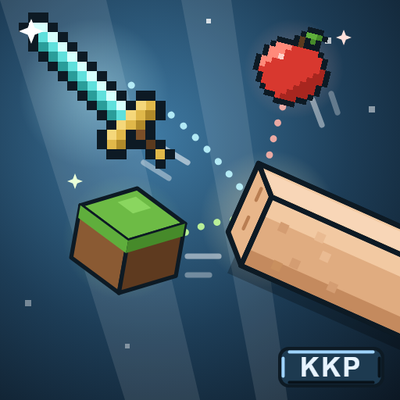
Hold Q to throw what you hold: weapons fly point first and stick in walls until you take them back, blocks are placed where they land, anything else flies as a normal drop. Tap Q still drops. Needs the mod on the server too.
 mod
CurseForge · Minecraft
Yardsite
Before the world is created, pick your spawn point on a 3D biome map within a radius of a few hundred chunks.