Quick answer
Which Create: Private Redstone Link release matches NeoForge?
Best match for your filters Private Redstone Link 1.6.0
Game version 1.21.1
Loader NeoForge
Create: Private Redstone Link Private Redstone Link 1.6.0 targets 1.21.1 with NeoForge. The project page does not say whether this file belongs on the client, dedicated server, or both. All 1 required mods have matching files.
Where it goes
Is Create: Private Redstone Link required on the client, server, or both?
The project page does not say whether this file belongs on the client, dedicated server, or both.
Client Source doesn’t say
Dedicated server Source doesn’t say
Loader for this release NeoForge
Required install it here Optional supported, not mandatory Not supported do not install here Source doesn’t say do not assume
The source does not explicitly classify this release as client-only or server-only.
What else does Create: Private Redstone Link Private Redstone Link 1.6.0 need?
Private Redstone Link 1.6.0 on NeoForge. Every mod below is checked against that same setup.
Install Create first. We found matching files for this game-version and loader setup. 11 come through another mod in the chain.
8 listed on this file 11 pulled in by those mods
Drive-By-Sable Optional for Create: Private Redstone Link Private Redstone Link 1.6.0 optionalMatching file found Matched file: drivebysable-r2.1.0.jar
Jade 🔍 Optional for Create: Private Redstone Link Private Redstone Link 1.6.0 optionalMatching file found Matched file: [NeoForge 1.21.1] 15.10.6
Create: Connected Optional for Create: Private Redstone Link Private Redstone Link 1.6.0 optionalMatching file found Matched file: create_connected 1.3.3-mc1.21.1
Matching file found Matched file: [NEOFORGE][1.21.1] FTB Chunks 2101.1.24
Matching file found Matched file: [NEOFORGE][1.21.1] FTB Teams 2101.1.12
Matching file found Matched file: Create Aeronautics 1.3.3 for mc1.21.1
Create: Aeroworks Optional for Create: Private Redstone Link Private Redstone Link 1.6.0 optionalMatching file found Matched file: 1.5.0+mc1.21.1
Create Needed by Create: Private Redstone Link Private Redstone Link 1.6.0 requiredMatching file found Matched file: Create 6.0.10 for mc1.21.1
Matching file found Matched file: 19.71.0.473 for NeoForge 1.21.1
Matching file found Matched file: [NEOFORGE][1.21.1] FTB Library 2101.1.40
Matching file found Matched file: [NEOFORGE][1.21.1] FTB Ranks 2101.1.5
Matching file found Matched file: [NeoForge 1.21] v13.0.12
Sable Needed by Create Aeronautics pulled inMatching file found Matched file: Sable NeoForge 2.0.6 for mc1.21.1
Matching file found Matched file: MezzConfig 0.7.1 for NeoForge 1.21.1
Matching file found Matched file: MezzConfig GUI mc1.21.1-0.7.1 for NeoForge
Matching file found Matched file: [NeoForge 1.21(.1)] v16.0.799
Matching file found Matched file: ImGuiMC NeoForge 2.0.5 for mc1.21.1
Matching file found Matched file: [NeoForge 1.21] v15.0.140
No matching file
11
extra mods were pulled in by other dependencies.
Indented rows show who needs each one. We only count dependency files that match this setup. A file for another loader does not fill the gap.
Before you install it
Add Create: Private Redstone Link without breaking your instance.
Built for Create: Private Redstone Link Private Redstone Link 1.6.0 on NeoForge. Pick another file and the loader, install side or required mods may change.
- 01
Stick to this file
Use Private Redstone Link 1.6.0. It targets 1.21.1 with NeoForge; another release may have different loader, side or dependency requirements.
- 02
Bring the mods it needs
Install Create first. We found matching files for this game-version and loader setup. 11 come through another mod in the chain.
- 03
Put it on the correct side
The project page does not say whether this file belongs on the client, dedicated server, or both.
- 04
Pick the file you checked
Use the “Get this file” button beside Private Redstone Link 1.6.0. It opens that exact file at the source.
About this project
What does Create: Private Redstone Link add?
Create: Private Redstone Link
An addon for Create 6 (NeoForge 1.21.1) that adds two new Redstone Links. They look and work exactly like Create's Redstone Link (same two frequency slots, same wrench / sneak-click mode toggle, same range), but their frequency also uses who owns them. Other devices that use frequencies (Linked Controller, typewriters, linked receivers, aircraft controls…) get the same Normal / Private / Team modes.
Private Redstone Link (brass frame)
- Its frequency = the two items + the UUID of the player who placed it.
- Your private links only talk to your own private links. Other players can use the exact same items without ever touching your signals.
- Never talks to normal Redstone Links (and vice versa).
- Only the owner can change its frequencies or mode, or break it (configurable).
- While you look at it, a small head of the owner appears on the antenna.
Team Redstone Link (copper frame)
- Shared with your FTB Teams team (party): every member can use, configure and break it, and all the team's links talk together.
- The team is checked live: if the owner joins or leaves a party, his links follow him.
- While you look at it, a small wool block of the team's color sits on the antenna.
- Never talks to Private links nor to normal links. Without FTB Teams, a Team link behaves like a Private link.
Normal / Private / Team modes on other devices
- Linked Controller and Lectern Controller (Create): three buttons in the bottom bar of the interface. The player who first switches it owns it. Private: only the owner can use it; Team: only his team. The tooltip shows the mode and the owner, and it is kept on a lectern.
- A controller button bound on a normal link controls normal links only; bound on a Private link, only the private links of the player pressing it; bound on a Team link, only his team's links.
- Devices placed in the world are owned by the player who places them; only he (or his team) can change their mode. Their casing follows the mode: original brass = normal, andesite = private, copper = team. While looked at, the owner's head (private) or the team's wool (team) sits on the antenna.
Compatibility
Everything below is optional: the mod only needs Create. Each integration turns on by itself when the other mod is installed.
- FTB Teams (2101.1+): Team Redstone Links and the Team mode of every device.
- FTB Chunks (2101.1+): players who enabled
/ftbchunks admin bypass_protection ignore the owner protections (config ftbChunksBypass).
- Jade (15+): shows the owner, the team and the mode.
- Create Aeronautics / Simulated (1.3.3): Linked Typewriter (three mode buttons in its interface), Modulating Linked Receiver (buttons in its interface) and Directional Linked Receiver (sneak + right-click with an empty hand).
- Create: Aeroworks (1.5.0): Joystick, Control Desk and Control Stand (three buttons in their interface, sneak + right-click); joined desks share their mode.
- Drive-By-Sable (r2.1.0): Cable Hubs (basic, intermediate, advanced) and Cable Typewriter Hub (sneak + right-click with an empty hand); in private / team mode only the owner's (or his team's) Linked Controller reaches the hub. Handheld Typewriter: same three buttons as the Linked Controller.
- Create: Connected (1.3.3): Redstone Link wildcards work inside the private and team networks.
- Sable ships: private and team links keep working on moving ships.
Versions in brackets are the ones this release was built against; newer versions should work.
Also
- Create goggles and Jade show the owner (and the team for Team links).
- Schematics never copy the owner: a printed link is unclaimed until a player right-clicks it. An unclaimed link talks to nobody.
- English and French translations.
Config (serverconfig/privatelink-server.toml)
protectConfiguration (default true): only the owner / team can change frequencies, mode or wrench the link.protectBreaking (default true): only the owner / team can break the link.ftbChunksBypass (default true): players with /ftbchunks admin bypass_protection enabled ignore both protections.
Recipes (shapeless)
- Private Redstone Link = Redstone Link + Ender Pearl
- Team Redstone Link = Redstone Link + any Wool
- Craft a private or team link alone to get the normal Redstone Link back.
Required on both client and server. Requires Create 6.0+.
Project description from CurseForge.
Pick your setup
Create: Private Redstone Link by Minecraft version and loader
Choose the version and loader you play, then open the matching release.
Minecraft version
1.21.1
1
loader build Check the dependencies, then try the file in a copied instance before changing a world you care about.
Recent files
Create: Private Redstone Link versions and loaders
privatelink-1.6.0-mc1.21.1.jar
20 Nov 2026
Client Source doesn’t say Server Source doesn’t say Dependencies 1 required · matched Listed on Release listing
Check the 1.21.1 · NeoForge setup → privatelink-1.4.2-mc1.21.1.jar
16 Nov 2026
Client Source doesn’t say Server Source doesn’t say Dependencies 1 required · 1 unchecked Listed on Release listing
Check the 1.21.1 · NeoForge setup → 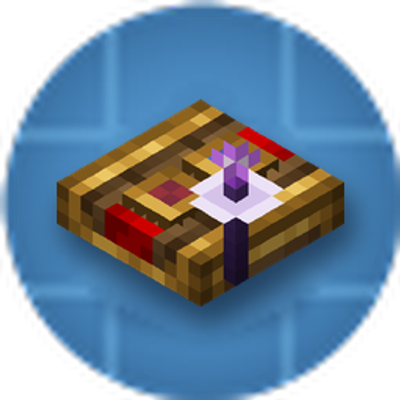
 mod
 mod
 mod