Minecraft version
Back to mods 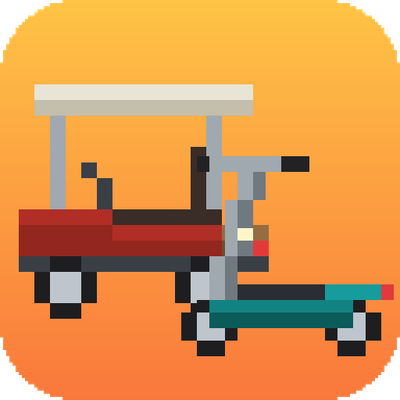
CurseForge · Minecraft mod
Joyride Vehicles
"Arcade-style electric vehicles in a blocky Minecraft style: scooter, golf cart, city car and race kart, with upgrades, roads, and racing with friends.
Choose a version Pick your version below, then grab the matching file.
Quick answer
Which Joyride Vehicles release should I use?
Latest stable file joyride-vehicles-neoforge-0.2.0.jar
Game version 26.3
Loader NeoForge
Joyride Vehicles joyride-vehicles-neoforge-0.2.0.jar targets 26.3 with NeoForge. The project page does not say whether this file belongs on the client, dedicated server, or both. No extra mods listed for this file.
Where it goes
Is Joyride Vehicles required on the client, server, or both?
The project page does not say whether this file belongs on the client, dedicated server, or both.
Client Source doesn’t say
Dedicated server Source doesn’t say
Loader for this release NeoForge
Required install it here Optional supported, not mandatory Not supported do not install here Source doesn’t say do not assume
The source does not explicitly classify this release as client-only or server-only.
What else does Joyride Vehicles joyride-vehicles-neoforge-0.2.0.jar need?
joyride-vehicles-neoforge-0.2.0.jar. Change the file and its required mods may change too.
This file does not list any required mods. Do not add a library just because a different file uses it.
This file does not list any required or optional mods.
Before you install it
Add Joyride Vehicles without breaking your instance.
Built for Joyride Vehicles joyride-vehicles-neoforge-0.2.0.jar. Pick another file and the loader, install side or required mods may change.
- 01
Stick to this file
Use joyride-vehicles-neoforge-0.2.0.jar. It targets 26.3 with NeoForge; another release may have different loader, side or dependency requirements.
- 02
Bring the mods it needs
This file does not list any required mods. Do not add a library just because a different file uses it.
- 03
Put it on the correct side
The project page does not say whether this file belongs on the client, dedicated server, or both.
- 04
Pick the file you checked
Use the “Get this file” button beside joyride-vehicles-neoforge-0.2.0.jar. It opens that exact file at the source.
About this project
What does Joyride Vehicles add?
Joyride Vehicles
Fun, arcade-style electric vehicles in a blocky Minecraft style. Hop on and ride with your friends.
No engines to assemble and no simulation to learn: put a vehicle down, get in and drive. It feels like a boat on land, and the little details (charging, keys, a trunk, headlights, a car alarm) make it fun to live with. Works on Fabric and NeoForge, single player and on servers.
Vehicles
| Vehicle | Seats | Top speed | Trunk | Good to know |
|---|---|---|---|---|
| E-Scooter | 1 (standing) | ~35 km/h | – | nimble, slow on grass and sand, has a bell |
| Golf Cart | 2 + an animal in the back | ~27 km/h | 9 slots | barely slowed by grass and sand, has a horn |
| City Car | 4 | ~40 km/h (48 on asphalt) | 27 slots | headlights that really light the road, car alarm |
| Race Kart | 1 | ~45 km/h (54 on asphalt) | – | drift and let go for a boost |
Controls: W/S to drive and brake (hold S to reverse), A/D to steer, Space for the handbrake (drift!), H for the horn, L for the lights, Shift to get out. Vehicles climb one block by themselves.
Living with your vehicle
- Battery: every vehicle runs on electricity. Park next to a charging station with a redstone signal, or put a daylight detector next to it for a solar charger.
- Keys: a new vehicle comes with its own key. Lock it and only you (and whoever carries a copy of the key) can drive it. The city car's alarm goes off when someone tries anyway.
- Trunk: sneak + right-click the golf cart or city car.
- Animals: walk up to the golf cart with an animal on a lead (up to cow size) and it hops in the back.
- Damage: vehicles take a beating and start to smoke, but they never explode or disappear. Fix them with the wrench. Sneak + right-click with the wrench picks the vehicle up as an item that keeps everything: paint, charge, trunk, lock and upgrades.
Upgrades and paint
- Paint with any of the 16 dyes, or a spray can for gold, chrome, carbon, camo, galaxy or pearl.
- Engine upgrades: up to 3 levels of extra speed and acceleration.
- Nitro: fit a nitro kit and hold the sprint key for a boost with blue flames. Refill with nitro canisters.
- Windows: right-click the golf cart or city car with glass, tinted glass or any stained glass.
Roads
- Asphalt and asphalt slabs: 20% faster.
- Road paint: dashed, solid and yellow lines that join up into crossings, zebra crossings, arrows and parking bays.
- Traffic lights driven by redstone (green, amber, red).
- Parking meters: pay with iron nuggets, get a redstone signal while paid (for a gate or barrier).
Racing
- Lay a start/finish line and numbered checkpoints, and put a race control next to the track.
- Small tracks are found automatically. For bigger ones, link the line and checkpoints by hand with the wrench, up to 1000 blocks away.
- Every lap is timed; the fastest laps float above the race control.
- Right-click the race control to start a race for everyone on the track: 3-2-1-GO, then the results in chat and on the board.
For servers
Everything can be tuned in config/joyride.properties: speed per vehicle, which vehicles can be placed, battery use and charging, collision damage to mobs and players, vehicle damage, headlights, alarms, locks and the parking meter. The file reloads by itself when you save it (or use /joyride reload), and players get the new values at once. Driving works like vanilla boats: the driver's own game moves the vehicle, so steering never lags, even on a server far away.
Requirements
- Minecraft 26.3, Java 25
- Fabric: Fabric Loader 0.19.5+ and Fabric API, or NeoForge 26.3
- Needed on both the client and the server
All recipes are in the recipe book. Found a bug or have an idea? Leave a comment! Or mail to xavitje.mods@gmail.com
Project description from CurseForge.
Pick your setup
Joyride Vehicles by Minecraft version and loader
Choose the version and loader you play, then open the matching release.
Check the dependencies, then try the file in a copied instance before changing a world you care about.
Recent files
Joyride Vehicles versions and loaders
joyride-vehicles-neoforge-0.2.0.jar
23 Nov 2026
Client Source doesn’t say Server Source doesn’t say Dependencies No extras listed Listed on Release listing
Check the 26.3 · NeoForge setup NeoForge26.3 release
joyride-vehicles-fabric-0.2.0.jar
23 Nov 2026
Client Source doesn’t say Server Source doesn’t say Dependencies No extras listed Listed on Release listing
Check the 26.3 · Fabric setup Fabric26.3 release
joyride-vehicles-neoforge-0.1.0.jar
17 Nov 2026
Client Source doesn’t say Server Source doesn’t say Dependencies No extras listed Listed on Release listing
Check the 26.3 · NeoForge setup NeoForge26.3 release
joyride-vehicles-fabric-0.1.0.jar
17 Nov 2026
Client Source doesn’t say Server Source doesn’t say Dependencies No extras listed Listed on Release listing
Check the 26.3 · Fabric setup Fabric26.3 release
Looking for an older file? The official CurseForge project page is in Resources.
 mod
CurseForge · Minecraft
Survivalpp
A co-op survival overhaul for Fabric: jobs, a connected storage network with autocrafting, backpacks, a detailed minimap with waypoints, homes and teleports, and dozens of quality-of-life tools.
 mod
CurseForge · Minecraft
Kiloton
The realistic nuke for modern Minecraft
 mod
Modrinth · Minecraft
StockMarket
StockMarket is a Minecraft mod that brings a better way for trading to the game. It enables players to trade items on a virtual stock market, making it ideal for multiplayer servers with active economies.