Minecraft version
Back to mods 
CurseForge · Minecraft mod
Quick Trash
Hold a key and drag your cursor to instantly delete items in your inventory. Supports batch clearing and full undo.
Choose a version Pick your version below, then grab the matching file.
Quick answer
Which Quick Trash release should I use?
Latest stable file quicktrash-1.0.0-Forge/NeoForge-1.20.1.jar
Game version 1.20.1
Loader Forge, NeoForge
Quick Trash quicktrash-1.0.0-Forge/NeoForge-1.20.1.jar targets 1.20.1 with Forge, NeoForge. The project page does not say whether this file belongs on the client, dedicated server, or both. No extra mods listed for this file.
Where it goes
Is Quick Trash required on the client, server, or both?
The project page does not say whether this file belongs on the client, dedicated server, or both.
Client Source doesn’t say
Dedicated server Source doesn’t say
Loader for this release Forge, NeoForge
Required install it here Optional supported, not mandatory Not supported do not install here Source doesn’t say do not assume
The source does not explicitly classify this release as client-only or server-only.
What else does Quick Trash quicktrash-1.0.0-Forge/NeoForge-1.20.1.jar need?
quicktrash-1.0.0-Forge/NeoForge-1.20.1.jar. Change the file and its required mods may change too.
This file does not list any required mods. Do not add a library just because a different file uses it.
This file does not list any required or optional mods.
Before you install it
Add Quick Trash without breaking your instance.
Built for Quick Trash quicktrash-1.0.0-Forge/NeoForge-1.20.1.jar. Pick another file and the loader, install side or required mods may change.
- 01
Stick to this file
Use quicktrash-1.0.0-Forge/NeoForge-1.20.1.jar. It targets 1.20.1 with Forge, NeoForge; another release may have different loader, side or dependency requirements.
- 02
Bring the mods it needs
This file does not list any required mods. Do not add a library just because a different file uses it.
- 03
Put it on the correct side
The project page does not say whether this file belongs on the client, dedicated server, or both.
- 04
Pick the file you checked
Use the “Get this file” button beside quicktrash-1.0.0-Forge/NeoForge-1.20.1.jar. It opens that exact file at the source.
About this project
What does Quick Trash add?
🗑️ Quick Trash
Keep your inventory clean in seconds! Quick Trash is a lightweight, vanilla-friendly Quality of Life (QoL) mod that lets you instantly delete and restore items directly from your inventory screen without dragging anything into a trash can.
⭐ Features
- ⌨️ Fully Customizable Keybinds: Easily change both the Delete and Undo keys anytime in your game controls.
- ⚡ No Dragging Required! Simply hover your cursor over the item and tap
D(saving you ~0.5s per item…). - 📦 Bulk Delete (Shift + D): Clear ALL matching items of the same type across your container in a single press.
- 🧹 Swipe-to-Delete: Hold down
Dand smoothly glide your mouse across slots to wipe out rows of junk instantly. - ↩️ Full Undo Support: Restores the exact quantity from your last deletion (even multi-stack batches!), with up to 64 undo steps.
- 🔊 Satisfying Sound Effects: Crisp extinguish and pickup audio cues give you instant, tactile feedback.
- 🪶 Lightweight & Desync-Free: Minimal code, zero lag, fully server-synchronized with no ghost items.
📷 Screenshots
Hover over an item and press D to delete it instantly. 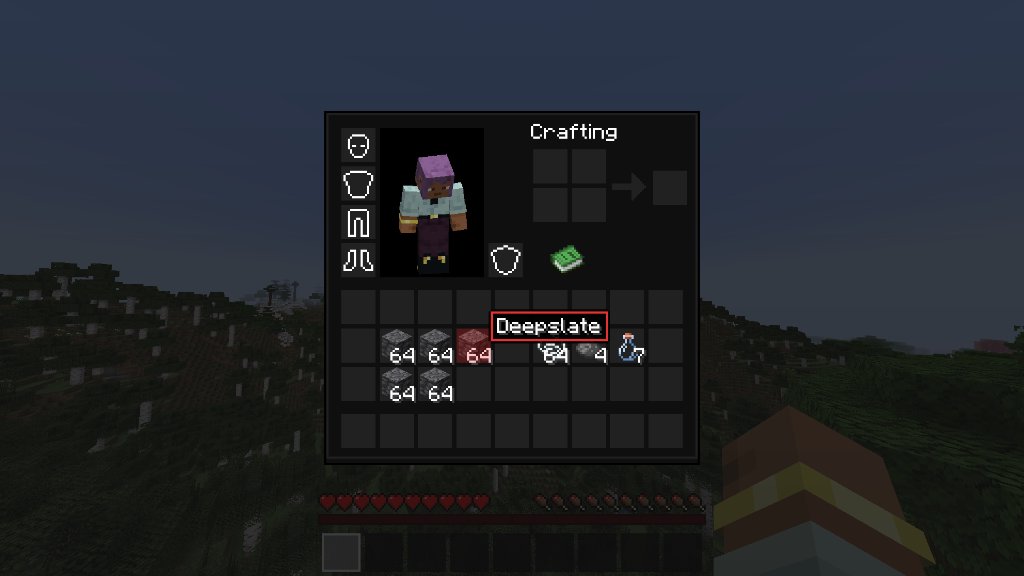
The item is immediately removed with a crisp sound. 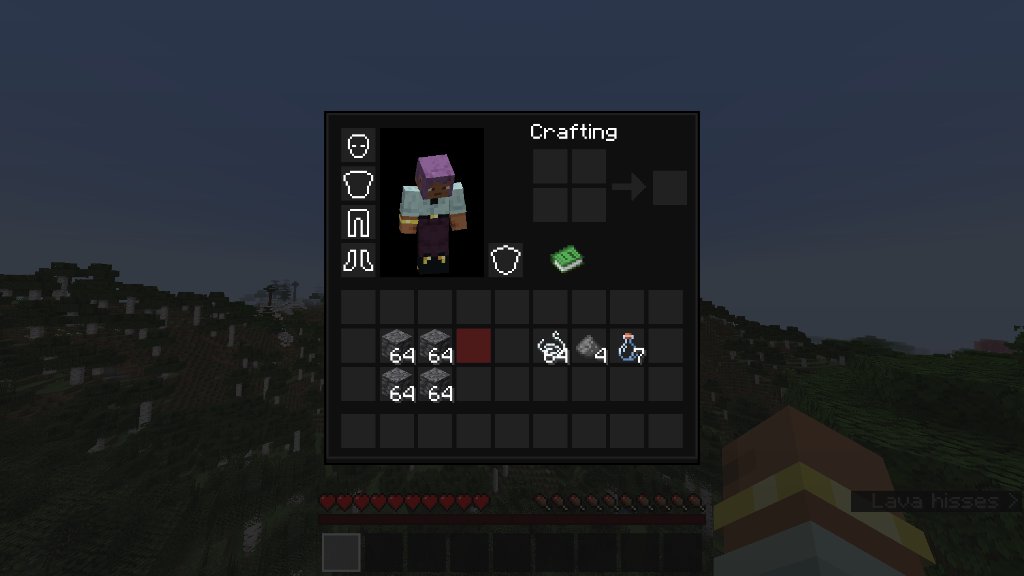
Hold D and drag across slots to delete multiple items in one swipe. 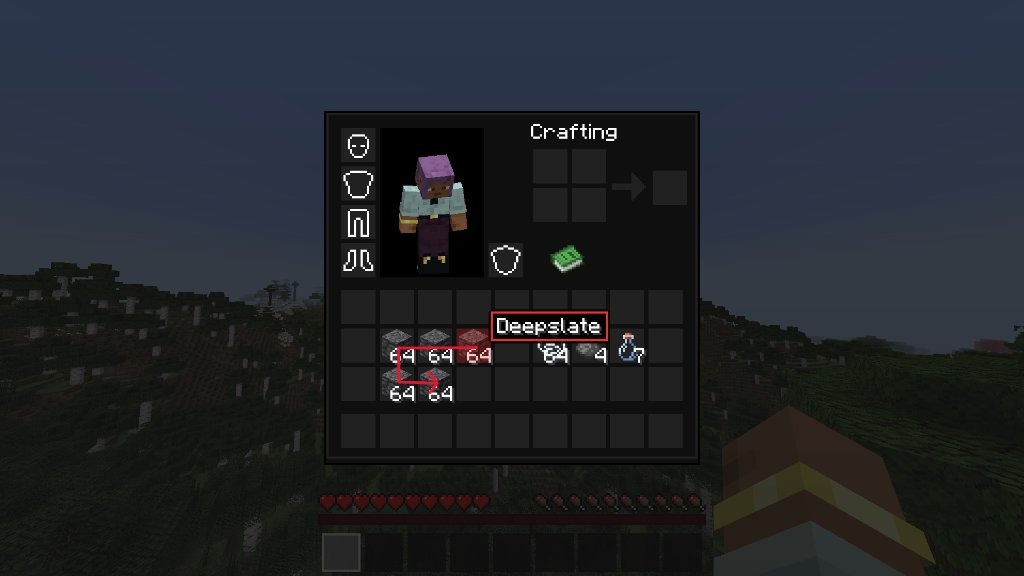
Press Z to undo — the entire deleted batch is restored at once. 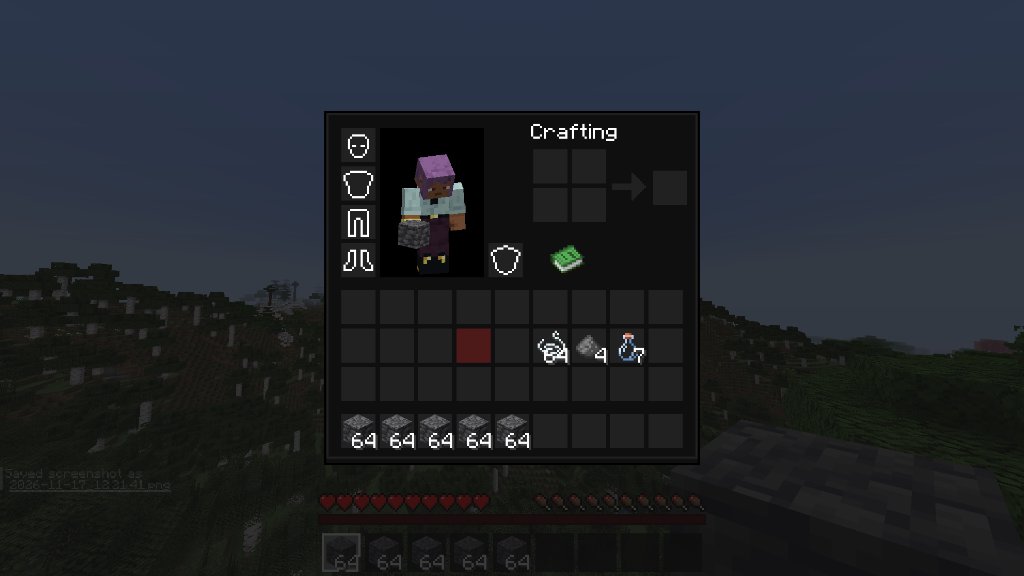
📜 Key Bindings
| Action | Default Key |
|---|---|
| Delete Hovered Item | D |
| Hold & Swipe to Delete | Hold D + Drag Cursor |
| Delete All Matching Items | Shift + D |
| Undo Last Deletion | Z |
(All keys can be rebound under Options → Controls → Key Binds → Quick Trash)
Project description from CurseForge.
Pick your setup
Quick Trash by Minecraft version and loader
Choose the version and loader you play, then open the matching release.
Check the dependencies, then try the file in a copied instance before changing a world you care about.
Recent files
Quick Trash versions and loaders
quicktrash-1.0.0-Forge/NeoForge-1.20.1.jar
quicktrash-1.0.0-1.20.1.jar
17 Nov 2026
Client Source doesn’t say Server Source doesn’t say Dependencies No extras listed Listed on Release listing
Check the 1.20.1 · Forge setup 1.20.1ForgeNeoForge release
Looking for an older file? The official CurseForge project page is in Resources.
 mod
CurseForge + Modrinth · Minecraft
TaCZ addon
An expansion mod for TaCZ about better attachment managing.
 mod
CurseForge · Minecraft
KAW(Kenpachi's Ability Wheel)
This mod basically makes it easier to scroll through your palladium compatible abilities when you have too many! Aka a palladium power menu alternative.
 mod
CurseForge · Minecraft
MCA x Minecolonies Integration
A seamless NeoForge bridge unifying MineColonies worker AI with MCA Reborn's humanoid rendering, genetics, age progression, and immersive social interactions.