Cinematic Interactions Needed by Cinematic Interactions: Modded Stations Modded Stations 0.2.0 (Cinematic 0.18.2)
requiredMatching file found Matched file: Cinematic Interactions 0.18.2 — NeoForge 1.21.1

CurseForge · Minecraft mod
An add-on for Cinematic Interactions: work Farmer's Delight pots, Cultural Delights ovens and vats, Tide's angling table and more by hand, in the world, instead of in a GUI.
Quick answer
Cinematic Interactions: Modded Stations Modded Stations 0.2.0 (Cinematic 0.18.2) targets 1.21.1 with NeoForge. The project page does not say whether this file belongs on the client, dedicated server, or both. All 1 required mods have matching files.
Where it goes
The project page does not say whether this file belongs on the client, dedicated server, or both.
The source does not explicitly classify this release as client-only or server-only.
Modded Stations 0.2.0 (Cinematic 0.18.2) on NeoForge. Every mod below is checked against that same setup.
Install Cinematic Interactions first. We found matching files for this game-version and loader setup. 1 comes through another mod in the chain.
1 extra mod was pulled in by another dependency. Indented rows show who needs each one. We only count dependency files that match this setup. A file for another loader does not fill the gap.
Before you install it
Built for Cinematic Interactions: Modded Stations Modded Stations 0.2.0 (Cinematic 0.18.2) on NeoForge. Pick another file and the loader, install side or required mods may change.
Use Modded Stations 0.2.0 (Cinematic 0.18.2). It targets 1.21.1 with NeoForge; another release may have different loader, side or dependency requirements.
Install Cinematic Interactions first. We found matching files for this game-version and loader setup. 1 comes through another mod in the chain.
The project page does not say whether this file belongs on the client, dedicated server, or both.
Use the “Get this file” button beside Modded Stations 0.2.0 (Cinematic 0.18.2). It opens that exact file at the source.
About this project






Cinematic Interactions turns vanilla workstations into first-person scenes: you walk up, lean over the block and work it by hand instead of opening a window. Modded workstations never got that treatment, so a kitchen full of Farmer's Delight pots still pops a plain GUI.
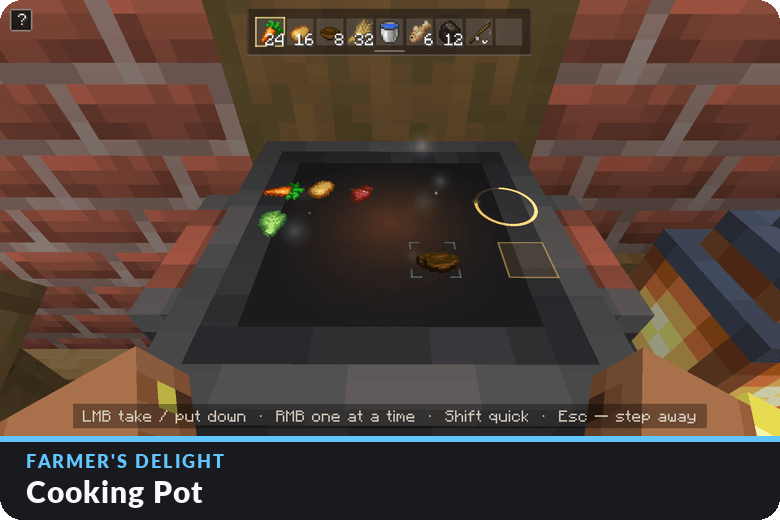
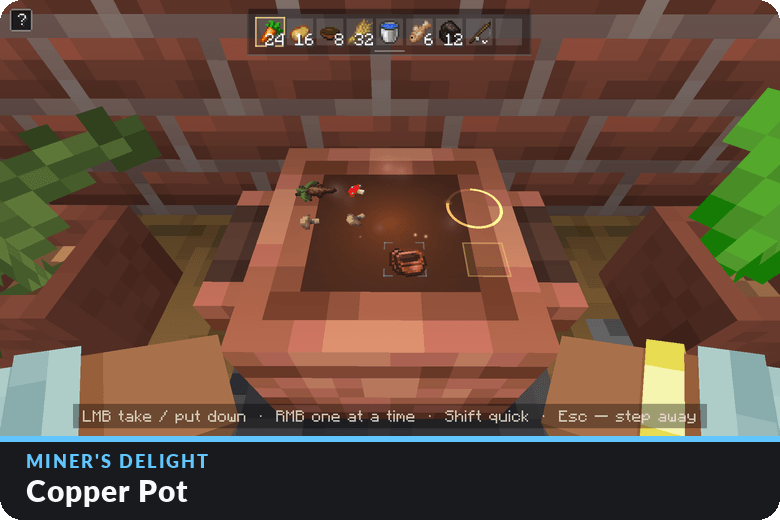
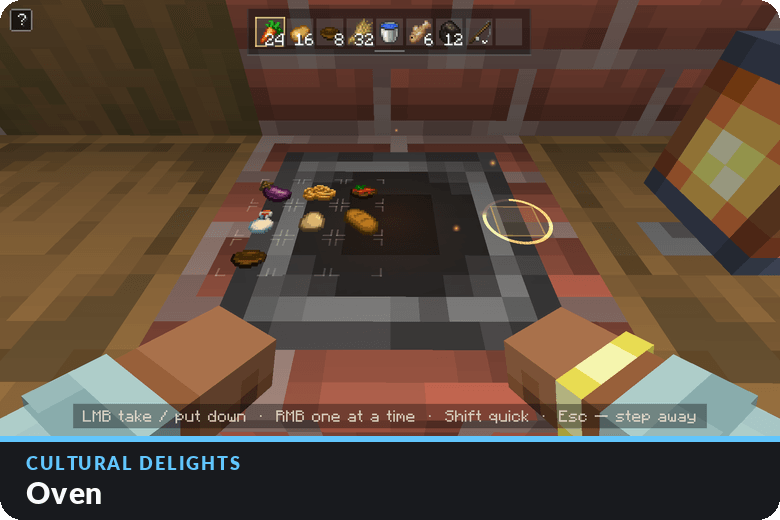
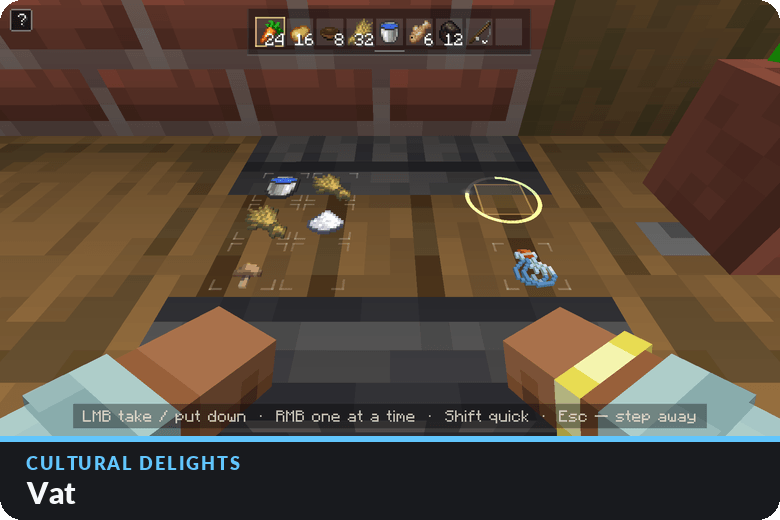
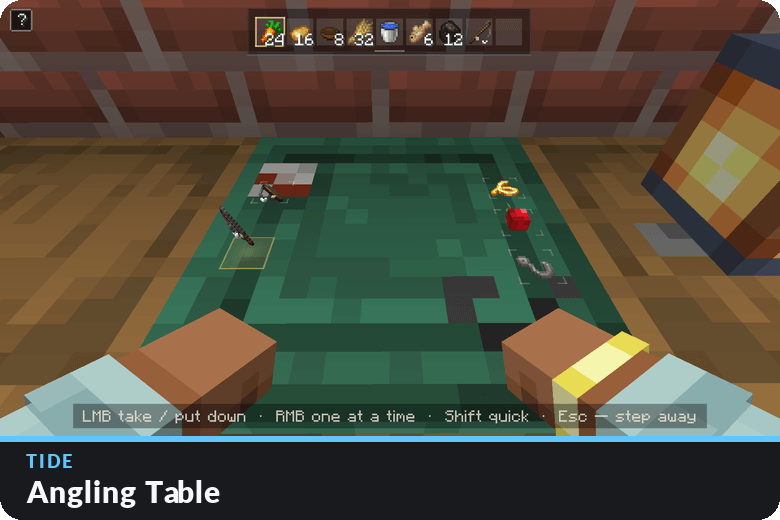
Modded Stations extends Cinematic to them. Walk up to a cooking pot and its ingredient slots lie inside the pot; take, place and shift-move items right there, with Cinematic's own camera, hands and inventory drawer. Every move goes through the block's real menu, so recipes, cooking and syncing work exactly as the mod intends. This is the first iteration of this mod please comment or report issues!

 |
 |
|---|---|
 |
 |
 |
 |
| Mod | Block | In the scene |
|---|---|---|
| Farmer's Delight | Cooking Pot | Six ingredients, the bowl, the cooking meal and the result, laid inside the pot |
| Miner's Delight | Copper Pot | Four ingredients, the cup, the meal and the result |
| Cultural Delights | Oven | The 3×3 baking grid and the result on top of the oven |
| Cultural Delights | Vat | Six inputs, the container and the result for brewing and ageing |
| Tide | Angling Table | The rod, its line, bobber and hook, and the finished rod |
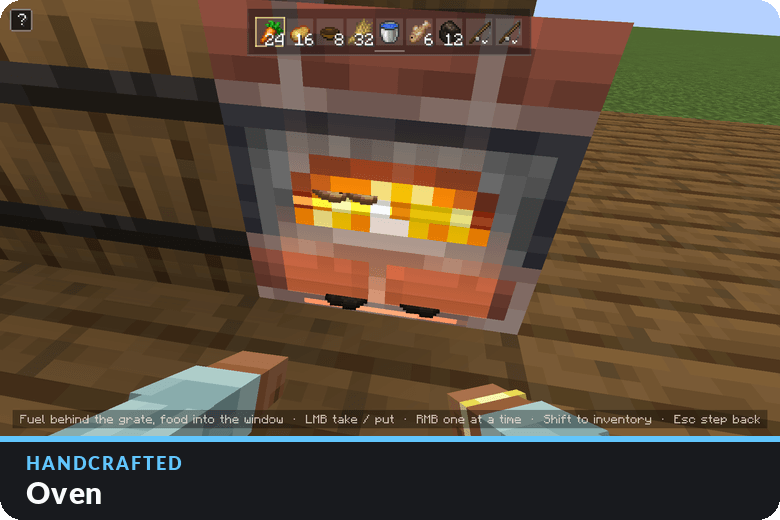
| Handcrafted | Oven | Cinematic's own smoker scene: fuel behind the grate, food in the window |
Every supported mod is optional. Stations from mods you don't have are simply skipped.


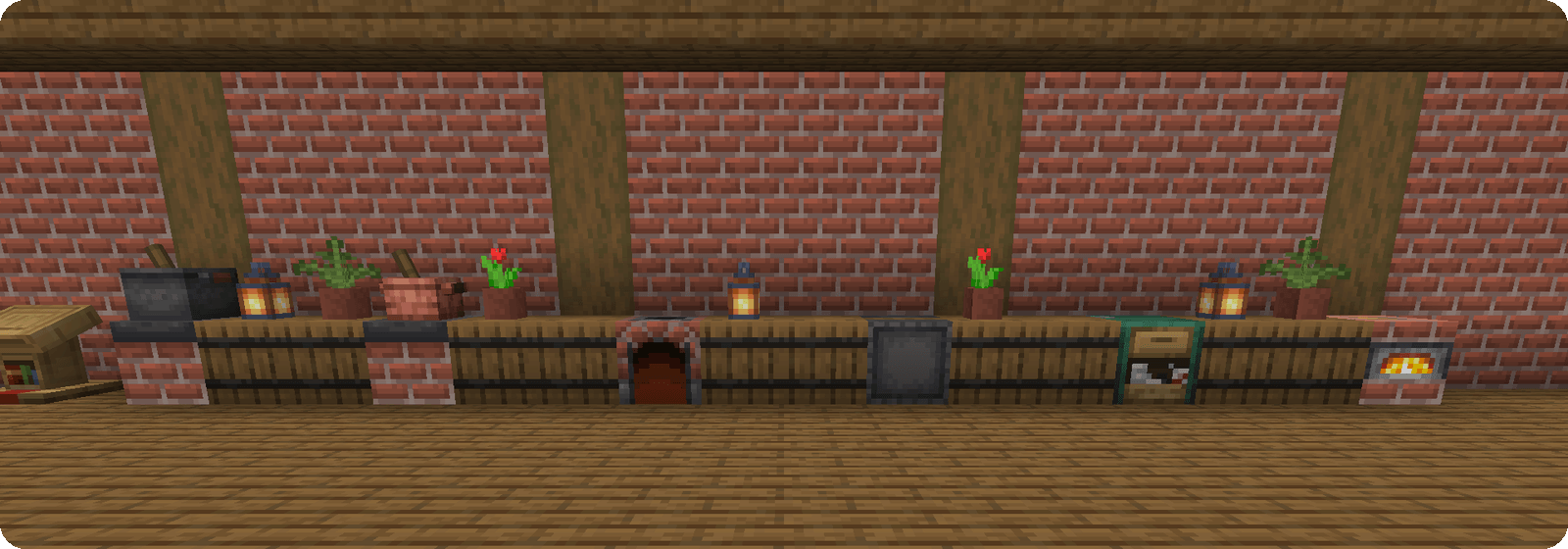
Every supported station in one kitchen.
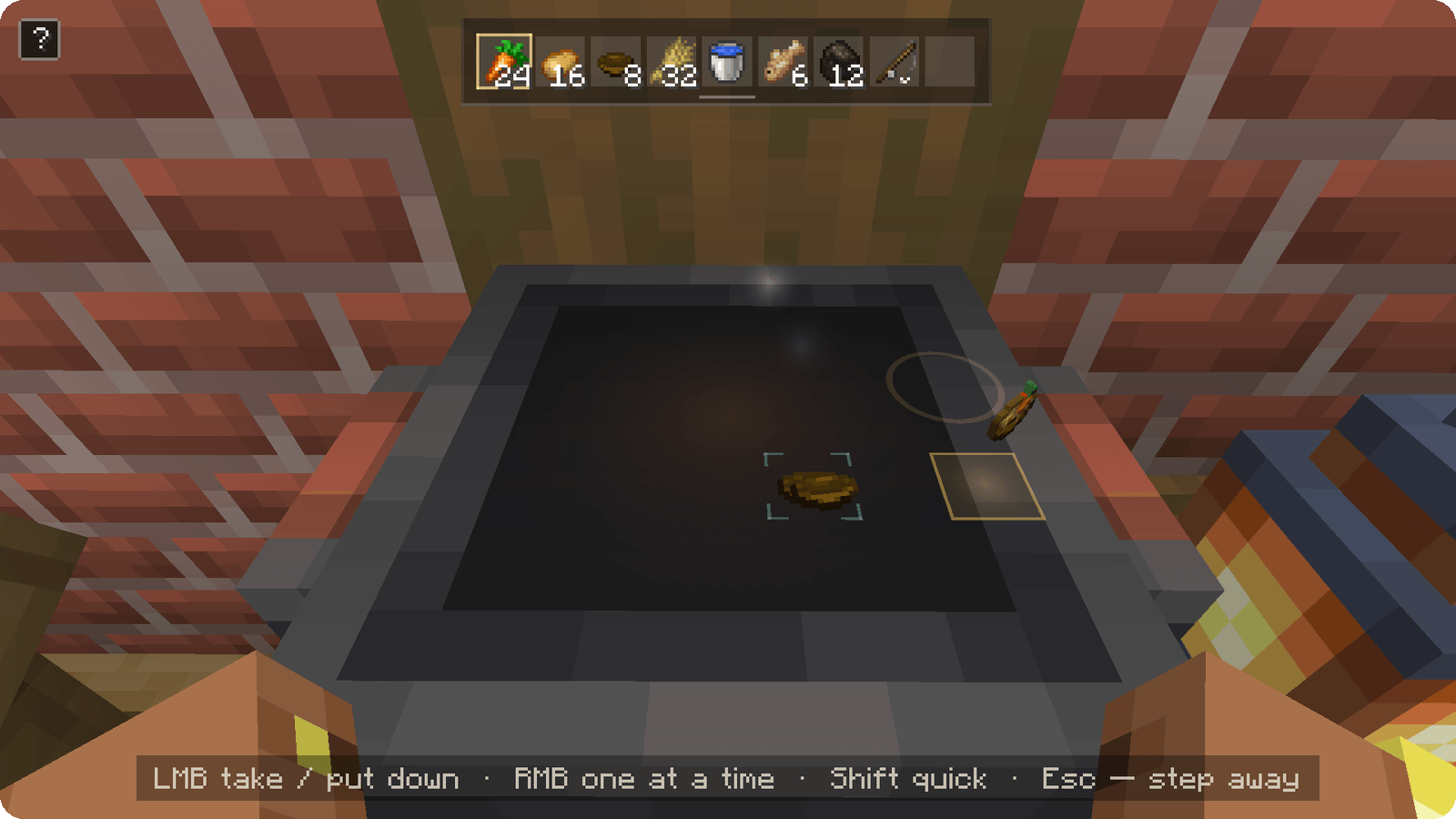
Cooking: the ring fills as the meal cooks, then the finished meal floats over its slot.
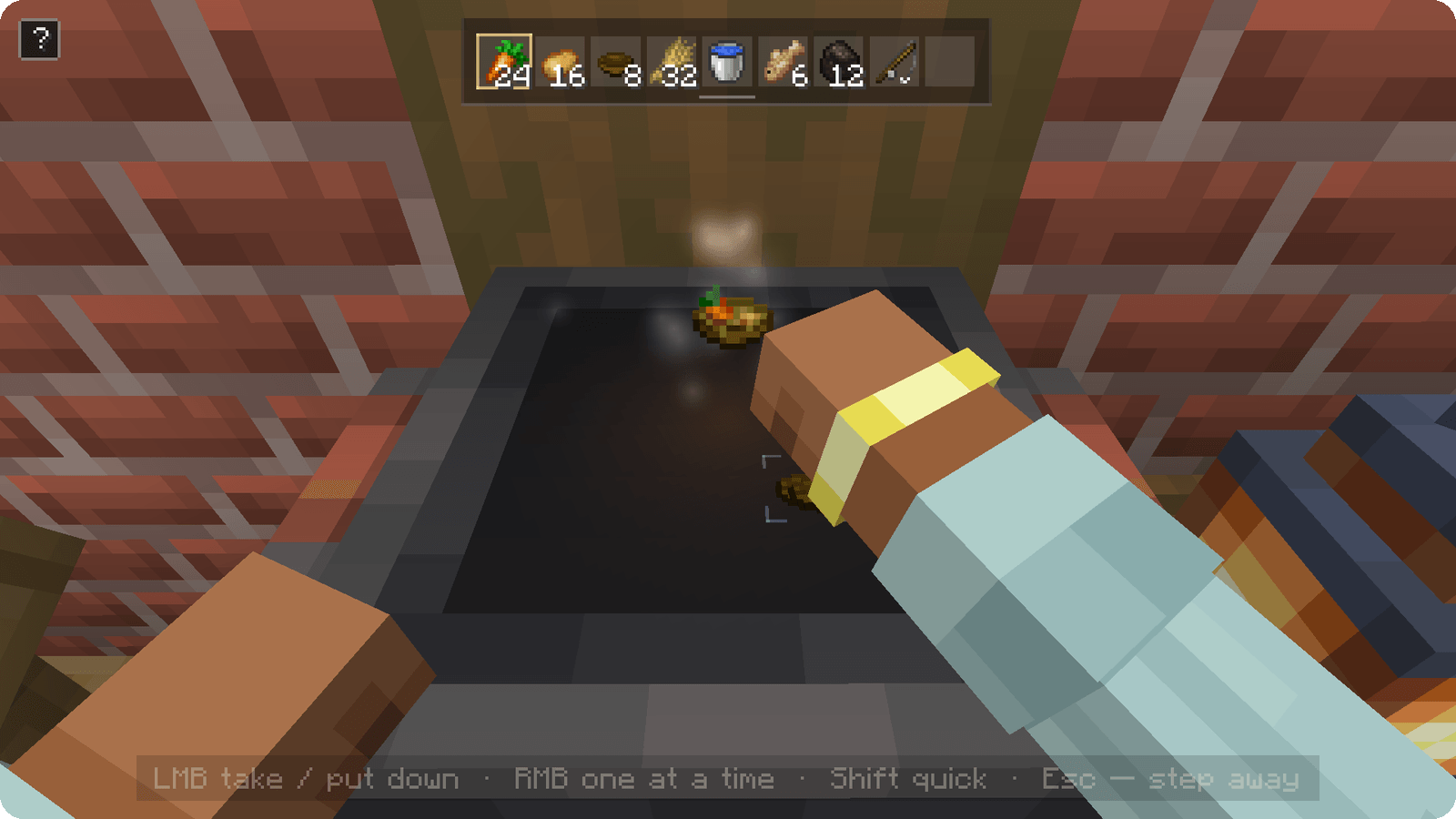
Serving: the bowl dips into the pot and comes out full.
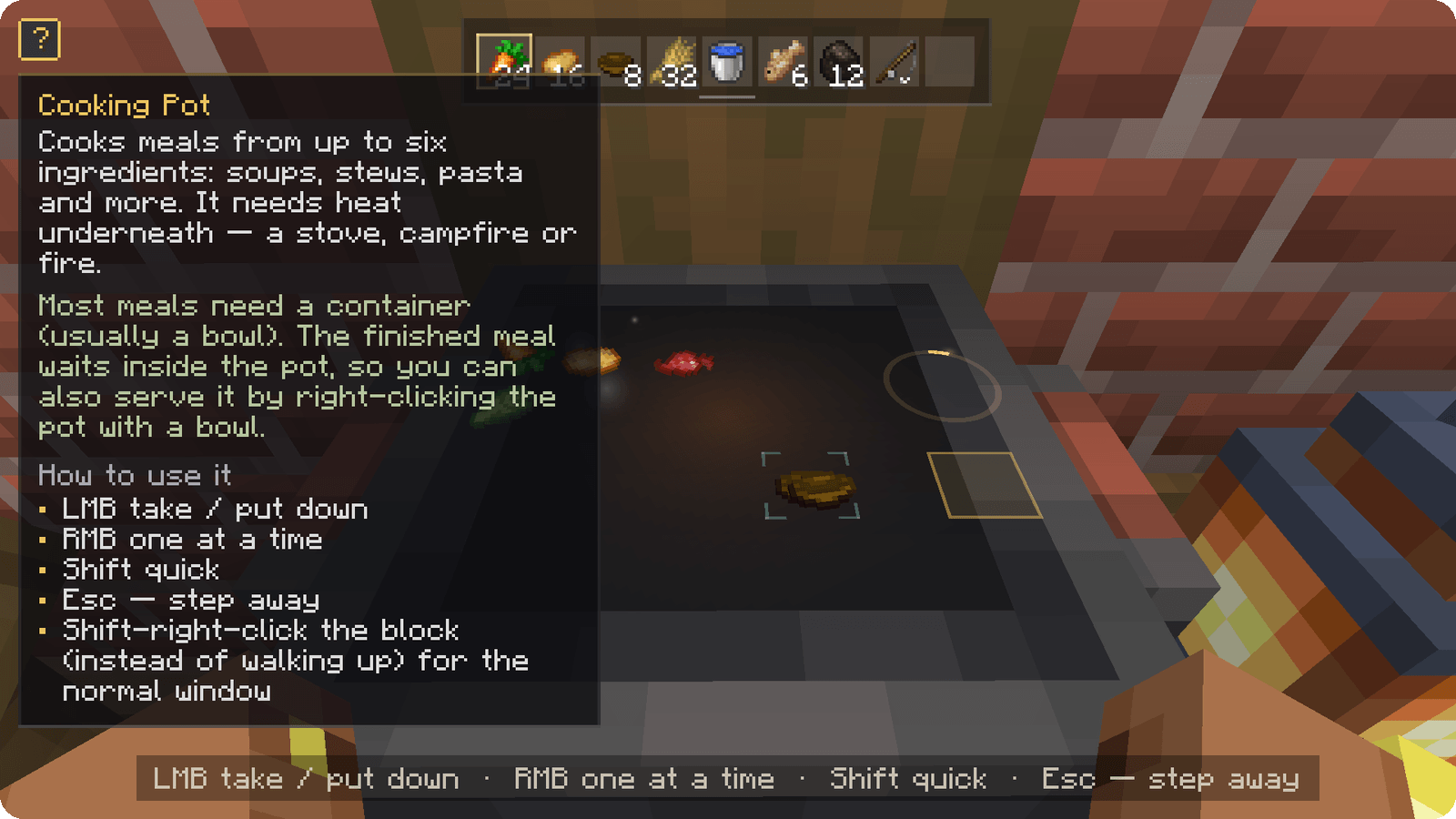
The "?" panel: what the block is for and how to work it.


Which blocks get a scene is plain data, so a datapack can add more:
cinematic_stations:menu_scene (block tag): blocks with a menu, shown with the generic in-world station.cinematic_stations:smoker_scene (block tag): modded furnaces built on the vanilla furnace classes, shown with Cinematic's smoker scene.cinematic_stations:serves_directly (block tag) with cinematic_stations:use_directly (item tag): holding one of those items at one of those blocks keeps the block's own right-click, like serving from a pot.Blocks whose menu needs something unusual may still need code; feel free to suggest them.

What about chests and other storage?
Cinematic has no storage scenes, so storage keeps its normal window.
Why isn't my favourite machine supported?
Blocks that are worked through GUI buttons (Alex's Mobs' transmutation table, Sophisticated Storage's decoration table), blocks that are already used by hand in the world, and Create machines are left out on purpose, because a scene would make them harder to use, not easier.
Visual Workbench, Easy Magic or Easy Anvils?
Those mods replace the vanilla crafting table, enchanting table and anvil with copies of their own, which Cinematic does not recognise. Turn them off if you want Cinematic's scenes on those blocks.
Does it work with Sodium?
Yes, it was tested with Sodium 0.8.13, spoon hiding included. Iris hasn't been tested yet.

This is an unofficial add-on, not made by or affiliated with the Cinematic Interactions team. Cinematic Interactions is by Southware (XiaoCraft and Meridusk) under the MIT license; this add-on's icon builds on its artwork with thanks. Farmer's Delight, Miner's Delight, Cultural Delights, Tide, Handcrafted and Amendments belong to their authors.
Project description from CurseForge.
Pick your setup
Choose the version and loader you play, then open the matching release.
Check the dependencies, then try the file in a copied instance before changing a world you care about.
Recent files
CinematicInteraction-ModdedStations-NeoForge-1.21.1-0.2.0.jar
20 Nov 2026
CinematicInteraction-ModdedStations-NeoForge-1.21.1-0.1.0.jar
18 Nov 2026
Looking for an older file? The official CurseForge project page is in Resources.
 mod
Lightweight and customizable support for elytra trims, patterns and dyes
 mod
Keeps any structure exactly as its template: no geodes, ores or fluids inside. Optional protection: unbreakable walls, no teleporting in, smart spawners. Works with any datapack or mod. Server-side only.
 mod
A gregtech focused 1.21.1 research mod. Focuses on gathering data in normal gt ways.