Fabric API Needed by SketchAtlas-1.0.0.jar
requiredMatching file found Matched file: [26.2] Fabric API 0.161.0+26.2
CurseForge · Minecraft mod
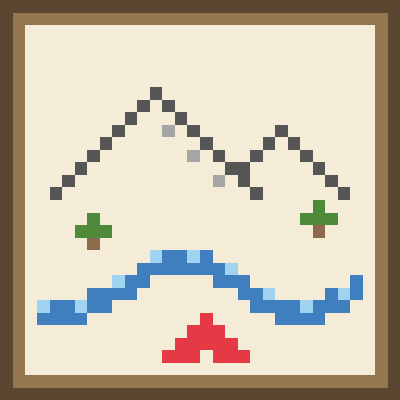
A blank map you draw yourself. Only you and your pets are shown; sketch mountains, rivers, roads and towns with pencils, stamps and symbols. Light height shading shows where things are. Client-side, works on any server.
This page is having a moment, so a few details may be a little behind.
Quick answer
SketchAtlas-1.0.0.jar targets 26.2 with Fabric. The project page does not say whether this file belongs on the client, dedicated server, or both. All 1 required mods have matching files.
Where it goes
The project page does not say whether this file belongs on the client, dedicated server, or both.
The source does not explicitly classify this release as client-only or server-only.
SketchAtlas-1.0.0.jar. Change the file and its required mods may change too.
Install Fabric API first. We found matching files for this game-version and loader setup.
We only count dependency files that match this setup. A file for another loader does not fill the gap.
Before you install it
Built for SketchAtlas-1.0.0.jar. Pick another file and the loader, install side or required mods may change.
Use SketchAtlas-1.0.0.jar. It targets 26.2 with Fabric; another release may have different loader, side or dependency requirements.
Install Fabric API first. We found matching files for this game-version and loader setup.
The project page does not say whether this file belongs on the client, dedicated server, or both.
Use the “Get this file” button beside SketchAtlas-1.0.0.jar. It opens that exact file at the source.
About this project
**A blank map you draw yourself.**
Most map mods draw the world for you. This one doesn't. You get an empty sheet of paper with only **you** and **your pets** on it. Every mountain, river, road and village is drawn by your own hand.
Install it only on your own game. Works on **any server**: vanilla, Paper, Fabric, Forge. The server doesn't need it.
| Key | Action |
|---|---|
| M | Open map (or type /harita) |
| N | Toggle minimap |
| Numpad + / - | Minimap zoom |
| Mouse wheel | Zoom map |
| Right / middle drag | Pan map |
| Shift + wheel | Brush size |
| Ctrl+Z / Ctrl+Y | Undo / redo |
Project description from CurseForge.
Pick your setup
Choose the version and loader you play, then open the matching release.
Check the dependencies, then try the file in a copied instance before changing a world you care about.
Recent files
elharita-1.3.0.jar
18 Nov 2026
Looking for an older file? The official CurseForge project page is in Resources.
 mod
A growing collection of quality-of-life tweaks, bug fixes, and cross-mod integrations for modpack creators!
 mod
Allows one to enable or disable the hunger system for individuals. Compatible with LuckPerms.
 mod
This mod turns boring tooltips into awesome RPG ones, with automatic support for other mods.