Create Aeronautics Optional for Giant Cogwheels: Huge Gears for Create Giant Cogwheels 0.4.0 for Minecraft 1.21.1 (NeoForge)
optionalMatching file found Matched file: Create Aeronautics 1.3.3 for mc1.21.1
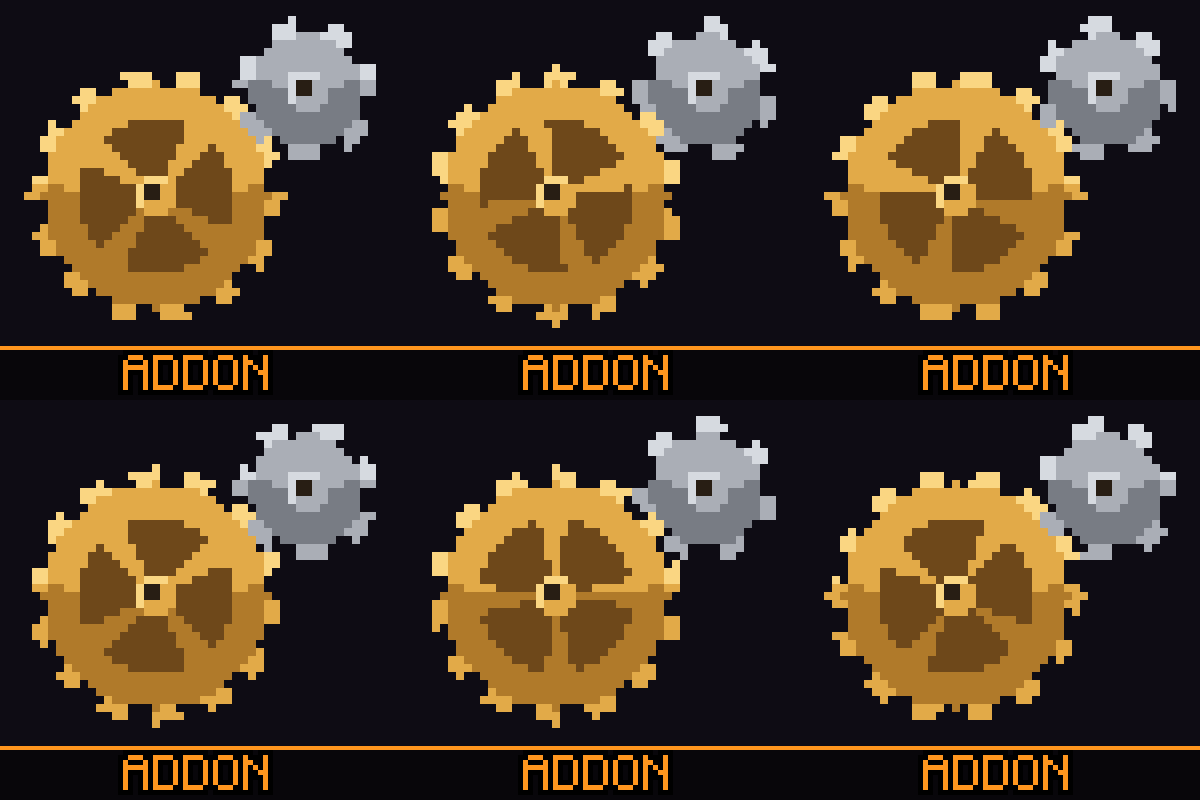
CurseForge · Minecraft mod
Huge rideable cogwheels for Create: flat and upright giants (5x5 to 15x15) in brass, iron and wood that carry you around, mesh through their teeth and ride your contraptions, plus big wall clock faces driven by a shaft. An unofficial Create addon.
Quick answer
Giant Cogwheels: Huge Gears for Create Giant Cogwheels 0.4.0 for Minecraft 1.21.1 (NeoForge) targets 1.21.1 with NeoForge. The project page does not say whether this file belongs on the client, dedicated server, or both. All 1 required mods have matching files.
Where it goes
The project page does not say whether this file belongs on the client, dedicated server, or both.
The source does not explicitly classify this release as client-only or server-only.
Giant Cogwheels 0.4.0 for Minecraft 1.21.1 (NeoForge). Change the file and its required mods may change too.
Install Create first. We found matching files for this game-version and loader setup. 2 come through another mod in the chain.
2 extra mods were pulled in by other dependencies. Indented rows show who needs each one. We only count dependency files that match this setup. A file for another loader does not fill the gap.
Before you install it
Built for Giant Cogwheels: Huge Gears for Create Giant Cogwheels 0.4.0 for Minecraft 1.21.1 (NeoForge). Pick another file and the loader, install side or required mods may change.
Use Giant Cogwheels 0.4.0 for Minecraft 1.21.1 (NeoForge). It targets 1.21.1 with NeoForge; another release may have different loader, side or dependency requirements.
Install Create first. We found matching files for this game-version and loader setup. 2 come through another mod in the chain.
The project page does not say whether this file belongs on the client, dedicated server, or both.
Use the “Get this file” button beside Giant Cogwheels 0.4.0 for Minecraft 1.21.1 (NeoForge). It opens that exact file at the source.
About this project
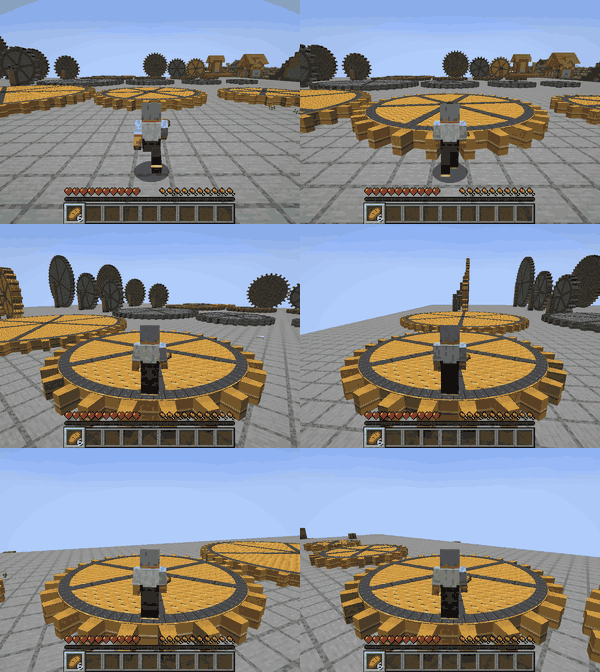
An unofficial addon for Create by the Create team. It adds huge cogwheels you can stand on: flat ones that carry you around like a giant turntable, upright ones that roll you over their rim like a curved conveyor, and big wall clock faces driven by a shaft. It requires Create.
Create's own large cogwheel is already the biggest gear you can build, and it is only a few blocks wide. This addon asks what happens if you keep going: 5x5, 7x7, 9x9 and up to 15x15 blocks of brass, iron or wood, with real teeth, that turn with your network and take you with them. They are machines first (they cost stress, they mesh, goggles read them) and set pieces second.
uprightPlacement = CENTER (new in 0.3.1), are centred on it like the flat ones. Power one with a shaft into the centre of either face. Its rim works like a curved conveyor: whatever stands on top is carried over and down the far side. Jump, or step onto the next cog, to get off.speedLimiter = true): the rim then never goes faster than a walking pace (maxEdgeSpeed, 4 blocks per second by default), the cog slips on a faster network instead of flinging anyone, and Create's goggles tell you so. Up to 0.2.0 the limiter was always on, which made big cogs look slower than their shaft. Placing one shows an outline of the cells it needs: green when it fits, red when something is in the way, and blue when it fits and its teeth will mesh with a giant cog already there.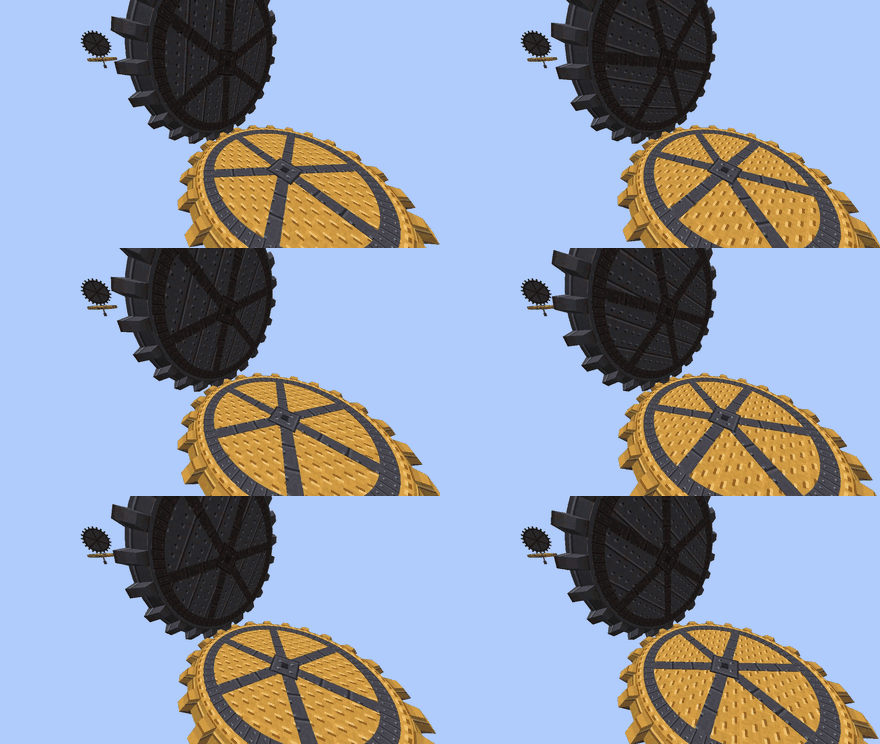
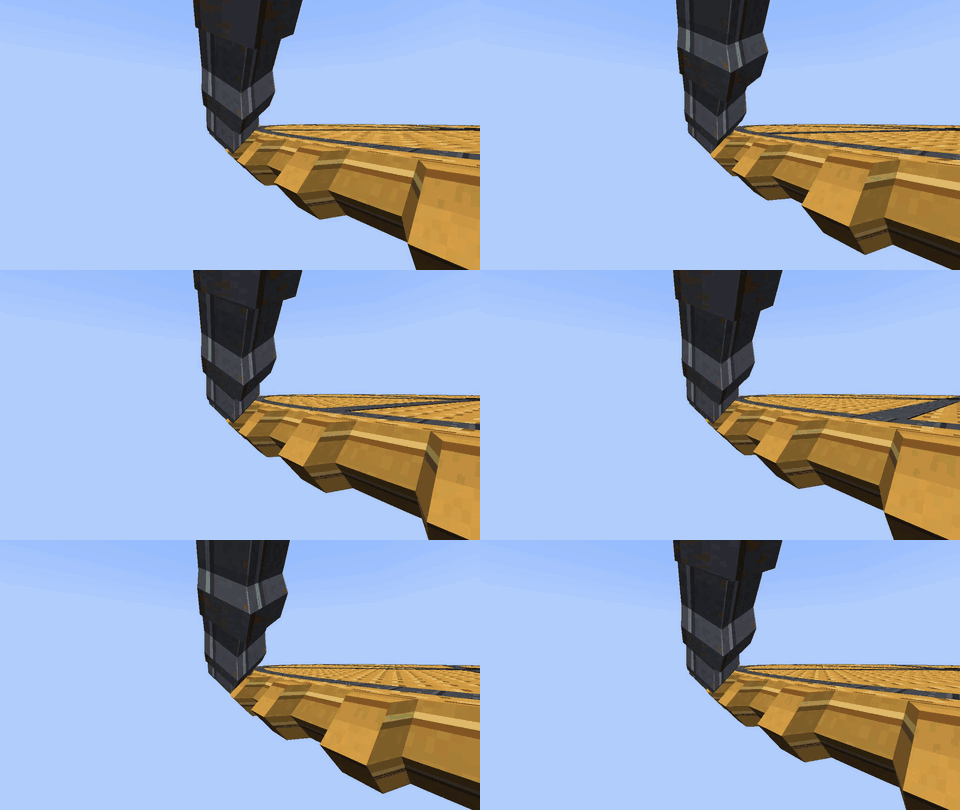
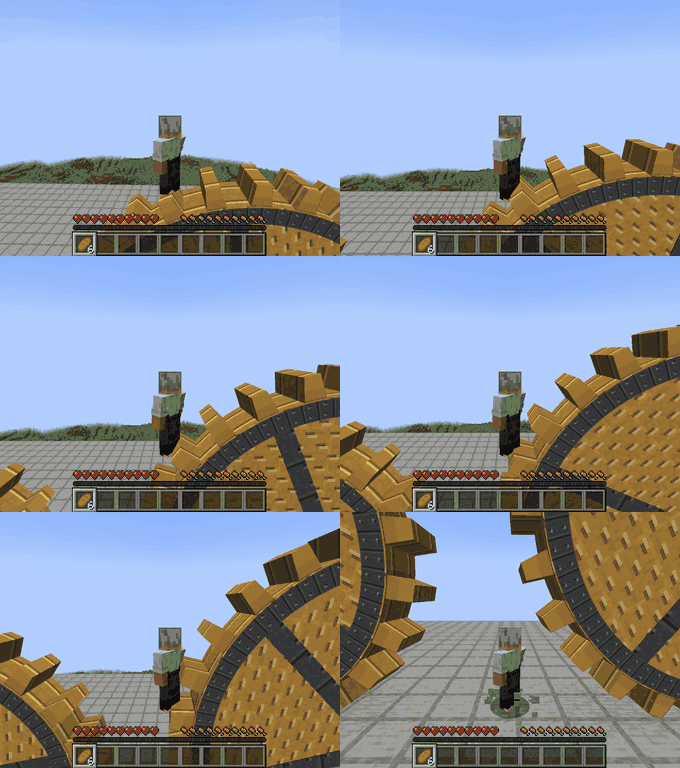
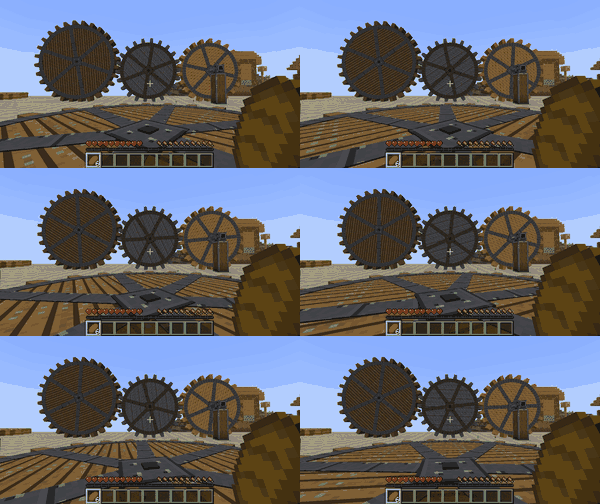
Giant cogs and clock faces move on Create contraptions: mechanical pistons, bearings (any axis), rope pulleys, gantry carriages and minecart contraptions were each put through twenty assemble-and-disassemble trips in testing, and trains (a carriage assembled at a station, driven down the line and back) and elevator pulleys through ten each, with every cell of every cog counted before and after. The whole cog goes as one thing and comes back whole, with nothing lost, nothing duplicated and no item dropped.
[contraptions] allowOnContraptions = false.Giant cogs mesh with each other through their teeth, and take rotation from a shaft or a Create cogwheel pushing into their centre. Create's own small and large cogwheels do not mesh with a giant cog's teeth: beside its rim they neither feed it nor jam it.
New in 0.2.0: with Create Aeronautics and Sable (its physics library) installed, giant cogs and clock faces work on Sable sub-levels, that is, on your Aeronautics ships. Wrap the ship in honey glue and pull the Physics Assembler as usual, and the cogs and clocks go aboard whole.
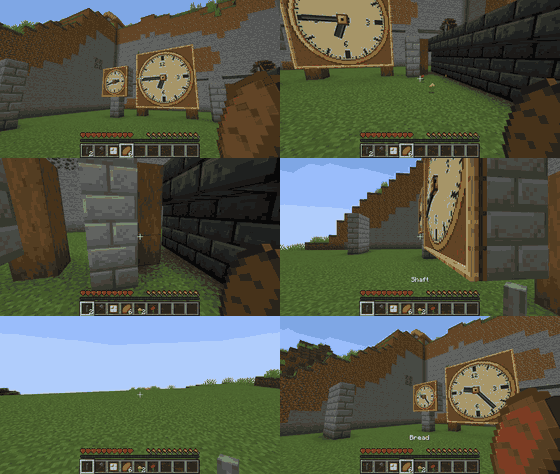
allowOnContraptions = false does not keep a cog off a ship.Three wall clocks, 3x3, 5x5 and 7x7: the large companion to Create's Cuckoo Clock. Hang one on the wall you click and feed a shaft into the centre of its back. While the network turns it, the dial shows the time of day; the moment the shaft breaks, the water wheel stops or the network is overstressed, the hands stop where they are. When power comes back they wind forward to the right time. In the config you can switch to speed mode, where the minute hand simply turns with the shaft (1 rpm = one turn a minute). The dials are drawn in pixels, with a square bezel and a square hub, like Create's own blocks.
Each of the three cog materials (brass, iron, wood) comes in every size. Stress numbers are the defaults; they scale with size and can be changed in the config. Create's goggles show the rpm and the rim speed, and, with the speed limiter on, when the cog is slipping.
All recipes are in survival, in the recipe book, and plain datapack JSON.
Common (config/giantcogwheels-common.toml, the same on server and client):
[cogs]: speedLimiter (default false: the cog turns and carries at the real network speed; true: the rim is capped at maxEdgeSpeed and slips above it, as it always did up to 0.2.0), maxEdgeSpeed (only used with the limiter on; 4 blocks per second by default), carryPlayers, carryMobs, carryItems, stressImpact7.[clock]: mode (GAME_TIME or SPEED) and stressImpact5.[contraptions]: allowOnContraptions (default true; false makes cogs and clock faces refuse to assemble, as if they were in Create's non_movable tag).Client (config/giantcogwheels-client.toml): cogSoundVolume (0 turns the soft clank of the teeth off), placementPreview (the outline while holding a cog: green fits, red blocked, blue fits and will mesh) and, new in 0.3.1, [cogs] uprightPlacement: BASE (default, as before) stands an upright cog on the block you click, CENTER puts its centre there, handy to drop it straight onto the end of a shaft. One click in Mods > Giant Cogwheels > Config. It is your own preference: on a server every player picks theirs (a 0.3.0 server keeps placing by the base).
assets/giantcogwheels/textures/block/ (four per material for the cogs: deck, inlay, tooth, side; a dial per clock size, a bezel, hands and hubs for the clocks). Replace any of them in a resource pack; the shape follows the pack's pixels. The list below names every file.assets/giantcogwheels/models/cog/cog_7.obj, standing_cog_7.obj and so on (OBJ, opens in Blockbench with Import OBJ Model). New in 0.3.1: ready Blockbench projects (cog_7.bbmodel, standing_cog_7.bbmodel and the other sizes, with the four textures already on the faces; 0.4.0 adds bevel_cog_7.bbmodel and standing_bevel_cog_7.bbmodel for the bevel rim): open one, reshape it, File > Export > Export OBJ Model with the same name, and put only that .obj in your pack. No OBJ or MTL editing. Get them from the Files tab: the zip is the additional file of 0.4.0 (sixteen projects, one per shape, with a short HOW-TO). Ship a file with the same path in a resource pack and the cog takes your shape, with the same four textures per material. Only the look changes: collision, riding and the way teeth mesh stay as they are, so keep the tooth count and the tip radius if it should still look right against its neighbours. A missing or broken model falls back to the built-in shape. The clock faces are still drawn by code. How: take cog_7.obj and cog_7.mtl out of the mod jar, import them into a Blockbench Generic Model at scale 16, reshape, export as OBJ (triangles or quads only), then in the exported .mtl change every map_Kd line to #deck, #inlay, #tooth or #side. The cog lies flat in the file, its axis is Y and its centre is 0, 0. Three example packs made this way (Halloween with a carved pumpkin face, Frozen with icicle teeth, and an open wheel with three spokes) are shown in the gallery; they are examples, not part of the mod.giantcogwheels:giant_cogs.speedLimiter = true and set maxEdgeSpeed. A config file from 0.2.0 or older has no speedLimiter line, so after the update it runs at the real speed. Don't want cogs to carry mobs or items? Turn them off in [cogs].All files live in assets/giantcogwheels/textures/block/ (the material is brass, iron or wooden):
<material>_cog_deck.png: the two flat faces of a cog (the surface you stand on)<material>_cog_inlay.png: the rim ring, the spokes and the square hub with its axle end<material>_cog_tooth.png: the teeth<material>_cog_side.png: the rim wall between the teethclock_face_3.png, _5, _7: the painted dial of each clock size (48, 80 and 112 px: 16 per block)clock_back.png, clock_rim.png: the back plate and the square bezelclock_hand.png, clock_hand_wide.png, clock_hand_8.png: the hands: thin, wide (5x5) and extra wide (7x7)clock_hub_3.png, _5, _7: the square cap where the hands meetItem icons are assets/giantcogwheels/textures/item/<block id>.png (16x16).
speedLimiter if that matters on your server.Create is made by the Create team (simibubi and contributors). This is an unofficial addon, a separate project that contains none of Create's code or art. It only works with Create installed.
Feel free to include it in any modpack, no need to ask!
Made by an indie dev with help from AI tools; every version is tested in game.

Like the mod? You can support future updates and new mods on Ko-fi. Totally optional, everything stays free.
Project description from CurseForge.
Pick your setup
Choose the version and loader you play, then open the matching release.
Check the dependencies, then try the file in a copied instance before changing a world you care about.
Recent files
giantcogwheels-neoforge-mc1.21.1-0.4.0.jar
24 Nov 2026
giantcogwheels-neoforge-mc1.21.1-0.3.1.jar
23 Nov 2026
giantcogwheels-neoforge-mc1.21.1-0.3.0.jar
23 Nov 2026
giantcogwheels-neoforge-mc1.21.1-0.2.2.jar
22 Nov 2026
giantcogwheels-neoforge-mc1.21.1-0.2.1.jar
22 Nov 2026
giantcogwheels-neoforge-mc1.21.1-0.2.0.jar
21 Nov 2026
giantcogwheels-neoforge-mc1.21.1-0.1.0.jar
19 Nov 2026
Looking for an older file? The official CurseForge project page is in Resources.
 mod
This is a stacking mod with configurable settings. You may set custom stack sizes, and it maintains compatibility with the majority of mods. Have fun!
 mod
The most ambitious parry mod you'll ever use.
 mod
Industrial tech from the first dynamo to dimensional rifts: build animated multiblock factories, run simulated reactors from fission to fusion and mine virtual dimensions with rift gates. Recipes adapt to other mods’ materials.