Back to mods
QNet project artwork

CurseForge · Minecraft mod

QNet

Industrial tech from the first dynamo to dimensional rifts: build animated multiblock factories, run simulated reactors from fission to fusion and mine virtual dimensions with rift gates. Recipes adapt to other mods’ materials.

Choose a version Pick your version below, then grab the matching file.

Quick answer

Which QNet release should I use?

Updated today
Latest stable file qnet-1.0.1+mc26.3-neoforge.jar
Game version 26.3
Loader NeoForge

qnet-1.0.1+mc26.3-neoforge.jar targets 26.3 with NeoForge. The project page does not say whether this file belongs on the client, dedicated server, or both. All 1 required mods have matching files.

Where it goes

Is QNet required on the client, server, or both?

The project page does not say whether this file belongs on the client, dedicated server, or both.

Client Source doesn’t say
Dedicated server Source doesn’t say
Loader for this release NeoForge
Required install it here Optional supported, not mandatory Not supported do not install here Source doesn’t say do not assume

The source does not explicitly classify this release as client-only or server-only.

What else does qnet-1.0.1+mc26.3-neoforge.jar need?

qnet-1.0.1+mc26.3-neoforge.jar. Change the file and its required mods may change too.

All 1 required mods have matching files

Install Pipster first. We found matching files for this game-version and loader setup.

Pipster Needed by qnet-1.0.1+mc26.3-neoforge.jar
required
Matching file found Matched file: pipster-1.3.0+mc26.3-neoforge.jar
We only count dependency files that match this setup. A file for another loader does not fill the gap.

Before you install it

Add QNet without breaking your instance.

Built for qnet-1.0.1+mc26.3-neoforge.jar. Pick another file and the loader, install side or required mods may change.

  1. 01

    Stick to this file

    Use qnet-1.0.1+mc26.3-neoforge.jar. It targets 26.3 with NeoForge; another release may have different loader, side or dependency requirements.

  2. 02

    Bring the mods it needs

    Install Pipster first. We found matching files for this game-version and loader setup.

  3. 03

    Put it on the correct side

    The project page does not say whether this file belongs on the client, dedicated server, or both.

  4. 04

    Pick the file you checked

    Use the “Get this file” button beside qnet-1.0.1+mc26.3-neoforge.jar. It opens that exact file at the source.

About this project

What does QNet add?

QNet

Industrial tech from the first dynamo to dimensional rifts: build animated multiblock factories, run simulated reactors from fission to fusion and mine virtual dimensions with rift gates. Recipes adapt to other mods' materials. Works on Fabric and NeoForge.


Version 1.0.0 Fabric 1.21.1, 26.1.2, 26.2, 26.3 NeoForge 1.21.1, 26.1.2, 26.2, 26.3 Requires Pipster 1.2.0 or newer Downloads

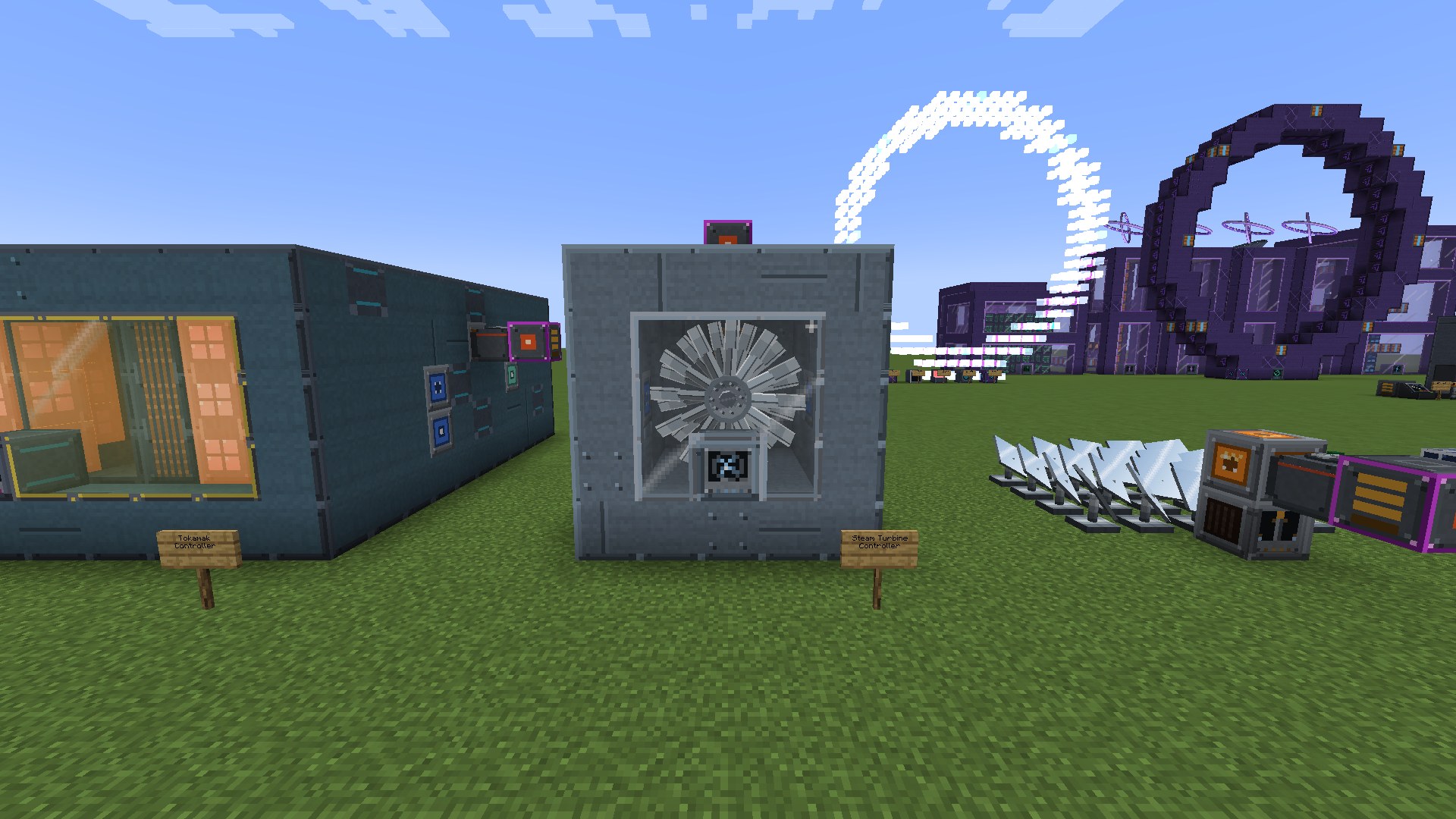
A Tokamak, a Steam Turbine and the Rift Gate

Why QNet?

  • Build your industry. Almost everything beyond the first machines is a plant: casings, sight glass, ports and hatches around a controller that checks the build. Most plants come in many sizes, and a bigger or better equipped plant does more.
  • One tech tree, from coal to rifts. A coal-fired dynamo at the start, fusion, black holes and rifts into other dimensions at the end, with a storage network and factory logic on top. QNet brings together what used to be QuantaVolt, QuantaWorks and QuantaRift.
  • Real simulations. Steam has pressure and temperature, turbines spin up and can overspeed, reactors have flux, heat and control rods, plasma needs vacuum and magnets. Failures are announced in advance and always reproducible, never random.
  • Everything moves. Every machine and plant has an animated model: rotors turn, pistons move, furnaces glow, the Assembler prints its item layer by layer.
  • Five tiers, one ladder. Industrial, Reinforced, Precision, Resonant and Quantum. Every block needs the components of its tier, whatever part of the mod it comes from.
  • Recipes adapt to your pack. Tin, lead or steel from another mod? QNet's machines make plates, rods, gears and wire from it like from iron and copper.
  • Learn it in the game. An in-game codex in English and German with values taken from the mod itself, and a Build Projector that shows each plant as a hologram before you place a block.

Who is QNet for?

QNet is built for players who enjoy designing, understanding and optimizing complex industrial systems. You start with a few straightforward machines and gradually work your way up to large multiblock factories, simulated power plants, automated production networks and dimensional extraction.

QNet is intentionally deep, not a plug-and-play tech mod. Its later stages reward planning, experimentation and problem-solving. No engineering background is required, though - the built-in codex, interactive build guides and holographic Build Projector help you learn as you progress. New to QNet? Start with the Getting Started guide

Energy

A full energy ladder from the first hour to the endgame, with process heat that plants can pass to each other.

  • Early: Basic Dynamo, Thermoelectric Generator, Stirling Generator, Solar Array, Wind Turbine
  • Steam: Industrial Boiler and Steam Turbine, heated by fuel, fuel gas, a Geothermal Heat Exchanger or a Solar Thermal Field
  • Gas: Gasifier (syngas), Gas Derrick (natural gas), Gas Engine, Gas Turbine
  • Nuclear: Fission Reactor with fuel cycle (centrifuge cascade, fuel fabrication, reprocessing), coolant loops, radiation, optional advanced reactor model
  • Fusion and beyond: Tokamak, Little Star, Singularity Plant, Hawking Reactor
  • Storage: Battery Hall, Capacitor Bank, SMES, Molten Salt Store, Gravity Store, Dimensional Store

Server owners decide how dangerous incidents may be: from a protective safe mode that only overheats and shuts down, up to bursts and meltdowns that damage terrain (never in claimed land).
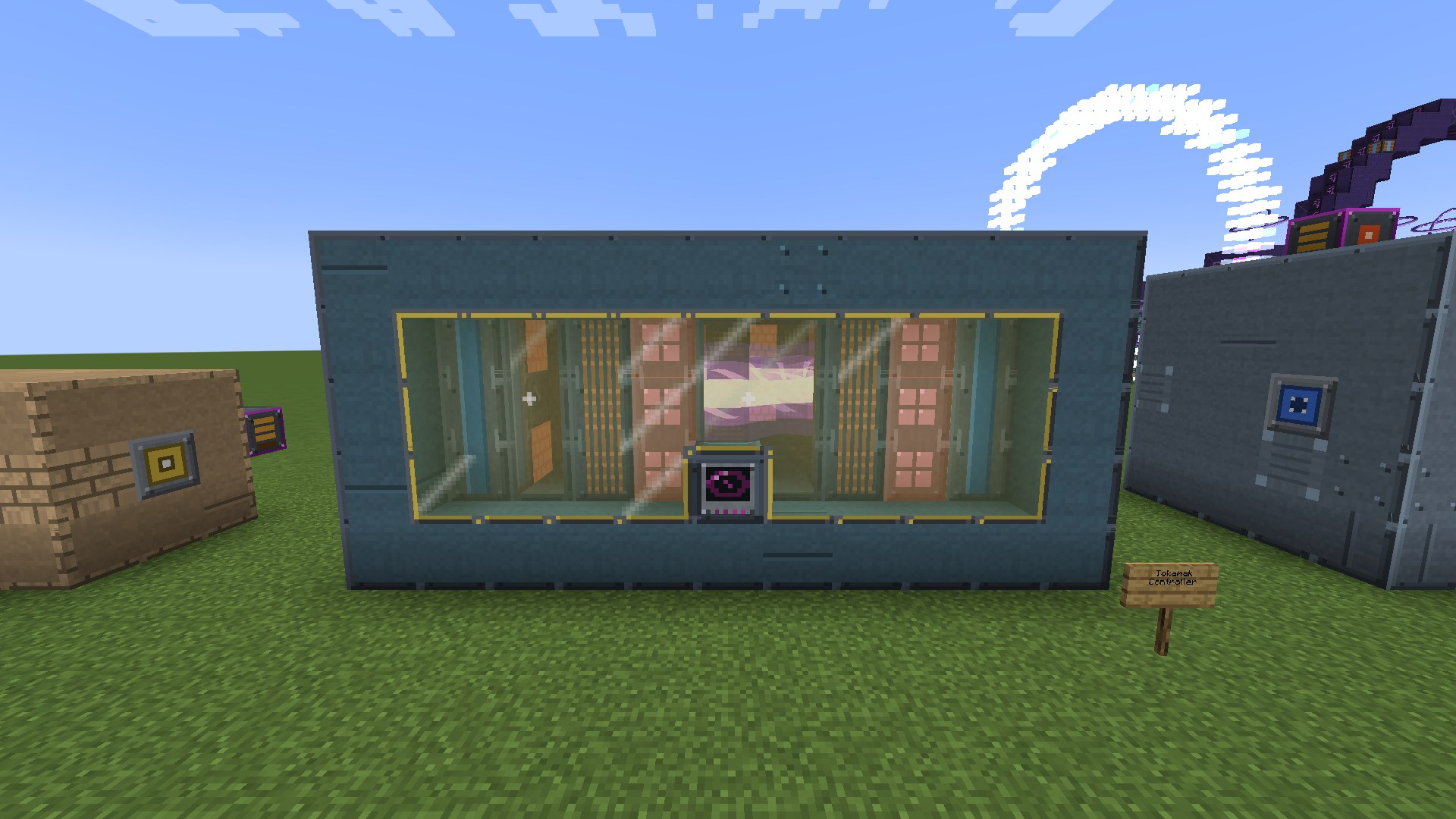

A Tokamak with its plasma ring

Processing

Single machines for the first steps and large plants for the later game. Machines take speed and parallel upgrades, plants take plant modules.

  • Single machines: Crusher, Induction Furnace, Metal Former (interchangeable dies), Assembler (pattern cards), Chemical Reactor, Electrolyzer, Crystallizer and more
  • Metals: Foundry, Tunnel Furnace on QNet conveyor belts
  • Chemistry: Chemical Plant with several process columns
  • Production line: Assembly Complex with press, robot arms, laser welder and inspection stations
  • Farming: Agricultural Facility (indoor beds with a harvest bridge), Farming Station, Tree Harvester
  • Endgame: Deep Core drill, Matter Reconstructor, Particle Facility, Quantum Facility

Rift

The endgame: a complex of large structures finds virtual dimensions, opens a rift to one of them and mines its deposits. Nothing of them is generated in your world, so the Rift costs no world generation and no chunk loading. Scan for signals, triangulate and lock addresses, survey them, research better methods, then run extraction programs. Deposits deplete, sectors get exhausted, and some materials exist only out there. The Rift Map Table shows the selected dimension as a hologram in your base.
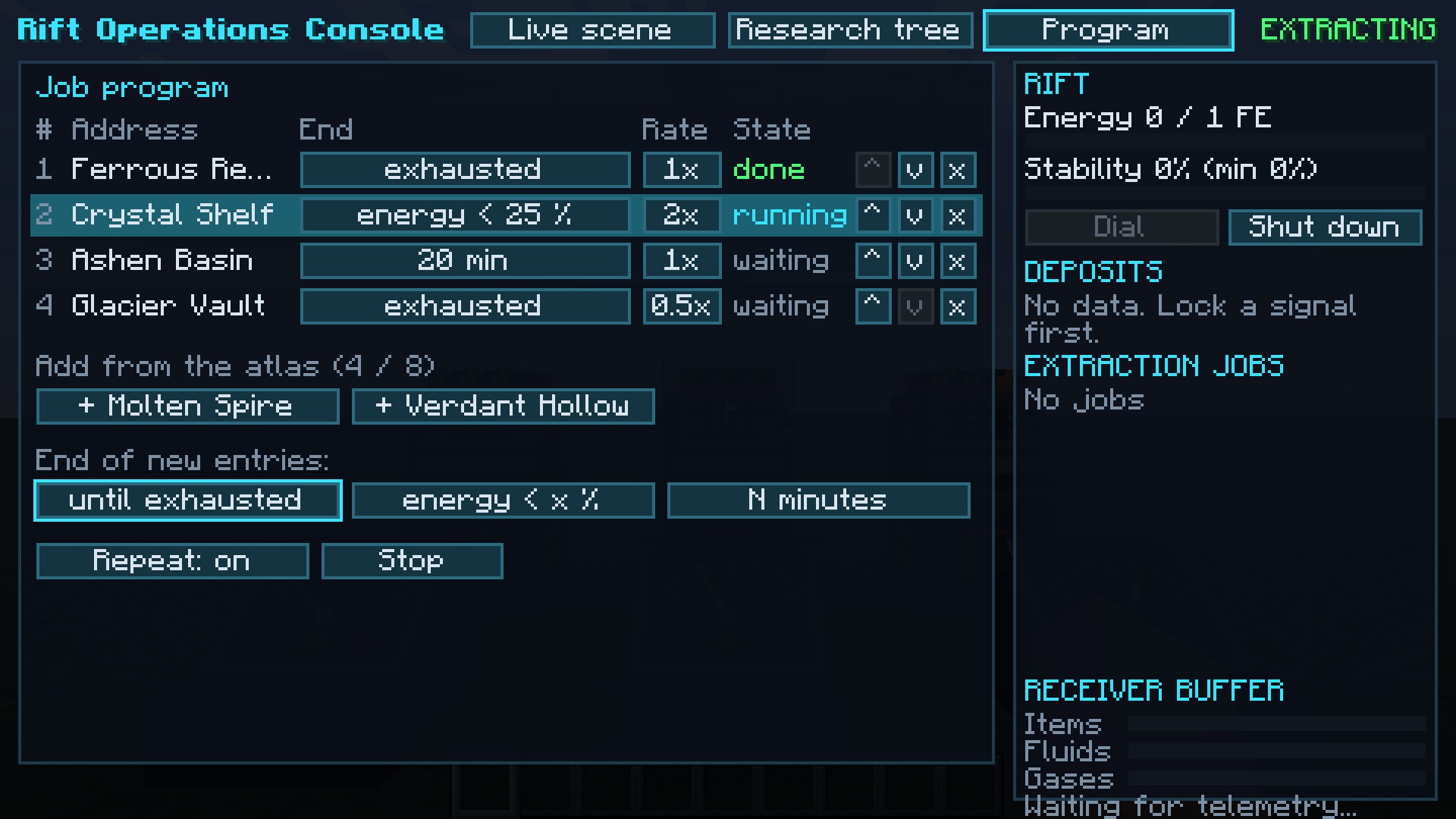

The job program of the Rift Operations Console

Storage

A Storage Controller with storage units in five tiers, the Storage Access Terminal, a Bulk Tank for fluids and gases, a Mass Storage Warehouse with its crane, and interfaces that reach chests and machines next to them. Everything is linked with the Quanta Linker; dropped storage blocks keep their contents.

Logic

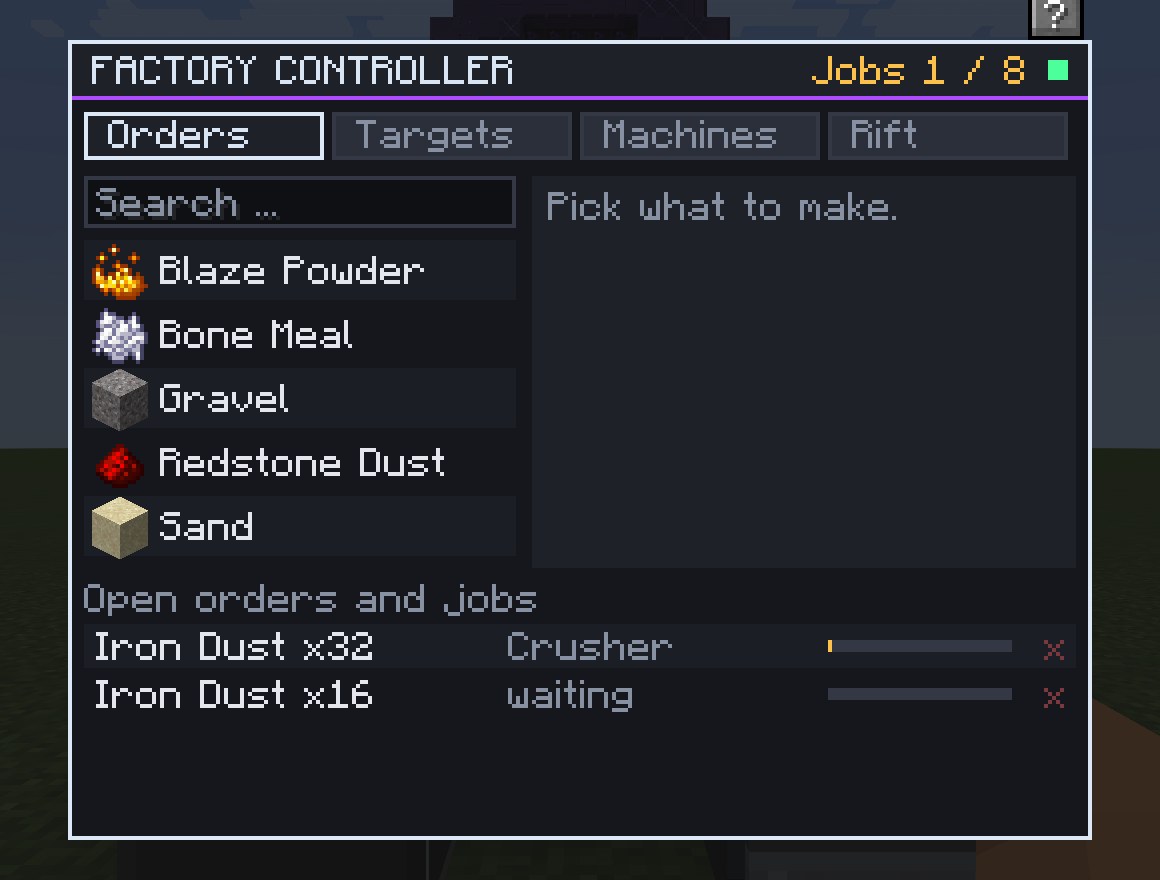
  • Factory Controller: order "make 64 steel plates" or "keep 500 in stock"; it plans down to the raw materials, reserves the inputs and has Machine Interfaces feed free machines, also machines of other mods. It can start and stop Rift extraction to keep raw materials stocked.
  • Grid Monitor: watches an energy grid and sheds or pauses consumers when power runs short.
  • ComputerCraft: every QNet machine and plant controller can be read from a computer, and controlled where it makes sense.

The Factory Controller

Built-in Codex

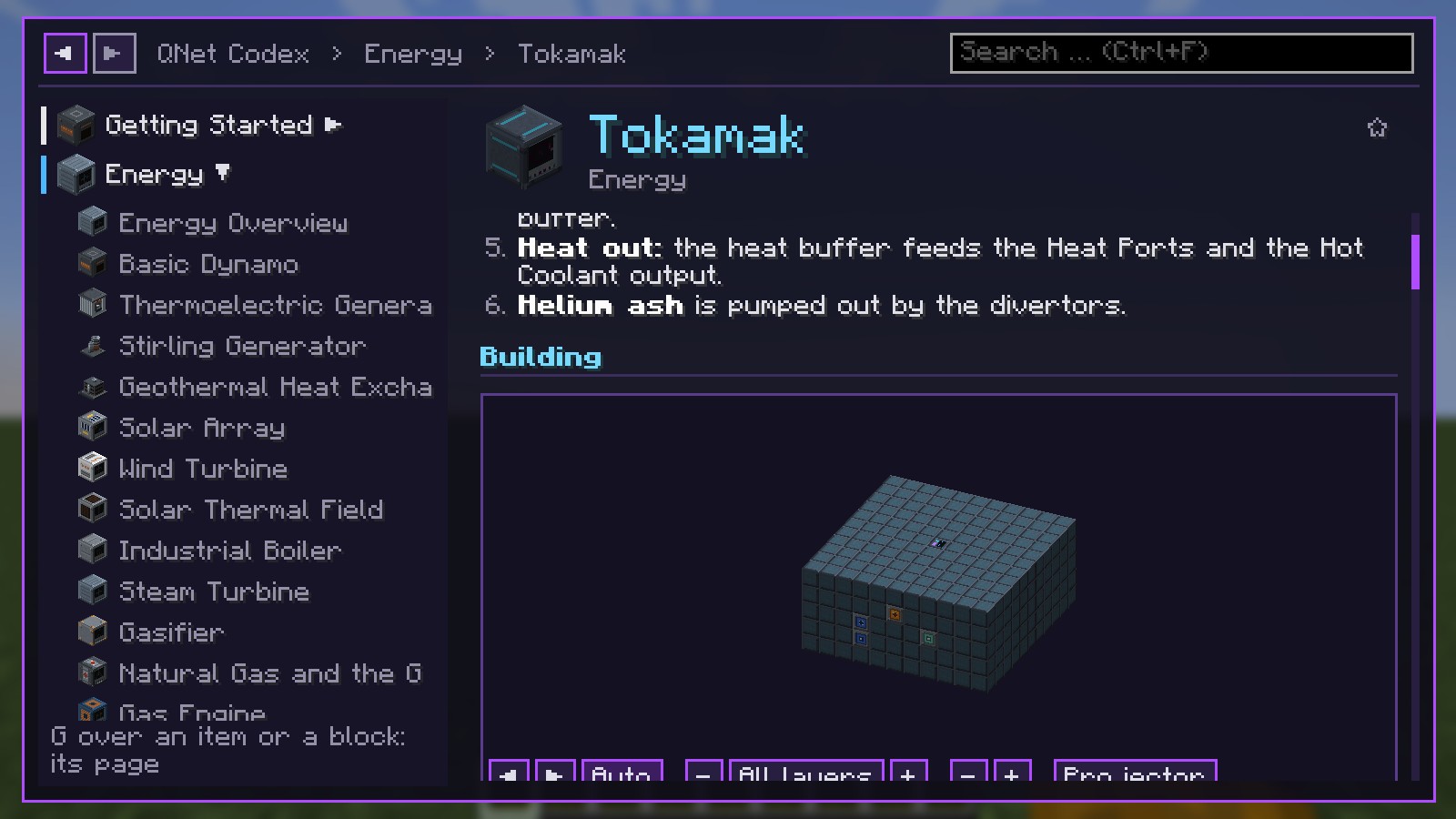
  • Every machine and plant has a codex page with recipes, values from the mod itself (they match your server's settings), troubleshooting for every status message and step-by-step build guides with a turnable 3D view.
  • Press G (rebindable) over an item, or the ? in a machine's window, to open its page.
  • The Build Projector shows a plant as ghost blocks layer by layer and counts what is placed, missing or in the way; its window lists the materials you still lack.
  • The same pages are in the wiki.

The codex with its 3D build view

Playing Together

  • Teams and roles (Viewer, Operator, Admin) for storage, monitors, controllers and Rift blocks. FTB Teams, FTB Chunks and Open Parties and Claims are respected; permission mods can grant the node qnet.admin.
  • Server control: switch off whole parts of the mod, single integrations or single machines. Switched-off blocks stay in the world with their contents, frozen.
  • Server-authoritative: all simulation runs on the server in bounded steps, without scanning the world and without force-loading chunks.
  • Old worlds: worlds with QuantaVolt 1.0.0 or QuantaWorks 0.1.0 convert automatically when they load (make a backup first).

Part of the QuantaNetwork

QuantaNetwork

  • Pipster: readable pipes for items, fluids, gases and energy.
  • QNet: industry, power, storage, logistics and dimensional extraction in one mod.

QNet needs Pipster: every cable and pipe of QNet is a Pipster pipe.

Works with other mods

  • Energy: 1 E = 1 FE = 1 Team Reborn Energy; generators, cables and batteries of other mods connect directly. Items, fluids and gases use the standard loader interfaces.
  • Recipe viewers: JEI, REI and EMI show every QNet recipe, with tiers, energy and gases. Jade shows the main values.
  • Storage mods: AE2 (NeoForge) mounts the QNet storage network through a storage bus; Refined Storage and Tom's Simple Storage reach it through the Storage Interface.
  • Create and Mekanism (NeoForge, 1.21.1): the Crusher and Metal Former also run some of their recipes.

All of them are optional and switch on only when installed.

Which integration is tested on which version ("not yet" means the other mod has no build for that version):

  • JEI, REI, Jade, CC: Tweaked, Open Parties and Claims, Tom's Simple Storage: 1.21.1, 1.21.11, 26.1.2, 26.2, 26.3
  • Fabric Permissions API (Fabric): 1.21.1, 1.21.11, 26.1.2, 26.2, 26.3
  • EMI: 1.21.1 (not yet on the others)
  • FTB Teams: 1.21.1, 1.21.11, 26.1.2 (not yet on 26.2 and 26.3)
  • FTB Chunks: 1.21.11, 26.1.2 (not yet on 1.21.1, 26.2 and 26.3)
  • Applied Energistics 2 (NeoForge): 1.21.1, 26.1.2, 26.2, 26.3 (not yet on 1.21.11)
  • Refined Storage: 1.21.1, 26.1.2 (not yet on the others)
  • Create, Mekanism (NeoForge): 1.21.1 (not yet on the others)

Versions

  • Minecraft 1.21.1: Fabric and NeoForge
  • Minecraft 26.1.2: Fabric and NeoForge
  • Minecraft 26.2: Fabric and NeoForge
  • Minecraft 26.3: Fabric and NeoForge
  • Minecraft 1.21.11: supported as an optional version. Each QNet update comes out for 1.21.1, 26.1.2, 26.2 and 26.3 first; the 1.21.11 build follows later as a separate release. Pipster itself supports 1.21.11 as usual.

One file per Minecraft version and loader; the file name says which. Every file was started as a client and as a dedicated server, passed all of its automated game tests and ran together with each supported mod of its version.

Your version is missing? Request it on GitHub: requests with a real use (a modpack, a server) help decide which version comes next.

Performance

Dedicated server, Minecraft 1.21.1, 32 formed plants, 10 machines and a Rift complex extracting: QNet took 0.6 to 0.8 ms per tick (95th percentile) on both loaders, out of the 50 ms a tick may take.


Requirements

  • Required: Pipster 1.2.0 or newer.
  • Required on Fabric: Fabric API.
  • Everything else is optional.

Links

Project description from CurseForge.

Pick your setup

QNet by Minecraft version and loader

Choose the version and loader you play, then open the matching release.

10 available setups

Check the dependencies, then try the file in a copied instance before changing a world you care about.

Recent files

QNet versions and loaders

20 of 20 releases match

Looking for an older file? The official CurseForge project page is in Resources.