Minecraft version
Back to mods 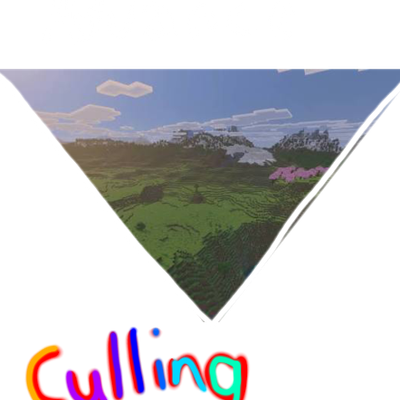
CurseForge · Minecraft mod
Occlusion Culling
Having hard time getting FPS ? Unrender the useless !!
Choose a version Pick your version below, then grab the matching file.
Quick answer
Which Occlusion Culling release should I use?
Latest stable file ADVANCE-CULLING-1_.0.0
Game version 26.2, 26.3
Loader Fabric, Forge, NeoForge
Occlusion Culling ADVANCE-CULLING-1_.0.0 targets 26.2, 26.3 with Fabric, Forge, NeoForge. The project page does not say whether this file belongs on the client, dedicated server, or both. No extra mods listed for this file.
Where it goes
Is Occlusion Culling required on the client, server, or both?
The project page does not say whether this file belongs on the client, dedicated server, or both.
Client Source doesn’t say
Dedicated server Source doesn’t say
Loader for this release Fabric, Forge, NeoForge
Required install it here Optional supported, not mandatory Not supported do not install here Source doesn’t say do not assume
The source does not explicitly classify this release as client-only or server-only.
What else does Occlusion Culling ADVANCE-CULLING-1_.0.0 need?
ADVANCE-CULLING-1_.0.0. Change the file and its required mods may change too.
This file does not list any required mods. Do not add a library just because a different file uses it.
This file does not list any required or optional mods.
Before you install it
Add Occlusion Culling without breaking your instance.
Built for Occlusion Culling ADVANCE-CULLING-1_.0.0. Pick another file and the loader, install side or required mods may change.
- 01
Stick to this file
Use ADVANCE-CULLING-1_.0.0. It targets 26.2, 26.3 with Fabric, Forge, NeoForge; another release may have different loader, side or dependency requirements.
- 02
Bring the mods it needs
This file does not list any required mods. Do not add a library just because a different file uses it.
- 03
Put it on the correct side
The project page does not say whether this file belongs on the client, dedicated server, or both.
- 04
Pick the file you checked
Use the “Get this file” button beside ADVANCE-CULLING-1_.0.0. It opens that exact file at the source.
About this project
What does Occlusion Culling add?
what is occlusion Culling ?
Occlusion Culling is a graphics optimization technique used in game engines to improve FPS by avoiding the rendering of objects that the player cannot see.
Why waste GPU and CPU power rendering something hidden behind another object?
Why use it ?
Higher FPS : Reduces unnecessary rendering work.
Lower GPU usage : Less geometry and pixel processing.
Lower CPU usage
Less heating
( Saves money cuz of ram and GPU being too expensive:(( )
Why chose us when there are more alternatives?
- Shader support
- Fast rendering
- Sodium and other mod support
- Ray traced mode and path traced mod
- Entity culling
- Leaves culling
other stuff
Ender dragon
Weither
Beacon
And other stuff will still be rendered because it's not possible idk
Project description from CurseForge.
Pick your setup
Occlusion Culling by Minecraft version and loader
Choose the version and loader you play, then open the matching release.
Minecraft version
26.2
3 loader buildsCheck the dependencies, then try the file in a copied instance before changing a world you care about.
Recent files
Occlusion Culling versions and loaders
ADVANCE-CULLING-1_.0.0
ADVANCE-CULLING-1_1_0_mc26_3.jar
20 Nov 2026
Client Source doesn’t say Server Source doesn’t say Dependencies No extras listed Listed on Release listing
Check the 26.3 · Fabric setup FabricForgeNeoForge26.2 release
Looking for an older file? The official CurseForge project page is in Resources.
 mod
CurseForge · Minecraft
Titan Relics
Explore colossal ruins, uncover archaeology and follow expedition maps to recover ancient machinery.
 mod
CurseForge · Minecraft
Bubie
The little CRT robot from bubie.gg as your helper: it chops trees, digs, quarries, farms and mines, then stores everything in your chest.
 mod
CurseForge + Modrinth · Minecraft
Cloth Config API (Fabric/Forge/NeoForge)
Configuration Library for Minecraft Mods