Minecraft version
Back to mods 
CurseForge · Minecraft mod
Framed Health Bar
Replaces the vanilla heart row with a framed, pixel-style health bar.
Choose a version Pick your version below, then grab the matching file.
Quick answer
Which Framed Health Bar release should I use?
Latest stable file framedhealthbar-1.2.2.jar
Game version 1.21.1
Loader NeoForge
Framed Health Bar framedhealthbar-1.2.2.jar targets 1.21.1 with NeoForge. The project page does not say whether this file belongs on the client, dedicated server, or both. No extra mods listed for this file.
Where it goes
Is Framed Health Bar required on the client, server, or both?
The project page does not say whether this file belongs on the client, dedicated server, or both.
Client Source doesn’t say
Dedicated server Source doesn’t say
Loader for this release NeoForge
Required install it here Optional supported, not mandatory Not supported do not install here Source doesn’t say do not assume
The source does not explicitly classify this release as client-only or server-only.
What else does Framed Health Bar framedhealthbar-1.2.2.jar need?
framedhealthbar-1.2.2.jar. Change the file and its required mods may change too.
This file does not list any required mods. Do not add a library just because a different file uses it.
This file does not list any required or optional mods.
Before you install it
Add Framed Health Bar without breaking your instance.
Built for Framed Health Bar framedhealthbar-1.2.2.jar. Pick another file and the loader, install side or required mods may change.
- 01
Stick to this file
Use framedhealthbar-1.2.2.jar. It targets 1.21.1 with NeoForge; another release may have different loader, side or dependency requirements.
- 02
Bring the mods it needs
This file does not list any required mods. Do not add a library just because a different file uses it.
- 03
Put it on the correct side
The project page does not say whether this file belongs on the client, dedicated server, or both.
- 04
Pick the file you checked
Use the “Get this file” button beside framedhealthbar-1.2.2.jar. It opens that exact file at the source.
About this project
What does Framed Health Bar add?
Framed Health Bar
Replaces the vanilla heart row with a framed, pixel-style health bar.
No more rows of hearts stacking on top of each other. Your health is one tidy bar with the exact numbers inside. Want more? Turn on the optional extra bars for armor, hunger, air, mana and thirst.
Health bar
Exact numbers
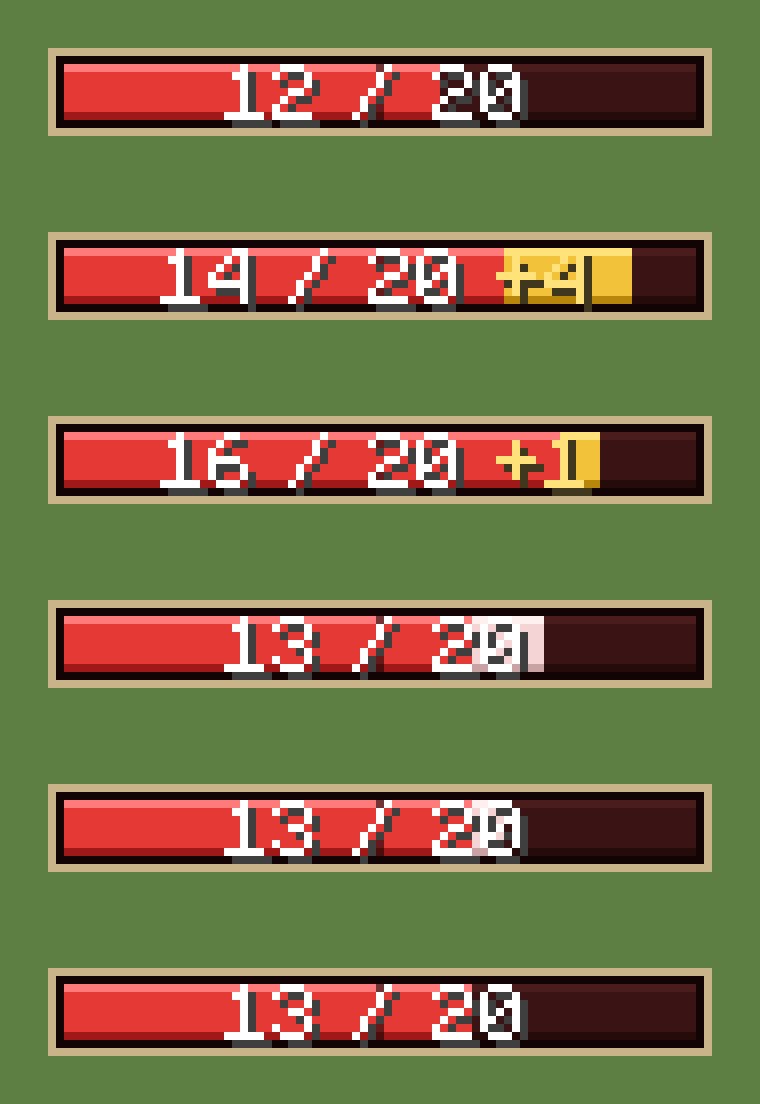
Your current and max health are shown right inside the bar, always as whole numbers. Absorption appears in gold next to them.
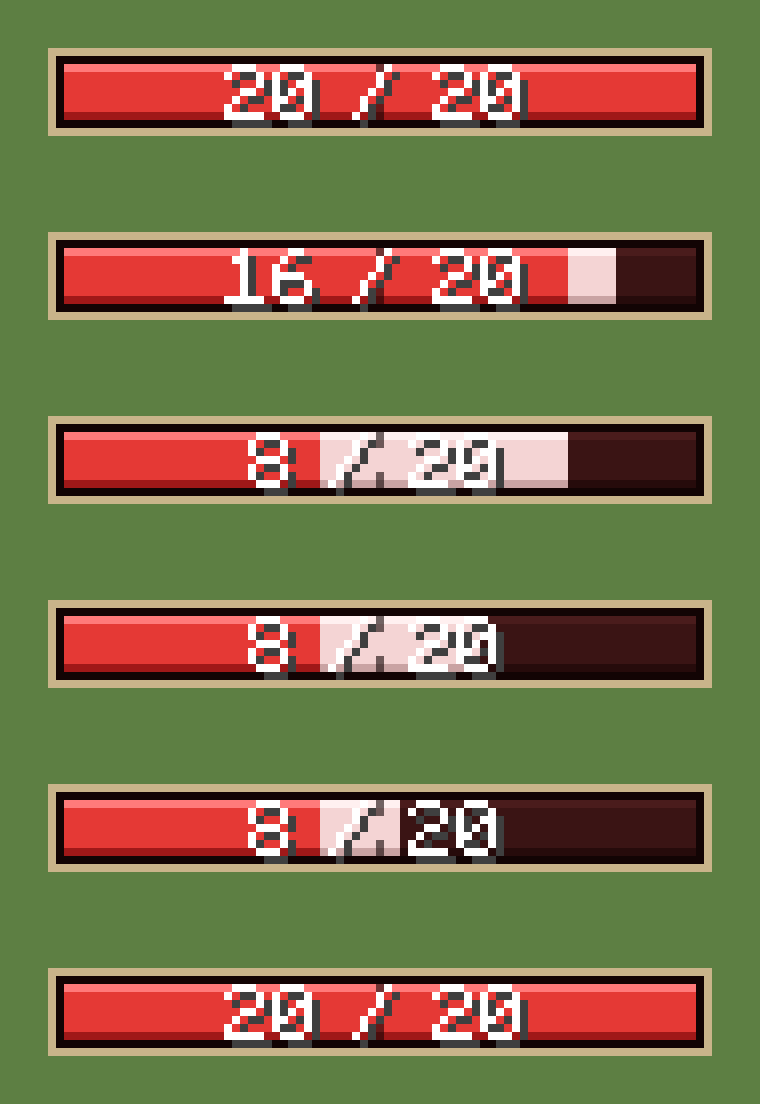
Damage trail
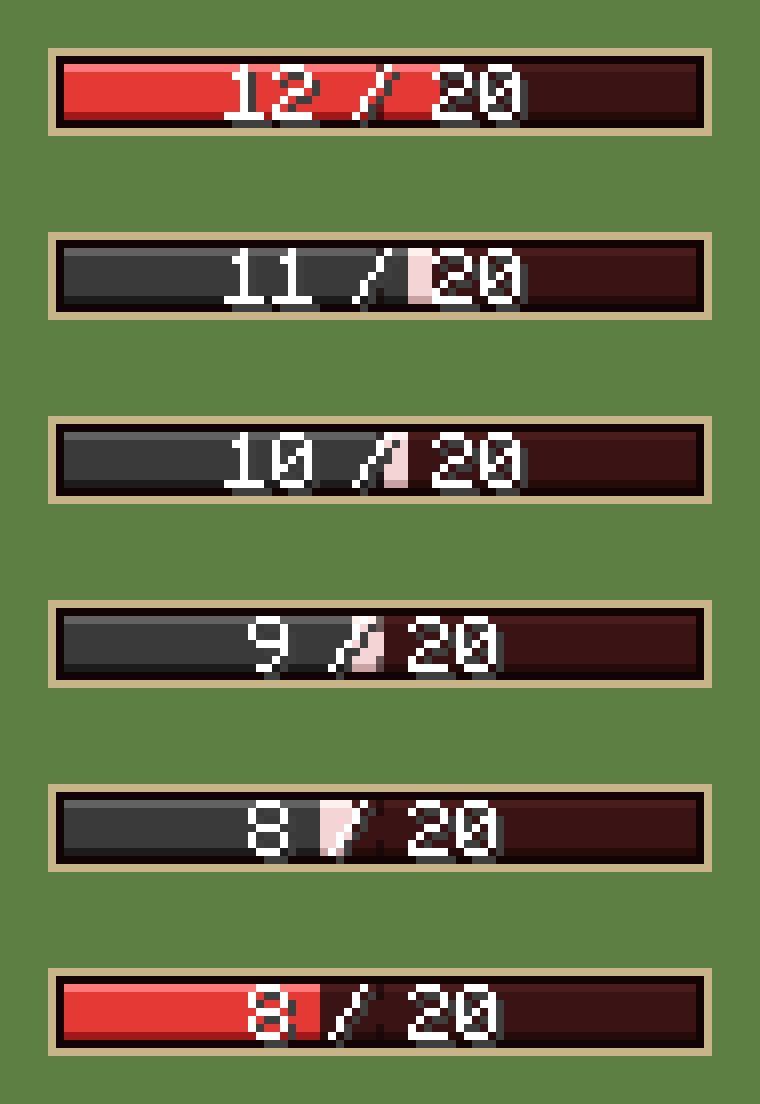
When you take a hit, the lost health stays visible as a white trail for a moment, then drains away. You always see how much a hit took.
Status effects
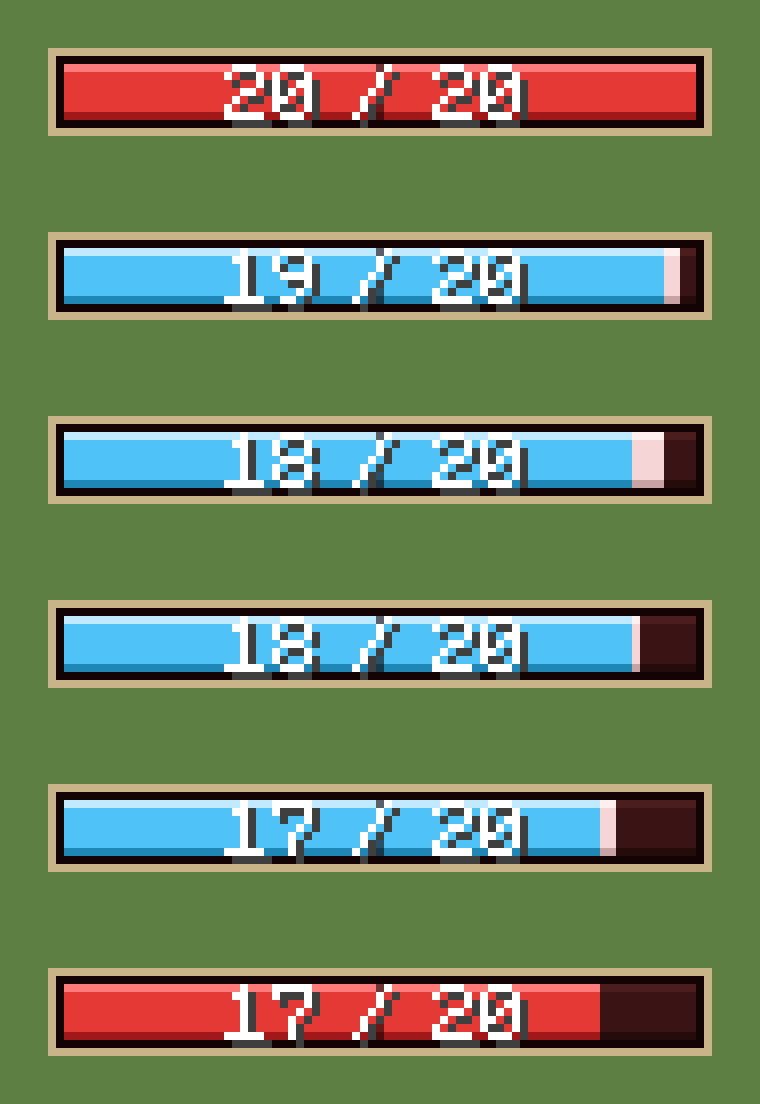
The bar and its heart icon change with poison, wither and freezing, just like vanilla hearts. In hardcore worlds the frame turns dark red.

Poison
Wither
Freezing
Readable at any max health
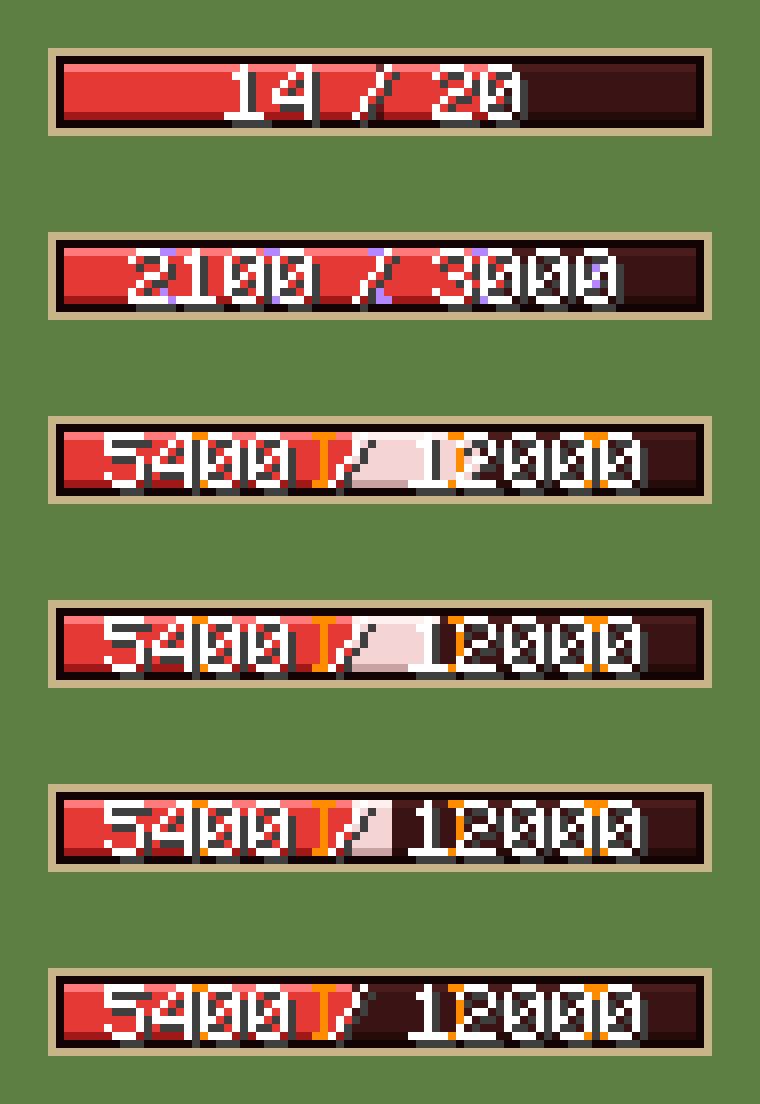
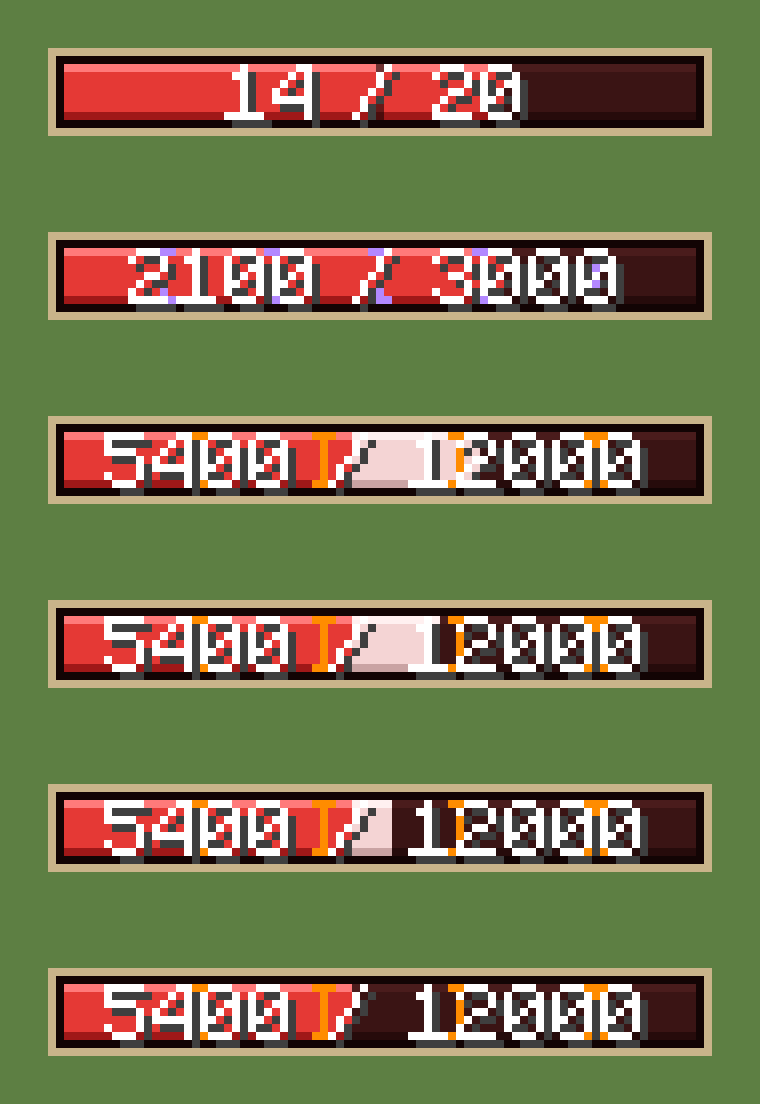
The bar always keeps the same size. Tick marks tell you the scale at a glance, even without reading the numbers:
| Max health | One mark means | Look |
|---|---|---|
| up to 200 | 10 health | small dark notch |
| up to 1,000 | 100 health | yellow triangle |
| up to 5,000 | 500 health | purple mark |
| above 5,000 | 2,500 health | orange mark |
Marks are evenly spaced from edge to edge. Great for RPG and boss-fight modpacks.
Absorption
Golden apples and other absorption sources add a gold segment. Damage drains the gold first. Works with Legendary Survival Overhaul's shield health too.
Optional extra bars
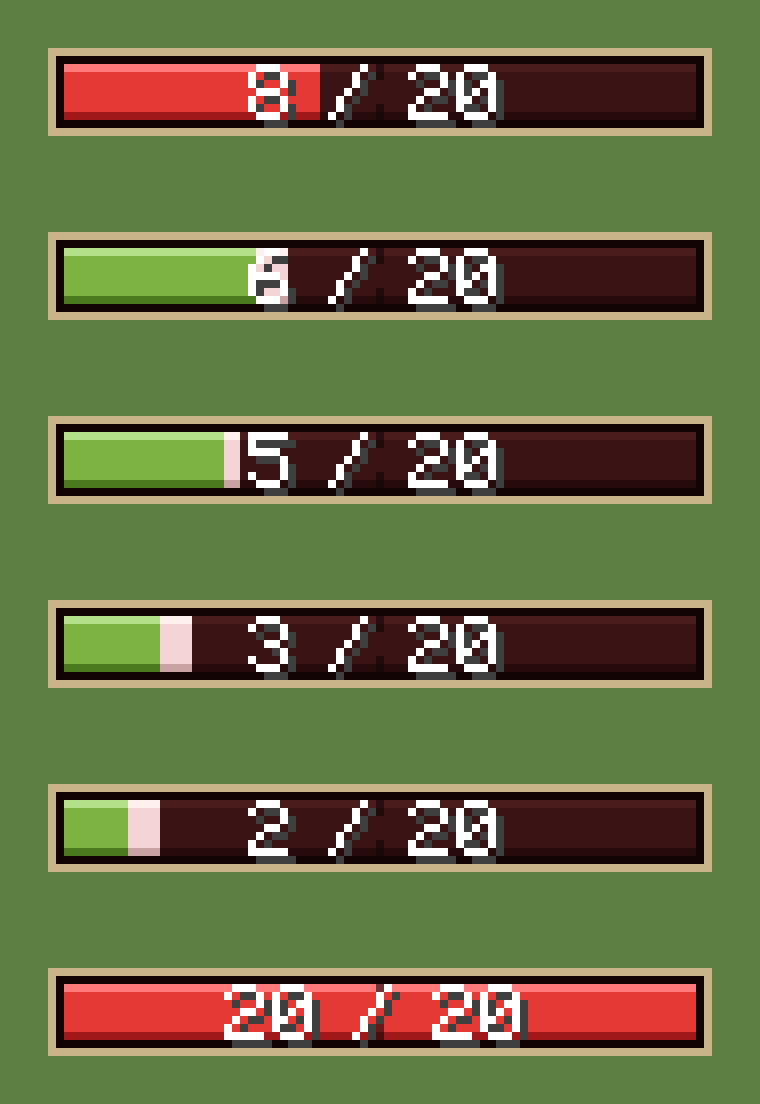
Turn on extraBars in the config to get the same framed style for everything else:
- Armor: fills in layers above 20 armor: iron, then diamond, then netherite. No fake "/ 20" limit.
- Hunger: saturation is shown as a thin light bar inside it. Turns green with the Hunger effect.
- Air: only appears while you are under water.
- Mana: with Iron's Spells 'n Spellbooks installed. Replaces Iron's own mana bar.
- Thirst: with Legendary Survival Overhaul installed, including hydration saturation. Replaces LSO's own thirst icons.
Vanilla icons (heart, armor, food, air) sit next to the bars and follow your resource pack and status effects. You can turn them off.
Default layout: health, armor and mana on the left; hunger, thirst and air on the right. Without a thirst mod, the mana bar takes the thirst slot above hunger. Every bar's side and order can be changed.
Armor layers
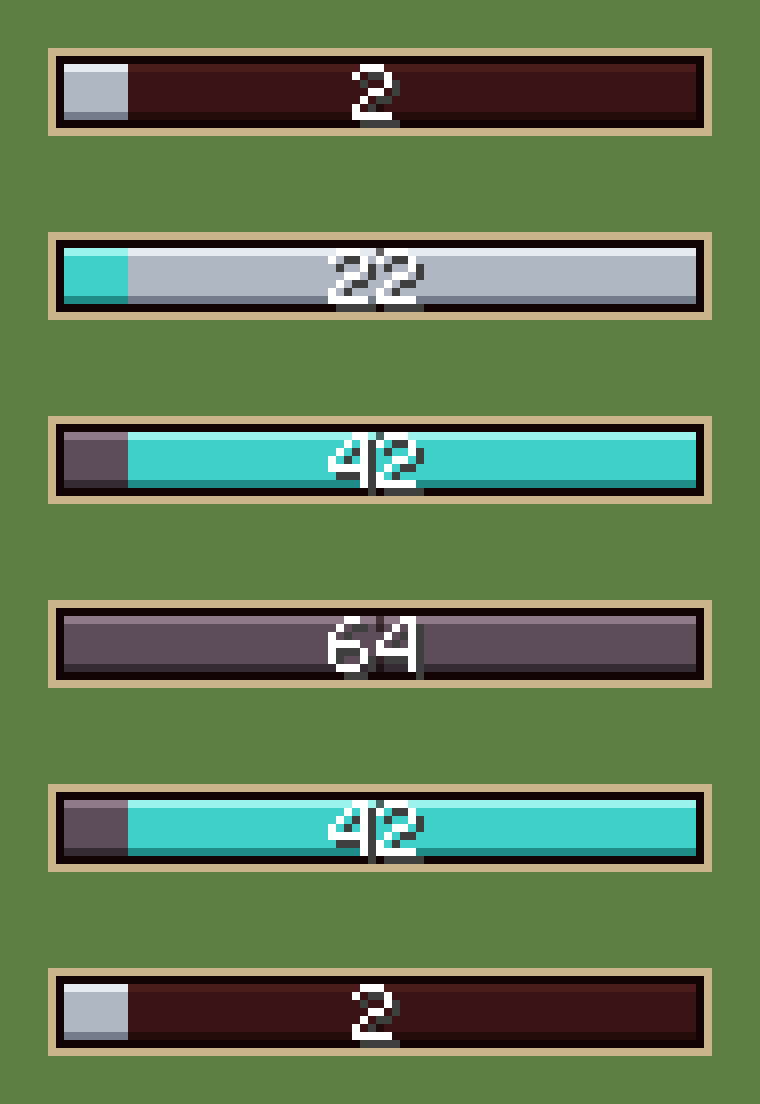
Hunger and saturation
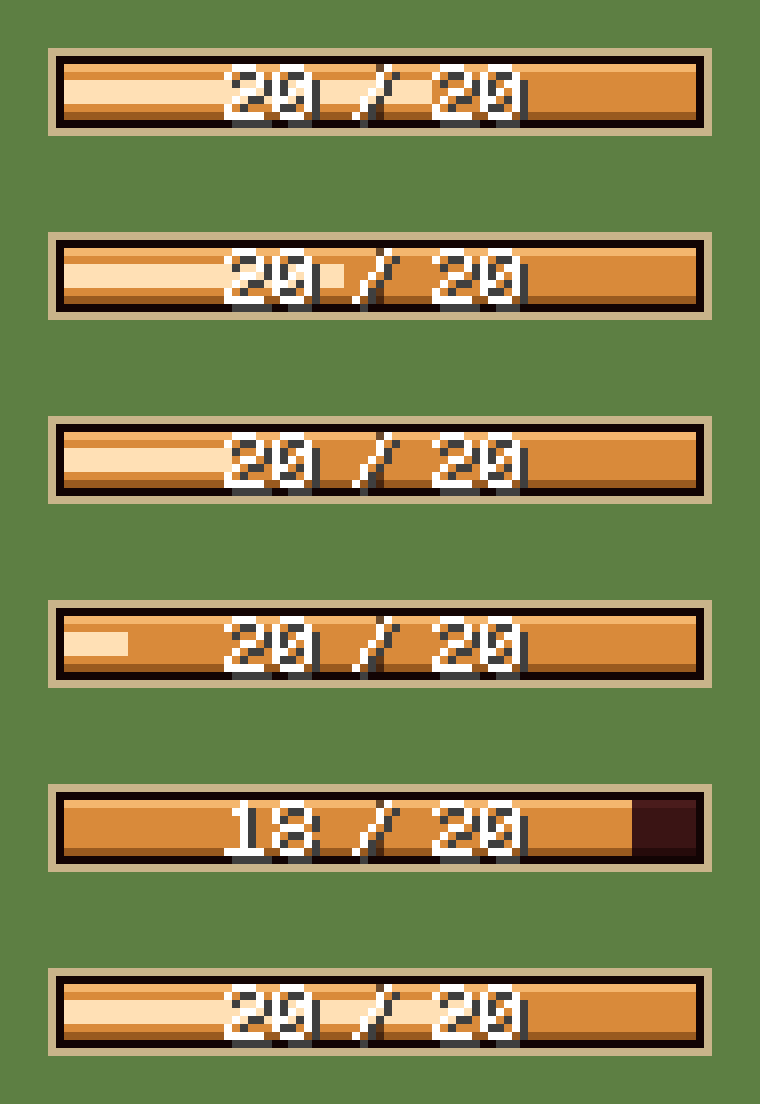
Air

Mana (Iron's Spells)
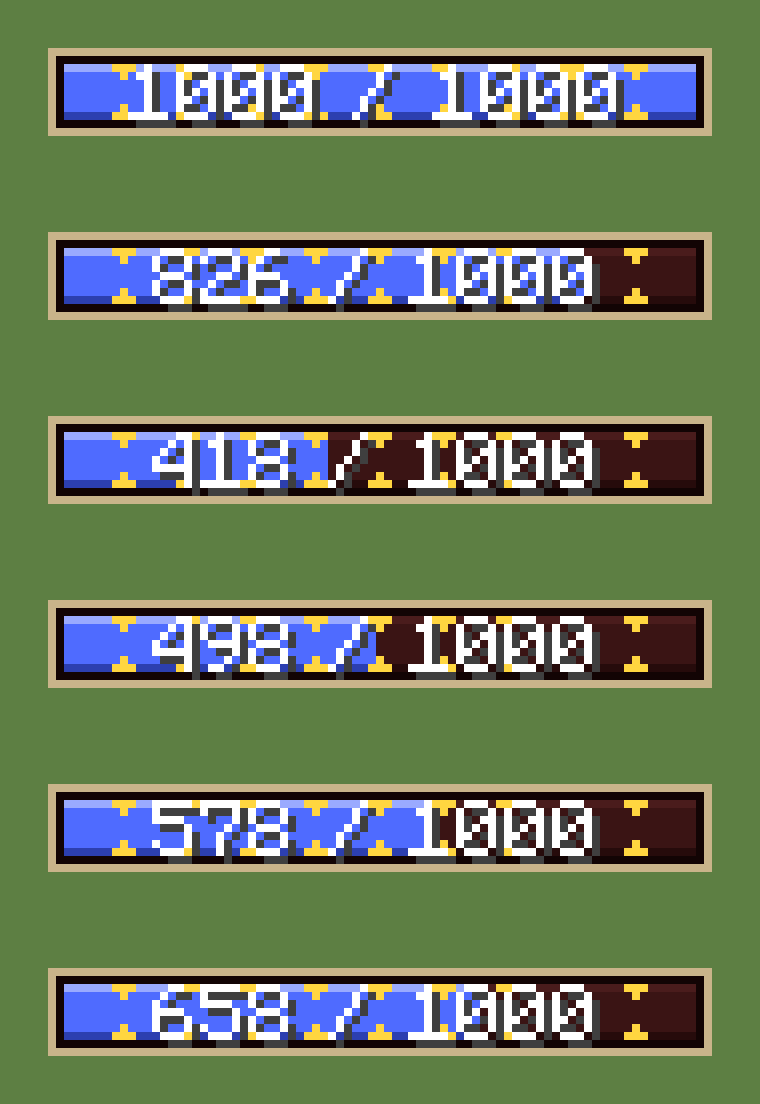
Thirst (Legendary Survival Overhaul)
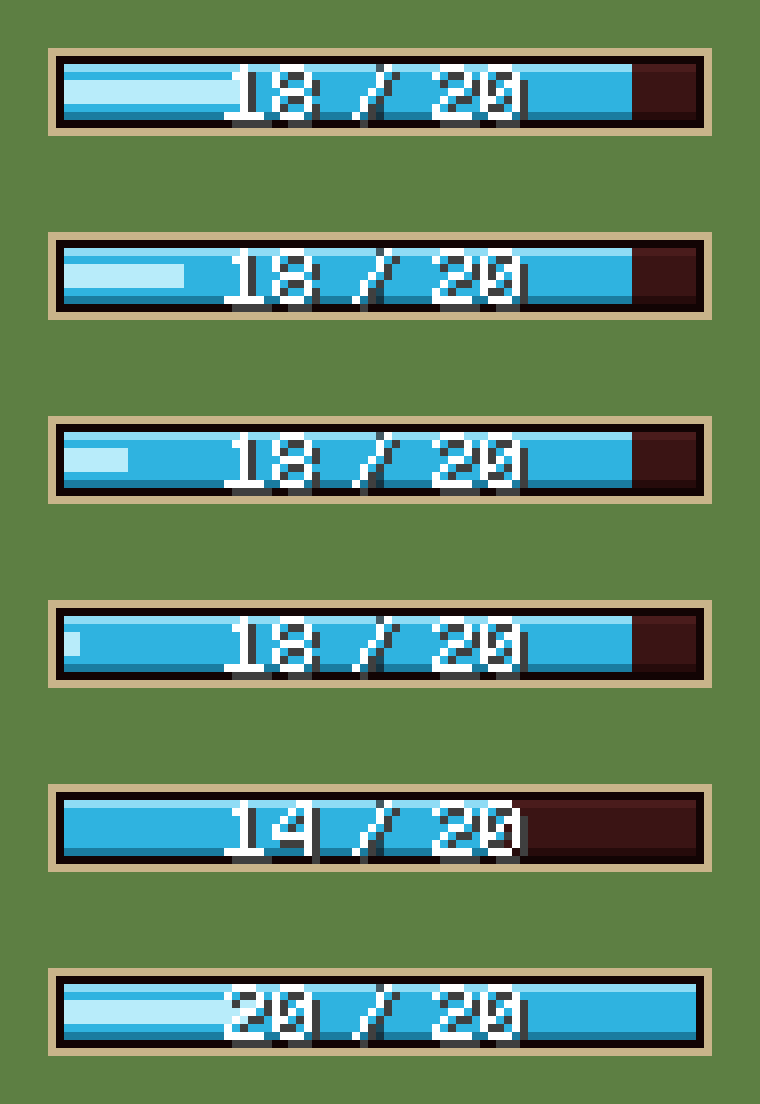
Config
Client config, also editable from the Mods menu:
| Option | Default | What it does |
|---|---|---|
| enabled | true | Turn the mod off to get vanilla hearts back |
| showNumbers | true | Show the numbers inside the bars |
| showTicks | true | Show the tick marks |
| showIcons | true | Show the icons next to the bars |
| extraBars | false | Turn on the armor, hunger, air, mana and thirst bars |
| armorBar, hungerBar, airBar, manaBar, thirstBar | true | Turn single extra bars on or off |
| <bar>Side, <bar>Order | see above | Move a bar to the left or right and change its order |
Info
- Client-side only. Install it on your client; servers don't need it.
- Iron's Spells and Legendary Survival Overhaul are optional. Without them, those bars simply don't appear.
- Mods that draw their own icons on top of the vanilla hearts or food may not line up with the bars.
- Minecraft 1.21.1, NeoForge. More versions are planned.
Found a bug or have an idea? Leave a comment or you can ask questions on discord:https://discord.gg/ZBt9yHgcPm
License: All Rights Reserved.
Project description from CurseForge.
Pick your setup
Framed Health Bar by Minecraft version and loader
Choose the version and loader you play, then open the matching release.
Check the dependencies, then try the file in a copied instance before changing a world you care about.
Recent files
Framed Health Bar versions and loaders
framedhealthbar-1.2.2.jar
23 Nov 2026
Client Source doesn’t say Server Source doesn’t say Dependencies No extras listed Listed on Release listing
Check the 1.21.1 · NeoForge setup 1.21.1NeoForge release
framedhealthbar-1.1.0.jar
21 Nov 2026
Client Source doesn’t say Server Source doesn’t say Dependencies No extras listed Listed on Release listing
Check the 1.21.1 · NeoForge setup 1.21.1NeoForge release
Looking for an older file? The official CurseForge project page is in Resources.
 mod
CurseForge · Minecraft
Profet's Timber
Chop one log and the whole tree comes down, cartoon style: it creaks, tips over, bursts into leaves and pops apart into its drops. Only needed on the server.
 mod
CurseForge · Minecraft
Safekeep
World backups that keep themselves: the world is zipped every hour and the oldest zips are deleted. /backup now, /backup list.
 mod
CurseForge · Minecraft
Wayrest
Sleeping bags and hammocks in sixteen colours. Sleep anywhere without moving your spawn, and nap through the day.